| Author |
 Replies: 16 / Views: 3,356 Replies: 16 / Views: 3,356 |
Page 2 of 2
|
|
|
|
Valued Member
Canada
453 Posts |
Welcome to CCF!
I just did a quick google of your camera model. I believe it has a macro mode, and with 10 megapixels, I think it should serve you fairly well. Use a tripod, or stand, to hold the camera. I don't know if it has a timer, but if it does, use that feature to get around camera shake. Good luck with it!
|
|
Moderator
 United States
23522 Posts |
Before attacking the "taking images" part, I think you should look into learning some sort of postprocessing software which would allow you to better prepare what you have for posting here. Yesterday's images suffered from a whole lot of excess airspace around the coins; had you placed the two closer together and cropped out all the excess space around them, you may have been able to show them far larger. I don't know what the original image size was, but the size you posted was an even downsizing of the camera's maximum image size so I'm thinking what you posted was a complete image without any cropping.
So, the point I'm making is that your camera is probably capable of perfectly decent images. Lets first get you up to speed with postprocessing so you can maximize that end, then we'll work on tweaking the camera itself. I don't know what specific software to recommend; I know there are free programs which will give you the capability but I use something a tad more complex which I wouldn't recommend to a beginner.
Let's let the membership come up with simple recommendations in that regard - you can probably Search this forum and get a good answer as well.
|
|
New Member
 United States
32 Posts |
thanks for the advice so far, I'm using ACDSee 10 to look at pictures I save and playing with the crop feature, I'm also looking at getting a USB camera/microscope that's not too expensive and will run on windows-7 64.
|
|
Moderator
United States
23522 Posts |
ACDSee should have the basic editing capability you need for the moment; since you have it, stick with it.
As regards the microscope, don't forget that optics is a price-driven technology - you get what you pay for. Members here are coming up with perfectly acceptable results using inexpensive microscopes, but don't expect to match the best efforts of people with far more expensive equipment. And don't expect to be using a microscope for full-face images of coins; although some microscopes have sufficient field of view to do so, many others don't and it'll be a source of frustration for you. Plan on the camera and microscope complementing each other, having specific roles. One for full-face images, one for details.
|
|
Valued Member
United Kingdom
175 Posts |
If you feel the need for something a bit more powerfull than the ACDSee for editing try GIMP it is a bit complicated but once you find your way round great, it is a full on graphics suit along the lines of photoshop but is Free and open source.
|
|
Pillar of the Community
United States
9810 Posts |
Always make sure you are saving your images in the highest quality possible in your camera, I shoot Canon DSLR and use nothing but RAW images to start with. Turn off any in camera effects, sharpening, etc. You can always do better after the fact of shooting, and sometimes the camera (especially sharpening) will make you shot less sharp since you may only be using a small crop from your original frame. Try to fill the area of view for the lens zoom you are using, either zoom in or move the coin closer to the lens, leaving lots of blank space means when you crop the coin you waste a lot of potential pixel that could have held data, and now you are trying to stretch fewer pixels even more after the crop is completed.
"Buy the Book Before You Buy the Coin" - Aaron R. Feldman - "And read it" - Me 2013! ANA Life Member #3288 in good standing since 1981, ANS, Early American Coppers Member (EAC), Colonial Coin Collectors Club member (C4), Conder Token Collector Club member (CTCC), Civil War Token Society (CWTS) member, Liberty Seated Collectors Club (LSCC) & Numismatic Bibliomania Society member (NBS), USMex, Member in good standing, 2¢ variety collector. See my want page: http://goccf.com/t/140440 |
|
Pillar of the Community
United States
4132 Posts |
Although, if you shoot in RAW, most in-camera effects like sharpening do not actually get applied to the RAW image data. They just get attached as tags to the RAW, which the RAW processing software is free to interpret (e.g. if you use DPP) or ignore (if you use anything else).
|
|
Pillar of the Community
Australia
2830 Posts |
quote: "Just about any modern digital camera will give you great results. Photography is about light, not the camera."
- CARVE THAT IN STONE !
AND: the advice about tripod & timer will also advance you considerably along the path of happiness.
|
|
Valued Member
United States
146 Posts |
The advise these guys are giving is top of the line. I am with SsuperDdave though in the post processing.Even if it is nothing more simple than cropping or resizing.Even the best shots can be messed up in these simple steps. Lights---Camera---Action-/then it goes to processing.You have to learn the processing.Macro shooting will require two shots for your earlier photo.Then comes learning to re-size and getting rid of all the excess.Then deciding if you want two photos made into one.This is just basic editing.Take some photos,play with the software. Even if you take the perfect macro shot and there is no excess to be gotten rid of,you still have to re-size to upload. As long as your camera has a macro function you can take a shot like this. Some years ago I took this with my a Nikon Coolpix 950 in macro.This is a 13 yr old 2MP camera.I still use it. Now is it the best shot that could be taken?Absolutely not,but is it a fair representation of what I am trying to show,which is a double struck 1c piece with one strike off center.If you can say yes,then that for you is a good shot. 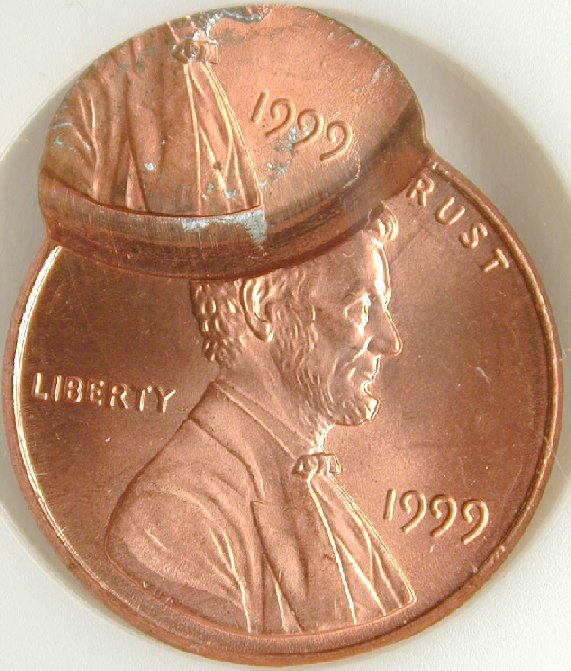 regards coffeecup57 |
|
Moderator
United States
23522 Posts |
Oh, look, it's a 3998 Lincoln.  |
|
New Member
United States
32 Posts |
Well guys, I went ahead and got a agptek 800x USB microscope which I am not liking too much at all, I will post 2 pics I took with it and 2 I took with my canon power-shot, I really wish there was a usb camera microscope which took still shots rather than screen caps, I would actually like to upgrade both of them as both the camera and the microscope camera are entry level items. I am off to re-size and adjust the pics I took, then I will post away and ask for recommendations. tight now I think my microscope cam needs less power and the ability to take jpeg style pictures. give me a few moments and I will start posting pics. wish me luck....... Craig
|
|
New Member
United States
32 Posts |
I don't know what that brown line signifies ( if anything ) I also have a few other nickles that are entirely this way on the reverse side ( oh that was a shot from the microscope) 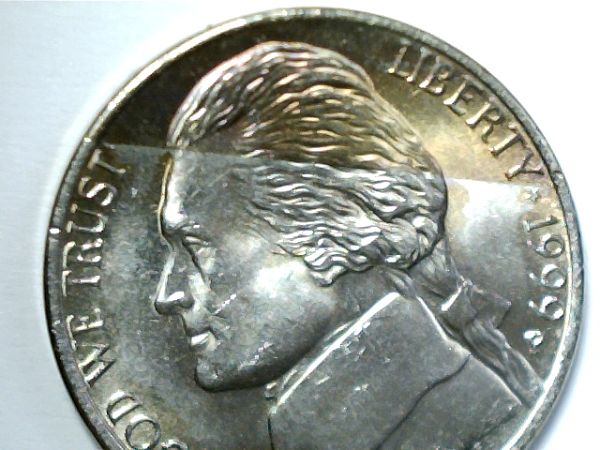 Edited by Craig T
03/03/2013 2:38 pm
|
|
New Member
United States
32 Posts |
Here is a picture I took with my little canon of the reverse side of 2 nickles that gives a bit more clarity on how much more brown that nickle is ( and full steps too :) ) 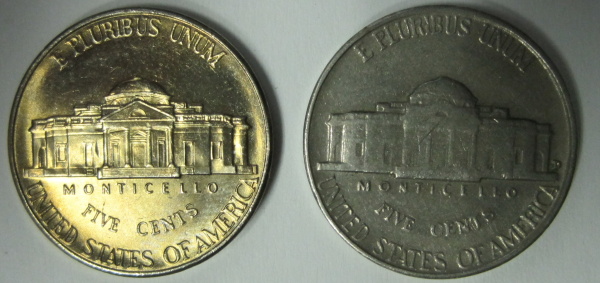 |
|
New Member
United States
32 Posts |
This one was done with the little canon ( I really wish for a sharper image and a bit more zoom ) 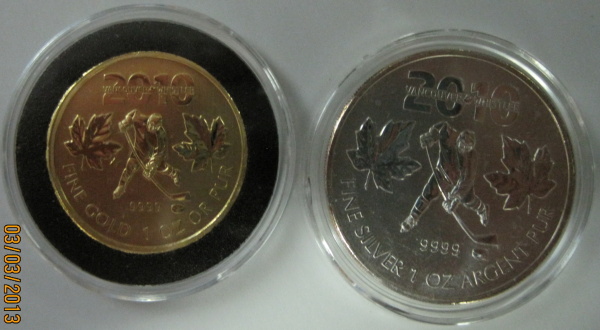 |
|
New Member
United States
32 Posts |
this is the last of my pics today from my microscope. I did the best I could with the tools that I have. The AGPTek USB 800X digital is a real pain, not only is the focus poor , but when I do manage to get a snapshot, it comes out as >bmp ( bitmap) which I have to use ms pain to convert to .jpeg or .png before switching to ACDSee to crop, then use the optimizer tool ( which is great). Anyway take a look at the pics and feel free to offer up any recomendations or jst tell me how I'm doing thanks again everyone...... Craig 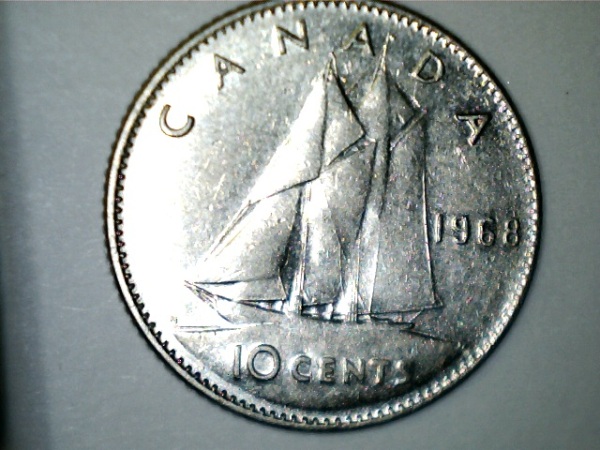 |
|
Page 2 of 2
|
Replies: 16 / Views: 3,356 |
Page 2 of 2
|






 First Page


 Posted 02/22/2013 3:13 pm


