| Author |
 Replies: 18 / Views: 7,520 Replies: 18 / Views: 7,520 |
Page 2 of 2
|
|
|
|
Pillar of the Community
United States
8535 Posts |
Nathan...can you post some pics that you've taken with the Mambate ?
Oregon coin geek.....*** GO BEAVS ! ! ! ***
|
|
Pillar of the Community
United States
1511 Posts |
Sure, here's a bunch. I haven't had mine for too long at all, so take into account that I have no special lighting whatsoever set up.. I really need to do something about my lighting... To get a much better example of photos I'd suggest checking the link to the topic I posted the link to in my above post. The OP of that thread has the same Mambate and a very very nice setup for it he made and a few light set ups... & His photos are FAR better than my own... Lol. But here's a few I've taken so far.. If you'd rather see more close ups or further away pics, toning shots etc let me know and I'll post more, but again, I'd really check out that other thread for much better pics and info on this Mambate USB cam.. It's like 5 pages devoted to it. 1853/4 Seated Liberty quarter kinda close up of date and close up of arrow and 3/4. 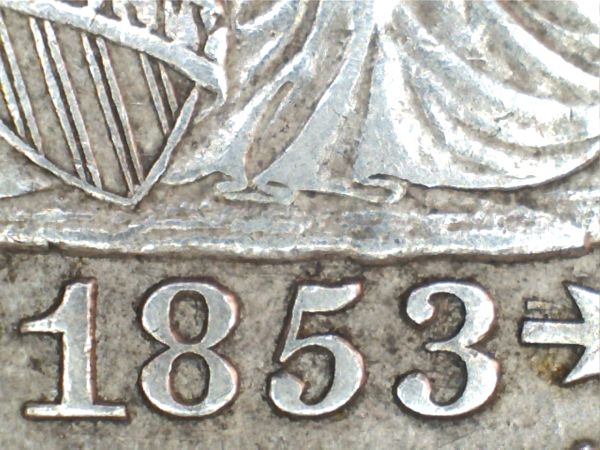 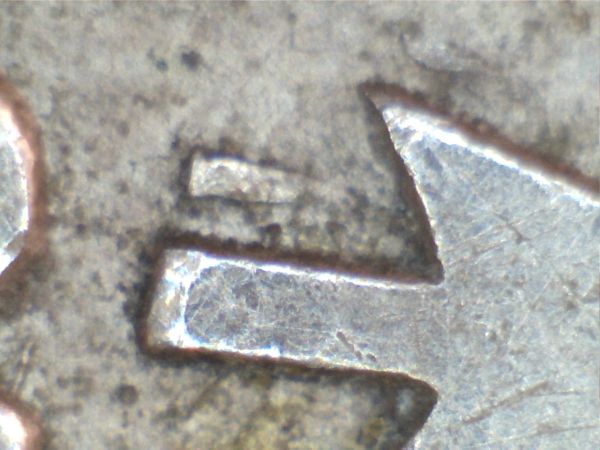 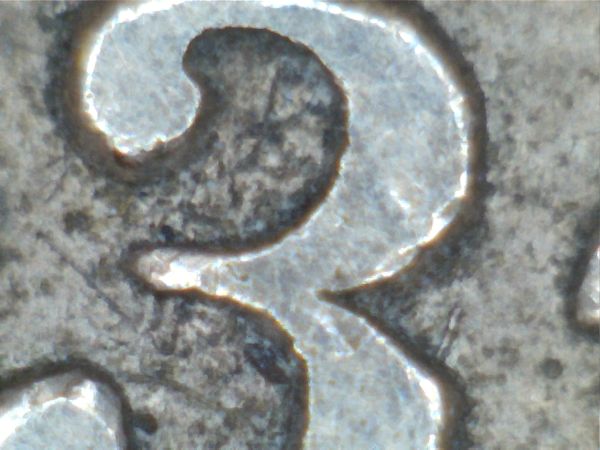 Close up of obverse & reverse shields and date on my 1843 dollar.. 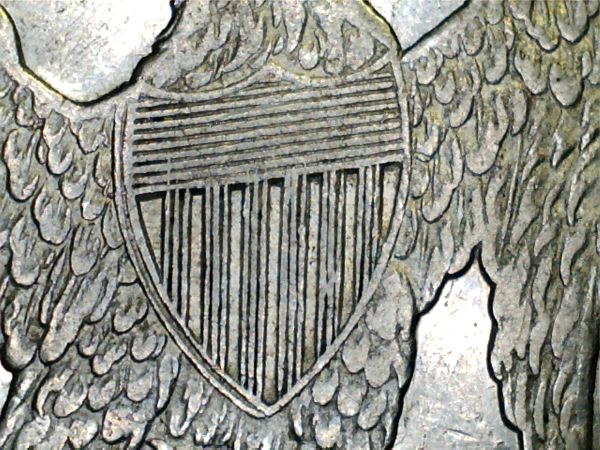 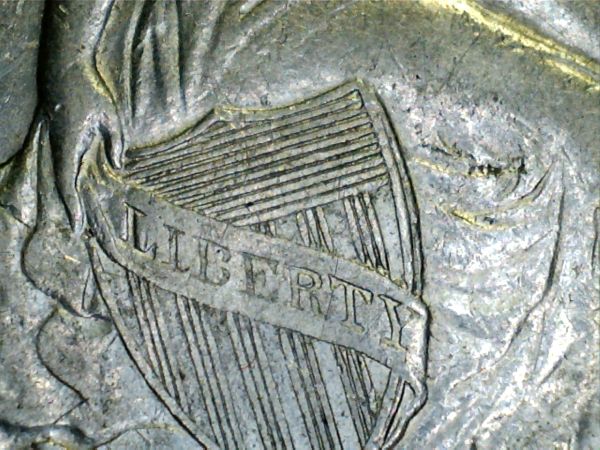 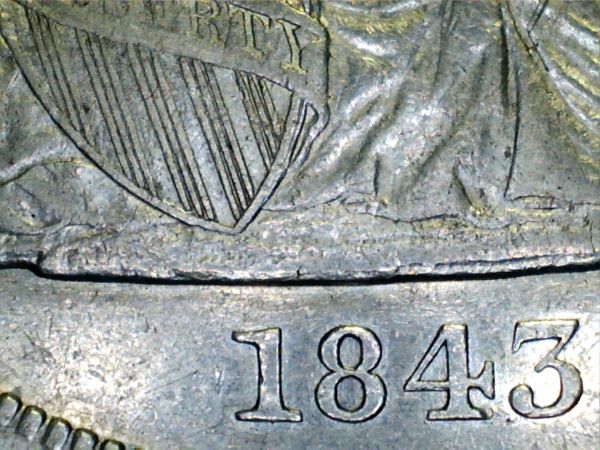 1911 $5 Indian a few different pics... (Last pic is true color) 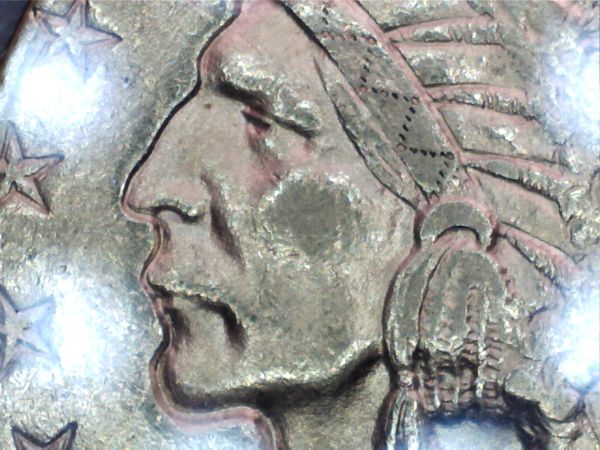 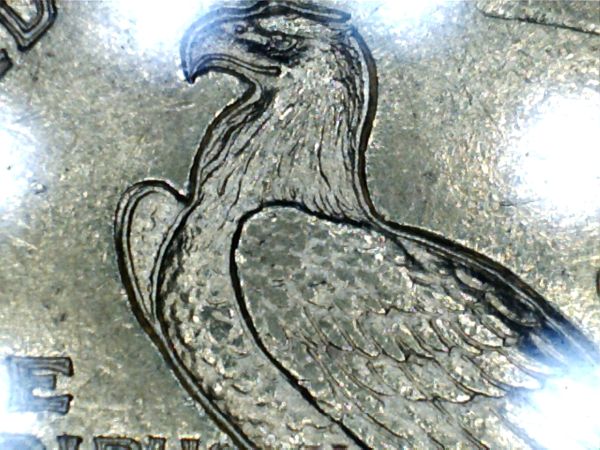 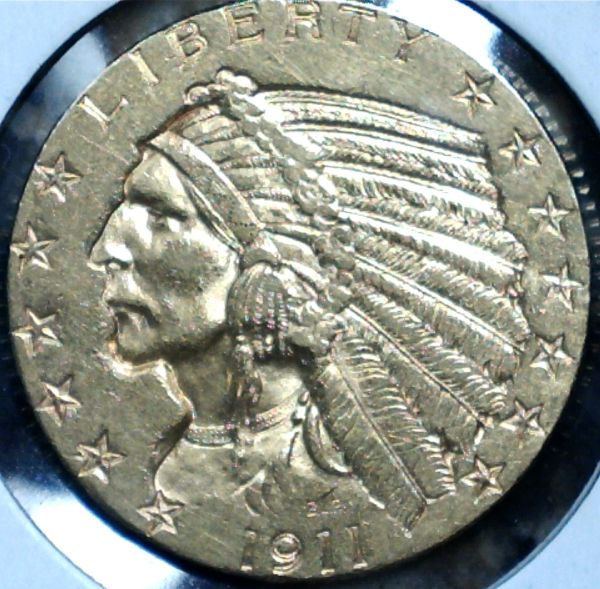 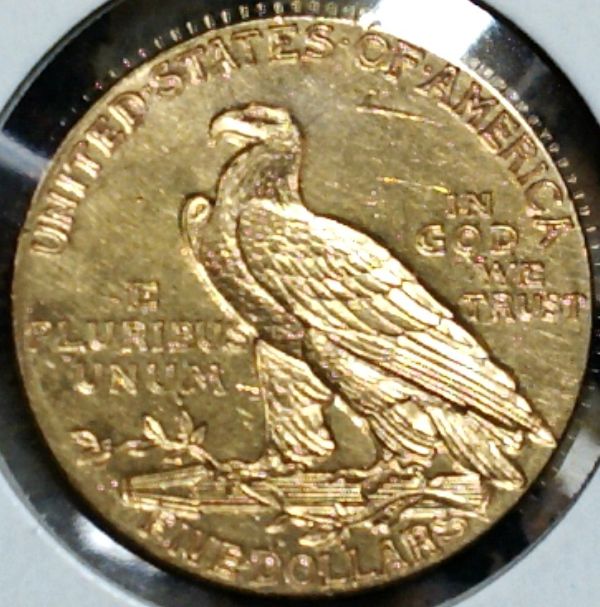 |
|
Valued Member
United States
359 Posts |
Nathan, I'm impressed by the clarity on those zoomed images! I was considering putting together a special light box to use my DSLR for coin pictures, but if you can get that quality with a $26 USB microscope I'm second guessing my decision. I'd probably come in cheaper just getting the Mambate...
|
|
Pillar of the Community
United States
950 Posts |
I totes just bought one of these.
I'm excited to try it out!
|
|
Pillar of the Community
United States
1511 Posts |
Ya for $26 it really takes amazing pics! You guys should check out the topic I posted the link too if you want to see what this cam can really do, with proper lighting and a nice stand set up, the OP really does an amazing job with his! Although I've only had it a few months with no special lights I'd say it suits me just fine and truly takes amazing pics..
|
|
Valued Member
United States
359 Posts |
If I can stop spending cash on coins for a little while, I'd like to try out of these babies. Question: I notice that there's a "trigger" button on the microscope itself to take a picture. Is there a way to trigger the snapshot via software, or do you have to physically push the button? I'd be concerned about jiggling the camera/stand when I pushed the button.
|
|
Pillar of the Community
United States
1511 Posts |
Yup, it does have a "trigger" button on the cam, but yes, you can also use your mouse and click a button on your computer screen.. which is what I've done the majority of the time. I was also always always worried it would move/jiggle the shot while I press the button on the cam itself, But I tried the other day and it actually still takes good shots and doesn't really move it too much (the further away the shot the better though). You can also take the camera off the stand and just hold it and take shots that way too.. With the button on the cam.. It's just the super, super close ups using the button might move it more than your like.
|
|
Pillar of the Community
United States
950 Posts |
Mine arrived yesterday but I haven't had a chance to use it yet. It looks good though and the stand is nicer than I expected.
The instruction booklet gave me a laugh.. I love poorly done literal translations.
|
|
Valued Member
United States
359 Posts |
Thanks, Nathan! Baysinger, I'll be interested to hear your personal review of the camera as well.
|
|
Pillar of the Community
United States
950 Posts |
Overall I am satisfied, but I learned to NOT push the red button that is supposed to take a picture. Im not sure why, but it takes about 3 billion pictures right away and I cant figure out a way to delete them other than deleting them all manually, one by one. That was irritating. Otherwise its pretty cool! the stand could be taller though, I had to set it on a 2 inch stack of things to get the whole coin in the field. Also the focus wheel could be a bit more grippy. It is smothe and sort of hard to turn. Here are some pictures I took with it. I had to edit these down to about 30% of their normal size to get them to upload here. 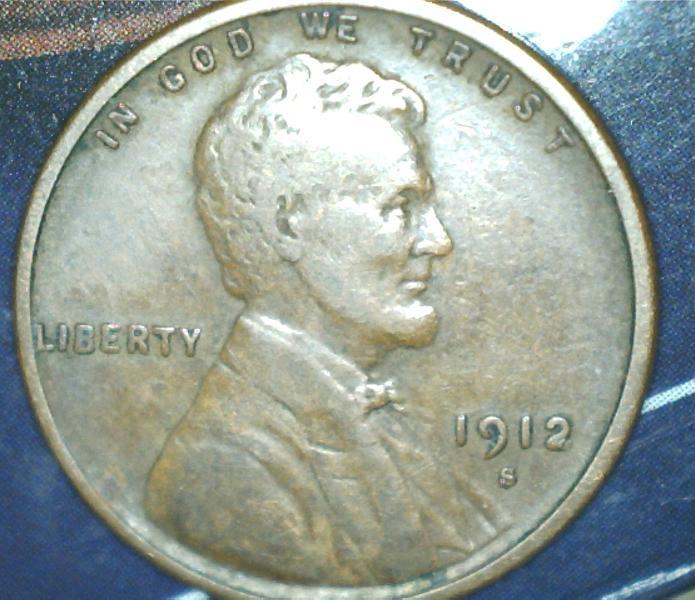 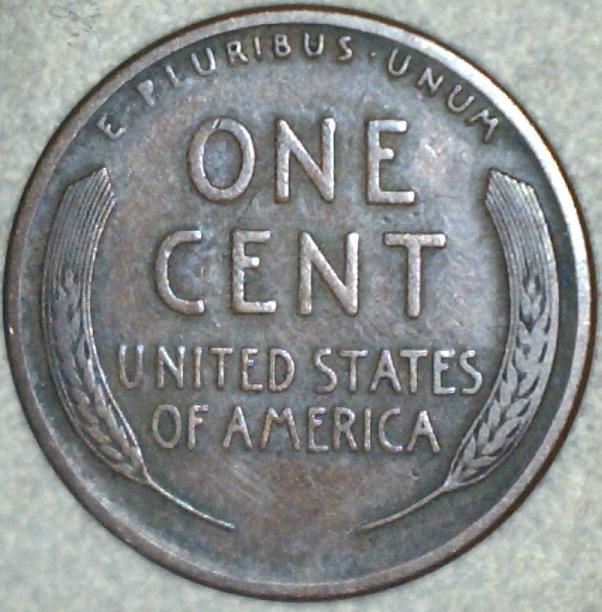 |
|
Pillar of the Community
United States
950 Posts |
Side note.. its AMAZING how dirty coins are under such magnification! I thougt all of my cents looked pretty free of debris but then with this.. OH BOY do they have gunk.
|
|
Pillar of the Community
Canada
9927 Posts |
Can you get the copper colour of the cent too show up more or is the coin that colour?
|
|
Pillar of the Community
United States
950 Posts |
the actual color is a beautiful chocolate brown but you can make it look really different with different lighting.
|
|
Pillar of the Community
United States
8535 Posts |
Yeah you need to work on your lighting a little bit. Just keep playing and adjusting till you get a natural look. Here's a stand I bought for my scope. 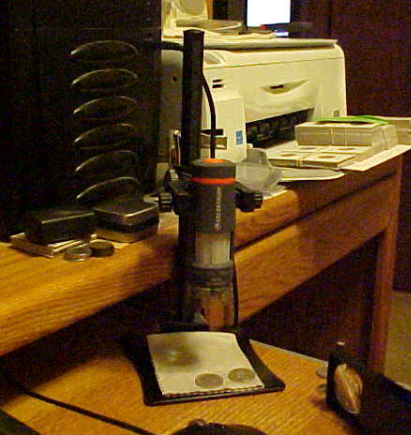 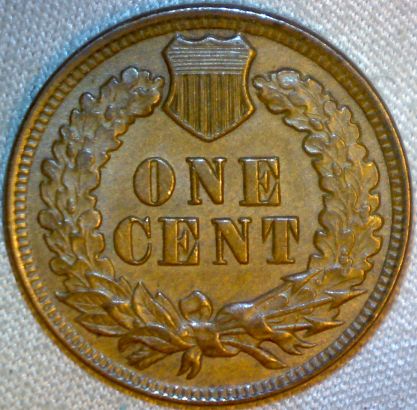 Oregon coin geek.....*** GO BEAVS ! ! ! ***
|
|
Pillar of the Community
United States
950 Posts |
Yeah, I was holding it in my hand and working on the arm of a couch. Not the best setup.
I will get the hang of it soon enough.
|
|
Page 2 of 2
|
Replies: 18 / Views: 7,520 |
Page 2 of 2
|








 First Page


 Posted 03/27/2013 10:24 pm


