| Author |
 Replies: 23 / Views: 4,939 Replies: 23 / Views: 4,939 |
Page 2 of 2
|
|
|
|
Pillar of the Community
 United States
7376 Posts |
Dave, thanks for the vote of confidence, it means a lot especially if I decide to sell it. sel_691, Thanks, yes I have some decent pics(for me that is,)shot in the normal way. A nice shot showing a reflection would be awesome. I like the idea of practicing with a mirror. Probably a good idea before I drop this thing.  Tried a few more shots tonight and so far nothing worth talking about. Edited by edweather
05/25/2015 9:42 pm
|
|
Pillar of the Community
United States
7841 Posts |
I would use a black background behind the camera to produce black fields of the coin. Here is one of my attempts with the black cloth behind the camera;  |
|
Valued Member
Australia
90 Posts |
edweather.
To try and capture in the manner that you are trying to achieve :-
Set camera to Aperture Priority Mode.
Set Aperture to F8
Set ISO to either 200 or 400
(I would go to 400, this ISO change is being made to maintain a faster Shutter Speed, under 1/60th and camera shake can be just as bad as poor focus ability)
At this aperture setting your little Olympus is set to its native maximum depth of field.
This will allow more of the central area to remain in focus.
Try to maintain the document position as in photo 1.
To increase the focus area you would need to move further away from the subject coin.
Somwhere along the way the Right Distance from subject will be found.
The yellow drop cloth, to me, is a bit off putting, a white covering may improve the Silver reflective area better.
It's a matter of trial and error.
|
|
Pillar of the Community
United States
7376 Posts |
All great replies. Looks like I have some experimenting to do. Yeah the orange drop cloth is a microfiber cloth. Just feel comfortable with it handy to not scratch the coin....but a white microfiber cloth is cheap enough at Walmart, will pick one up. |
|
Pillar of the Community
United States
3541 Posts |
Here's one I shot. This one was shot a while ago but I liked how it turned out...  |
|
Pillar of the Community
United States
7376 Posts |
Ironically I'm not trying to achieve the black pool effect. I'm actually trying to have something show in the mirror of a PL Morgan to accentuate the fact that it is PL and reflective. ....but on second thought, it would be awesome if I could get my coin to photograph with white devices surrounded by black.  |
|
Pillar of the Community
United States
3541 Posts |
my apologies Ed.. obviously as I've aged, and believe me I'm aged, I didn't read your initial post very well... I haven't tried doing what you're trying to do but would love to see some results when you get it done....
|
|
Pillar of the Community
United States
7376 Posts |
No need to apologize. No worries. |
|
Pillar of the Community
United States
1314 Posts |
Bonus points if you can do it when the coin is in a slab.
|
|
Pillar of the Community
United States
7376 Posts |
That would be a tough one.....no, wait, easier. All I would have to do is photograph the PL designation on the slab  That's actually my problem with this one. It has a "no-name" photo certificate that has PL on it, but I need more evidence than that. I haven't tried any more pics in the last couple of days, but plan to soon. Edited by edweather
05/27/2015 1:44 pm
|
|
Pillar of the Community
United States
7376 Posts |
Things are getting a bit better. ford-prefect, I used the f8, and 400 ISO. It has definitely helped, thanks. The focus is better. Need to work with reverse more, it's not as reflective as the obverse. Less fingers too  , and still need to buy the white microfiber cloth. I kinda like the black platform, the Morgan shows up nicely against it. 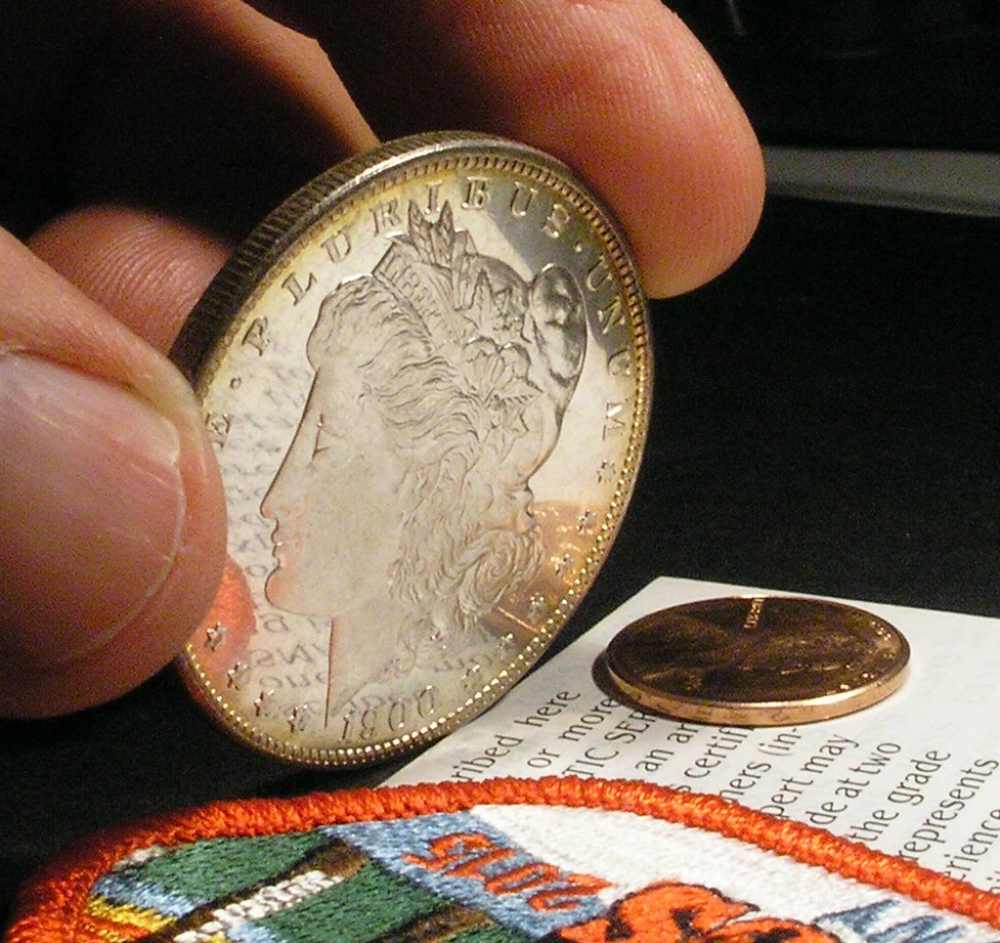 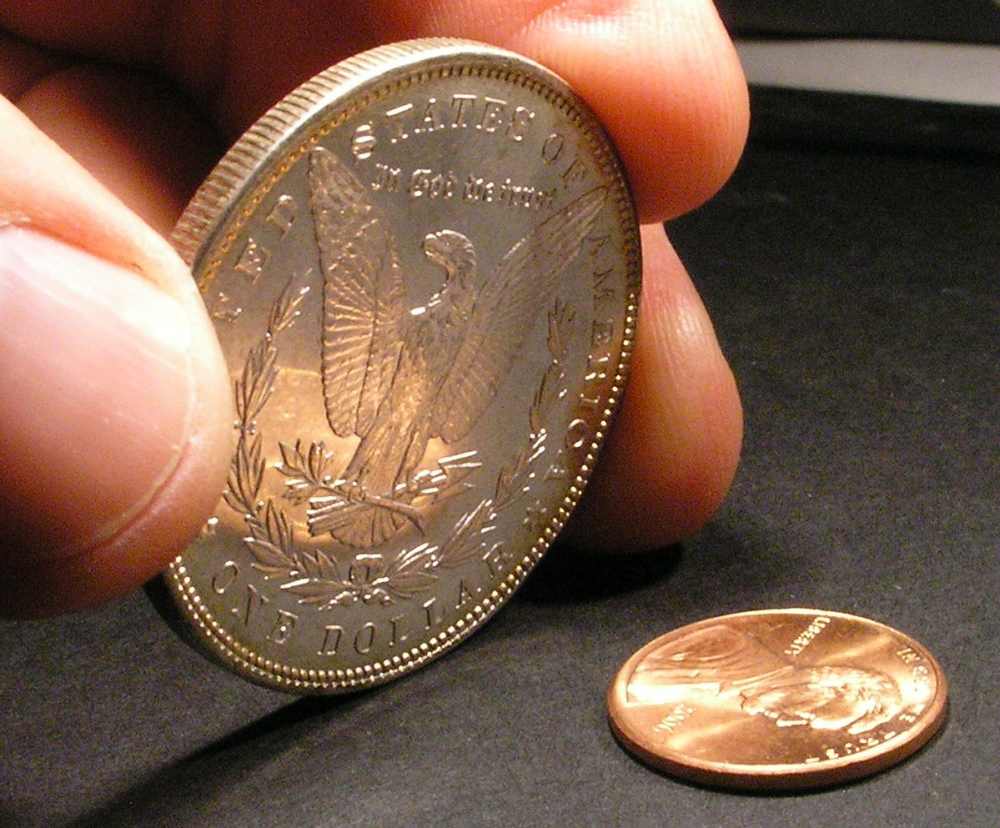 |
|
Pillar of the Community
United States
6004 Posts |
Hello, Ed! I had the exact same problem with my first DMPL Morgan dollar. I actually wanted to show the reflection, but the camera kept auto-focusing on the surface of the coin instead of on the relected image (which was actually a few inches away from the coin as far as the camera was concerned). I finally turned off the auto-focus and manually focused on the reflected image and got the following shot:  Note that, since I am focusing on the reflected image, the actual coin itself looks blurry. Sadly, short of taking two different photos and compositing them together, I think you're pretty much stuck with that choice. |
|
Pillar of the Community
United States
7376 Posts |
That's a really cool effect. I will probably try something like that just to see what it looks like. Haven't tried the manual focus yet, it's on the list. If you look at the first pic in my last post, both the print and coin are basically in focus, a definite improvement from original pic. I'm sure I can do better. The suggestion from ford-prefect of going to manual mode and adjusting the ISO and f stop definitely improved it. I've also seen some nice pics of what I'm trying to do. Others have done it, now I just need to figure out how to maximize my little camera's potential. A lot has to do with lighting, angles, and the subject matter being reflected. A work in progress.... ....this is a nice coin. I've even thought about buying a better camera just to photograph this coin. A nice photo could easily pay for the camera at selling time, imo. |
|
Bedrock of the Community
Australia
21792 Posts |
edweather: The reverse picture at least lets the viewer know that it is a DMPL.
|
|
Moderator
 United States
23522 Posts |
That's pretty darn cool, barryg. I really like the effect. Inconclusive about the length of the mirrors, but in conjunction with a shot of the coin itself it will certainly get the point across.  |
|
Page 2 of 2
|
Replies: 23 / Views: 4,939 |
Page 2 of 2
|








 First Page


 Posted 05/25/2015 10:10 pm


