| Author |
 Replies: 24 / Views: 3,903 Replies: 24 / Views: 3,903 |
Page 2 of 2
|
|
|
|
Bedrock of the Community
 United States
11951 Posts |
Thank you all for taking the time to respond. All the suggestions are great. Quote:
I hope you're planning to connect to a computer. Setting WB is much easier when tethered. Everything is easier. I was thinking I would learn some of the setting on the camera, before I tried learning the live tether setup. But maybe I should just go right to the tether. I knew I could color correct with software, but thought I should just show what I was getting without that, to get better suggestions on what I might be doing wrong. I am not sure what I should be doing with the White Balance (WB). I read that the camera is set on Auto WB, but that I can change that setting. As posted .. I guess live tether would be the best way to get the correct setting. I will try some more shots today, with some adjustments. I did have the coins sitting on gray paper. I thought gray was they correct background. Should I be using white? The lights were at 10 and 2 O'clock position, just the bare lights. |
|
Pillar of the Community
United States
946 Posts |
I think you are referring to the 18% grey paper I have seen mentioned a few times. I am also trying to pick up on becoming a better coin photographer and I enjoy reading all of these threads. Now if I can somehow convince myself to spend a 1k on a new setup rather then coins.
|
|
Valued Member
United States
430 Posts |
I bought a white card set on Amazon for $6.. It's a white ,black, and 18% grey card. But a white piece of paper will work. I use the black card as my background on raw coins. Diffusion on the lights help avoid bright "blown out" spots. I use a ping pong ball with a hole on the jansco lights. Ray has a "smile director" system to get light just where you want it. I bumped that thread a day or 2 ago. |
|
Valued Member
United States
430 Posts |
I don't recommend auto white balance. Since you will be using the same lights over again it's better to set it. Use the white point setting while tethered is quick. Also be aware of the ambient light in the room
|
|
Bedrock of the Community
United States
11951 Posts |
I switched to a white paper background. Before putting the coin under the lens. I followed the instructions for a custom WB. It would not let me set it in AUTO had to switch to aperture priority mode. With the coin in place I made setting 2.8 ISO 400 camera selected 1/400s 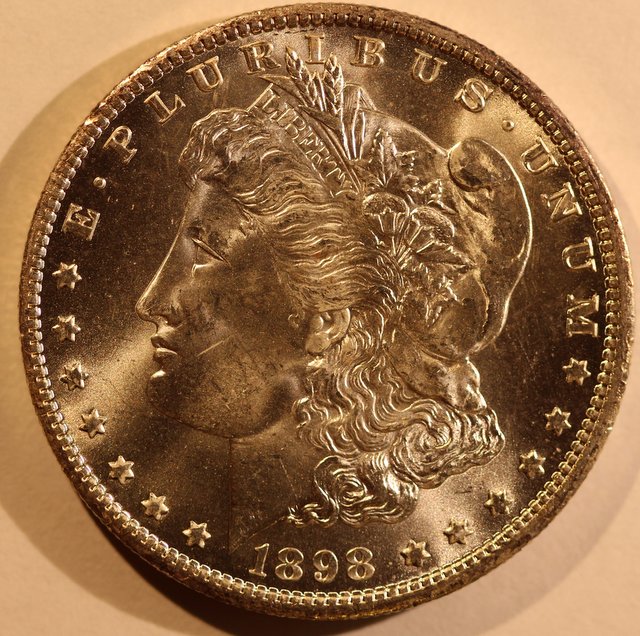 I am not sure what better way I could set WB. There are some pre set options. Here is same photo with Picasa3 auto color 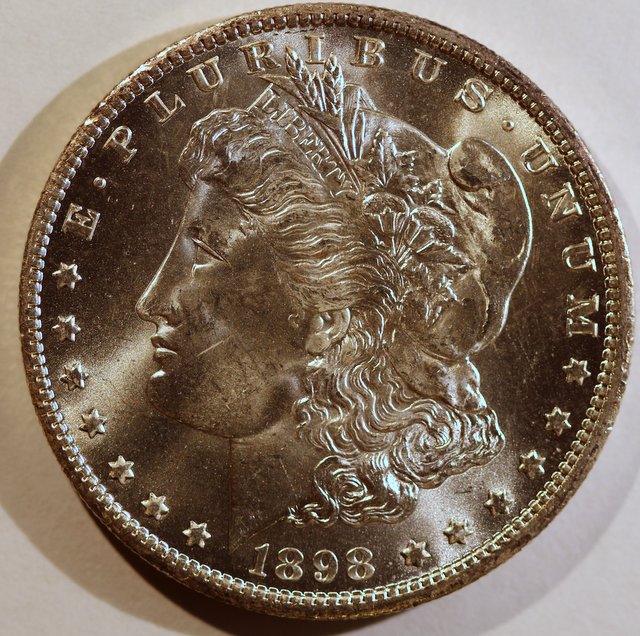 |
|
Valued Member
United States
430 Posts |
If you are not tethered, take a out of focus picture of a white sheet of paper. Then select custom white balance from the menu screen. this gets you to the SET screen. here you select the photo you just took. then press SET. This selects that image as your custom white balance. then use custom as your setting for other shots. This process is on page 90-91 of my manual.
If not then you can post production correct every shot as you did above.
|
|
Pillar of the Community
Canada
2784 Posts |
hello gr58 here is a very difficult coin to shoot. its the 2002 queens jubilee it is almost mirror like. I used a piece of charcoal art paper and a piece of abs pipe standing behind the coin. 2 janjso lamps the camera will pull the black colour over the coin. I don't us photo editing all I do is shrink them until they fit here. I do make changes know with the camera when its tethered very easy. I did not at first but I have learned you can not break the camera. that was my fear. take a look at this 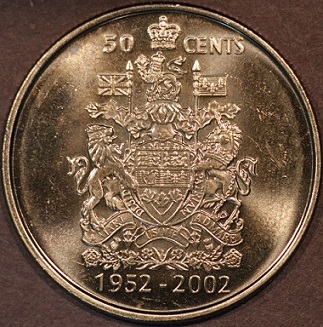 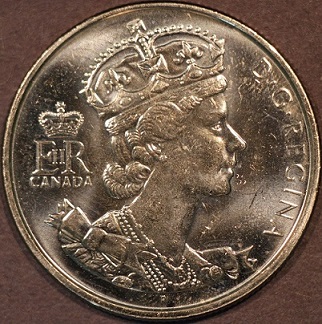 |
|
Bedrock of the Community
United States
11951 Posts |
Quote:
If you are not tethered, take a out of focus picture of a white sheet of paper. Then select custom white balance from the menu screen. this gets you to the SET screen. here you select the photo you just took. then press SET. This selects that image as your custom white balance. then use custom as your setting for other shots. This process is on page 90-91 of my manual. Wizzy1 It looks like I did not set my WB correctly. What Model do you have? I did find the same procedure in my manual, but not on the same pages. I will have to try again tomorrow. |
|
Valued Member
United States
430 Posts |
EOS rebel XS, older model than yours
|
|
Bedrock of the Community
United States
11951 Posts |
Quote:
EOS rebel XS, older model than yours Good to know ... One of the ladies at the coin shop has that same camera ... now I might be able to show her something. I have checked out her camera .. looks like a good one. ------------------------------------------------------ Another attempt at white balance, I think I am closer 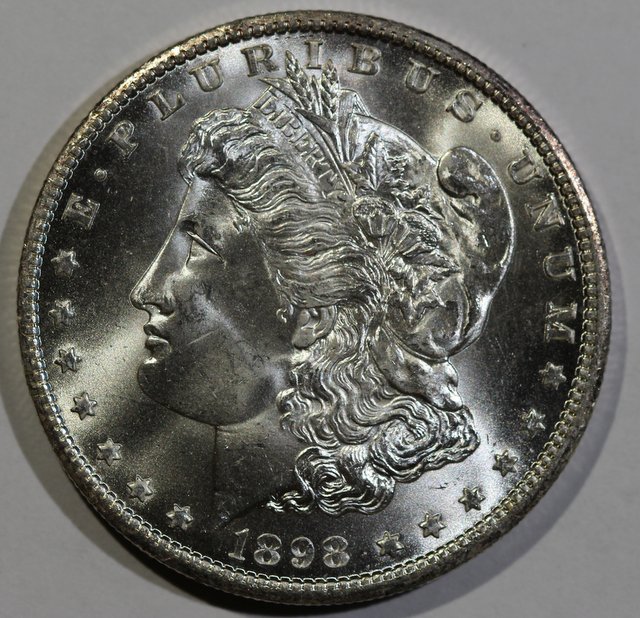 |
|
Pillar of the Community
United States
1476 Posts |
Much Better!
If you have the setting, try switching to the Tungsten setting for you WB. I know it is a good starting point using the Jansco's.
|
|
Bedrock of the Community
United States
11951 Posts |
I can try Tungsten ....but then it will switch from the custom setting
That I set up.
I feel what I have done so far I went from to much yellow, to
more blue or grey.
|
|
Pillar of the Community
 United States
4051 Posts |
Assuming your background is white/grey, the white balance is perfect. I checked the RGB in a few areas and it was off by <2%, with most areas spot on. The lower right corner in particular is exact on every point I checked. I assume this means you used it for doing the WB, correct?
Edited by rmpsrpms
06/29/2015 6:51 pm
|
|
Bedrock of the Community
United States
11951 Posts |
The last picture I did the instruction in the manual.
Set up my lights
Using a white sheet of computer paper, used manual
focus, took a picture.
On camera went to
WB
Selected custom white balance icon
The camera prompted me to use either the picture I took
Or the image that was still under the lens.
I believe that locks that white balance setting to my
custom white balance icon.
The image above, all I did was re-size the image.
I did not auto correct color.
|
|
Pillar of the Community
United States
4051 Posts |
That means the white computer paper and the coin background are the same color.
|
|
Page 2 of 2
|
Replies: 24 / Views: 3,903 |
Page 2 of 2
|





 First Page


 Posted 06/28/2015 07:10 am


