| Author |
 Replies: 35 / Views: 3,741 Replies: 35 / Views: 3,741 |
Page 3 of 3
|
|
|
|
Bedrock of the Community
United States
62064 Posts |
I'm leaning more towards rim bur. If it was done after the strike, the reverse would have been affected. It is a mint error. I wondered if it were struck through another coin, but the thickness would have been stronger. So I'm Thinking a rim bur from another coin.
|
|
Bedrock of the Community
United States
94367 Posts |
Would you explain the term "rim bur" to the rest of us, please.
|
|
Pillar of the Community
United States
2376 Posts |
Coop, I do, and did , see your point about the reverse but one of the OP's pics seemed to show a lightning highlight from an outward swelling, extending down into the area of the edge that should have been contained by the collar when the coin was struck. To me , the collar would have contained the swelling at the time of strike. If this is a struck through burr , I do wonder what type of coin the burr came from as the radius of a cent does not match the anomaly. 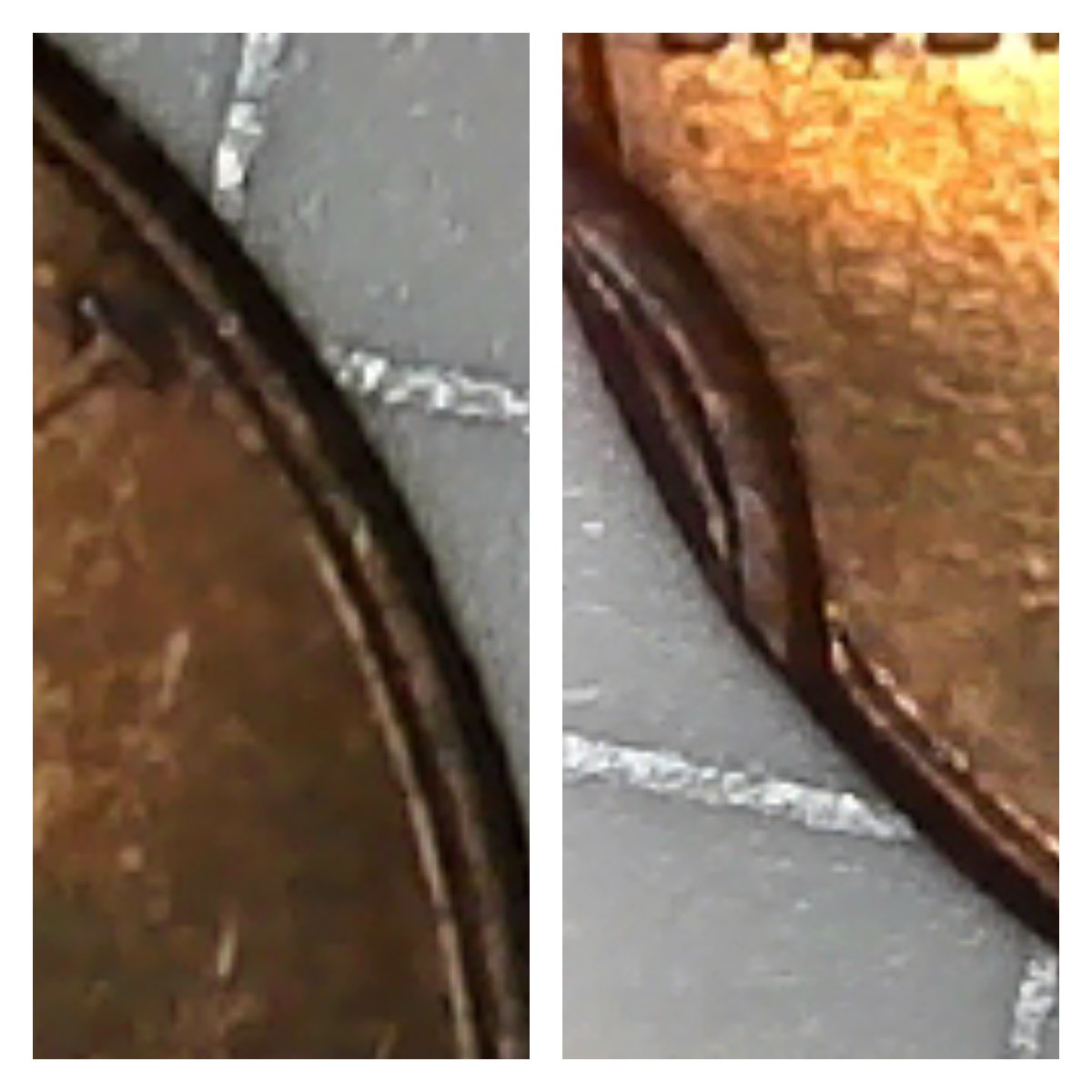 |
|
Pillar of the Community
United States
7586 Posts |
Quote:
I do wonder what type of coin the burr came from as the radius of a cent does not match the anomaly Exactly! and based on which Picture? look at the Fifth and Sixth pictures down in previous page, it looks like the coin was damaged. Edited by Chase007
03/09/2019 09:29 am
|
|
Pillar of the Community
United States
2775 Posts |
My initial thought was a potential Incomplete Clip. Been unable to find a known example showing this close to the edge. Without evidence showing on the reverse, I wanted to confirm if the reverse side could've filled it in. It does sometimes fill in on larger examples. When blanking an incomplete clip, it will lean or show more to one direction on one side of blank, compared to the other side. Also the impression depth can vary one side to the other.  Thanks, Doug. Edited by Halo1st
03/09/2019 1:20 pm
|
|
Pillar of the Community
United States
2376 Posts |
Chase , I pulled both halfs of the composite from the same pic. It was the whole obverse pic. The OP's second one down. I wanted both halfs from the same pic so thete would be no question of the radius
|
|
Pillar of the Community
United States
2775 Posts |
Quote:
the radius of a cent does not match the anomaly. After 50 +/- tons of pressure is applied to a 2.5gram planchet, I'd think it might get altered a bit. Thanks, Doug. Edited by Halo1st
03/09/2019 11:36 pm
|
|
Pillar of the Community
United States
2376 Posts |
After looking at all the pics of partial brockages that I can find, the radius difference , as Halo pointed out is certainly acceptable. That there seems to be a bulge in the edge where the collar should have controlled it is still odd but could be the lighting used. Coops thought of it being struck through a rim burr is certainly possible
|
|
Bedrock of the Community
United States
62064 Posts |
On an partial clip, the same thing is seen on both sides of the coin: 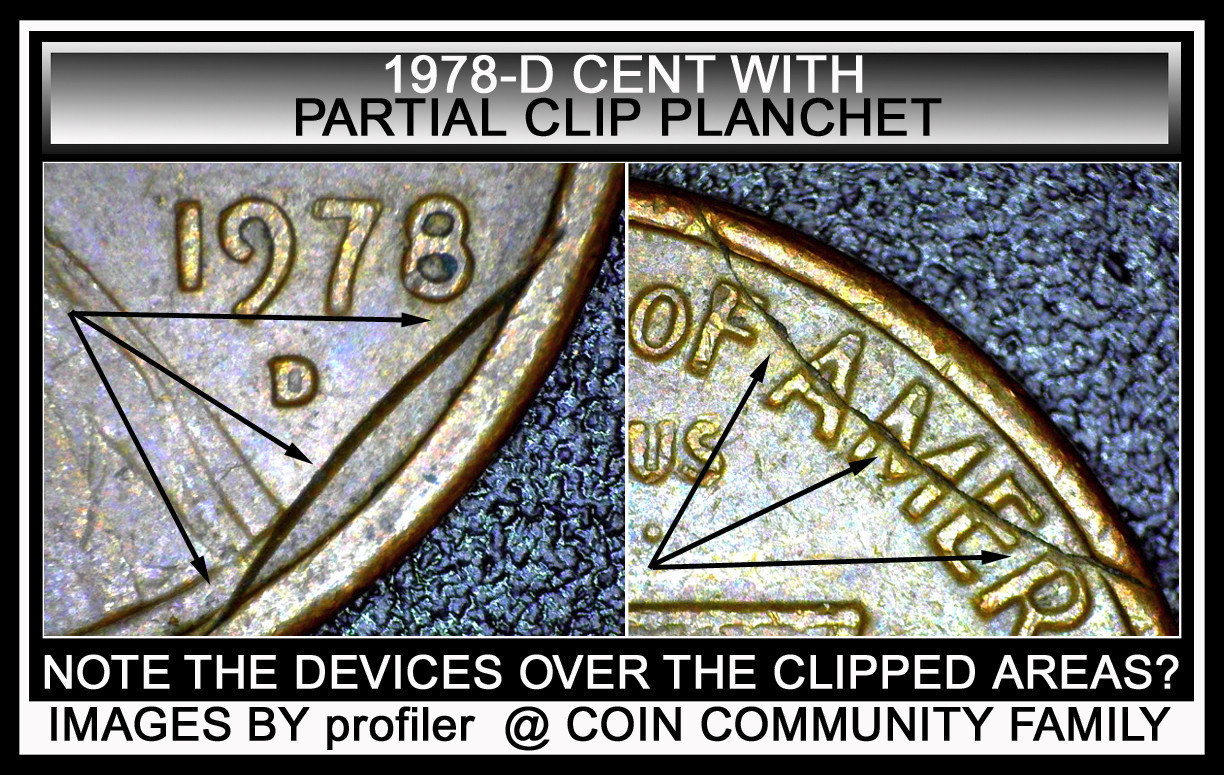 Also consider the depth of the struck through. A rim bur would make sense and still allow for part of the rim to rise where the rim bur wasn't.When working up this image, I noticed it was not a struck through error. But it is a Post Strike Damage issue. See the images closer proved that is was not a struck through error. 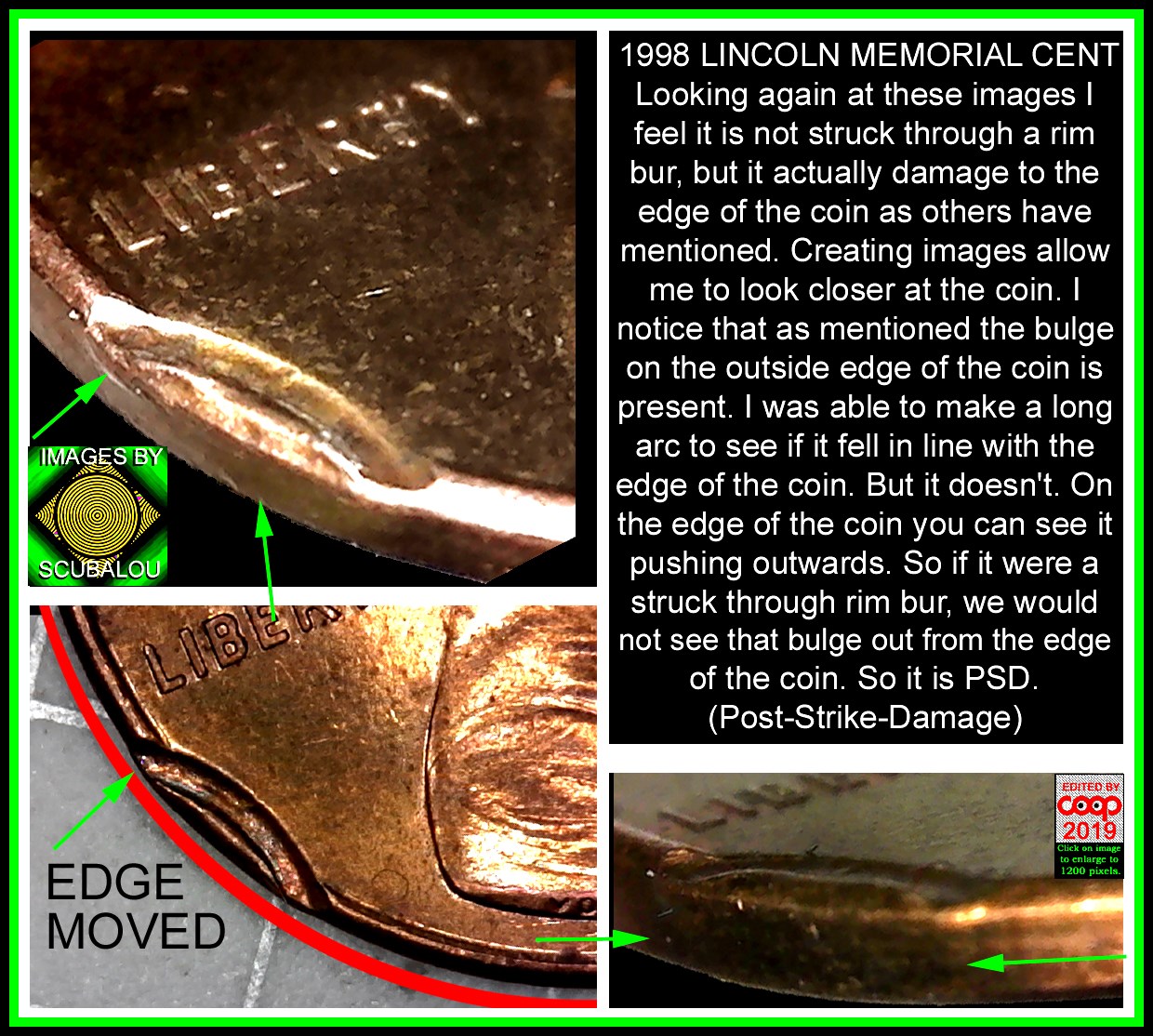 See, I can be wrong, but working up the images brings out the right answer. A learning event for all and me. Edited by coop
03/11/2019 1:40 pm
|
|
Bedrock of the Community
United States
62064 Posts |
I learned something new today. How to add a curved line under a curved circle like on the image above. How did I do it? (well maybe no one want to know?)
|
|
Pillar of the Community
United States
2775 Posts |
I found the original image is at a bit of an angle. Seemingly not a straight on perfect circle image to start with. Had to tweak or alter my circle to outline the part presented in image by way of an overlay. Not making reference to the indention, but the outline or image contour as a whole. Please share an easier or cleaner way. Thanks, Doug. 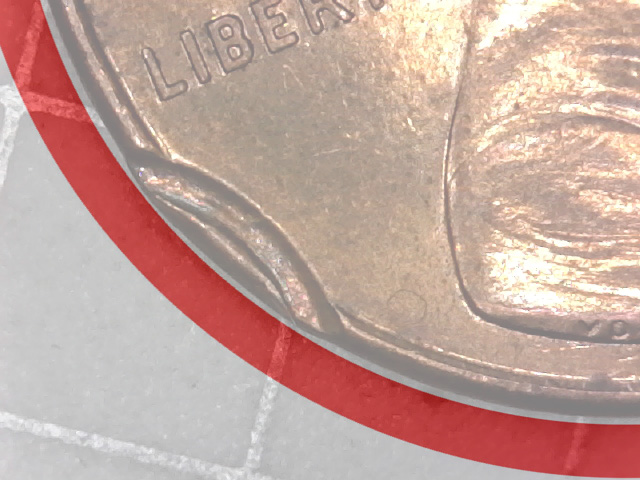 Edited by Halo1st
03/11/2019 8:16 pm
|
|
Bedrock of the Community
United States
62064 Posts |
I think you figured it out. But on Photoshop I placed the original image, then used the canvas feature to make a 4000 Pixel square around the image. Then I make a huge circle around the curve of the edge of the coin. (Took several times to get the right size. I changed the lower canvas color to red, the moved the circle evenly the same amount just beyond the circle line. Then slid the circle over enough make the arc that you see on my image. Then cropped the image and saw, that the area in question was not in line the edge of the coin. That is how I created the curved ark. (Something new to me)
|
|
Pillar of the Community
United States
2775 Posts |
I'm still learning using photoshop elements 9. I think its a stripped down version, with some basic, but not all the same functionality as the original program. Thanks, Doug.
Edited by Halo1st
03/11/2019 8:30 pm
|
|
Pillar of the Community
United States
7586 Posts |
Quote:
When working up this image, I noticed it was not a struck through error. But it is a Post Strike Damage issue coop, you usually do get to the bottom of things  The answer was in the Fifth and Sixth pictures. |
|
Bedrock of the Community
United States
62064 Posts |
When I edit, I see the images more and realize what others said. Seeing it closer up, I could see the truth about this coin.
|
|
Page 3 of 3
|
Replies: 35 / Views: 3,741 |
Page 3 of 3
|







 First Page
 Previous Page


 Posted 03/08/2019 7:53 pm





