| Author |
 Replies: 24 / Views: 6,414 Replies: 24 / Views: 6,414 |
|
Pillar of the Community
United States
7396 Posts |
Hi all, I had several questions about how I do my pictures, I decided to create a quick tutorial. Please disregard the actual gear, any DSLR and Macro lens will work. I've always used Canon gear so that is what I use. Please note that you can also take pictures many different ways and the best way is to have a product light box, but since I don't have one I improvise. First step is the set-up. You will need a Camera, A macro lens, a tripod and some surface. I also use a camera remote (or my phone), but that is not necessary. Step 1 Set everything up. Set up the tripod, camera with the correct lens and your surface (I use a white towel). 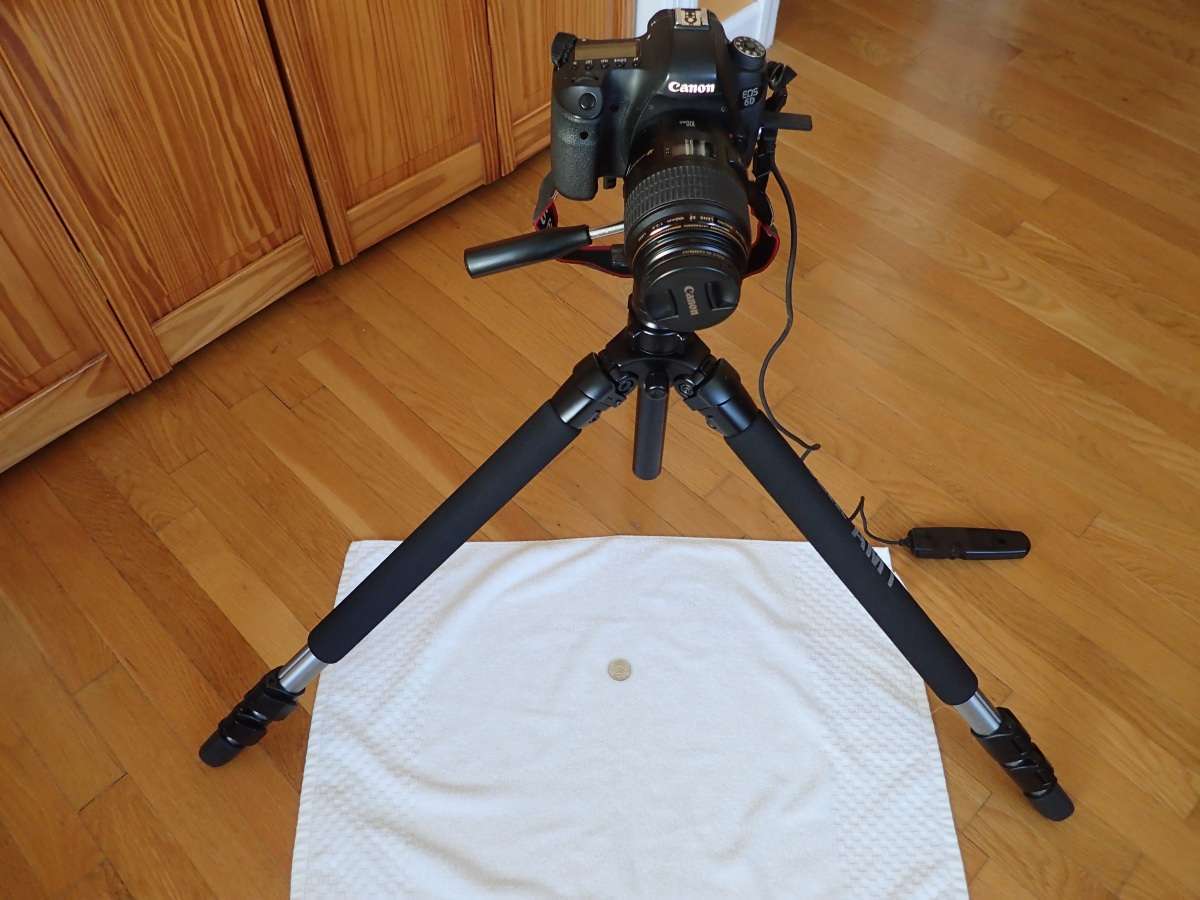 I set down the coin and point the camera at the coin 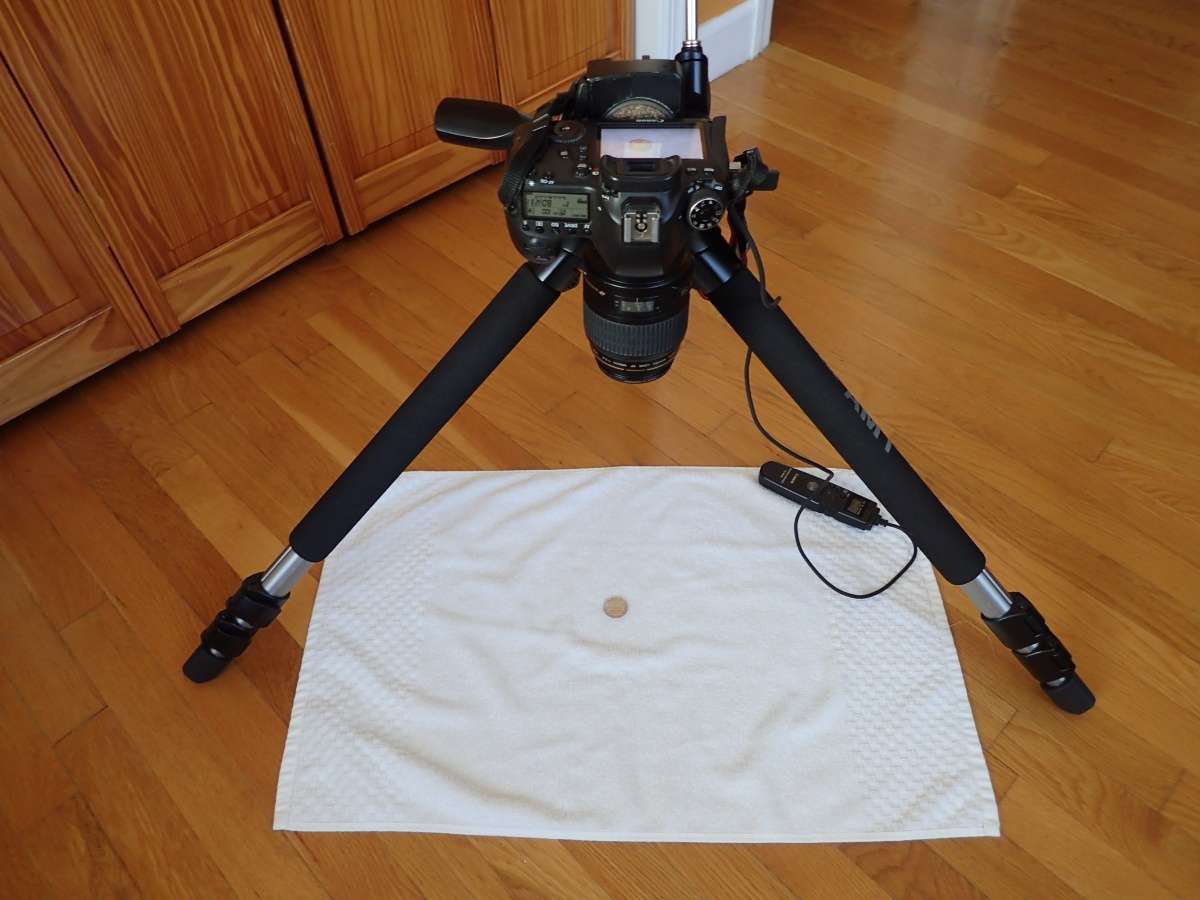 Edited by hfjacinto
08/25/2021 09:35 am
|
|
|
|
Pillar of the Community
 United States
7396 Posts |
Step 2. Put the coin in the frame. Adjust to make sure everything is flat. I use live view at this point as it easier to focus and center the coin. 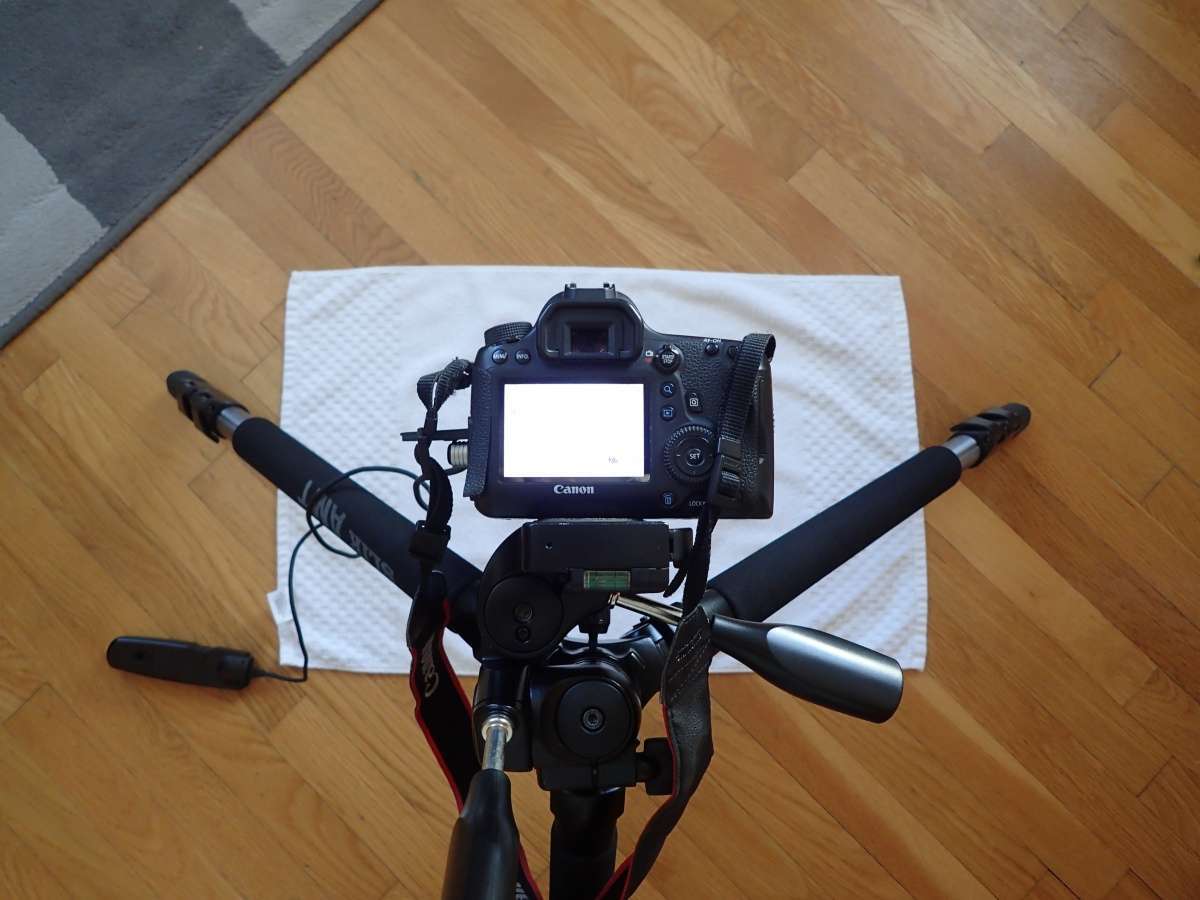 |
|
Pillar of the Community
United States
7396 Posts |
Step 3: This is where knowledge of how the manual mode on your camera works. Since I want the highest quality image I shoot in manual. Based on the camera, my best image is at ISO 100, Aperture F8 and the shutter speed based on the light level. I also turn off all in camera processing and shoot in RAW. I created a custom setting (in the image the fan with a 1) which has: Contrast +1 Saturation +1 Sharpness 5 Also since you don't want camera shake, I set up my camera to do a self timer for 2 seconds. The spot metering can be onespot or all, doesn't make a difference. I also use autofocus centered on the coin or the edge of the coin. 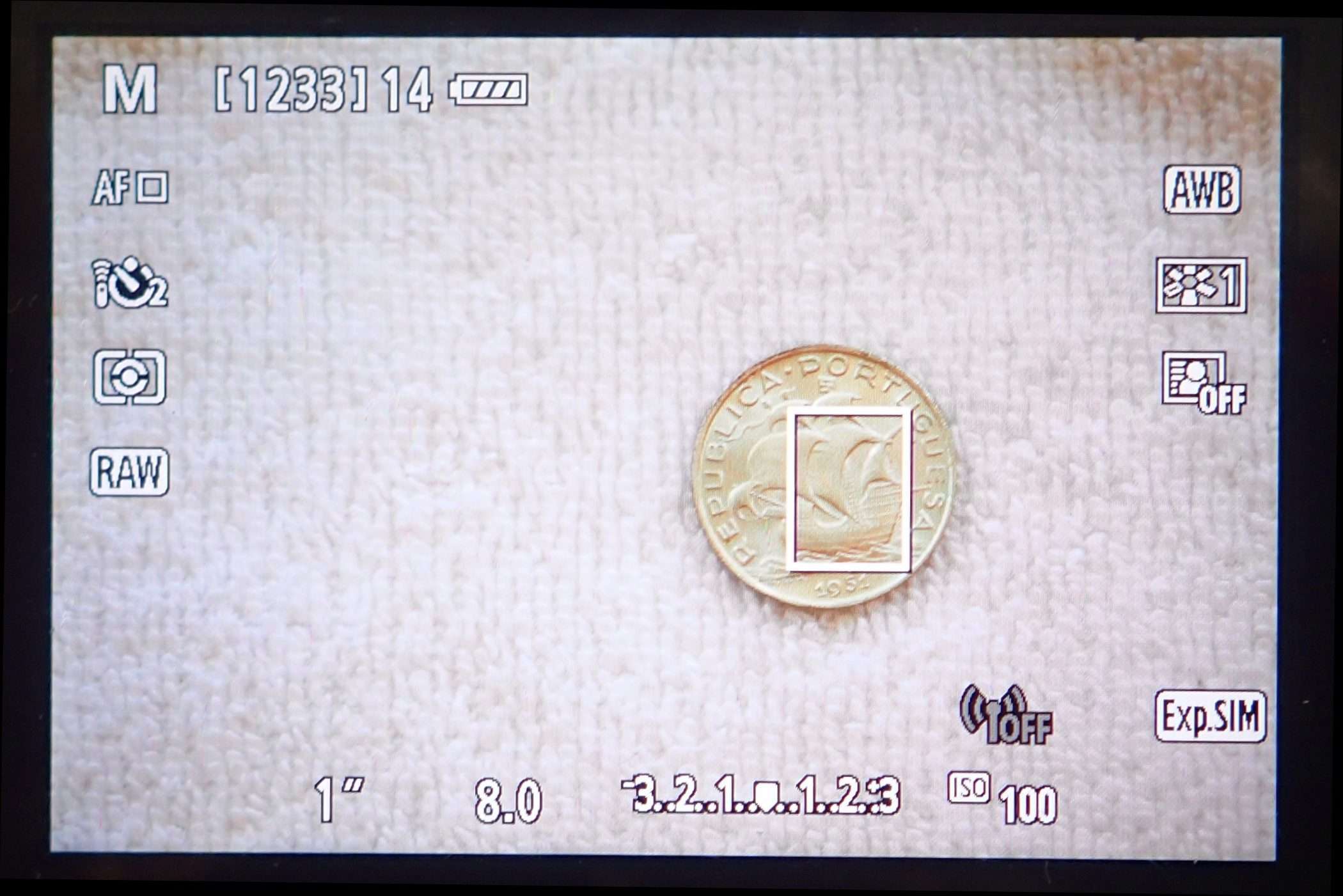 Edited by hfjacinto
08/25/2021 09:32 am
|
|
Pillar of the Community
United States
7396 Posts |
Step 4: After taking the picture I load it into Canon Photo Professional. I crop the image using 1 by 1 crop (since coins are round  ) And adjust the contrast, sharpness as needed. 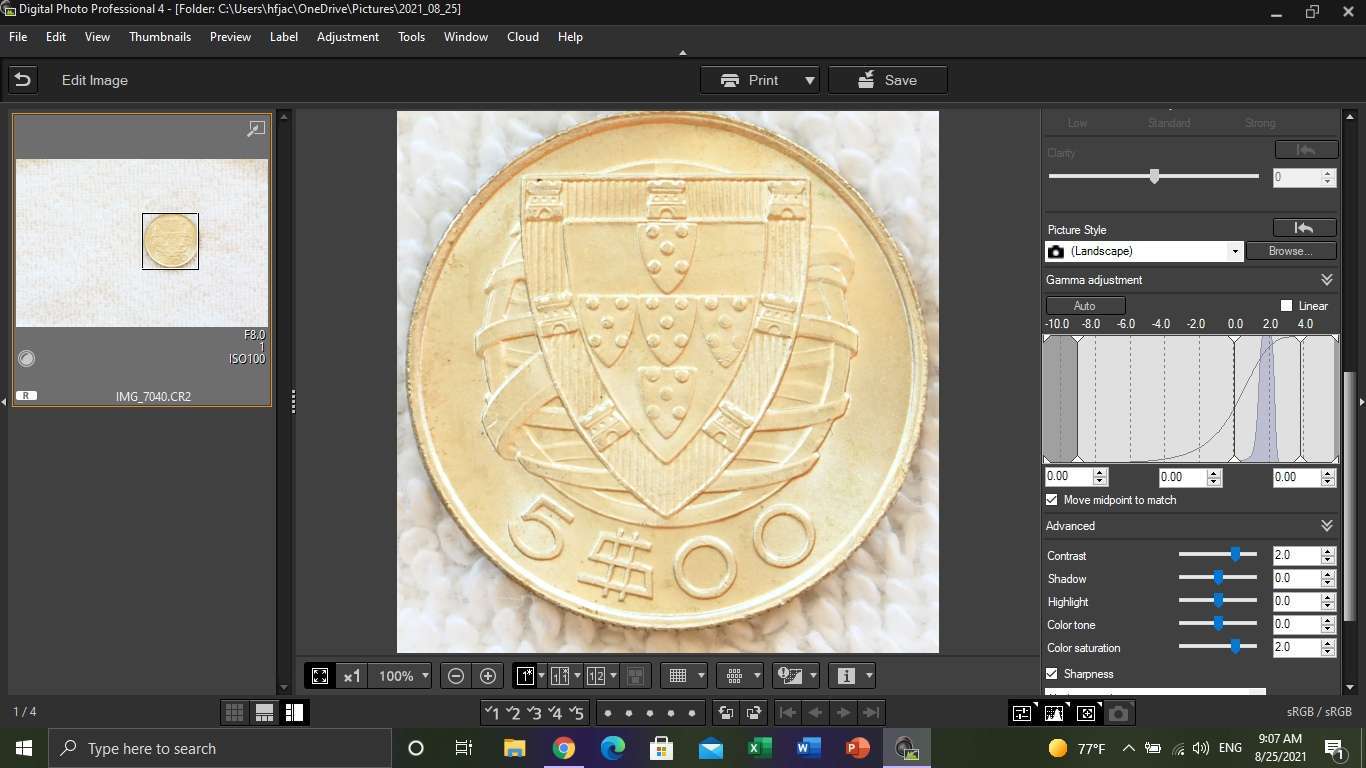 Edited by hfjacinto
08/25/2021 10:38 am
|
|
Pillar of the Community
United States
7396 Posts |
Step 5: I convert the picture from RAW to JPG. The raw file is the highest quality you can get and it's lossless, so anything you do it doesn't apply to the underlying image. After converting you can import to PhotoShop but honestly that's overkill. There is a free tool called Irfanview which can be used to adjust sizes for posting on forums. You can get Irfanview from here: https://www.irfanview.com/Step 6: In Irfanview I do 2 steps, I change the Maximum size to 1200 by XXXX. 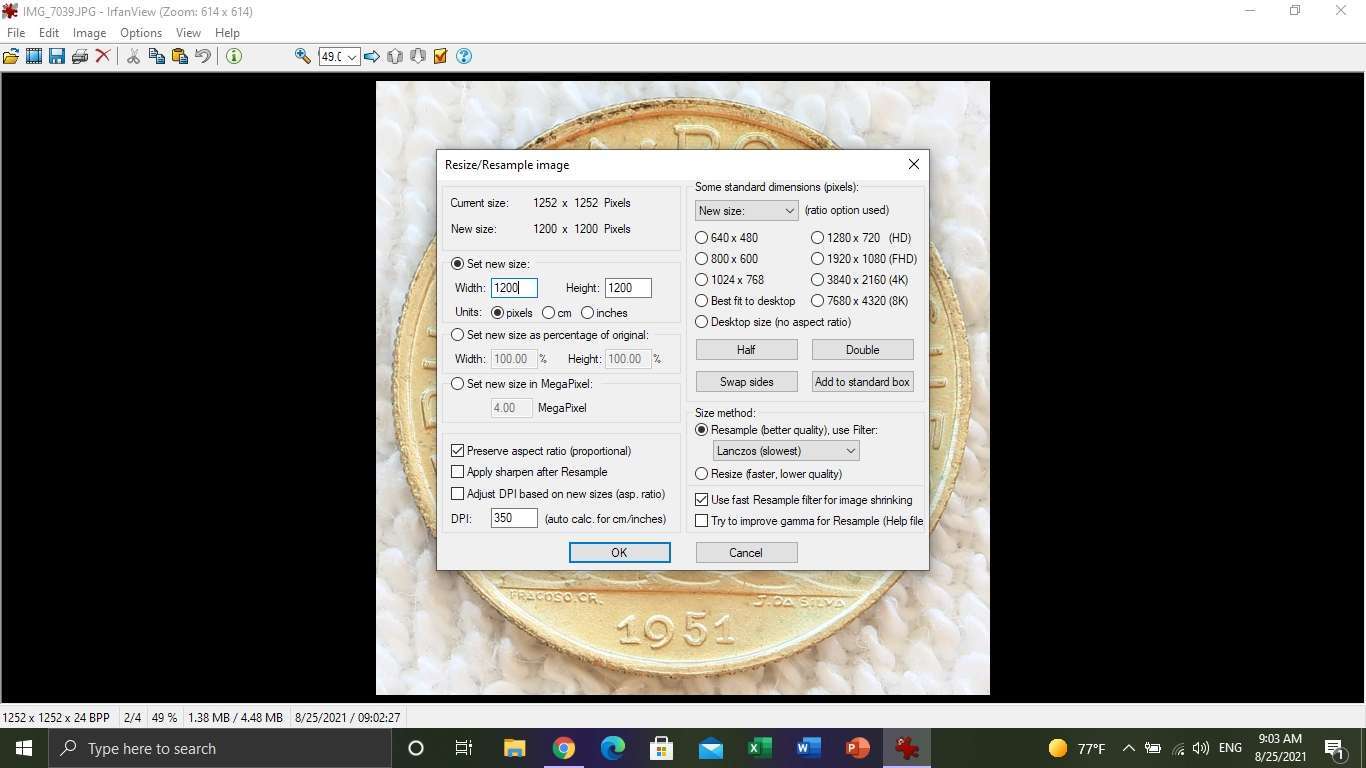 And then I save the file. If you notice on the file save as there is a check box to resize the image maximum to xxx. I set it to 299K which lets me upload to CCF with no issues. 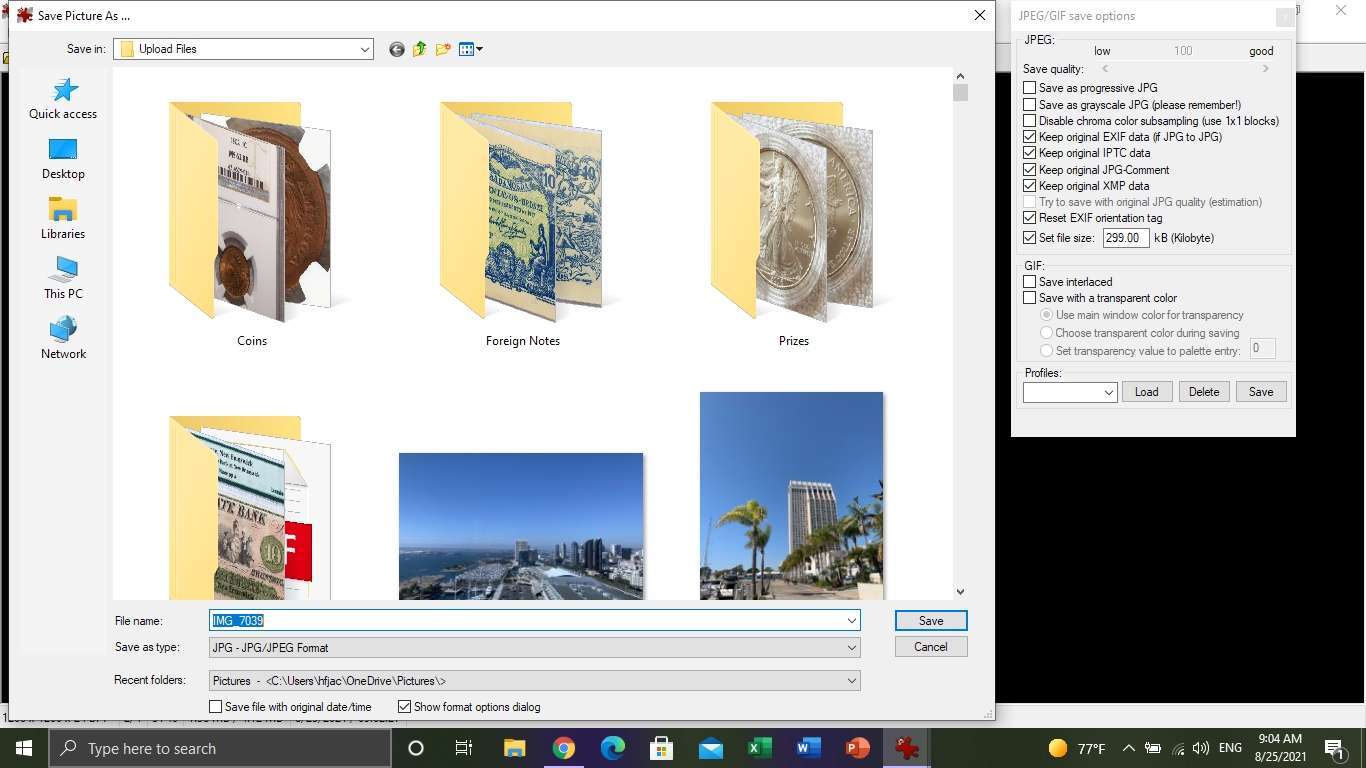 Edited by hfjacinto
08/25/2021 10:39 am
|
|
Pillar of the Community
United States
7396 Posts |
The end result. 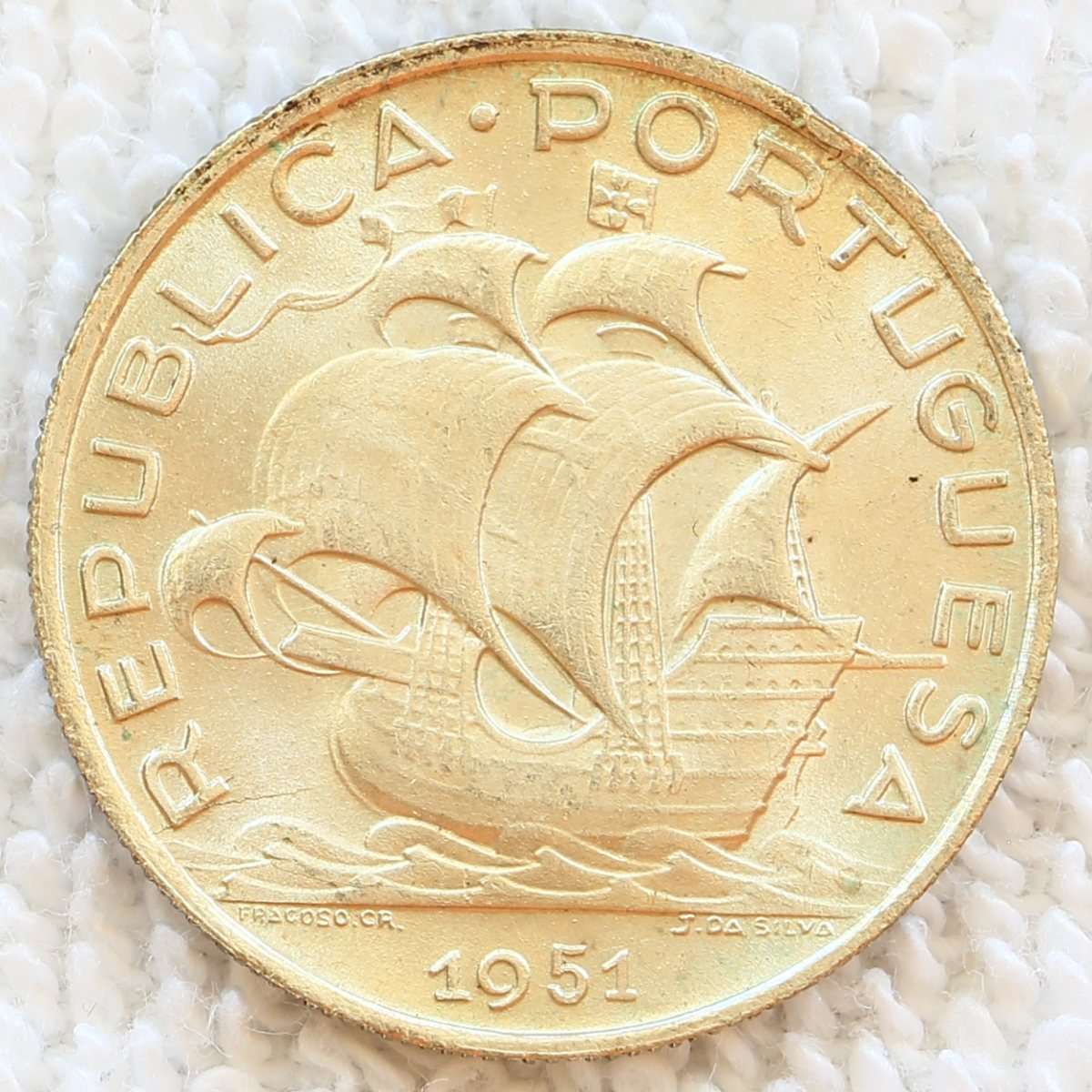 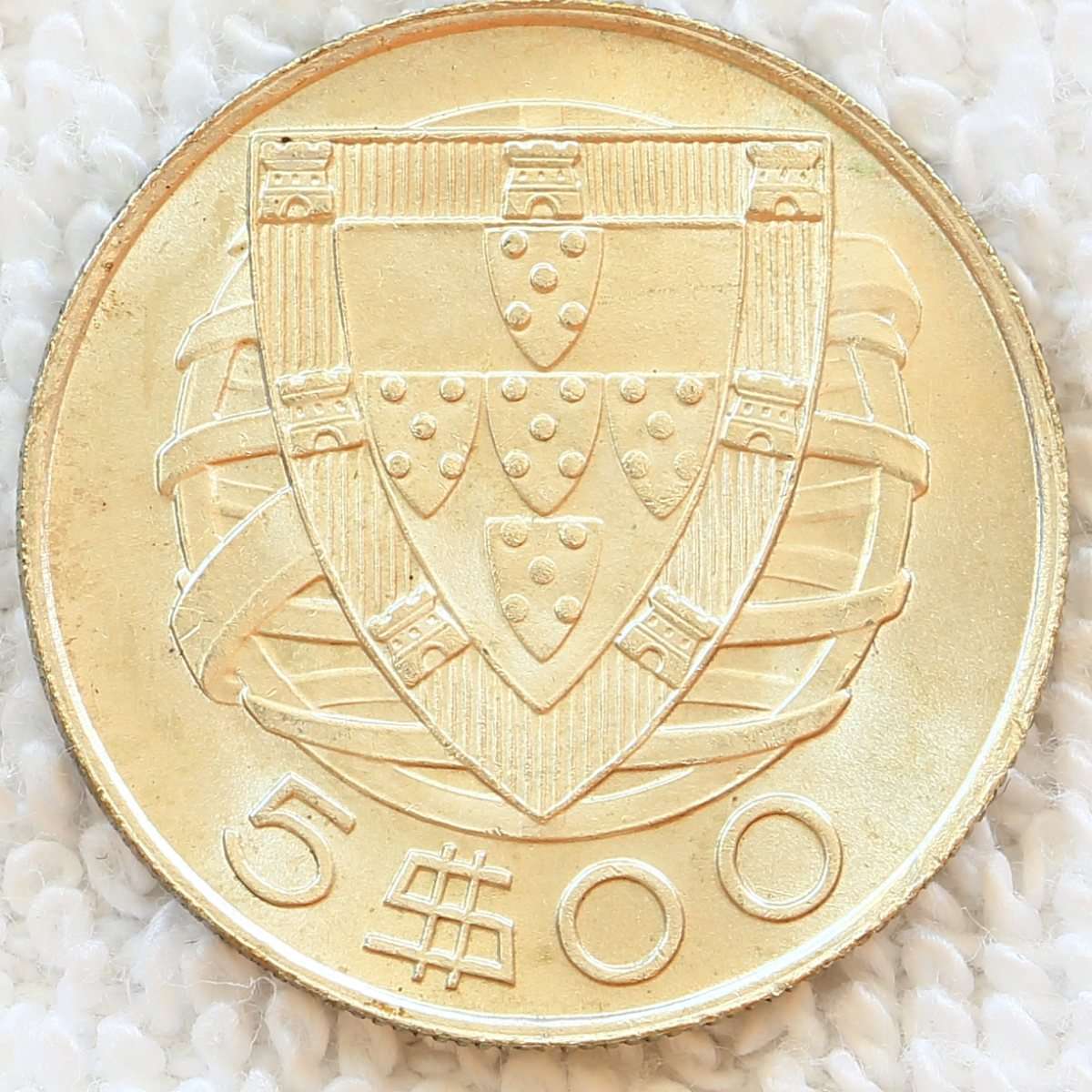 |
|
Moderator
 United States
196572 Posts |
Well done!  |
|
Pillar of the Community
United States
1086 Posts |
Thanks for posting this, I am sure many people (myself included) will benefit from reading this.
|
|
Pillar of the Community
2226 Posts |
|
|
Pillar of the Community
United States
1873 Posts |
Great pics. Thanks for sharing.
|
|
Moderator
United States
108217 Posts |
WOW, very nice!  I'm glad I asked. (now I need a nice camera and tripod  ) Thanks so much for this. |
|
Pillar of the Community
United States
7396 Posts |
You are welcome Dearborn, if you need any help let me know.
|
|
Pillar of the Community
Canada
2646 Posts |
Very interesting. Thanks for sharing the details & outlining the steps.
|
|
Bedrock of the Community
 United States
12927 Posts |
Nice tutorial. How do you deal with glare and what is your lighting source?
|
|
Pillar of the Community
United States
7396 Posts |
No light source (hence no glare), I only use natural light that is diffused. I set the light meter on the camera to get to a exposure level of +2/3. Hence why I need a tripod, some shots are 1+ second(s) long.
Edited by hfjacinto
09/06/2021 8:46 pm
|
|
Bedrock of the Community
United States
19634 Posts |
Nice shot of The Hyatt Manchester in San Diego.
|
| |
Replies: 24 / Views: 6,414 |










 Posted 08/25/2021 09:31 am


