| Author |
 Replies: 12,500 / Views: 866,135 Replies: 12,500 / Views: 866,135 |
|
|
|
Moderator
 United States
191622 Posts |
Quote:
1994-P - PCGS SP69FS SMS Fantastic!  |
|
Bedrock of the Community
United States
27217 Posts |
A nice example, Dearborn.
My American Silver Eagle collection http://goccf.com/t/448125My random silver coin collection http://goccf.com/t/449270My MS-70 silver coin collection https://goccf.com/t/490829My dragon silver coin collection https://goccf.com/t/490859My silver Libertad collection https://goccf.com/t/491087 |
|
Pillar of the Community
United States
959 Posts |
Thanks All
Nice addition Dearborn! I need to work on taking close up pics like yours.
Edited by seamonkey5150
12/04/2025 5:40 pm
|
|
Moderator
United States
100756 Posts |
Thanks jbuck, Gary, and seamonkey.
Getting good images is quite easy after a bit of practice.
I use my Cell phone and use the 5x zoom function. Hand holding the phone, I hold it up high enough to get the entire coin in view with space around it to allow for minor rotation and cropping on all 4 sides. (Just ensure that your camera settings are set for a 1:1 aspect ratio.
Then U send the image to my computer and use the default windows image viewer to crop, rotate, tilt (if I didn't get the coin exactly vertical - it allows for rotating the image in 0.1 degrees to level the coin.) Then I simply re-size the image to 600x600 pixels which usually brings my image file size down to about 40kb to 100kb (depending on the size of the coin).
Takes practice - it took me a long time to get it right and perfected..
|
|
Bedrock of the Community
United States
76152 Posts |
Nice addition, Dearborn!
Errers and Varietys.
|
|
Pillar of the Community
United States
959 Posts |
Quote:
Just ensure that your camera settings are set for a 1:1 aspect ratio. Thanks Dearborn, I'll have to mess around with the settings. Lighting is also tricky. I usually just use the room overhead ceiling lights but then I'll either get shadows or hot spots. I need to mess around with my LED desk lamp and find the right position but that sometimes puts too much light on it plus I can't always be bothered to get it out and move it around  A shortcut I found instead of messing around with resizing the image to upload is that I'll use the snipping tool and save a screenshot of my image. That usually is the proper file size for uploading, then I can just delete the screenshot off my laptop and not chance messing up the original. |
|
Pillar of the Community
United States
1355 Posts |
SeaMonkey, Dearborn, very nice proofs!
|
|
Moderator
United States
100756 Posts |
Thanks E&V and MNP |
|
Pillar of the Community
 United States
2004 Posts |
|
|
Pillar of the Community
United States
959 Posts |
|
|
Bedrock of the Community
United States
76152 Posts |
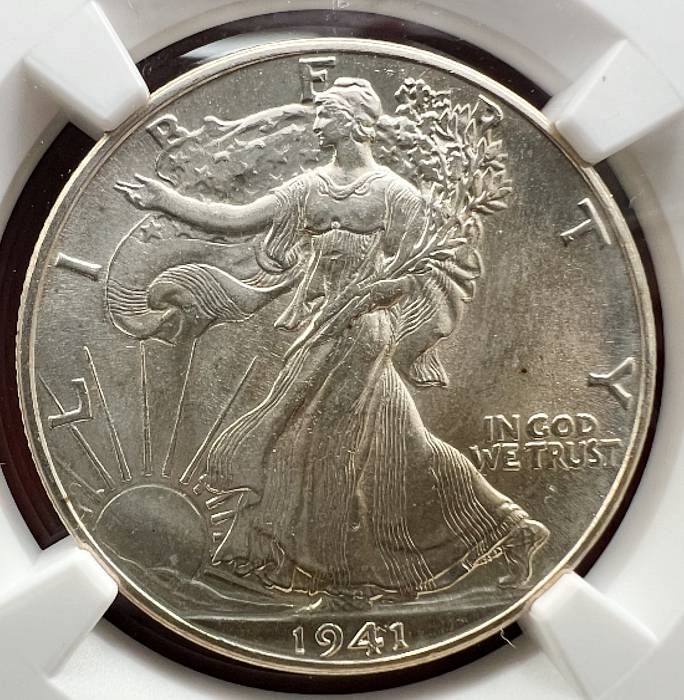
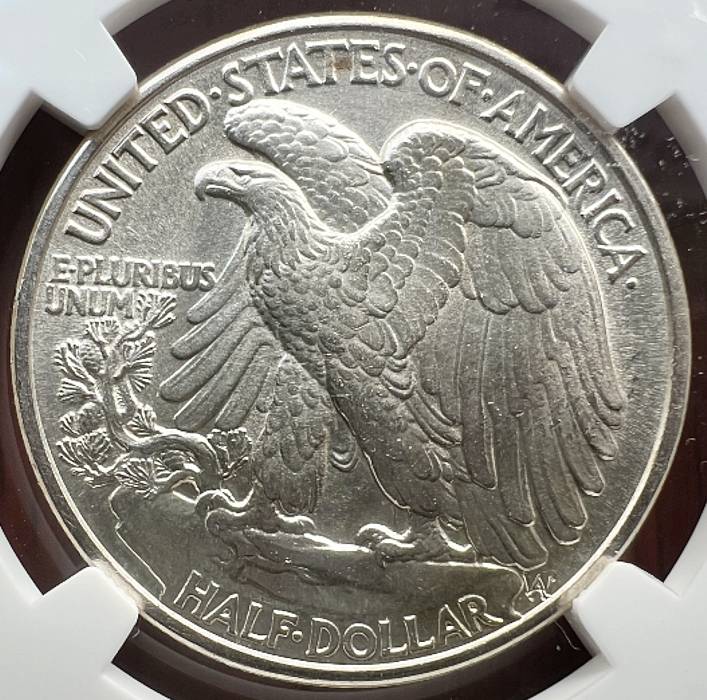
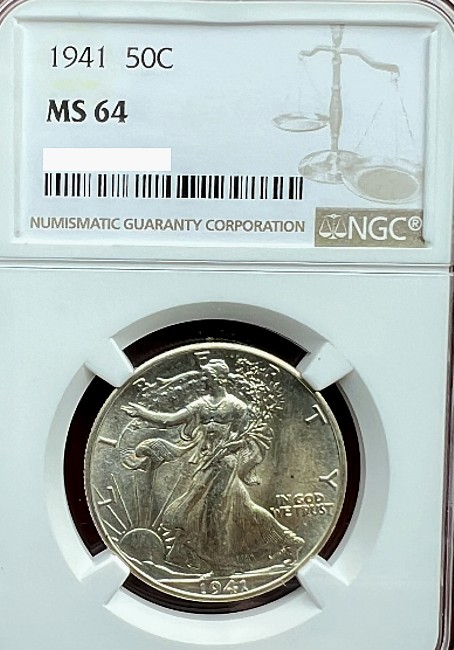
Nice Walker, cptbilly! Errers and Varietys.
|
|
Moderator
United States
100756 Posts |
nice one Billy! |
|
Moderator
United States
191622 Posts |
Fantastic! |
|
Bedrock of the Community
United States
27217 Posts |
A fine example, cptbilly.
My American Silver Eagle collection http://goccf.com/t/448125My random silver coin collection http://goccf.com/t/449270My MS-70 silver coin collection https://goccf.com/t/490829My dragon silver coin collection https://goccf.com/t/490859My silver Libertad collection https://goccf.com/t/491087 |
|
Bedrock of the Community
United States
10601 Posts |
Great coins Dearborn and cptbilly!
|
| |
Replies: 12,500 / Views: 866,135 |








 First Page
 Previous Page


 Posted 12/04/2025 4:54 pm