| Author |
 Replies: 940 / Views: 86,521 Replies: 940 / Views: 86,521 |
|
|
|
Bedrock of the Community
United Kingdom
18647 Posts |
Great Britain George IV crown - 1822: 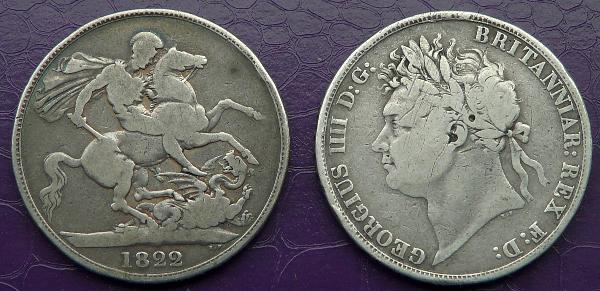 |
|
Pillar of the Community
United Kingdom
2928 Posts |
Another 1821 Crown  |
|
Pillar of the Community
United Kingdom
2928 Posts |
A New Zealand 1949 crown  |
|
Pillar of the Community
United Kingdom
2928 Posts |
S. Africa 1952 crown  |
|
Pillar of the Community
United Kingdom
2928 Posts |
Cyprus 1928 45 piastres  |
|
Pillar of the Community
United States
1156 Posts |
1799 US $1, Philadelphia, mintage of 423,515. I wish I owned a better representative of an early US "crown". I took photos with a dozen different lighting angles and these are the ones that came out best. 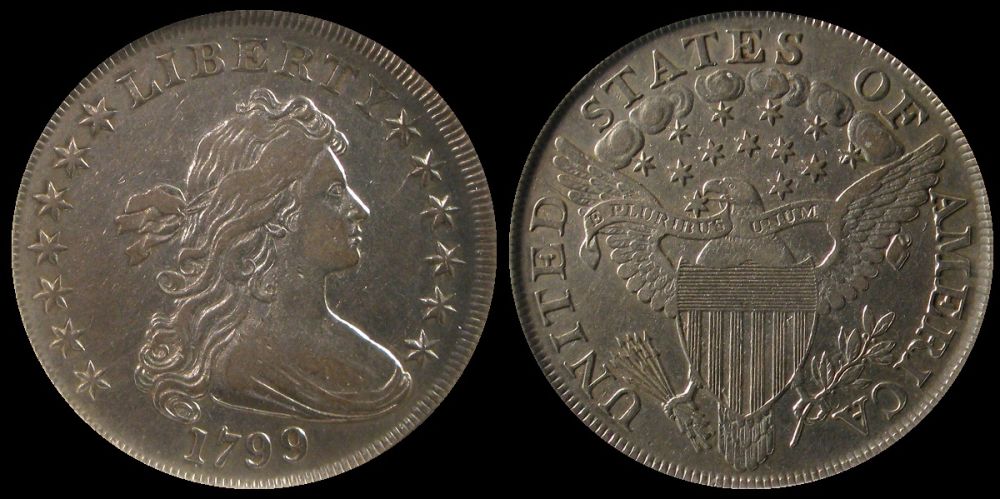 |
|
Pillar of the Community
Canada
9662 Posts |
British Indian Ocean Territories 2012 2 Pounds 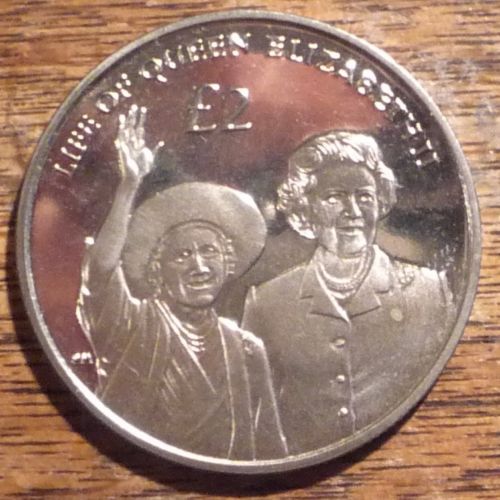 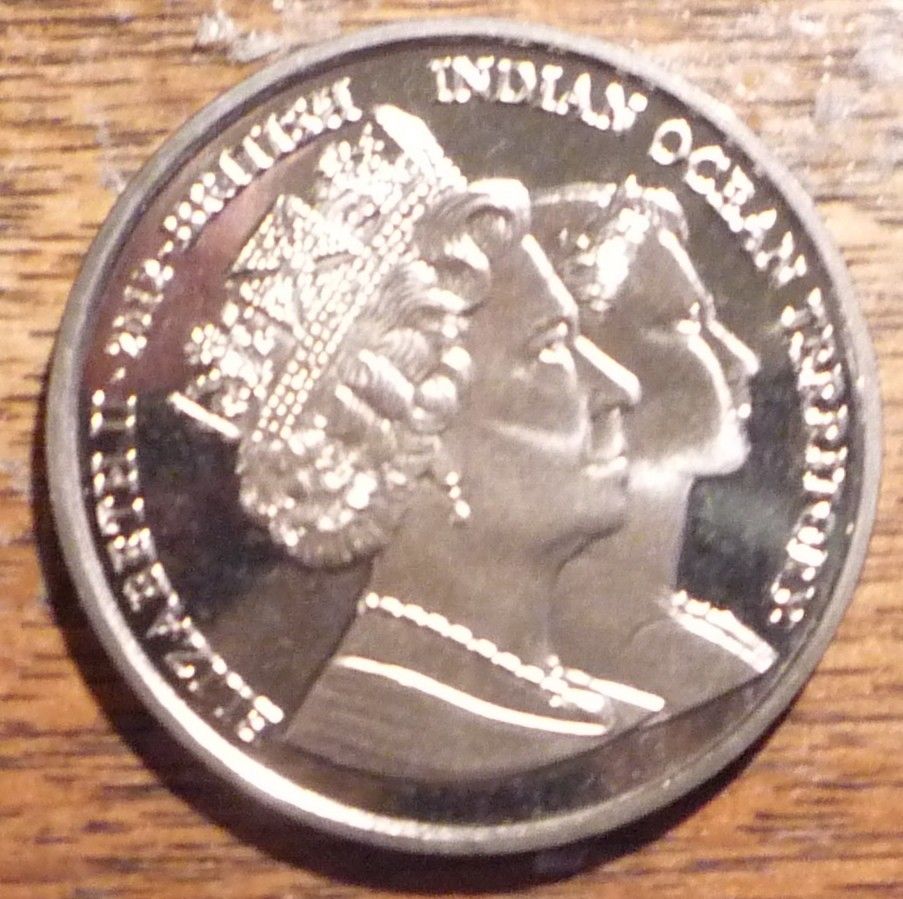 Sorry ones bigger  |
|
Pillar of the Community
United States
1156 Posts |
1700 Spanish Netherlands Patagon. At 28.10 g of .875 fine silver, these coins were not quite as valuable as the ducaton but still "crown" sized coins. This one is from the Eric P. Newman collection. 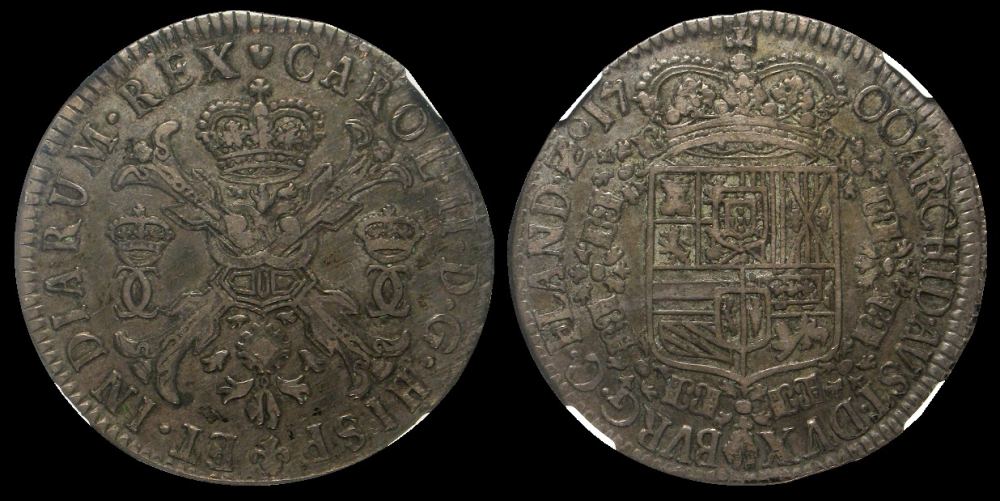 |
|
Bedrock of the Community
United Kingdom
18647 Posts |
1973 French 10 francs: 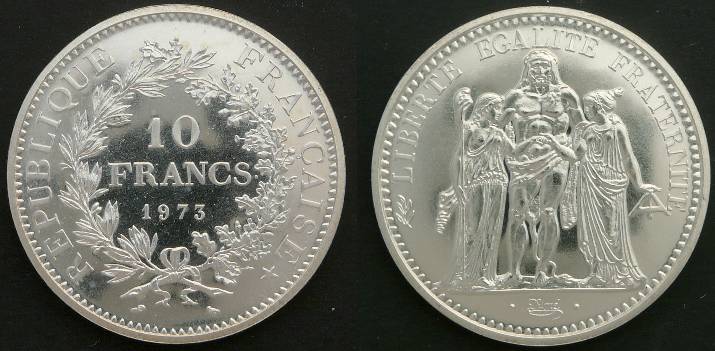 |
|
Pillar of the Community
Canada
9662 Posts |
OK I have to ask, how are you guys getting the side by side pics of your coins?
|
|
Pillar of the Community
United States
1156 Posts |
Quote:
OK I have to ask, how are you guys getting the side by side pics of your coins? It's just a little work in a image editing tool. I use the Window's tool, Paint, for all my simple edits. First, you need to get your two images to be the same size. Paint has a resize function that lets you select between percentage (the default) and pixels. I choose pixels and set the size to as close to 600x600 as possible. Do this for both images and save them as two new images. Then you can edit the re-sized obverse image to increase the the width of the image by dragging the re-sizing handle in middle of the left hand edge. Drag it to the right to make space to paste your reverse image. Once you have enough space, edit the re-sized reverse image (you can have more than one Paint windows open at once so leave the obverse image open and open a new Paint window for your reverse), select the entire image (Ctrl-A) and copy it to the clipboard (Ctrl-C). Go back to your obverse image and paste in your reverse image. Drag the reverse image to the space you created for it. Hit Esc to complete the paste process. If you have too much extra space around your image, drag the edge to crop it to a size that fits and then save the image as a new file. You will probably need to use the Free Image Optimizer to get your composite image down under 100K -- I set my width to 1000 pixels. Hope this helps, ~jack |
|
Pillar of the Community
Canada
9662 Posts |
Thanks jack, will play with that in the next couple of days.
|
|
Pillar of the Community
United States
1391 Posts |
|
|
Pillar of the Community
United States
814 Posts |
Crown/silver dollar size coins fascinate me. Here's my contribution. My grandparents gave it to me about 20 years ago in my early days of collecting. I have no idea where it came from beyond that or how it would have come into their possession. 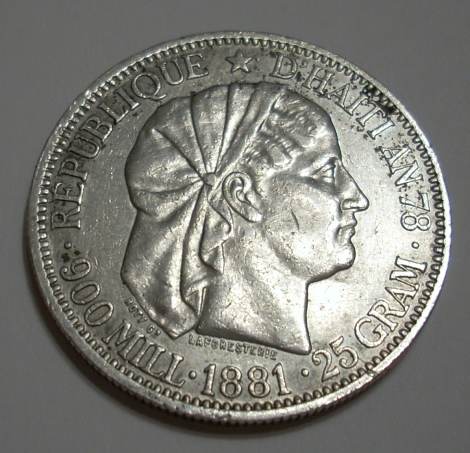 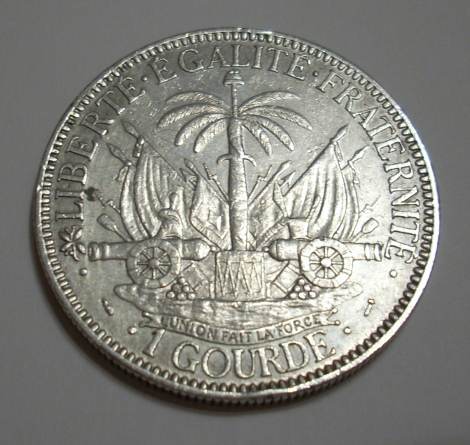 Edited by hcmusicguy
03/28/2015 8:06 pm
|
|
Pillar of the Community
Canada
4227 Posts |
Cool thread, I can't believe I'm just seeing it for the first time! Here's one I picked up last week. I recently received an actual British crown, but need to get pics.  |
| |
Replies: 940 / Views: 86,521 |






 First Page
 Previous Page


 Posted 03/23/2015 1:51 pm


