| Author |
 Replies: 37 / Views: 4,856 Replies: 37 / Views: 4,856 |
|
|
|
Pillar of the Community
 United States
1541 Posts |
Yes that is the camera. I was playing around with the functions and managed to take this picture. The lense was about 3" away from the coin. The lighting I have is yellow, its the ikea gooseneck that was mentioned here. I'm going to have to purchase some white lights. 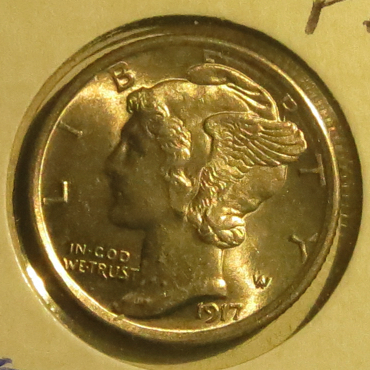 |
|
Valued Member
149 Posts |
Get a tripod - number one. Also - you have an image that is larger than you likely need. I can always crop the image if need be and still have a very decent photograph. It is not necessary to use the entire imaging field with the coin. Back off a little. Download the gimp for photoediting http://www.gimp.org/ |
|
Valued Member
149 Posts |
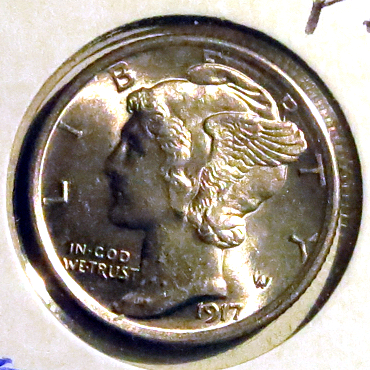 we fixed the color :) |
|
Pillar of the Community
United States
1541 Posts |
|
|
Pillar of the Community
 United States
4051 Posts |
Your camera should be able to do "white balance", which calibrates the camera to give accurate color with whatever lights you're using.
It looks like you cropped the image to get the dime photo. What did the original look like?
|
|
Pillar of the Community
United States
1541 Posts |
Edited by shatsi
11/17/2021 8:18 pm
|
|
Valued Member
149 Posts |
Quote:
How? That's accurate color. www.gimp.com |
|
Pillar of the Community
United States
1541 Posts |
So what are your thoughts on the quality of this picture? 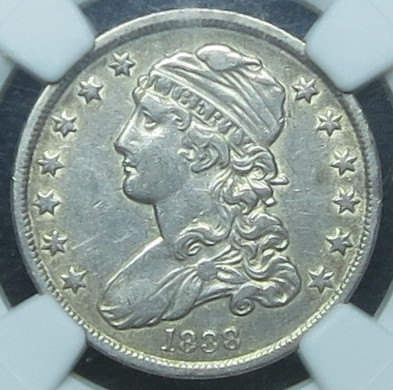 I've started using Gimp but don't know how to play around with the colors yet. |
|
Pillar of the Community
Australia
9853 Posts |
Shatsi, I think it depends on your definition of "decent". I use a Finepix J40 camera which I think would be similar to yours. I use this on the full automatic setting and on macro. Not the best photos in the world, but OK for what I need. I have a couple of LED spot lights and also use the flash, which I find helps to give depth, but I cover the flash with some tissue paper, which helps to tone it down a fair bit. I then crop in the camera and then import to my computer to finish cropping and adjusting for colour and brightness. Here is one example... 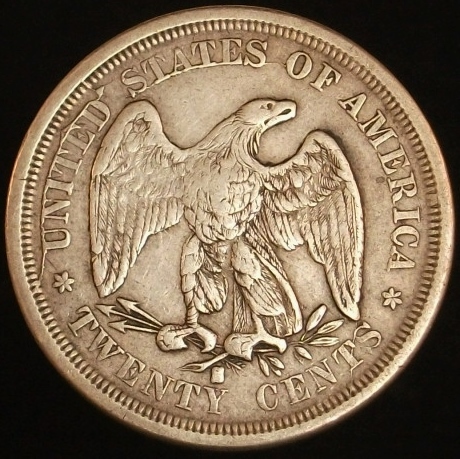 |
|
Pillar of the Community
United States
6883 Posts |
Nice coin Steve. Where can I see the other side?
|
|
Pillar of the Community
Australia
9853 Posts |
Quote:
Nice coin Steve. Where can I see the other side? Thanks Keith, I don't own this coin any more, I think from memory I sent it to Kena in the UK, to help with his 7070 set. I have sent Kena an email. Edited by triggersmob
11/30/2021 8:35 pm
|
|
Pillar of the Community
United States
4051 Posts |
I made a few edits to levels, white balance, sharpening, and saturation. I don't have the coin in-hand to check how accurate this is: 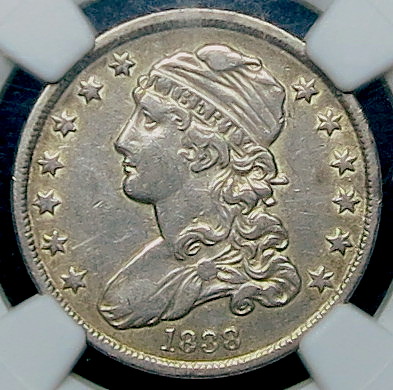 I don't use gimp, just Canon's DPP. Contact me for photographic equipment or visit my home page at: http://macrocoins.comEdited by rmpsrpms
11/30/2021 8:49 pm
|
|
Pillar of the Community
Canada
9940 Posts |
 The Canons DDP works great for doing coins. I have tried gimp and others and go back to DDP |
|
Pillar of the Community
United States
1541 Posts |
Okay let me see what Canon DDP is then.
@rmpsrpms Yes, those colors are accurate. Thank you
|
|
Pillar of the Community
United Kingdom
1688 Posts |
The pictures that Steve took of the 1875 S 20 cent coin that I got from him for my 7070 type set can be found at: http://goccf.com/t/313294Ken |
| |
Replies: 37 / Views: 4,856 |






 First Page


 Posted 11/17/2021 5:22 pm


