| Author |
 Replies: 16 / Views: 2,672 Replies: 16 / Views: 2,672 |
Page 2 of 2
|
|
|
|
Rest in Peace
United States
10625 Posts |
You will probably need to add a dual screen card as most PC's come from the factory without this option, then the answer to your question is yes. I work Monday through Friday on dual monitors. What a time saver.
|
|
Forum Dad
 United States
24232 Posts |
I run 2 27s. As stated you need a card that can handle it. 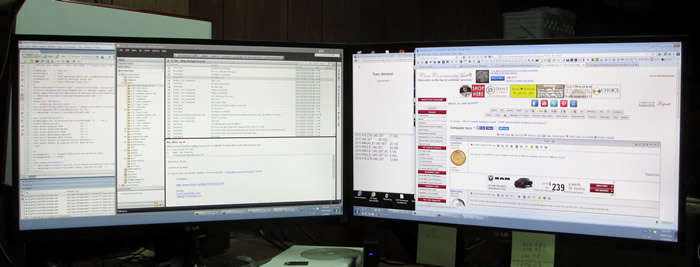 There is one major problem with this setup though.... Now I want 3.  |
|
Pillar of the Community
 United States
4622 Posts |
Most modern video cards support 2 monitors. Also, you can now buy USB add ons instead of a new video card.
-----Burton 50+ year / Life / Emeritus ANA member (joined 12/1/1973) Life member: Numismatics International, CONECA Member: TNA, FtWCC, NETCC, EveryCountry (online) coin club Owned by three cats and a wife of 40+ years (joined 1983) Author: 3rd Edition of the Sample Slabs book, https://www.sampleslabs.info/ |
|
Pillar of the Community
 Canada
9871 Posts |
Thanks for the info guys :)
How do I find out if my computer can support 2 or if I need a new video card?
If there is more to it than plug and play can someone post a how to for dummy's.
|
|
Moderator
United States
196100 Posts |
Quote:
Now I want 3. I have three... 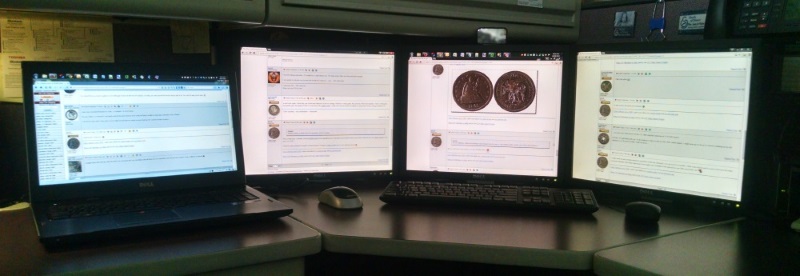 ...but my screens are much older/smaller (1280x1024 19"), so you probably have way more pixels than me. For what it is worth, my system can handle six (Four DisplayPort, one DVI, one RGB). (Yes, the laptop is a fourth screen, but it is a different system so it does not count.) |
|
Valued Member
Spain
239 Posts |
Literally, the dummy's how to guide for you; http://www.dummies.com/how-to/conte...o-my-pc.htmlI've got 3 screens here Bobby, but you know that you'll just end up doing what I do and have a whole screen dedicated to some sort of coin forum and nothing to do with work haha. |
|
Pillar of the Community
Canada
9871 Posts |
UK thanks that's good info.
|
|
Forum Dad
United States
24232 Posts |
Quote:
Most modern video cards support 2 monitors. True, but a lot of stock computers bought from Dell and Gateway and such only have on-board graphics which do not support multiples. A card would need to be added. |
|
Pillar of the Community
Canada
9871 Posts |
After reading and checking what I have I called my computer store and he has a video card in stock for 2 monitors, so I go in tomorrow morning and get it put in, can't wait to test this out.  One good thing I can't do what jbuck has set up, no room  |
|
Pillar of the Community
Canada
9871 Posts |
I now have 1 computer and 2 monitors, now to play with it.
|
|
Pillar of the Community
Canada
9871 Posts |
When working with 2 monitors and you have a couple of windows open in #2 monitor and you minimize one it goes back to #1 monitor task bar,
Is there a way to keep it in #2 window?
|
|
Valued Member
Spain
239 Posts |
No the task bar stays in screen one. When you open the profs again from the task bar it should open again in screen 2
|
|
Valued Member
Spain
239 Posts |
I should add that you can switch which screen is your main desktop so that screen 2 has the task bar.
|
|
Pillar of the Community
Canada
1747 Posts |
also once you close a window, or program on the second screen, the next time you open it, it should open on the second monitor. I used to have a TV tuner card on mine, and had that running on the second monitor.
|
|
Pillar of the Community
Canada
9871 Posts |
Quote:
you can switch which screen is your main desktop so that screen 2 has the task bar No I want to keep the main screen as #1 UK and ace great info , thanks. |
|
Page 2 of 2
|
Replies: 16 / Views: 2,672 |
Page 2 of 2
|







 First Page


 Posted 12/09/2015 9:19 pm


