| Author |
 Replies: 73 / Views: 9,615 Replies: 73 / Views: 9,615 |
|
|
|
|
Pillar of the Community
 United States
723 Posts |
This is the coin right out of the camera. Cropped only. No stray lights, and a bit closer white balance. 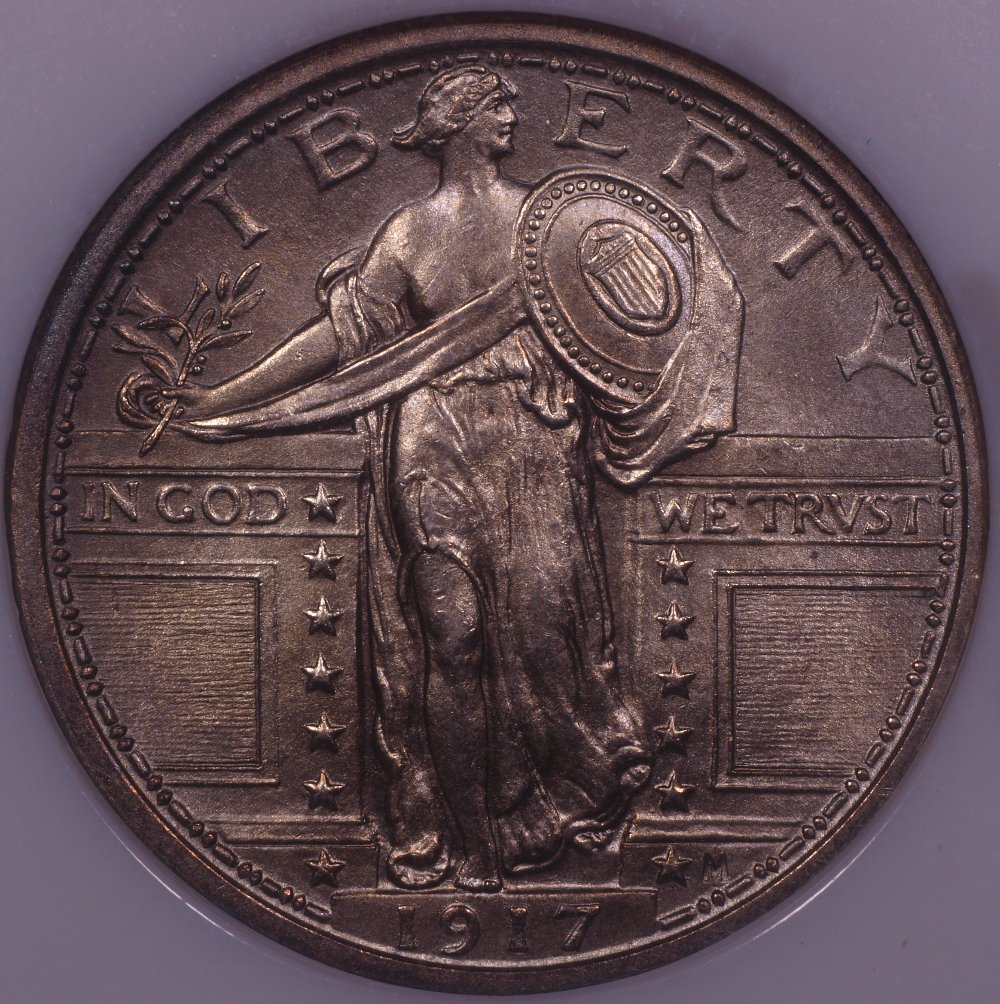 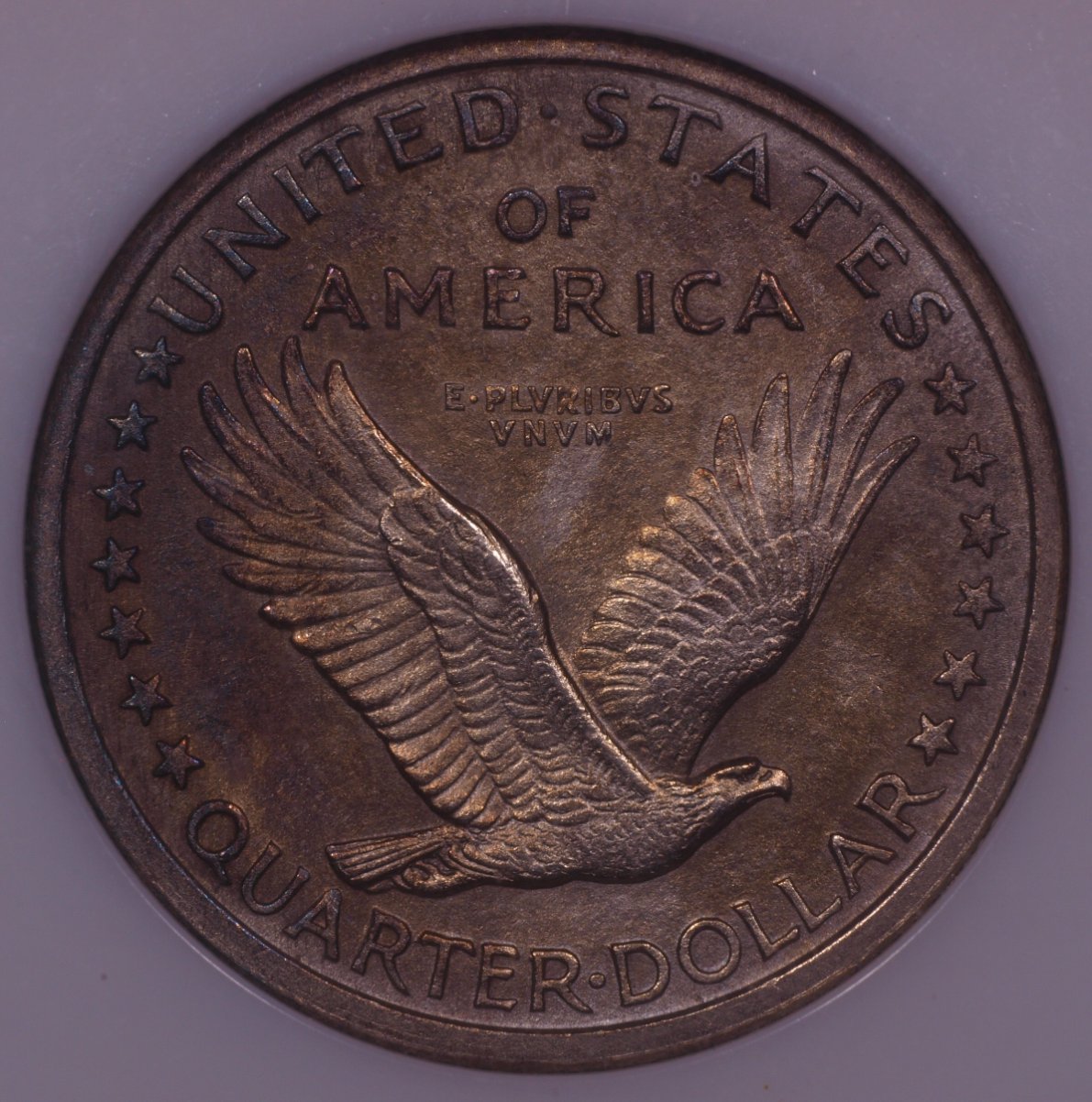 |
|
Pillar of the Community
 United States
4051 Posts |
Seems there is something going wrong with your camera's WB function. Luckily these images are "close enough" that they can be tweaked assuming the background is white. The EV compensation reduced the highlight levels so there is only minimal over-exposure now, much better than before. I can't seem to upload images for some reason, and CCF doesn't allow PhotoBucket, so I am forced to continue using EasyZoom to host images for this forum. Anyway, here's an adjusted image of the SLQ Obverse: https://easyzoom.com/image/200456/a...?mode=manageContact me for photographic equipment or visit my home page at: http://macrocoins.com |
|
Pillar of the Community
United States
723 Posts |
I am able to post up your work on the image I sent. If I did it right . . . . If not proprietary, I would love to know what has been done to it!  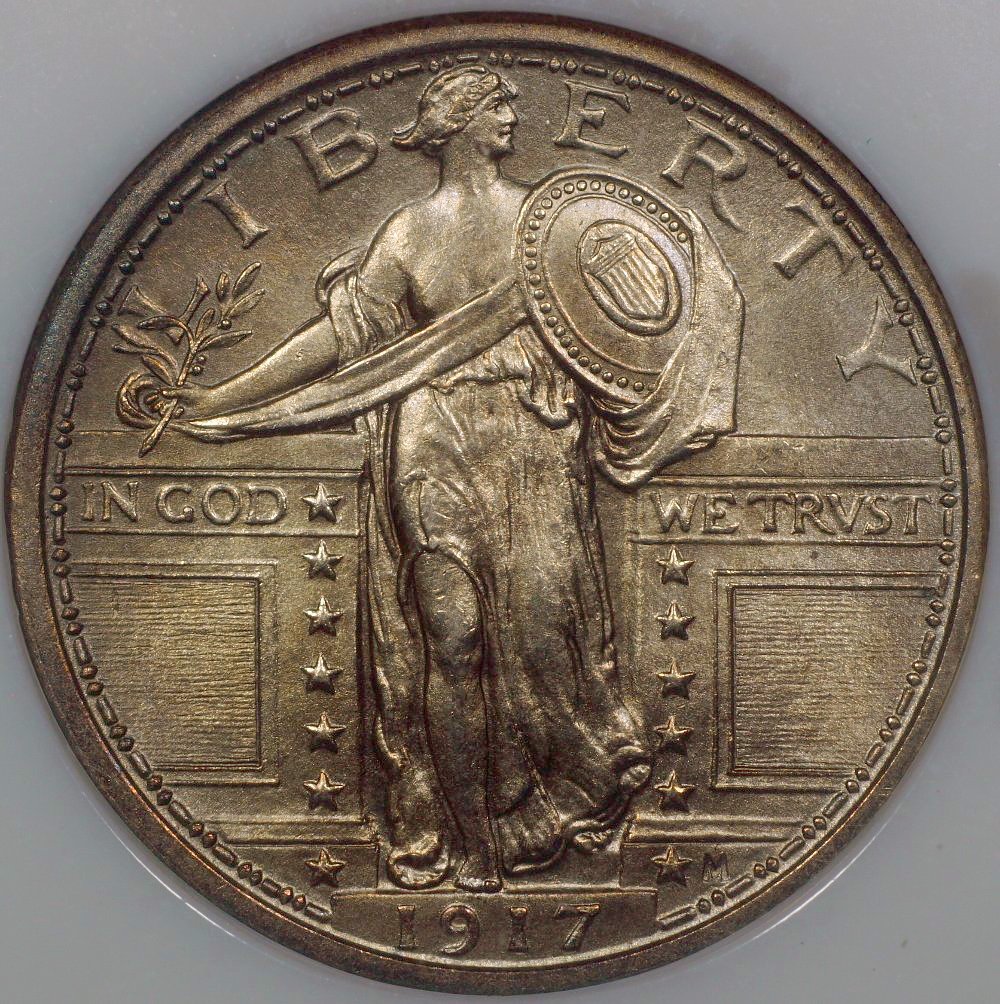 Edited by Jon K
05/15/2020 11:53 am
|
|
Pillar of the Community
United States
723 Posts |
I took a different approach to the WB. As the "One Touch" seemed to be leading me astray. Looking at the Tao lights, I see that they are 5700K. Looking at the presets that are in my menu, I find that one of them is 5500K. So I went for it. Below is the results. Seems that I am still headed in the right direction . . . . I will post the latest coin shots a bit later.  |
|
Pillar of the Community
United States
723 Posts |
Here they are with the latest, greatest WB. EV on "0" Cropped only. They have a golden cast to them that is not right, and the reverse is losing some of its color. Plus, they are much darker than in hand. In the next post, I am going to click down on the EV two steps, but they will be very dark indeed. 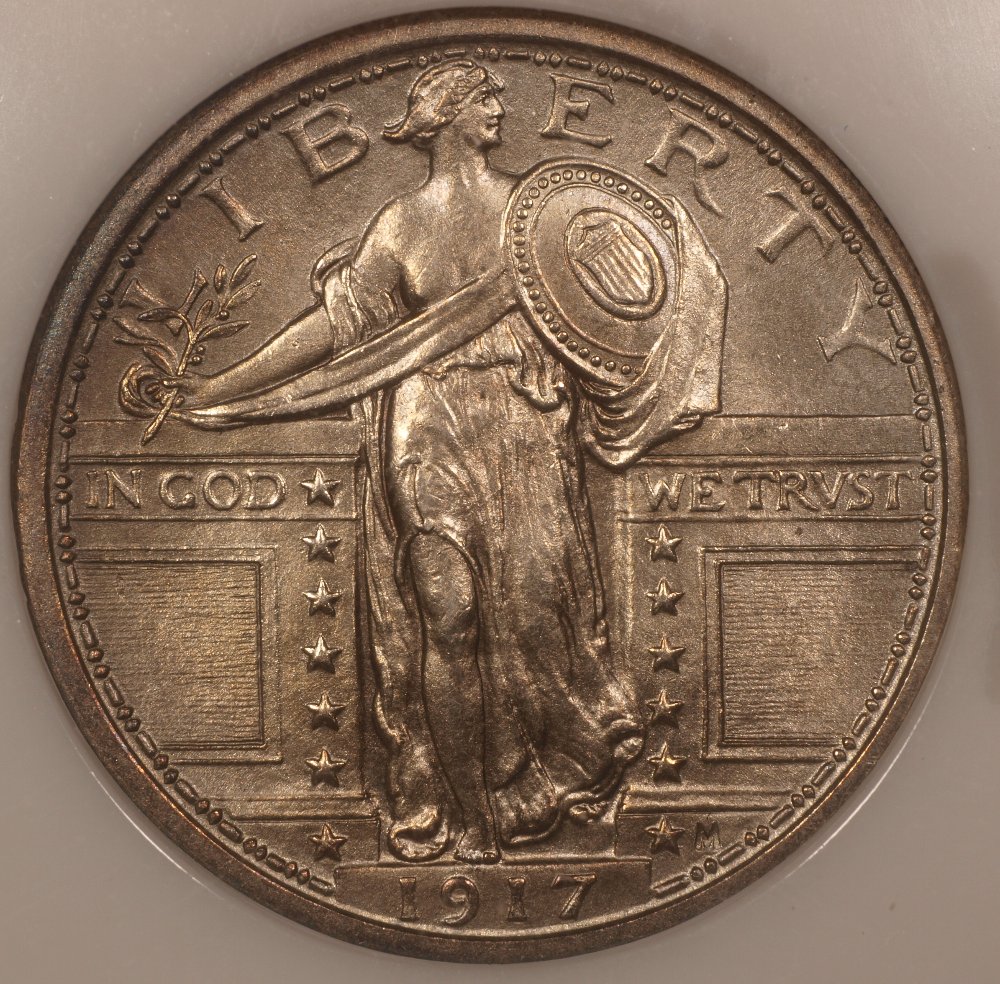 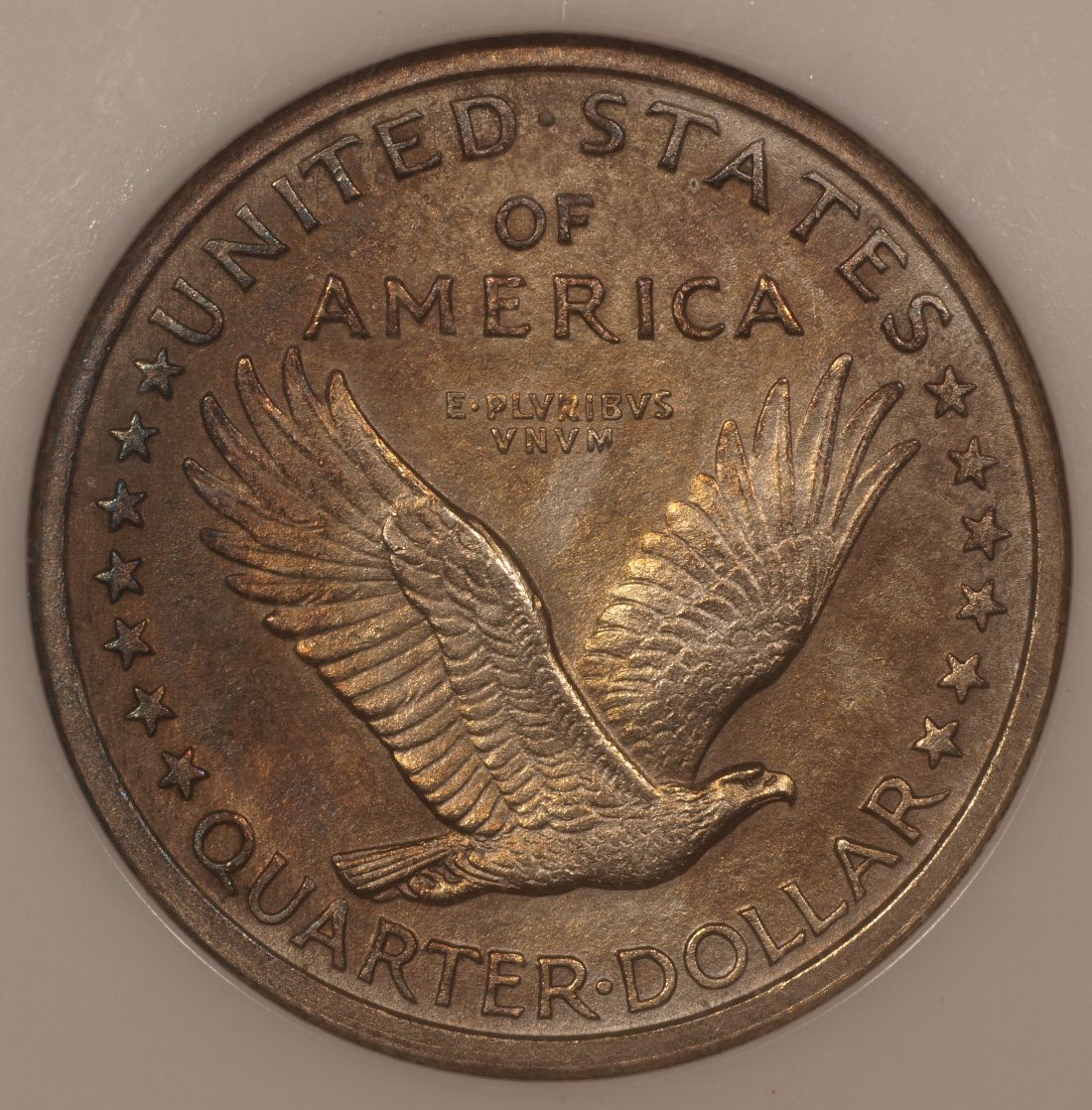 |
|
Pillar of the Community
United States
4051 Posts |
Still not quite there, a bit "warm".
If you download DPP (Digital Photo Professional) from the Canon website (it is free, just say that you own a Rebel camera) you can use its white balance "eyedropper" feature to set WB. The process is:
White balance best you can in-camera. The 5700K result above is fine.
Bring image of the white balance reference into DPP
Eydropper on the reference image
Save the settings
Bring in a coin image shot with the 5700K setting
Apply the settings. This will "white balance" your coin image
Continue with any other needed adjustments
Contact me for photographic equipment or visit my home page at: http://macrocoins.com |
|
Pillar of the Community
United States
4051 Posts |
Why is the reverse always bigger than the obverse?
|
|
Pillar of the Community
United States
4051 Posts |
Regarding the image I posted on EasyZoom, I did nothing proprietary, just a few careful adjustments using DPP. To understand what I did you'll need to download DPP or similar program that allows WB adjust and control of arbitrary tonal zones in the histogram.
Contact me for photographic equipment or visit my home page at: http://macrocoins.com |
|
Pillar of the Community
United States
723 Posts |
And, cropped only, the two that have the -.7 EV 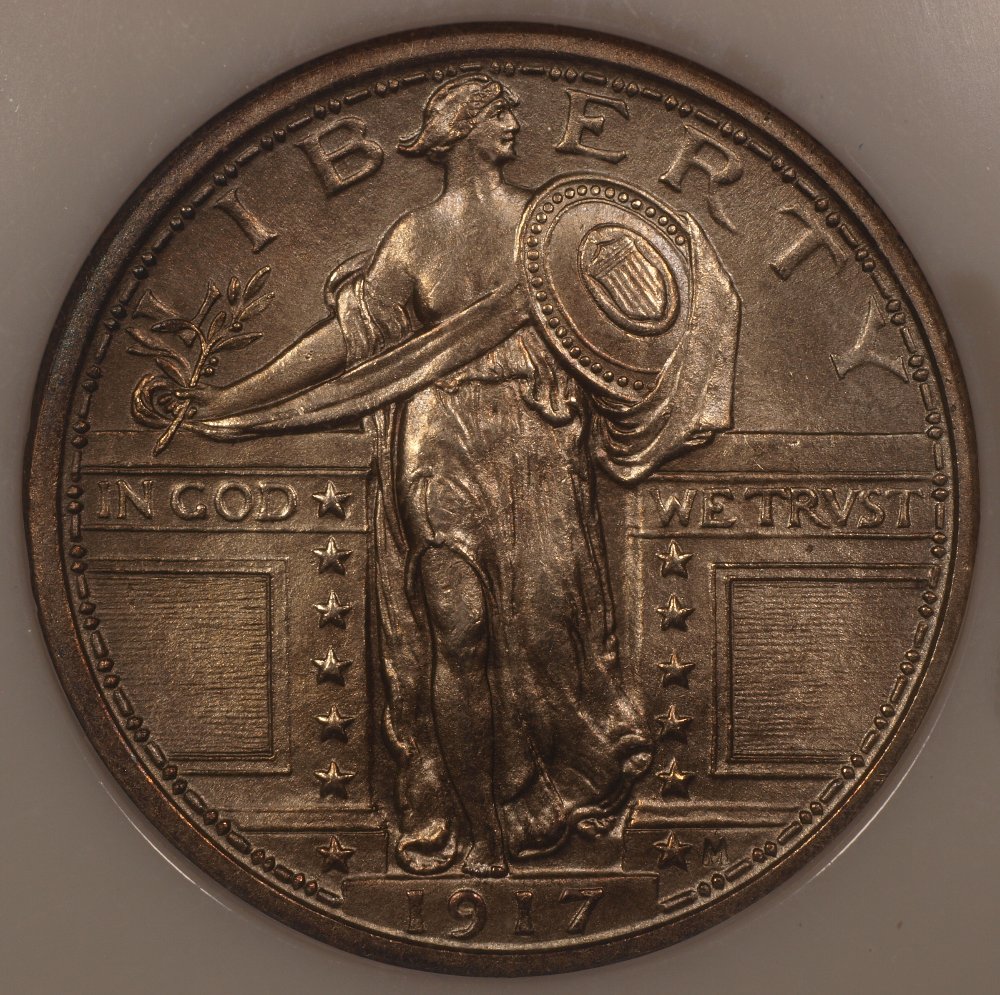 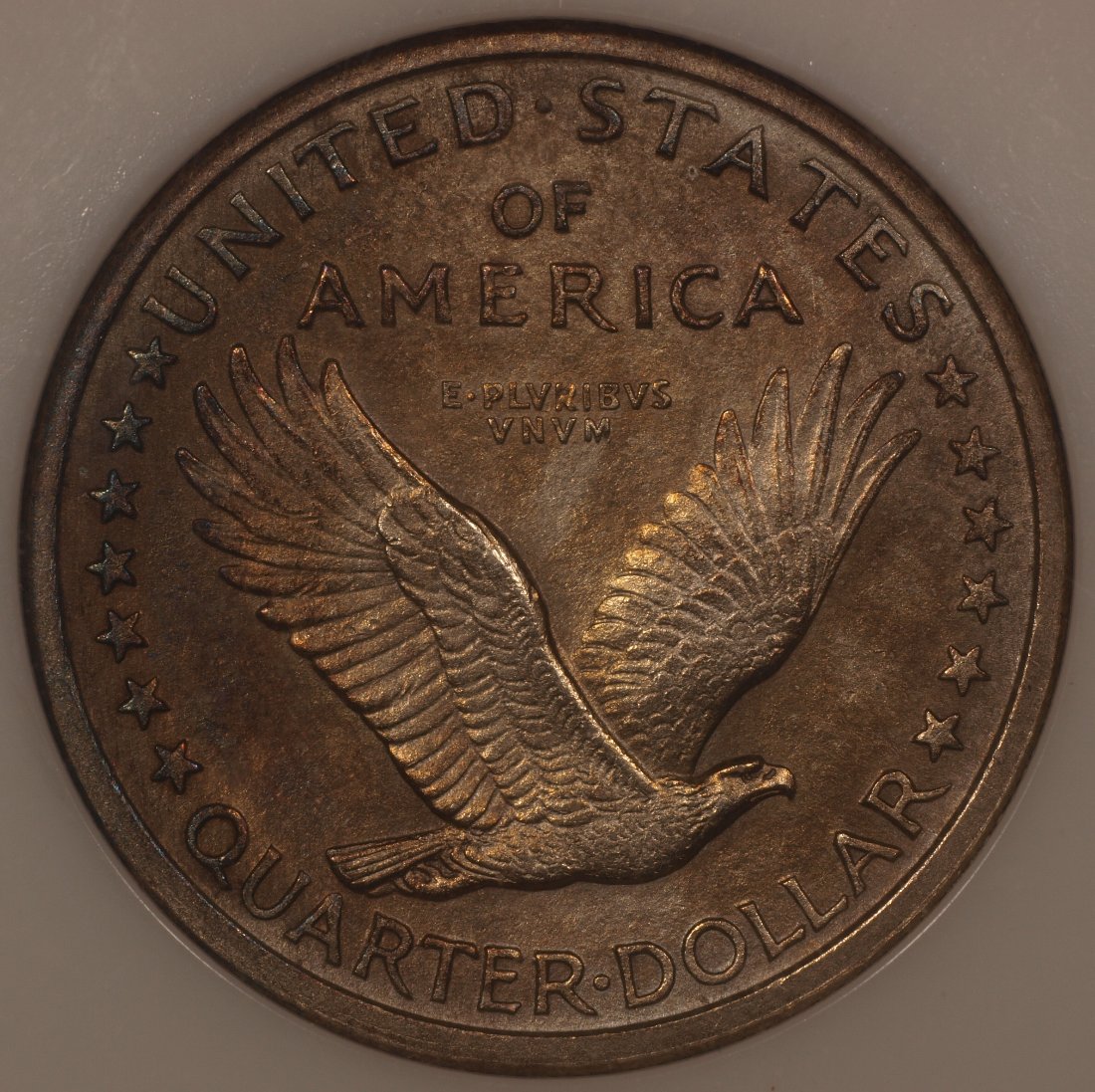 |
|
Pillar of the Community
United States
723 Posts |
"Why is the reverse always bigger than the obverse?" If you are asking about mp, when I run it through the CC "Image Optimizer" to resize below 300mp, I have trouble controlling what it "thinks". It changes it differently despite my best efforts to control it. I am using the Olympus proprietary editing program called "Olympus Workspace". It seems (to me) to be quite sophisticared. I would think they would be similar, but I have not seen the DPP, so if I have to go to school, so be it. The DPP is the Canon program, I have no understanding of it, would need to start from scratch. Even if I can get it. If so, so be it. You have been so helpful. I am so invested in this now that figuring out a new editing program seems trivial.  |
|
Pillar of the Community
United States
723 Posts |
rmpsrpms was kind enough to edit one of the shots. I sent him a shot that was -.6 EV. or -2/3 of one step. 66% of one step. My setup shows it as -.6 I have posted below, the edited shot, and a screenshot of the histogram, the RGB. Also some tuning to the WB. The program is Olympus Workspace. Thank you rmpsrpms! 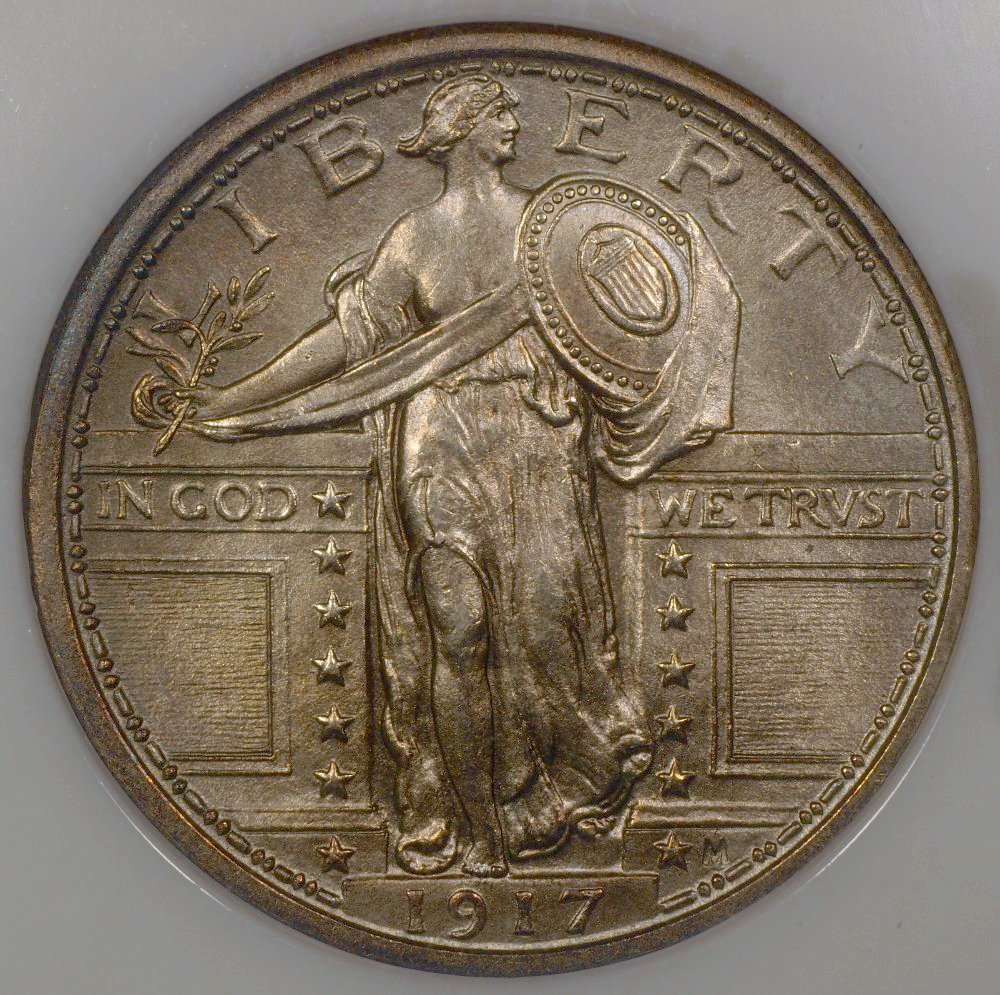 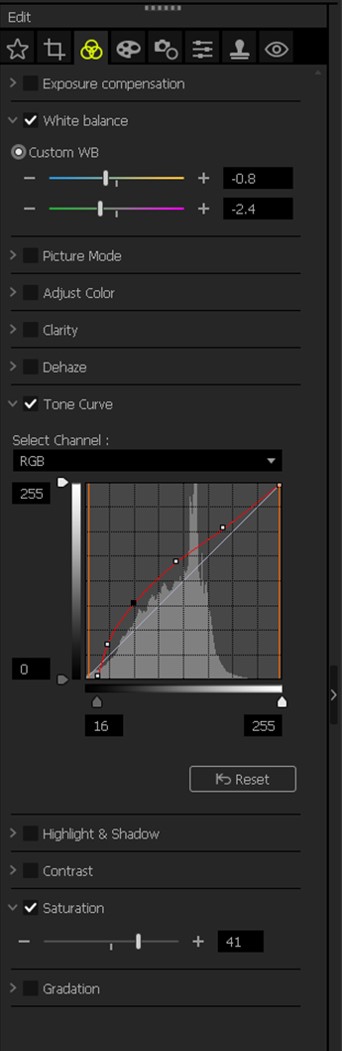 Edited by Jon K
05/16/2020 1:42 pm
|
|
Pillar of the Community
United States
723 Posts |
I am finding a few more buttons in my camera. Poking around in the white balance on my camera, I found a "Custom White Balance" button. I open it and there is a slider that sets the white balance at a Kelvin number. I can look at the lights and wrote right on them there is a spec of 5700K. The adjustment in the camera is too coarse, I can have either 5600 or 5800. I choose 5800. Presto, the white balance is a close as I have yet had it. So I shot a couple of images. See below. I tuned it a bit in post processing, the changes are in the image below. What you can't see is I shot it at -.7 EV and brought it up +10 with exposure compensation in my post processing. Thoughts? 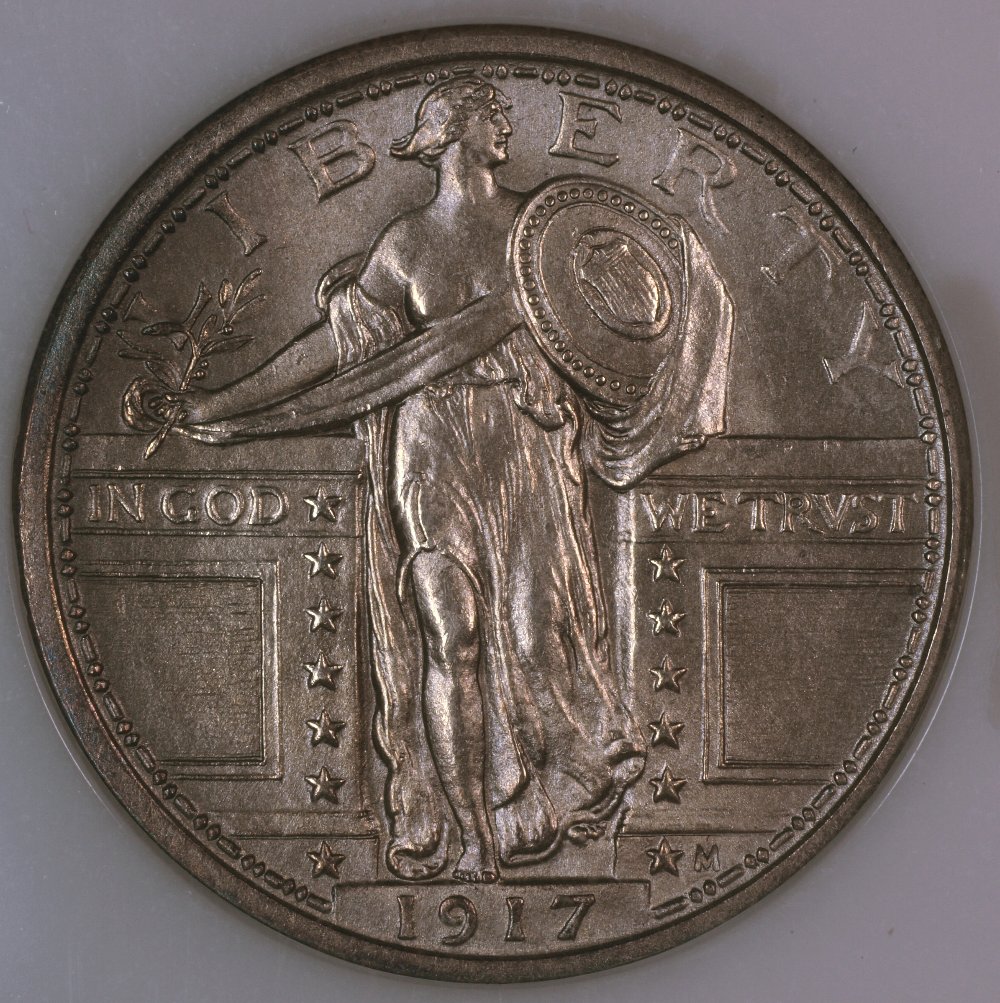 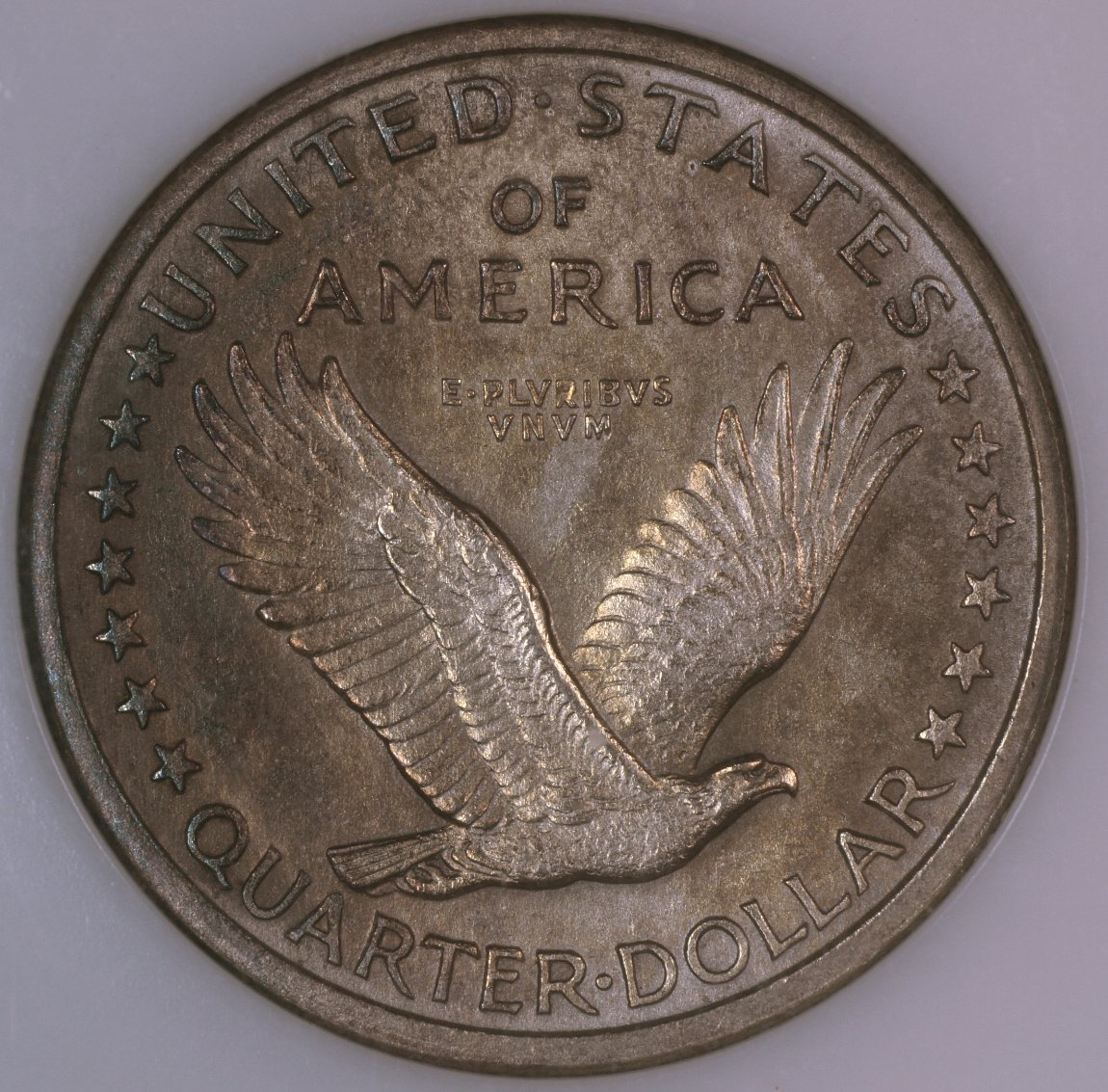 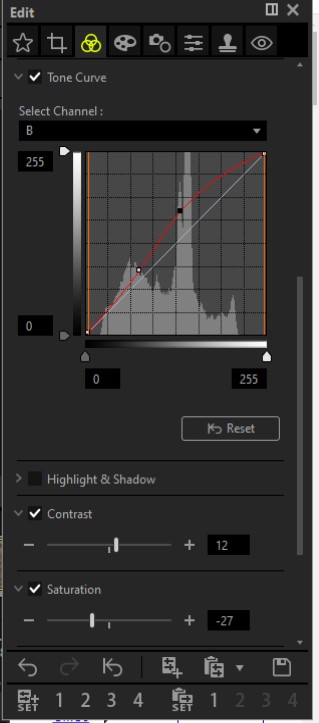 |
|
Pillar of the Community
United States
4051 Posts |
Bottom line is if it looks close to the coin in hand. If so, you're there. From purely the perspective of the image, IMO it is slightly over-exposed, and a bit too contrasty. From the histogram I can see you increased the mid-tones quite a bit, and kept the shadows, while also keeping the black level. I'd suggest boosting shadows a bit more, and bumping up the black level. This will make the image more even, but again that might not do justice to the true look of the coin.
|
|
Pillar of the Community
United States
723 Posts |
I have no understanding of black levels and shadows, but as I get a little deeper into this, I will study up. And the histogram is Greek to me, I need to work on that quite a bit as well. But your help with the lights, and helping me with the RGB numbers, etc has been invaluable. I am a lot deeper into this project than I ever believed I would be. The only thing I did to the color was to grab the blue in a couple of places and pull it up a tad. I did not touch the red or green. I was indeed a bit overenthusiastic with the contrast, and the exposure is easily twiddled with. I was at -.7 on the EV. And turned up my exposure compensation post processing. You can see I turned down the saturation, as per your suggestion, this moved it toward a "silvery" appearance. I shot this at two in the AM last night and was indeed starting to get a bit heavy handed with it. I will try to be a bit more subtle next time.  I can't say it looks exactly like the coin in hand, but it is way closer than when I started. I will continue to tinker with the plethora of buttons and sliders and histograms, move the lights subtly, and maybe come a little closer yet. But I feel that you have pulled me up out of the muck and have enlightened me about things that I didn't even know were things at all! Next time I approach this I will be a bit more subtle and see if it gets a little better yet. I am not happy with the blue on the back. In hand it is quite nice, on the shot it shows a bit, and toward the right it starts looking actually brown. Would you suggest a way to bring that blue out a bit more? If there is a slider or button that might help? Thank you so much, I have learned so much. One thing I learned is that I have learned is that I have so much more TO learn! I will shoot a few more when it is not 2AM and see how those turn out. JK Edited by Jon K
05/18/2020 10:50 am
|
|
Pillar of the Community
United States
4051 Posts |
One lighting trick that I have often repeated is that the camera can only capture what it "sees", just like your eyes. If you want to get a particular "look", take note of how you are seeing that look, and try to reproduce it for the camera. If that look depends on both eyes being open, you can never reproduce it, so first thing is to close one eye. Then adjust the position of the coin versus the light(s) such that you like how it looks in-hand. Make that blue stand out! Then ask yourself, "what if this was a photograph that I was presenting on a forum...would it look like I want it to?". Usually the answer is "no way! that actually would look pretty bad" since there will be glare off the slab surface, dark shadows, and bright highlights. But that is the "in-hand" look folks are so eager to reproduce. That said, you can still figure out how to enhance the look using this technique, and I think it is instructive to do so.
|
|
|
Replies: 73 / Views: 9,615 |
|








 First Page
 Previous Page

 Posted 05/15/2020 08:52 am


