Just keep remembering that all the excess information you enter now will soon be just that, excessive. For a small collection lots of that info is fun, but once you get, if you get, many thousands of coins, what would your files look like. A photo of each coin would take up the entire hard drive. For example I have well over 3,000 Mercury dimes. Even attempting to document all of them would take just to much time and effort. This is why I've now gone to simple records in Excel.
I agree with Just Carl. I can see using a reference picture for each type of coin. Other than that why have a picture for each coin? You can have a numbering system in place that could refer to each coin instead of having the pictures. It would give you the excuse to pull out your collection and enjoy them once in a while.
Quote: date, mint, Grade and estimated value. Really don't need more than that if it's just a hobby
I agree
Also I would recommend having a different sheet for each type coin or mint set to help keep things organized. I would have sheets like The Red Book has everything broken up in sections.
I only individually document coins with considerable value. Bags of Mercury dimes, wheat pennies etc. I don't bother with entering into my system. Now that I'm caught up with my collection, I enter them as I purchase them.
Excessive information may seem tedious, but believe me, when it comes to insurance claims in case of a fire or robbery, you'd be wise to have so much info that you overwhelm the claims adjuster with it if you want any chance of recovering a single dime.
Quote: ...but once you get...many thousands of coins, what would your files look like. A photo of each coin would take up the entire hard drive. For example I have well over 3,000 Mercury dimes.
I agree with the sentiment but even if you have 3,000 10MB files, that's "only" 30 GB. While that's a downright stupid size for an Excel spreadsheet (and not possible unless you have the 64-bit version, which is not common), it won't come close to filling a modern drive.
I'm just being argumentative here - of course you're correct, who in their right mind would photograph all 3k dimes? No one. What's the point?
Now I CAN see photographing slabbed coins or coins worth more than, say, $50 (or pick your number).
Quote: ...when it comes to insurance claims in case of a fire or robbery....
If you hope to get anything over face value, you better have a rider on your home insurance policy or a separate policy to begin with. Otherwise most insurance companies will only reimburse you for face value, and then only up to a certain amount.
I don't disagree with keeping detailed records and taking lots of photos though. Everything helps, particularly with the police investigation in thefts.
Depends on the nature and size of your collection.
I have a world collection covering the last 26 centuries. Each coin has it's own description written on it's own 2x2, which have a huge variation from another coin from a different culture and century. That makes consistent description across the whole collection, and consistent cataloging across the whole collection, very difficult.
Perhaps my collection should be subdivided, to reflect the different description and cataloging styles needed.
About a dozen of my most valuable coins are photographed and all of their purchase information stored separate to the collection.
I use a "Custom Inventory System". It currently has 2491 records with 3.45GB of pictures - so Excel isn't really an option.
*** Staff Edit: Link removed. Please let us get to know you before posting personal links ***
If you do want to use Excel with large numbers of images you can put something like this in one of the cells: file://C:\COINS\IMAGES\FLORIN\79490o.jpg Excel will treat it as a hyperlink - click on it and the image (C:\COINS\IMAGES\FLORIN\79490o.jpg in this example) will be displayed in your web browser. (The aforementioned inventory system can import from Excel and has some nice features.)
Fair enough to disable the link Eds - better to be safe than sorry. Anyone who's interested can Google the program by name anyway.
I note that there's a new version and the "Zoom" feature, especially, is one I'll be using a lot more now that it's been improved (at least in the paid-for version).
I'm using an Excel workbook with several sheets. One sheet per country that I actively collect, one sheet for all Euro coins, one for all fake and counterfeit coins, one for each continent for the countries I visited, etc.
I also have a numista account, not for trading but for having a good overview with pictures. Which is especially handy when abroad and not having my excel sheet with me. The only thing with that site is that it doesn't cover all my coins. I have quite some locally issued coins (mintage sometimes just a few hundred) and counterfeit and fake coins, which are not covered there.
Disclaimer: While a tremendous amount of effort goes into ensuring the accuracy of the information contained in this site, Coin Community assumes no liability for errors. Copyright 2005 - 2026 Coin Community Family- all rights reserved worldwide. Use of any images or content on this website without prior written permission of Coin Community or the original lender is strictly prohibited. Contact Us | Advertise Here | Privacy Policy / Terms of Use






 First Page
 Previous Page


 Posted 03/24/2015 12:21 am




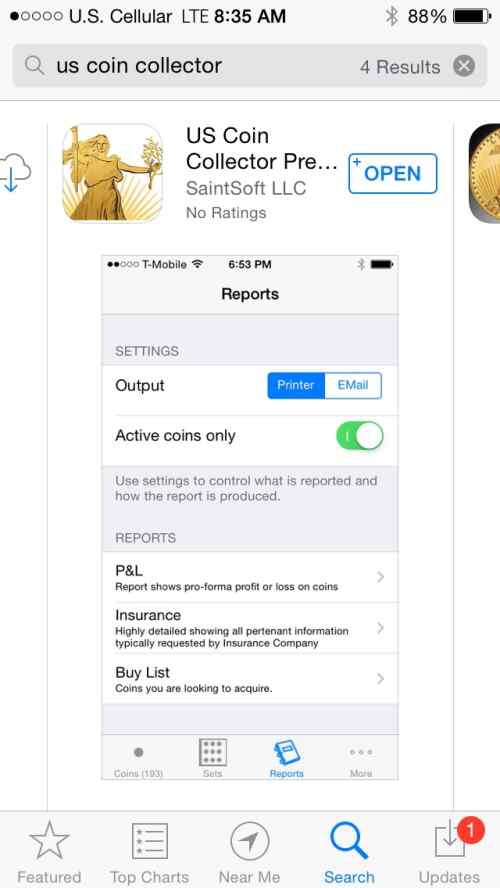


 No, seriously, for what I know it isn't possible. Not sure if allowed to place links, but here's a few links which support my assumption.


