| Author |
 Replies: 17 / Views: 6,822 Replies: 17 / Views: 6,822 |
Page 2 of 2
|
|
|
|
Valued Member
 United States
314 Posts |
Metalman, Why would pcgs not attribute it. You have ideas on geting photes of it . I wish I knew . So how do you get the close up on coins and stuff and what is needed to do that with coins. I short on cash these days to buy that expensive camaras. My scanner dont work very good. I paid 49.95 for it at Walmart last year. It just makes them super small brown things. Is trick on how to enlarge it ? So how they done on photes of coins. Becides that coin I have two more I need to get checked. Chevrolet454ss |
|
Pillar of the Community
United States
5318 Posts |
That would be a very cool find if proven genuine! However, if one authentic 67-D is out there, there should be a few others. Still, good luck!  |
|
Valued Member
United States
145 Posts |
Most modern scanner will do a decent enough job on a coin if you know how to do it. You need to get out the manual and read about how to tweak the settings. With mine I go to "Import from twain" function in my photoplus program and choose my scanner. Then I go to custom settings and choose 1200dpi. Then do preview and then once the coin comes up in the preview area(looks like a 1/2inch dot that is barely recognizable as a coin on my 19" monitor) then choose just the coin area. Not sure if this function is the same on all programs but with mine it shows dotted lines that you drag to the size and area you want. Then hit scan and it should come up with a good sized picture. I just scanned this cent with my cheapo scanner/printer and though it leave a lot to be desired it still shows details. Hope this helps. 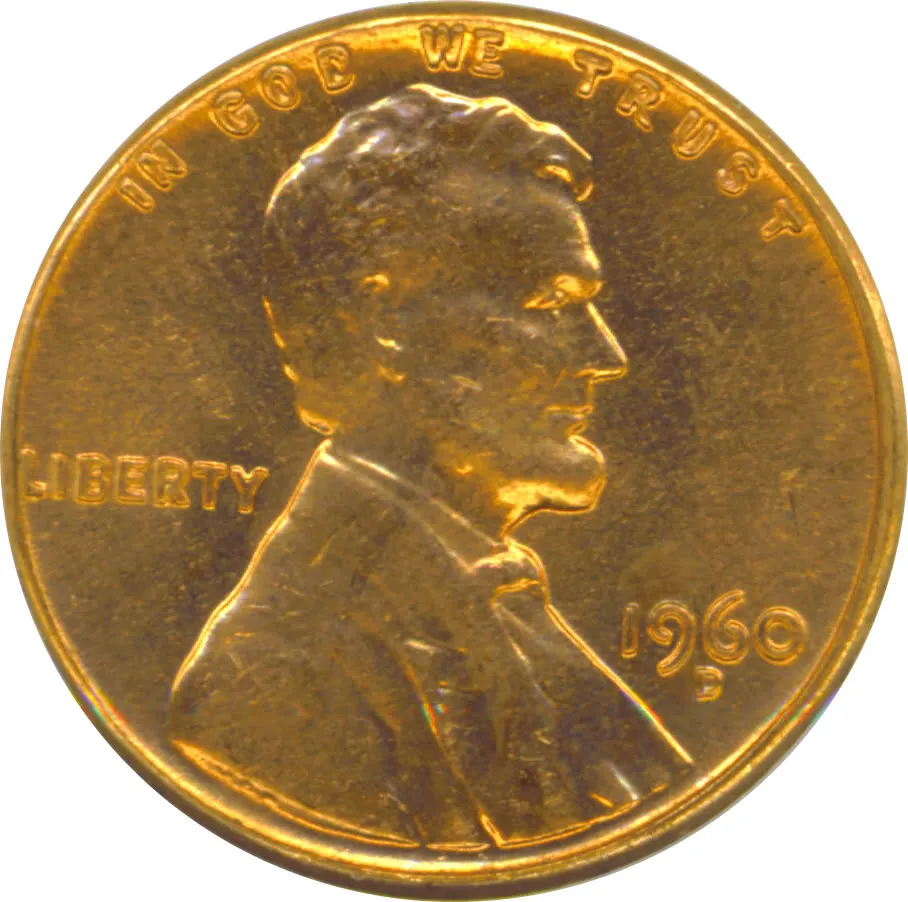 |
|
Valued Member
United States
145 Posts |
Weird, my last post shows in this thread but in the thread index list doesn't show that I replied to message.
|
|
Valued Member
United States
314 Posts |
I tryed and I hope it came out.
|
|
Valued Member
United States
314 Posts |
What I am doing wrong.
I put at 1200 dpi my cheaper scanner it was 3.2 megs and would never load.
I went back to 200 dpi and it would load up and just has an x in place.
Chevrolet454ss
|
|
Valued Member
United States
314 Posts |
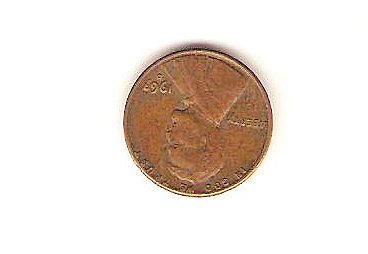 I think it went thru |
|
Valued Member
United States
314 Posts |
It went thru and for whatever reason you need click on it. Sorry it upside down . I tryed the best I can scann. I not very good with things.
Chevrolet 454ss
|
|
Pillar of the Community
United States
1934 Posts |
Judging only by the pictures...I'm not convinced it's a 67.
|
|
Pillar of the Community
United States
5318 Posts |
I can't tell much at that scan size, but the 7 doesn't look very clean. I'd need to see a bigger pic, but it could also be post-mint damage that resembles a 7.
|
|
Pillar of the Community
United States
936 Posts |
|
|
Valued Member
United States
145 Posts |
Try it at 600dpi and then reduce the file size with your graphics program.
|
|
Pillar of the Community
United States
3507 Posts |
There is no such thing. It's not even possible. It will turn out that the lasdt digit is something else and has been damaged.
Thanks,
Bill
|
|
Bedrock of the Community
United States
62064 Posts |
On my scanner I place a small piece of material over the coin when scanning. It is about 3/3 inches so after the scan my scanner crops the image and you can see just the dark material edge without the excess white area. I use 600 DPI and it works great for me. The coin in question to me looks like a 1963-D Cent. The image is a little small, but agree with Bill & Chris on this one. Damaged/1963-D from what I can see.
|
|
New Member
9 Posts |
Hi
I read the other two posts on the scanner
tips. Good at 600 dpi. set it there and then
change the output size to half (%50)then adjust the window around the coin even smaller till it fits where you want it. then scan coin.
after saving the scan as a .jpg file you can crop the coin down to
where you like it (using your photo editing software) and the file size will be very managable.
|
|
Page 2 of 2
|
Replies: 17 / Views: 6,822 |
Page 2 of 2
|






 First Page


 Posted 12/23/2007 6:05 pm





