|
This page may contain links that result in small commissions to keep this free site up and running.

Welcome Guest! Registering and/or logging in will remove the anchor (bottom) ads. It's Free!
To participate in the forum you must log in or register.| Author |
 Replies: 31 / Views: 5,772 Replies: 31 / Views: 5,772 |
Page 3 of 3
|
|
|
|
Moderator
 United States
195203 Posts |
Always love seeing the J-Buck make an appearance or two.  |
|
Pillar of the Community
 United States
6514 Posts |
I've always been gun shy about trying anything like Photoshop. Looks like this program is spectacular!
Check out my counterstamped Lincoln Cent collection: http://goccf.com/t/303507 |
|
Bedrock of the Community
United States
10065 Posts |
I would have an ebay alert to your mail box for "Ulead photo shop 10" although there were a couple version 8s when I looked. Though I do not think fitting text to a curve is in V8. I think that is in V11 - which is the only reason I use 11 (and that is rare). Nonetheless, if you had to fit the text to a curve, you would need to put editing points on the text and then move them. Even that might be able to be figured out just by poking around. Approach it as a game in finding out what you can do. I totally enjoyed myself. It was like Christmas every time I got back ito the program b/c I would fin out something different! And there is SOOO much more power I do not use, need, or know how to use b/c never needed it! |
|
Valued Member
United States
123 Posts |
There's something relatively new that might compete with Ulead, it's current and still being upgraded and updated and affordable. I have no connection to this software. Free 90 day trial, which already made me like it. Instead of some barely useful trial that I couldn't get into what the software was about. https://affinity.serif.com/en-gb/photo/ $24.99, not an annual, not a sub, not one of those tricks. $24.99 for the license. Personally for editing, I have Adobe Photoshop Elements. Baby Brother to full Adobe PS. But when they went to Creative Cloud and subscription, that was the end for me. Elements is stand alone, not CC subscription. And most of my editing is real world photo, News and Editorial, where creative editing is unethical. I don't do much with creative alterations. As long as this is about editing software, Irfanview is my most used for quick editing, conversion and all kinds of things. FREE! I love free. https://www.irfanview.com/main_download_engl.htm IView is not a complicated editor and does many simple tasks. It's your basic free, utility. @coop how do you make those backgrounds? Nice colors. Some of them look like they could be seamless, where the pattern repeats and there are no ends. I mean matching edges on the sides and top and bottom, which makes them full the desktop, with no apparent borders.  |
|
Bedrock of the Community
 United States
62064 Posts |
The method for me is different on the curved letters. I type the phrase, don't flatten the image and select the Polar Coordinates to curve the devices in a circle. Just enough fit the width of the image. That curves them in a circle with the letters curving upwards. To make it curve to have the letters curing in the opposite direction, you rotate the image 180 degrees. The location of the letters are important. If the letters are to high, then they are a smaller curve. To make them the best way is to have the letters 3/4 down the page. To make them curve the other way, put the images 1/4 the way down from the top, and rotate the letters 180 degrees. I guess I'll have to make some visuals to show this better.
|
|
Bedrock of the Community
United States
10065 Posts |
You and I think alike Coop! I just got done making visuals for UPI in case others wanted to see the interface. I only did a circular text, and made one modification just as an example. The following three basics allows intuitive creation/editing. 1. Left clicking selects (nothing new here!) 2. Right clicking an item you are working on brings is for editing. - A menu allowing logical selections for editing options (access to popups, shadows, etc.) 3. Using the "Easy Palette" is the easiest/fastest way to modify objects/text (enlarge the pic and look at the Easy Palette options available). Opened and typed the text using the selected text tool.
Note the editing Pop Up.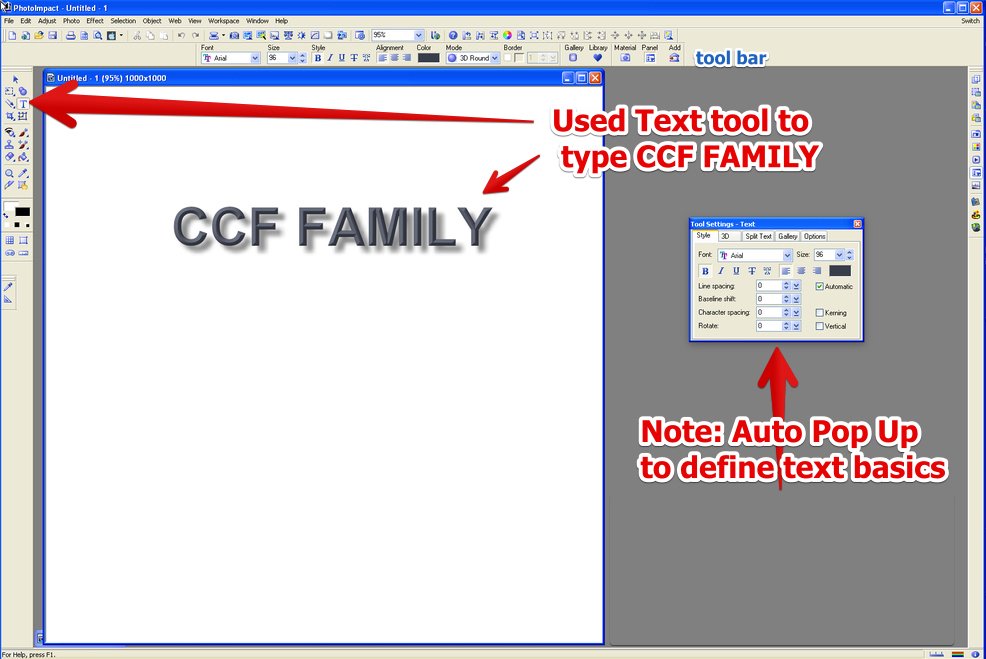 Click the Easy Palette Button at the right 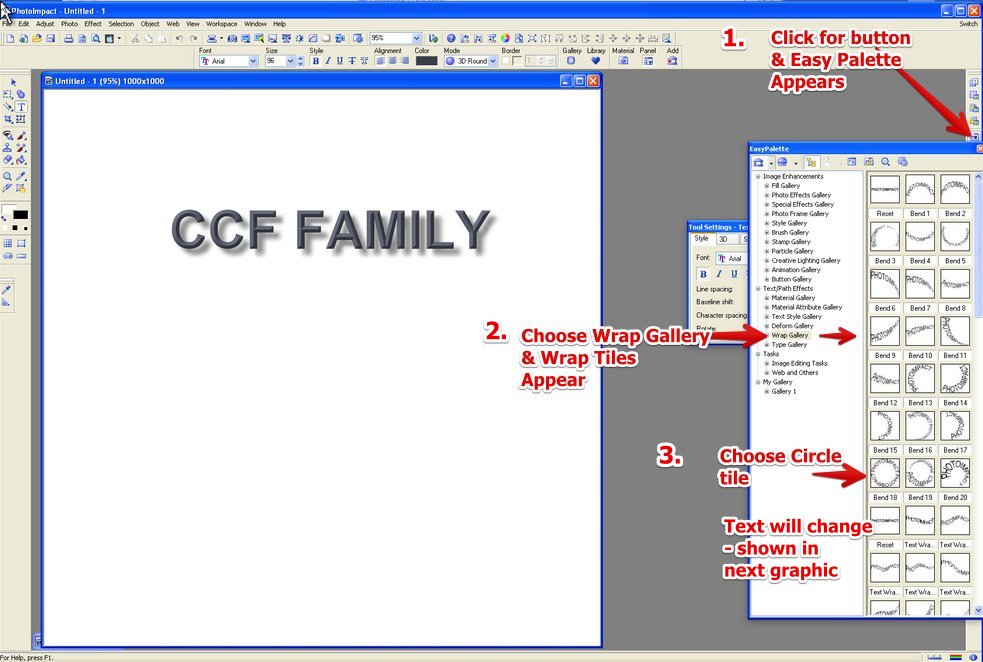 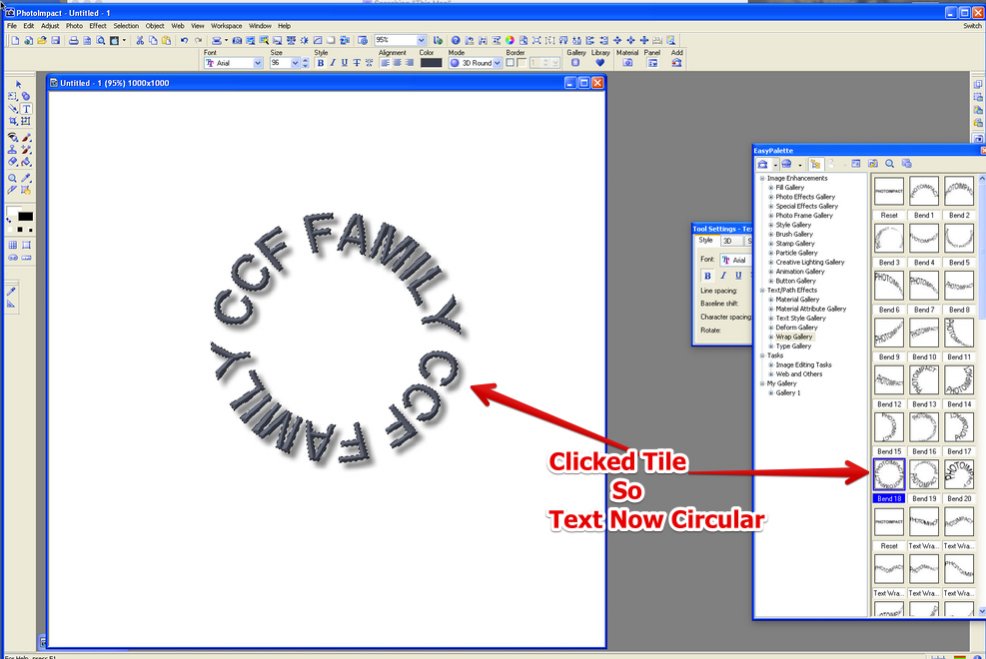 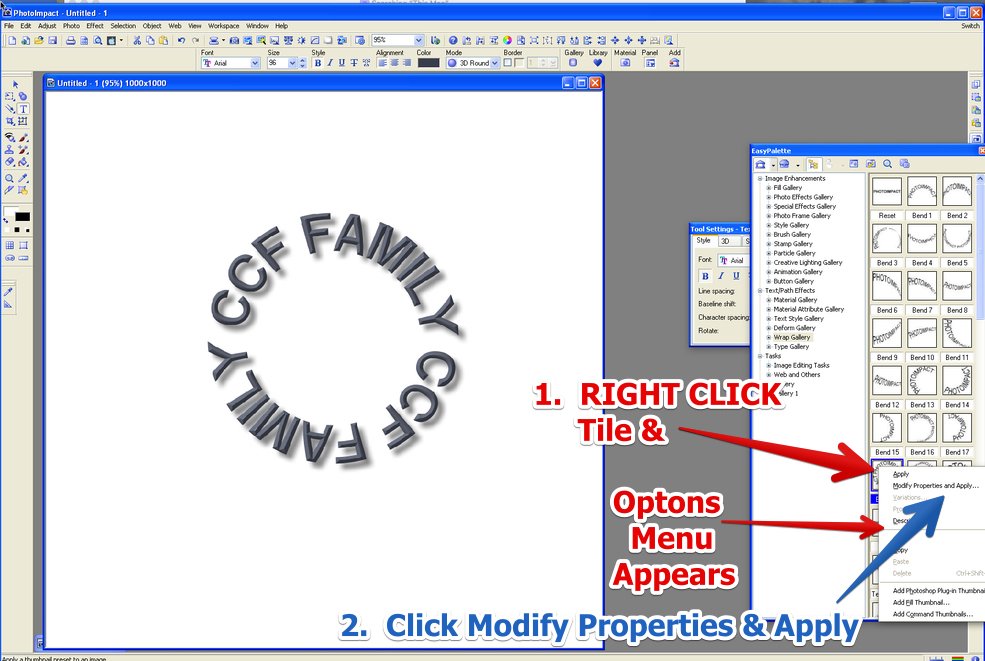 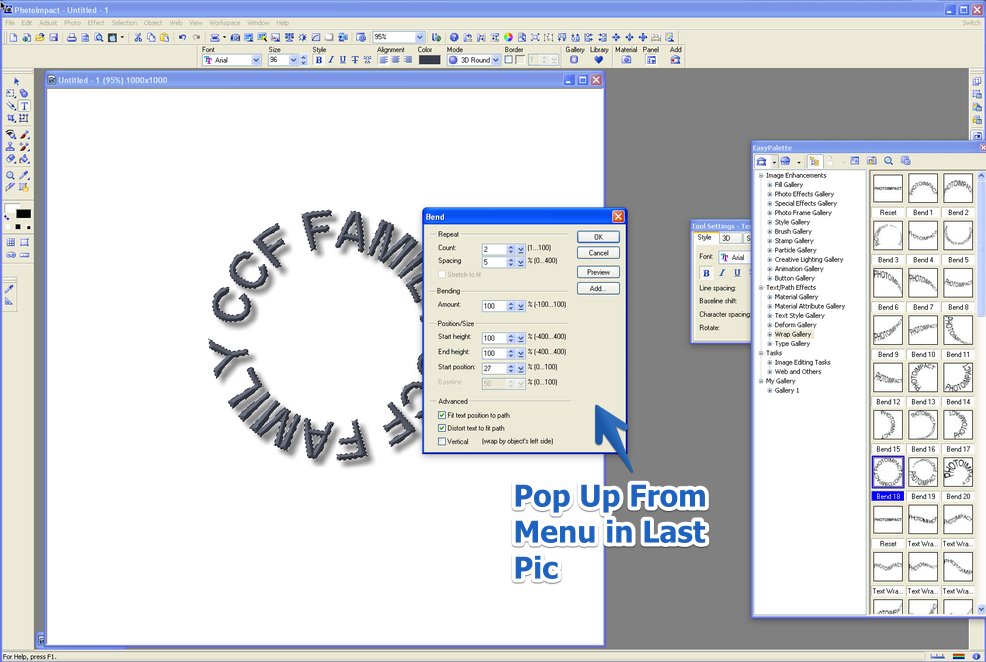 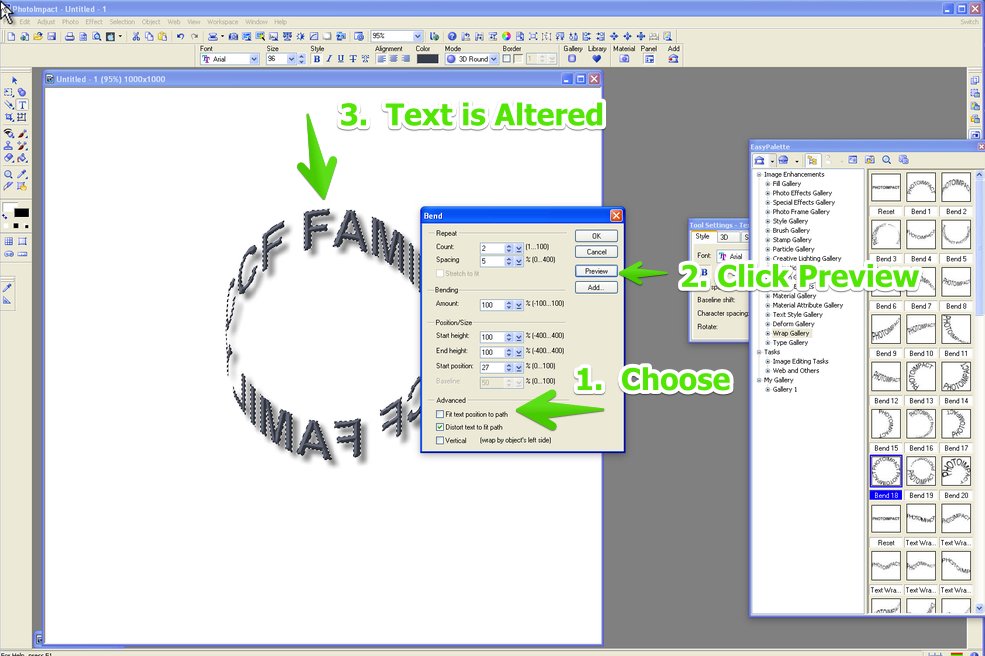 All of this can be done using the tool bar at the top, or if you prefer memorizing every little step to make an affect...use the menus. Again - knowing the easy palette is there and selecting or right clicking a tile is what makes everything after that intuitive. BTW - if you accidentally, for example - close the initial text pop up, what do you do? Well since you are working on text...the best most logical place to find how to open the pop up again would be...the text correct? - Right click the text and the menu that comes up has multiple options for editing, shadows, pathway, etc, including showing the pop up again. I found how to use this program by remembering left to select, right to have options come up. And when I didn't know where to go, I just right clicked on what object I was working on. How much squash could a Sasquatch squash if a Sasquatch would squash squash? Download and read: Grading the graders Costly TPG ineptitude and No FG Kennedy halveshttps://ln5.sync.com/dl/7ca91bdd0/w...i3b-rbj9fir2 |
|
Bedrock of the Community
United States
62064 Posts |
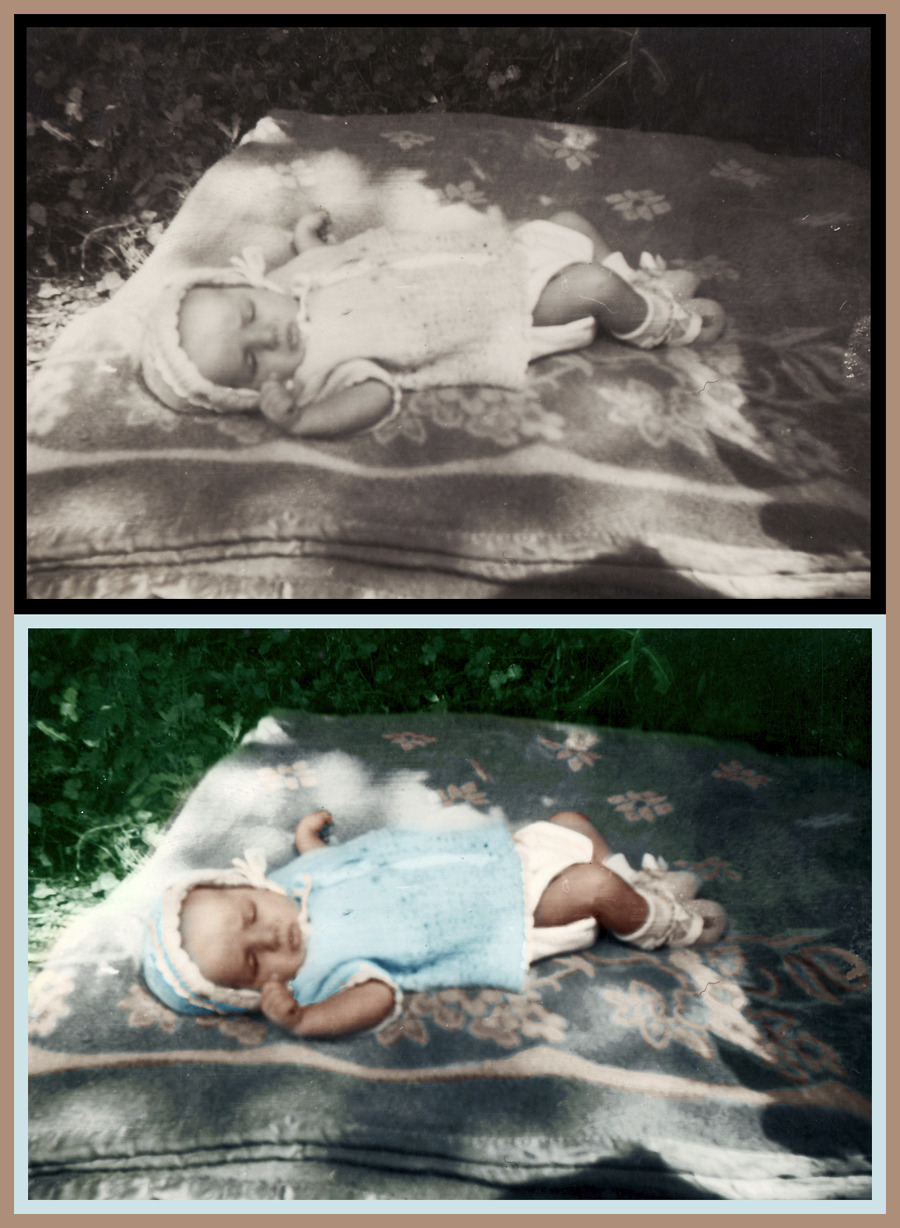
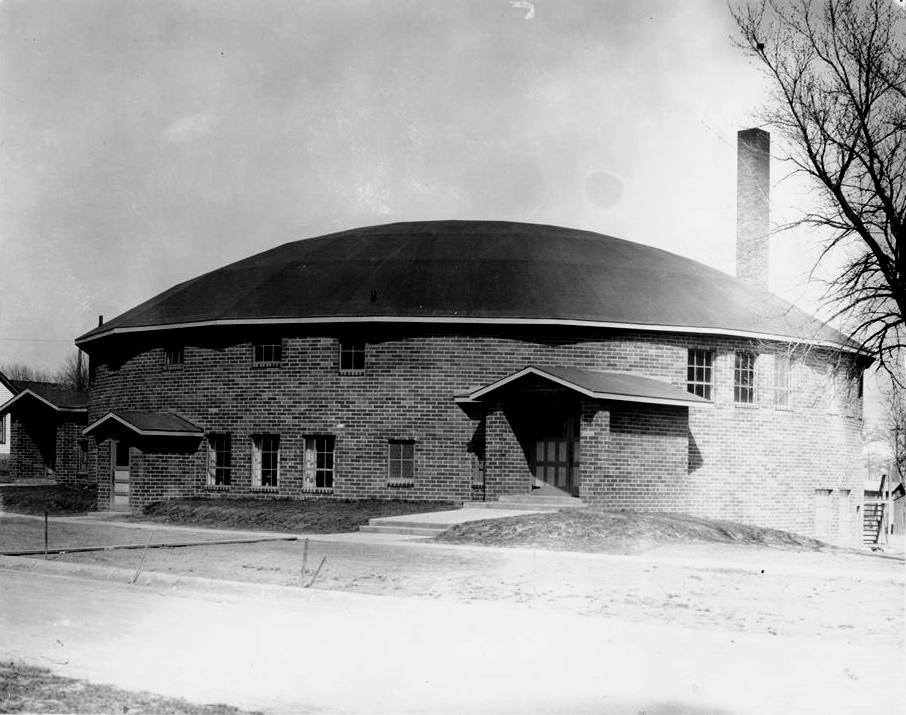
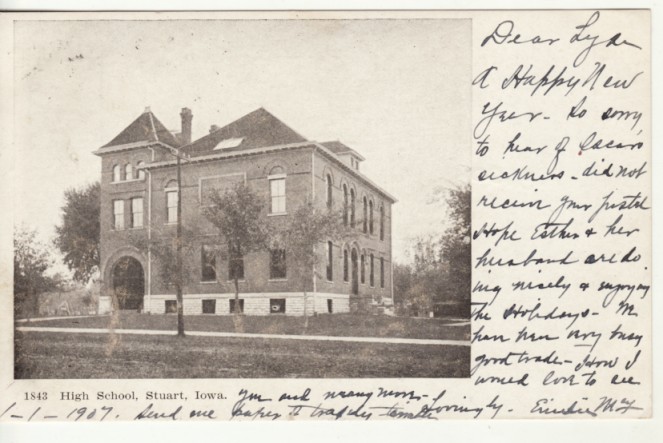
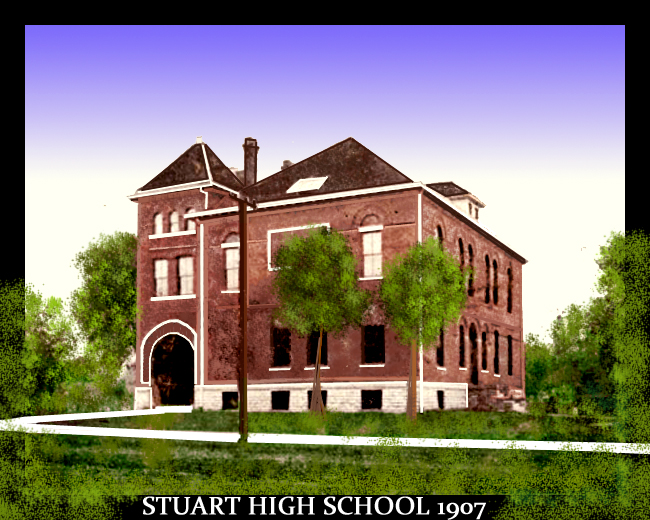
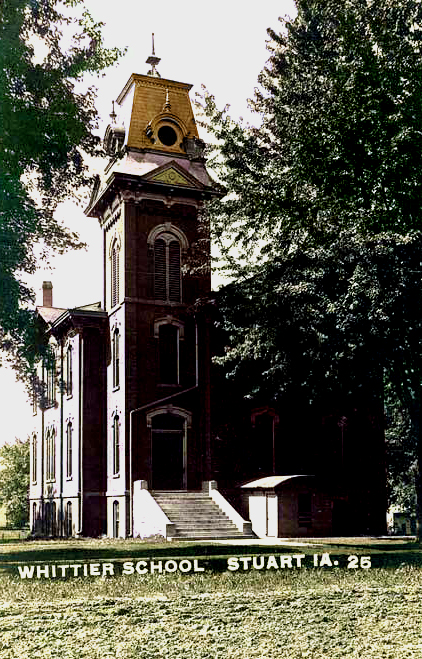
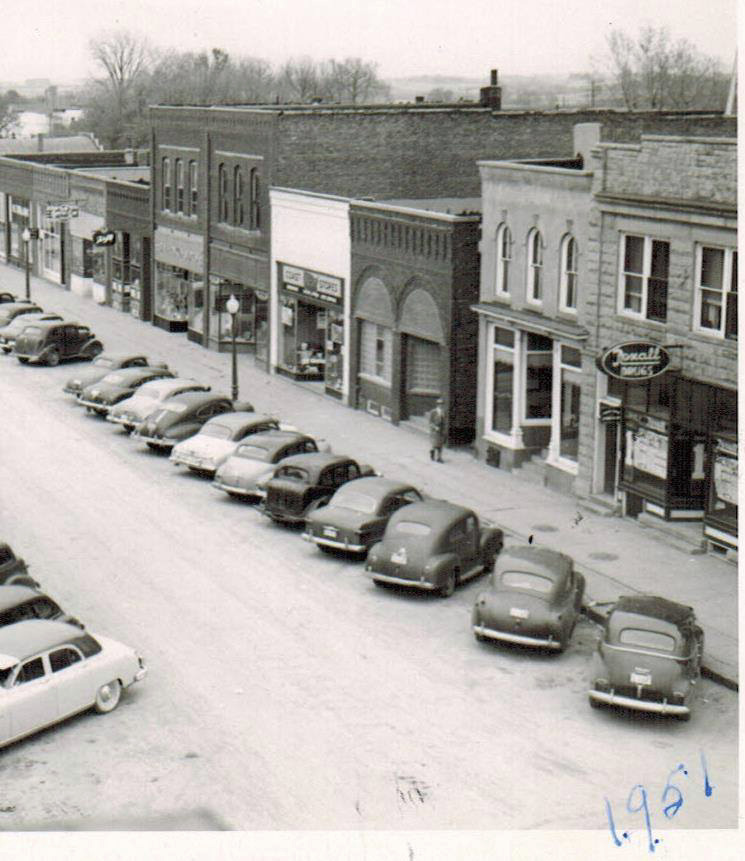
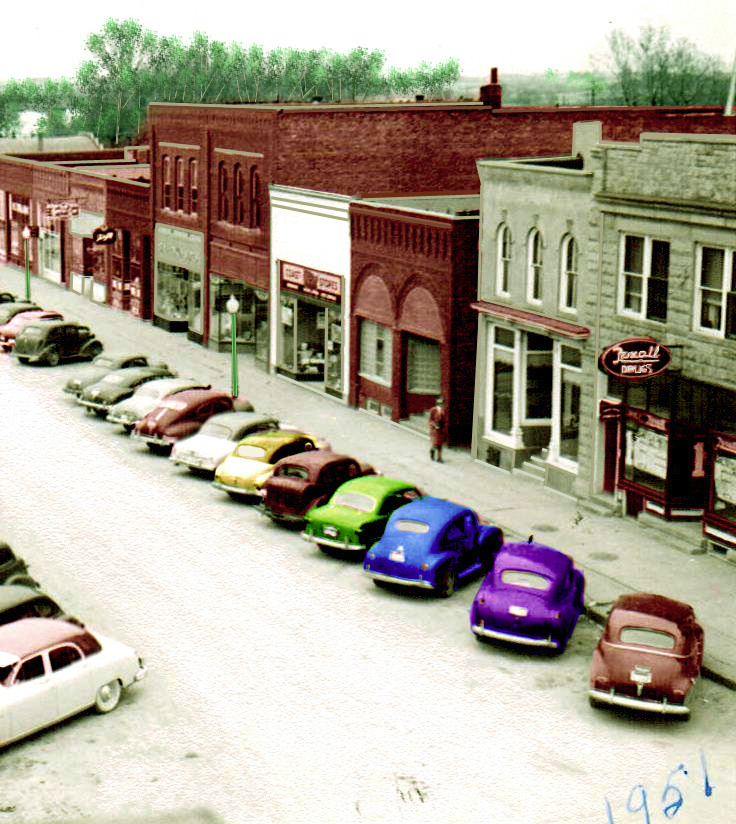
The first three images on this thread were the same basic image altered with different steps: 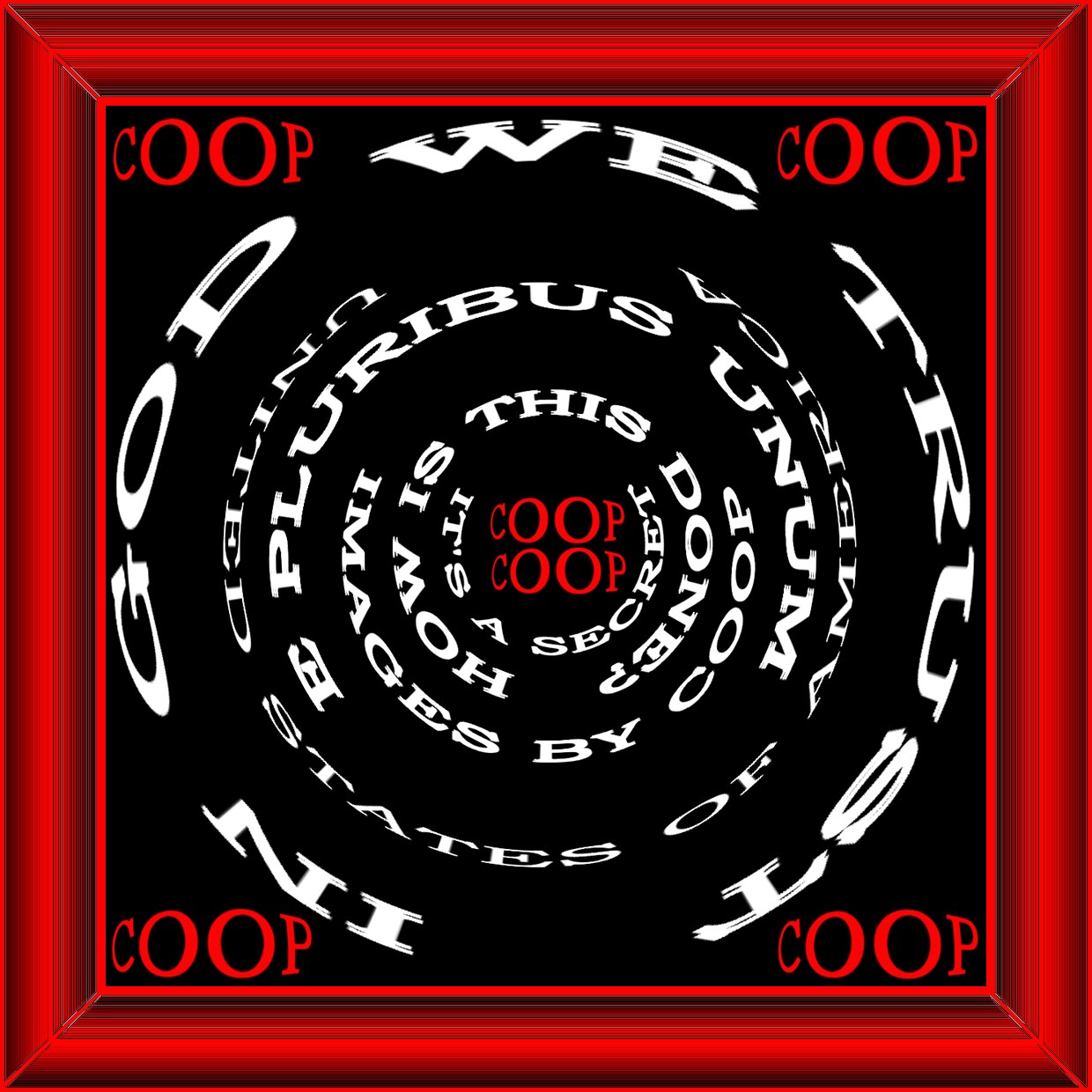 Just used the "Distort selection and Reduced the Spherize Tool all the way to the left to make image 2. 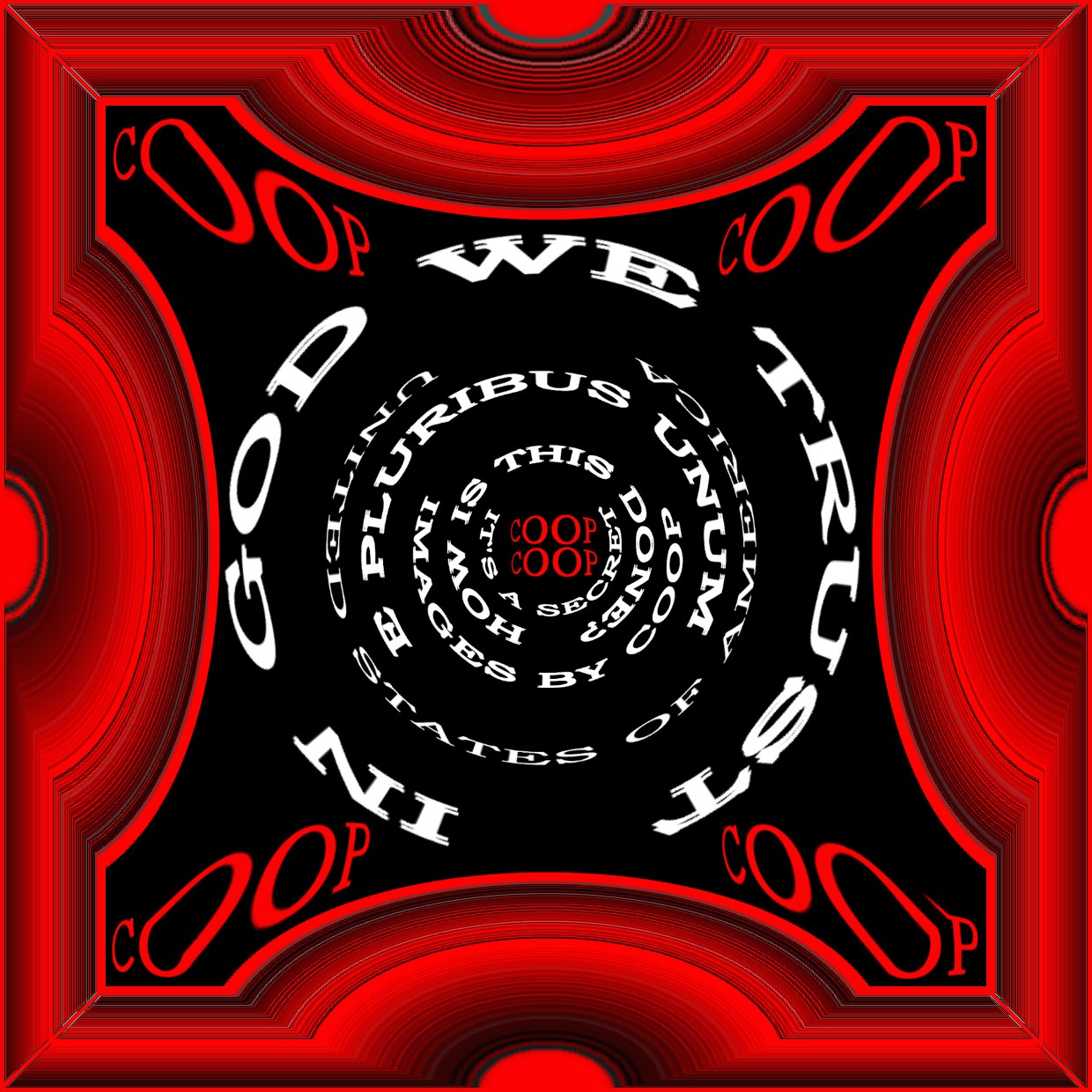 Original photo, Stylize to Glowing edges to create Image 3. 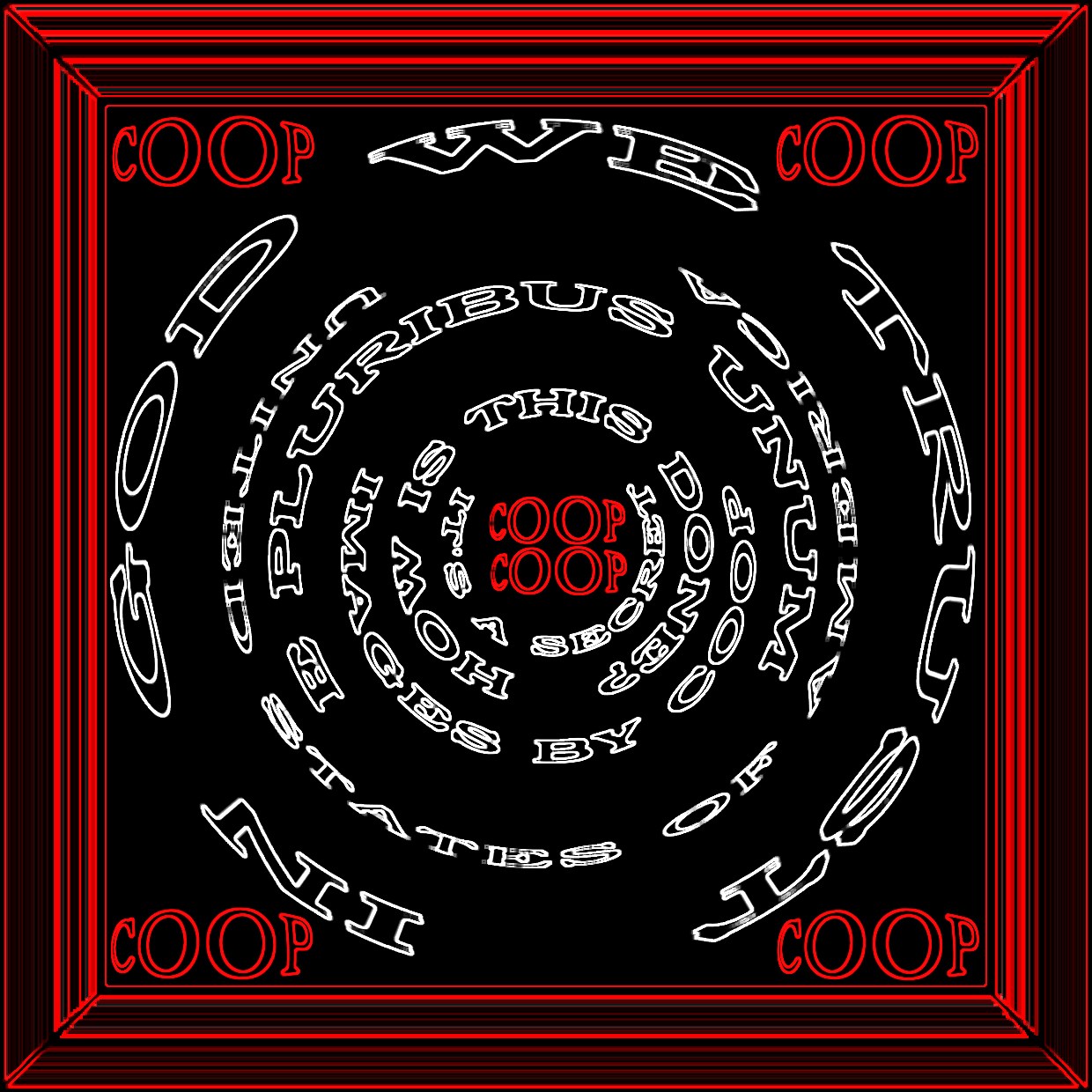 Simple click to make the other two images from the original image. |
|
Bedrock of the Community
United States
62064 Posts |
|
|
Bedrock of the Community
United States
62064 Posts |
|
|
Bedrock of the Community
United States
10065 Posts |
I suspected a warp tool.
In UPI the borders are editable using the Easy Palette (EP) as shown above for the text. Actually any object you are working on is changeable by the same means as above.
Glowing options etc. are in the EP. Again, they are all in one logical place and all together (and like above, editable with a right click).
How much squash could a Sasquatch squash if a Sasquatch would squash squash? Download and read: Grading the graders Costly TPG ineptitude and No FG Kennedy halveshttps://ln5.sync.com/dl/7ca91bdd0/w...i3b-rbj9fir2 |
|
Bedrock of the Community
United States
62064 Posts |
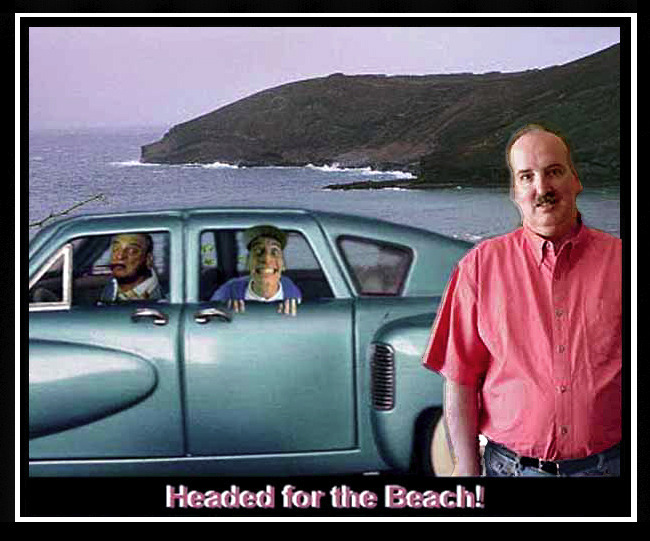
Anyone recognize who is in the car?
|
|
Bedrock of the Community
United States
10065 Posts |
@cop
Know what I mean Vern?
Affinity program:
I just spent several hours with the free download of Affinity - the program suggested by PPoro. I watched the 2 hour tutorial and was impressed with some of its features. But just as with Adobe, you have to know where to look for (menus, buttons, etc.) in order to get the options you desire. power is there, if you want to spend a long time learning the layout of the program and where to go to find each of the options.
Putting text on a curve is easy in Affinity if: You already know where the path tool is, where the nodes tool is, what kind of nodes you are adjusting (and how to change them), where the places are to adjust the letter spacing on the curve, when you know here to go to adjust the inter-letter spacing, etc.
The power of UPI is in the approach.
1. Type text - an auto pop up allows all editing shown in the Affinity tutorial.
2. Open Easy Panel (the one thing you have to know its location and what it is).
3. Select what you want to do to the text from the menu (change material, emboss, path, etc., etc.)
4. Choose a tile and click.
UPI User-Friendliness/Intuitive Concept: When you make something, rather than having to try to remember where to go for each change you want, al similar changes are categorized together (like a menu) in the Easy Panel. Clicking on a selection there brings up a visual representation of tiles showing what will happen if clicked.
They devoted a section of the Affinity tutorial in how to find the text editing pop up when you accidentally close it. You have to remember to go to the view panel, find the selection to show the pop ups then select the proper popup. OK - a memorized pathway.
UPI?
Remember the concept of logic and simplicity.
Where would you think would be the easiest place to locate something having to do with text (including the pop up)?
How about linking it to the text itself?
So right click the text and a menu of many text-editing-oriented options appears including to show the pop up.
I will say Affinity has some features I really like...I guess this is to be expected over a 10+ year old piece of software such as UPI. I would definitely choose it over Adobe b/c there is no leasing and its only 25.00! It does appear easier to use and has some other options than Photoshop does not.
Some people will understand when I saw UPI is worthy of calling it Amiga-Computer-minded for usage.
How much squash could a Sasquatch squash if a Sasquatch would squash squash? Download and read: Grading the graders Costly TPG ineptitude and No FG Kennedy halveshttps://ln5.sync.com/dl/7ca91bdd0/w...i3b-rbj9fir2 |
|
Bedrock of the Community
United States
62064 Posts |
Jim Varney (Earnest) and Rodney Dangerfield (I get no respect!) I've edited cars. (The hard way, now I know a lot easier way to do it) 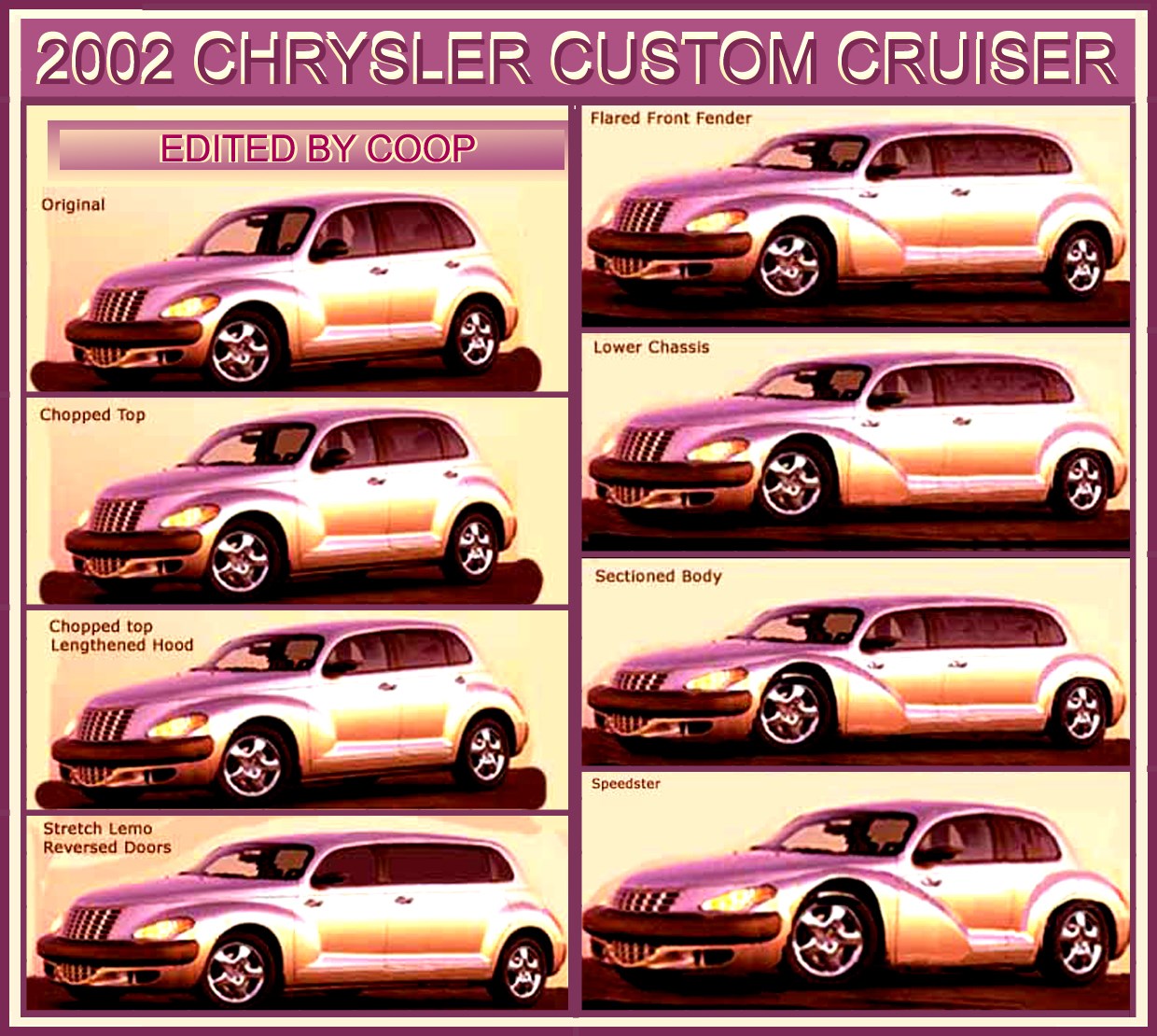 I like the design of the PT Cruiser. So I worked with that for a time. Edited by coop
02/27/2021 6:53 pm
|
|
Bedrock of the Community
United States
10065 Posts |
Ernest's image is so distracting I didn't see Rodney!
How much squash could a Sasquatch squash if a Sasquatch would squash squash? Download and read: Grading the graders Costly TPG ineptitude and No FG Kennedy halveshttps://ln5.sync.com/dl/7ca91bdd0/w...i3b-rbj9fir2 |
|
Bedrock of the Community
United States
62064 Posts |
He always stood out in a crowd: 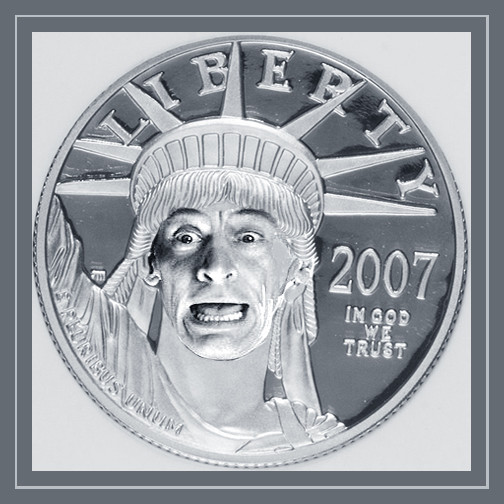 |
|
Page 3 of 3
|
Replies: 31 / Views: 5,772 |
Page 3 of 3
|
To participate in the forum you must log in or register.
 
- A Ridiculously Badly Written Computer Aided Book, Coin Collecting Bible, 2024
- Liberty Head 10/11 Stars Obverse With A Sick Looking Eagle On The Reverse Holed 0.59g 13.06mm
- The Tyrant Collector - PCGS Youtube Interview
- Counterfeit Detection: ANA Video - Introduction, With Brian Silliman And Jim Robinson Ep. 1
- Counterfeit Detection: ANA Video - Mistakes, Risk Factors, And Counterfeits & Alterations, Ep. 2
- Counterfeit Detection: ANA Video - Pimples And Pits, Looking At Cast Counterfeits, Ep. 4
- Counterfeit Detection: ANA Video - What Year Is That Cent? Key Date Coins, Ep. 5
- Counterfeit Detection: ANA Video - Diagnostics Of The 3, 5, And 10 Cent Coins, Ep. 6
- Counterfeit Detection: ANA Video, Counterfeit Quarter Dollar Diagnostics, Ep. 7
- Counterfeit Detection: ANA Video, Counterfeit Classic Commemorative Coins Diagnostics, Ep. 8
- Counterfeit Detection: ANA Video, Counterfeit Silver Dollar Diagnostics, Ep. 9
- Counterfeit Detectection: ANA Video, Classic US Gold Coin Diagnostics, Ep. 10
- Counterfeit Detection: ANA Video, Diagnostics Of Chinese Made Counterfeits Of US Coins, Ep. 11
- Counterfeit Detection: ANA Video - Wrap Up Recap With Brian Silliman And Jim Robinson Ep. 12
- 2026-P Jefferson Nickel Possible Die Chips, Die Cracks And Other Anomalies
- Commems Collection Modern: What If? 1993 Bill Of Rights Circulating Coinage - A 1990 Attempt
- Split Grading - An Idea That Would Drive Collectors Mad
- 1960 D Lincoln Memorial Cent (Small Date) BIE
- Is This 1888-S A VAM-10, 10A Or Something Else?
- 1994 Brazil 10 Centavo - With Die Clash
- Liberty Head 10/11 Stars Obverse With A Sick Looking Eagle On The Reverse Holed 0.59g 13.06mm
- 1980 D Lincoln Cent In Very Late Die State (Die Deterioration)
- A Ridiculously Badly Written Computer Aided Book, Coin Collecting Bible, 2024
- 2026-P Jefferson Nickel Possible Die Chips, Die Cracks And Other Anomalies
- Post A Trio Of Coins.
- 1878 S Trade Dollar. Found Doubling On Reverse
- Around The World With Banknotes - A Banknote Geography Game
- Post Your New Currency Acquisitions!
- Hokiefan's Collection Of Arkansas Obsoletes, Scrip And National Bank Notes
- Project 100k - Circulating Two Dollar Bills - Round 4!
- Counterfeit Detection: ANA Video, Counterfeit Classic Commemorative Coins Diagnostics, Ep. 8
- 20 Questions! (Forum Game) 11/04/24
- Commems Collection Modern: What If? 1993 Bill Of Rights Circulating Coinage - A 1990 Attempt
- Post Your Coins With A "five" Denomination
- 1893 World Columbian Exposition, Isabella Quarter PCGS MS-68+ (Cac Green) (Toned) (Schultz) On Gc.
- How Far Back Can We Go? Ninth Edition!
- The Tyrant Collector - PCGS Youtube Interview
- Counterfeit Detection: ANA Video - What Year Is That Cent? Key Date Coins, Ep. 5
- Post Your Coins With Coats Of Arms, Shields, Crests, Crowns, Etc.
- 1960 D Lincoln Memorial Cent (Small Date) BIE
Disclaimer: While a tremendous amount of effort goes into ensuring the accuracy of the information contained in this site, Coin Community assumes no liability for errors. Copyright 2005 - 2026 Coin Community Family- all rights reserved worldwide. Use of any images or content on this website without prior written permission of Coin Community or the original lender is strictly prohibited.
Contact Us | Advertise Here | Privacy Policy / Terms of Use
|
| Coin Community Forum |
© 2005 - 2026 Coin Community Forums |
| It took 1.86 seconds to rattle this change. |
 |
|
| |
| |






 First Page
 Previous Page


 Posted 02/26/2021 3:30 pm