| Author |
 Replies: 23 / Views: 1,785 Replies: 23 / Views: 1,785 |
Page 2 of 2
|
|
|
|
New Member
 United States
18 Posts |
Quote:
You can get a set of lenses for pretty cheap. Did you buy them? Do they work? My feeling is that it would be money thrown away but I have taste in gear beyond my means. I could buy a few very nice mercs for $25 |
|
Bedrock of the Community
 United States
10601 Posts |
Quote:
Did you buy them? Do they work? I used to use them on my Galaxy A11 with pretty good results - of course I also edited the photos thru "Pixlr" photo editor. I take a lot of pictures so for $25 it was a no-brainer for me to buy the package. I've since moved on to a Nikon Camera and a magnified coin viewer with photo capabilities. Edited by Marv65
10/28/2025 10:25 pm
|
|
Pillar of the Community
Australia
9888 Posts |
"Budget" rig and iphone 14, is that an oxymoron?
|
|
Moderator
United States
197782 Posts |
Maybe not now that the 14 is already three years old.  |
|
Pillar of the Community
United States
7398 Posts |
I barely use my iphone to take pictures, almost all my pictures are taken with a 24 MP full frame Mirrorless camera, and I upload photos to my iphone. Even saying all that you can use your iPhone to change the picture size, it does it automatically. When selecting a photo, select ... options 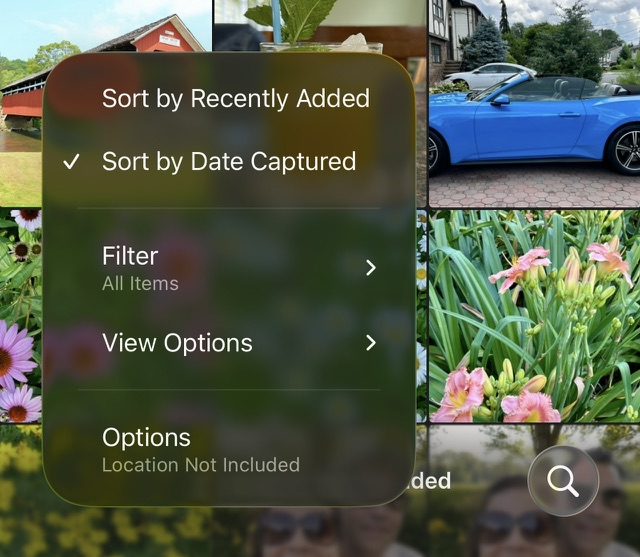 Select Medium , Large also works sometimes. 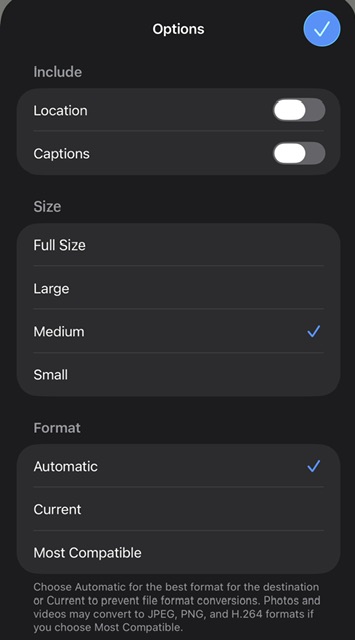 And then any picture will come in under the limit. 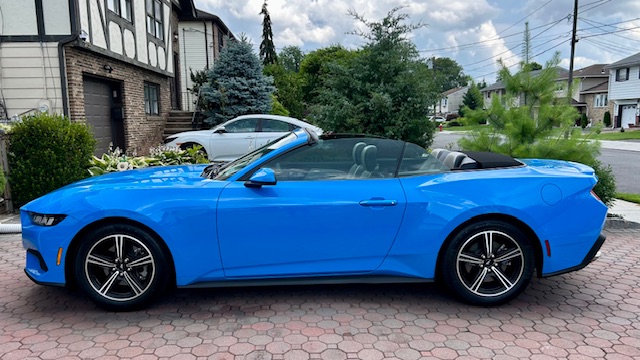 Edited by hfjacinto
10/29/2025 5:11 pm
|
|
Pillar of the Community
United States
7398 Posts |
On a computer, you can use Irfanview, resize to 800 on the shortest size and set a file size that you import any picture also. 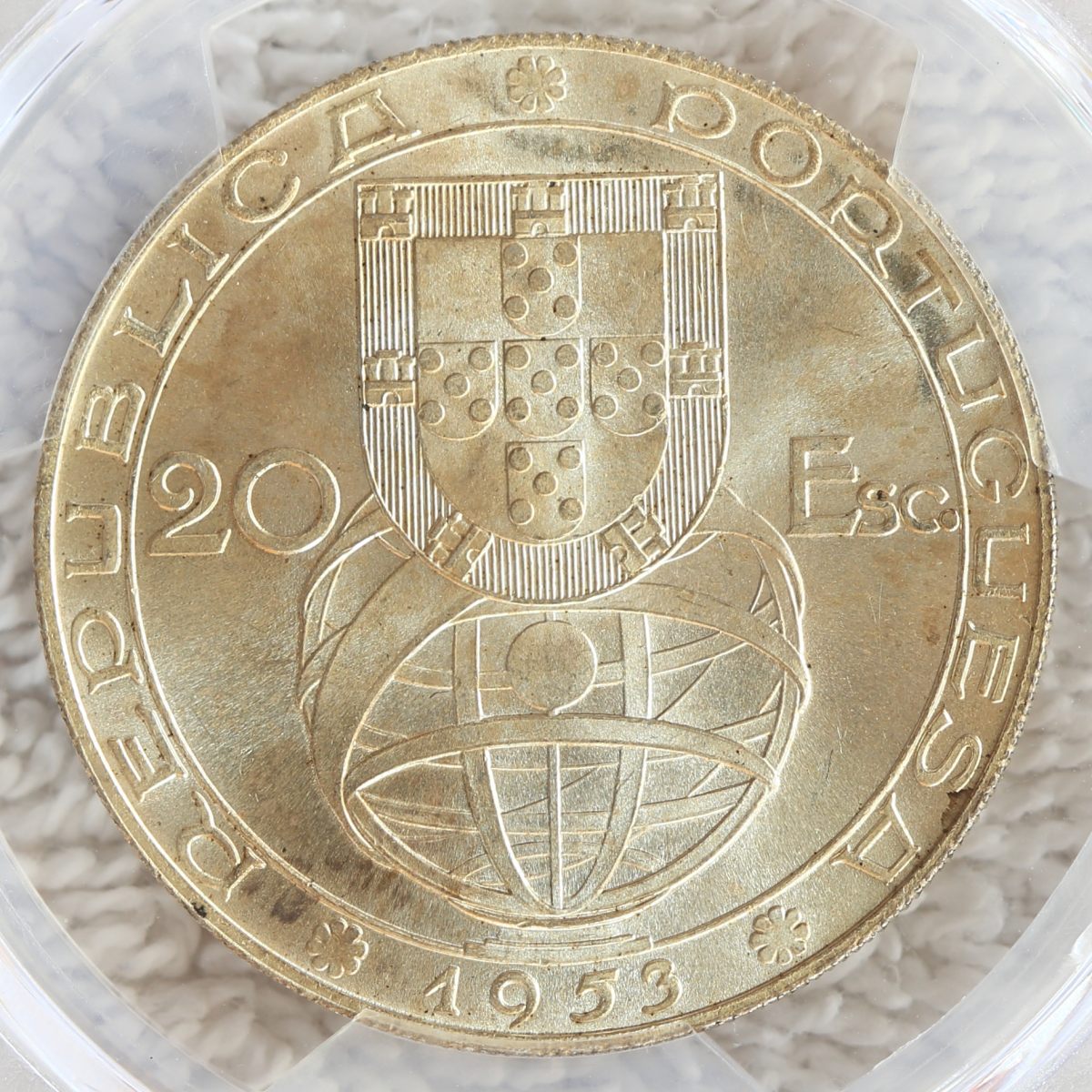 Edited by hfjacinto
10/29/2025 5:13 pm
|
|
New Member
United States
18 Posts |
Quote:
"Budget" rig and iphone 14, is that an oxymoron? Yes  |
|
New Member
United States
18 Posts |
Quote:
...and set a file size... OK, that is compelling. Imma try it. The Gimp is great but it doesn't let you set a file size but then neither does photoshop... OK, I found the setting and... ... wow It's only as good as my original photo but I'm sold at least for posting here. Thanks   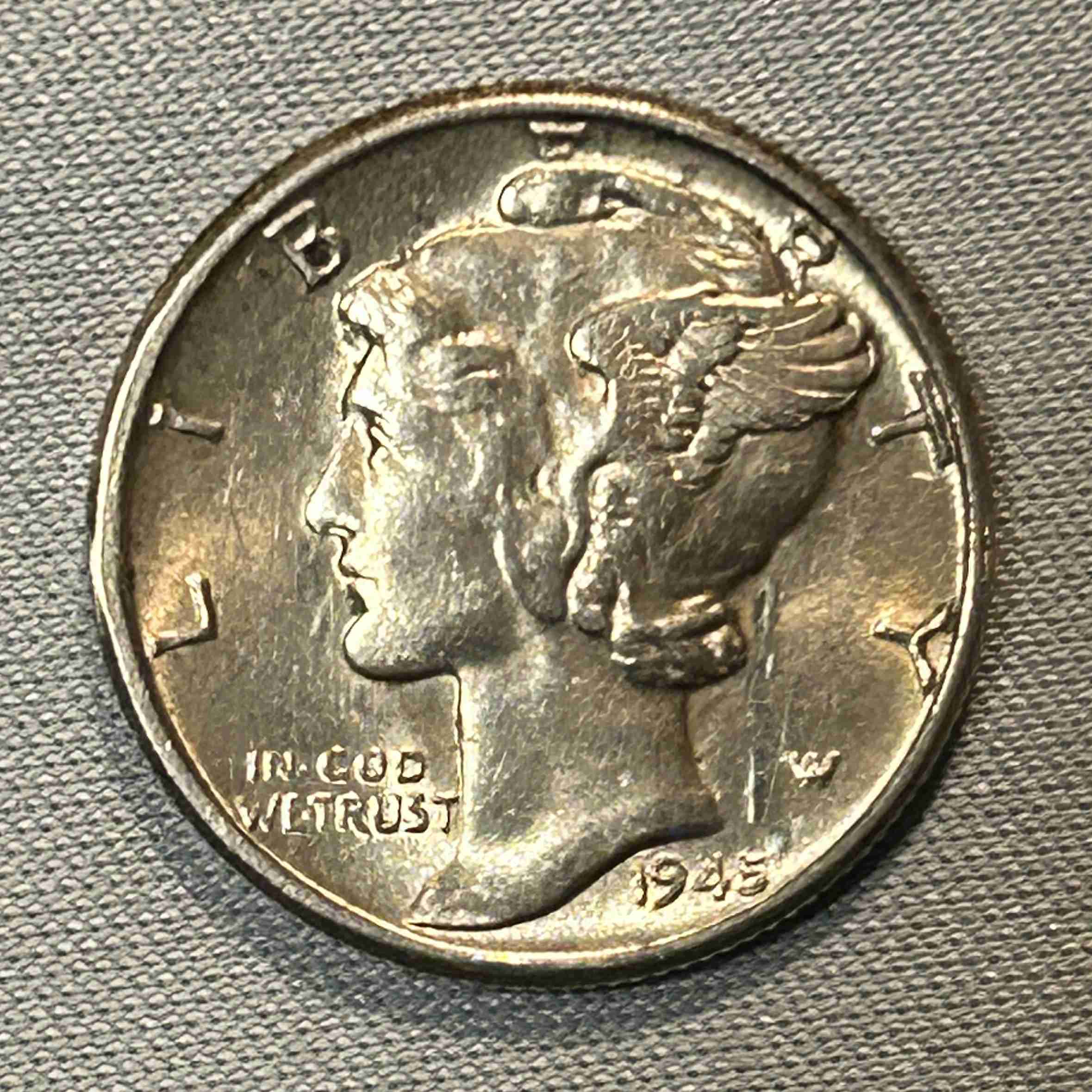 |
|
Pillar of the Community
United States
7398 Posts |
You should resize first. Your image above is pretty big. I resize to usually 1024 by 800. Thats a nice size that compression doesn't hurt the image. I also set the file limit to 299 KB , just under the 300 KB limit.
|
|
New Member
United States
18 Posts |
Here are my latest merc acquisitions. I deleted my last post from earlier today because the coins looked ugly. I don't want to waste anyone's time. I don't know how anyone feels about a little Gimp filtering and temp reduction but I think the pics benefited from it. Same photo setup as before (iPhone 14, tripod, desk-light) but I did a few things differently; daytime photography, bottlecap, 1:1 Aspect Ratio on iphone (instead of 4:3 previously used), cropped and resized in Gimp (I only cropped in Gimp previously), and exported final file from Irfanview. 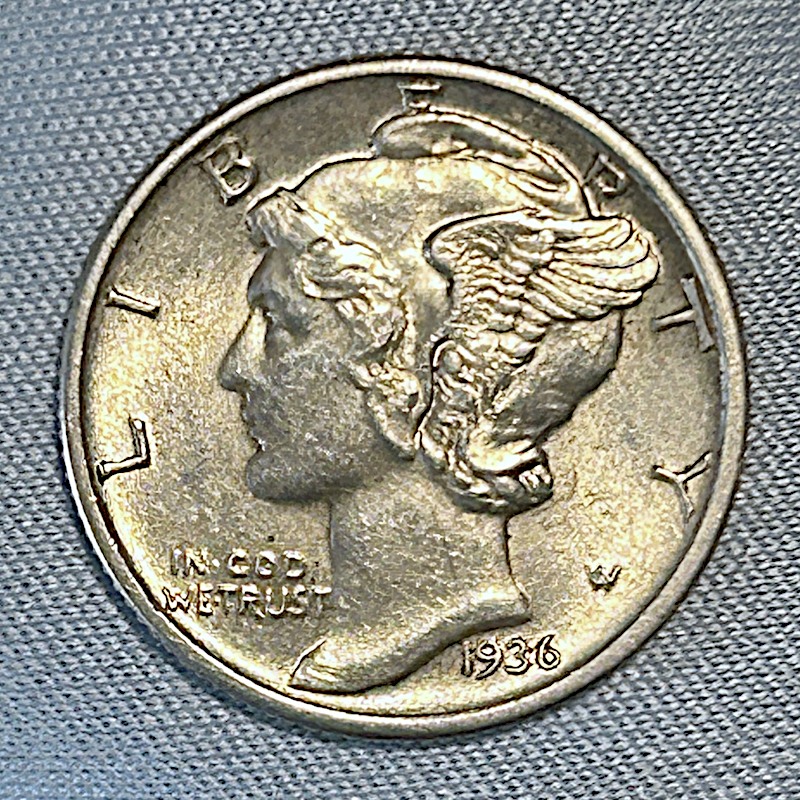 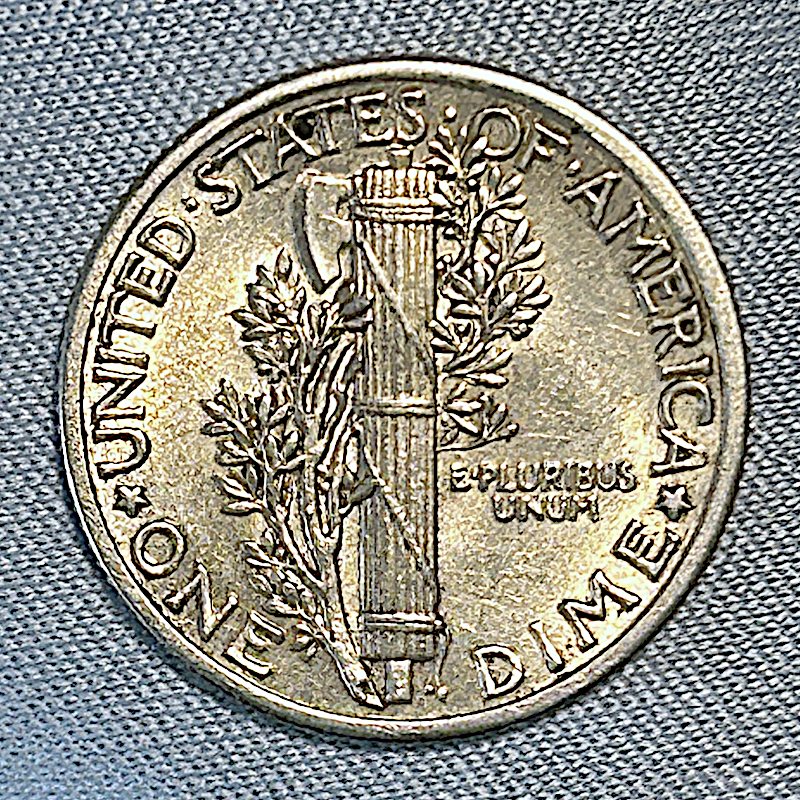 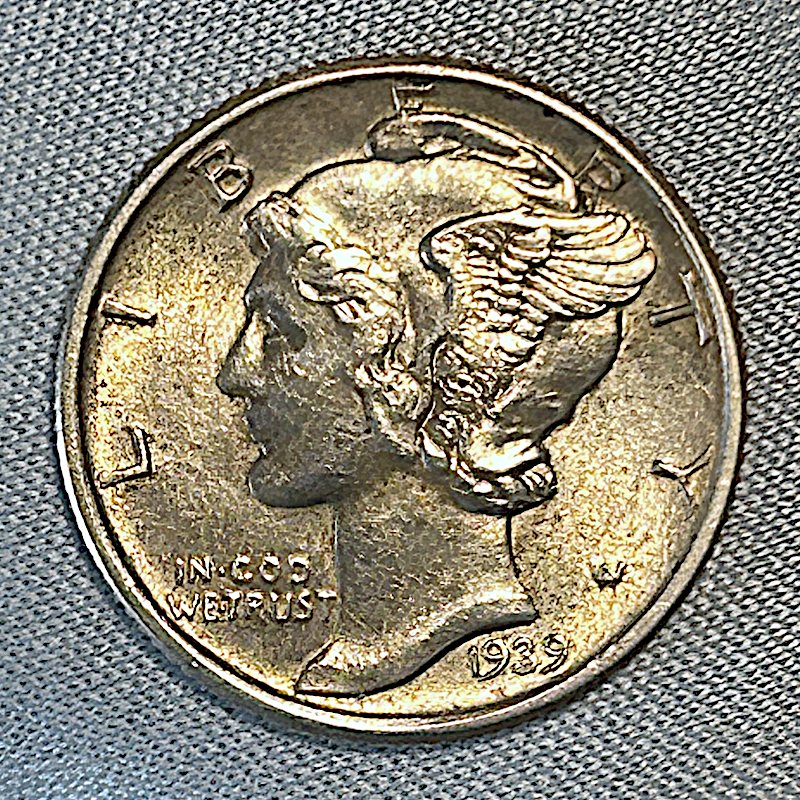 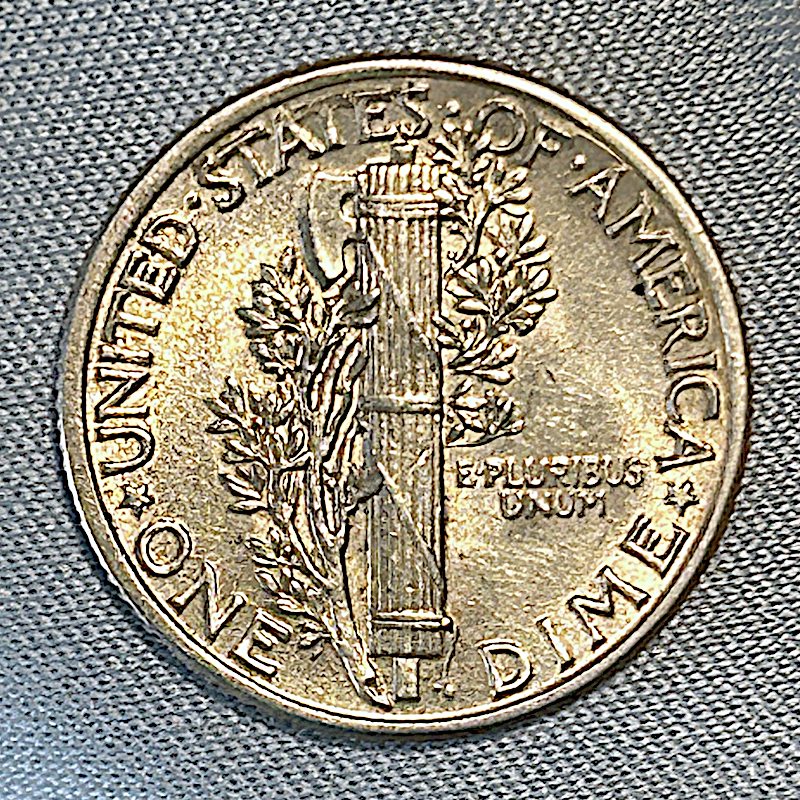 Edited by mercdude
11/06/2025 11:23 pm
|
|
Moderator
United States
197782 Posts |
Very nice! Quote:
I don't know how anyone feels about a little Gimp filtering and temp reduction but I think the pics benefited from it. I feel fine about it. I have used adjustments to get the screen image to look like the in-hand image many times before. |
|
New Member
United States
18 Posts |
Thanks @JBuck
It's good to hear I'm on the right track. But I've just learned something about iphone photos. A setting I had set incorrectly at least for coins. And I need to buy another merc or two to try it. So it seems.
|
|
Moderator
United States
197782 Posts |
Quote:
But I've just learned something about iphone photos. A setting I had set incorrectly at least for coins. Is it he portrait setting? I thnk iPhone has that and had it first. My moto has it now. Great for people, not so much for coins. Quote:
And I need to buy another merc or two to try it. So it seems. Good luck!   |
|
New Member
United States
18 Posts |
Quote:
Is it he portrait setting? I thnk iPhone has that and had it first. My moto has it now. Great for people, not so much for coins. It's "Most Compatible" (jpeg) vs "High Efficiency" (HEIF). I've been taking jpgs when I could've been taking HEIFs. Next time HEIF, 1:1 and boom |
|
Moderator
United States
197782 Posts |
Quote:
It's "Most Compatible" (jpeg) vs "High Efficiency" (HEIF). I've been taking jpgs when I could've been taking HEIFs. Next time HEIF, 1:1 and boom Ah, a new one to me. Thank you for the information. Good luck! |
|
Page 2 of 2
|
Replies: 23 / Views: 1,785 |
Page 2 of 2
|





 First Page


 Posted 10/28/2025 10:22 pm


