| Author |
 Replies: 28 / Views: 2,107 Replies: 28 / Views: 2,107 |
Page 2 of 2
|
|
|
|
Pillar of the Community
 United States
2444 Posts |
If this is a limited edition ASE as you say, then the quality control that handled this coin was horrible at it...  |
|
Pillar of the Community
United States
5700 Posts |
as stated,Collector's versions, with a mint mark are handled differently, I can only imagine how many bullion strikes they get per die, ...  Looks like a Sweet Die break from Over Striking, ....  Reed Marks Reed Marks, Not so Sure..... Thanks for Sharing |
|
Valued Member
 United States
106 Posts |
Thank you again everyone! I really appreciate everyones expertise here ....:) I will work on getting some better pics of the reed marks/? Though I'll have to find them, and I'm at work until Sunday evening now 24hrs a day, so it will be a little while. Thank you all again...:) I will start another post with the possible reed marks/?. I'm in @Morgans Dad camp about Reed Marks....:) @CoinForMe, yes it is a limited edition, though it's (bullion) which are not handeled like our collector ASE versions...:) Also, there are 6 of these with this die break of different degrees, not 1. Though the reed mark? There is this one, and I believe another with not as large of anomaly. Thanks again all of you.....:) Kindly Bjg |
|
Moderator
United States
107152 Posts |
Quote:
I will start another post with the possible reed marks/?. When you get better images, please just post them in this topic, no need to start a new one for the same coin. As for reducing images to get them within 300K I just use the default Windows image viewer and crop and resize then save it.. very easy to use. If you use the viewer to resize, just right click to open a menu of items - about halfway down is "Resize Image" it will tell you the current file size and the estimates size after you select a small size. (I usually crop and reduce to 600x600 pixels |
|
Valued Member
United States
106 Posts |
@Gilly, thank you! Are you using a android device or computer?
I'm using android devices can you tell me the exact compressor more detail or name of the developer?
I would prefer to go with something that I know works, if it works for you I'm sold!
I see a few with that same title/it's in the title, in the Google play store.
This computer/handheld computer stuff is not my forte!
Thanks again, and any more detail so I can find that app you're using would be very much appreciated!
Kindly
|
|
Valued Member
United States
106 Posts |
@Dearborn, will do! Thank you! Thank you for this info as well I really appreciate it....:) I hope @Giffy uses a device/anyone that does help! Sounds like you're using a computer! I haven't used a computer in years. My computer is in my pocket/tablets....:) This is probably why some tasks are a bit harder to accomplish....:) Kindly  |
|
Pillar of the Community
United States
1296 Posts |
Android, smartphone. Hardly every on this site on a PC. Even the screenshot I attached had to be reduced, it was just over the limit, 336kb, reduced it at low compression to 55. It is the top one, as I mentioned "Compress Image" is the name (top one). After compression, it is a bit is an ad struggle to get back to the home screen. Waiting a few seconds usually fixes it so you can close the ad or go back. I hardly consider myself particularly adept at computer tech. Somewhere in the middle/ lower middle in my knowledge, more than some, less than others. There are several ways you can reduce the size. What I usually use is it'll show the "medium" compression kb, you can select high or low compression from there. Your do sometimes see the prompt about an updated version available, I never do it. It comes and goes. 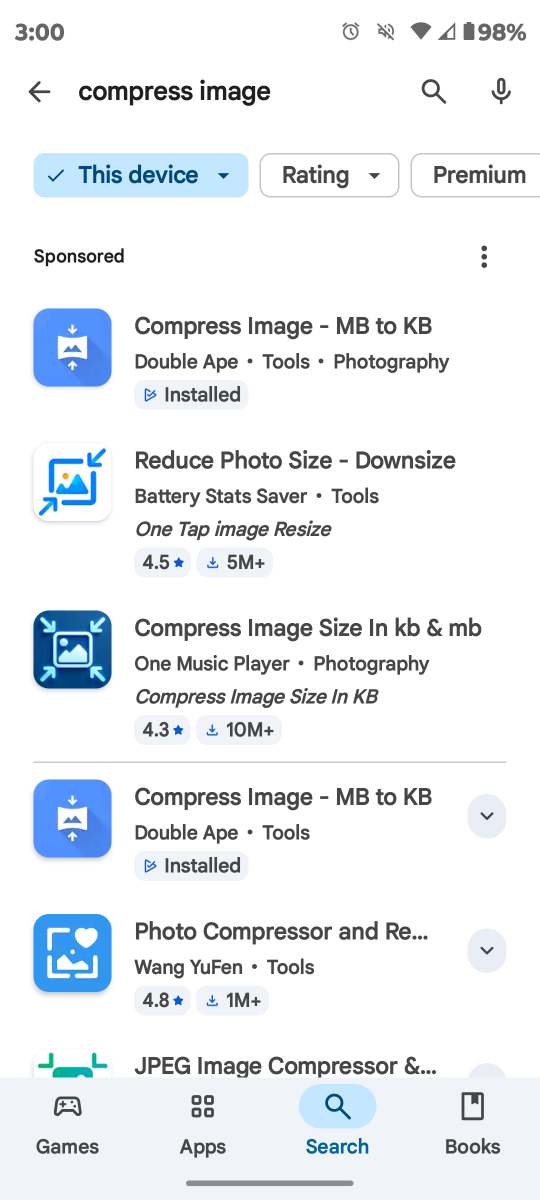 Edited by Gilly
11/13/2025 08:42 am
|
|
Valued Member
United States
106 Posts |
@Gilly, thank you again! This is or will be very helpful to me. I am used to JPG format, though I doubt that format will be on this. I'm learning something new everyday @ 63 though it's always good to keep learning, and little learning bumps or curves are just that much better...:). I can usually get by even my phone wants me to compress my photos and files I have so many probably almost 30,000 just photos, and only have 1TB of storage  with only about 865gb left .....so I need to get on that....:)  Again I really appreciate all your help, hopefully when I post a couple more pics on here in about a week hopefully I'll be able to use that app. I do use a microscope then download the photos to my phone, that shouldnt make a difference though. Kindly  |
|
Valued Member
United States
106 Posts |
@Dearborn thank you again! Can you edit my title for the anomaly/reed marks? I would really appreciate it and possibly get more views/opinions. If not I understand! Kindly |
|
Valued Member
United States
432 Posts |
Edited by Mojojojo
11/13/2025 09:28 am
|
|
Moderator
United States
107152 Posts |
Quote:
Can you edit my title for the anomaly/reed marks? I would really appreciate it and possibly get more views/opinions. Yep, done |
|
Pillar of the Community
United States
2444 Posts |
.
..We'll be right back, but first, a message from your local advertiser, Toyota - Tomorrow's Privy... 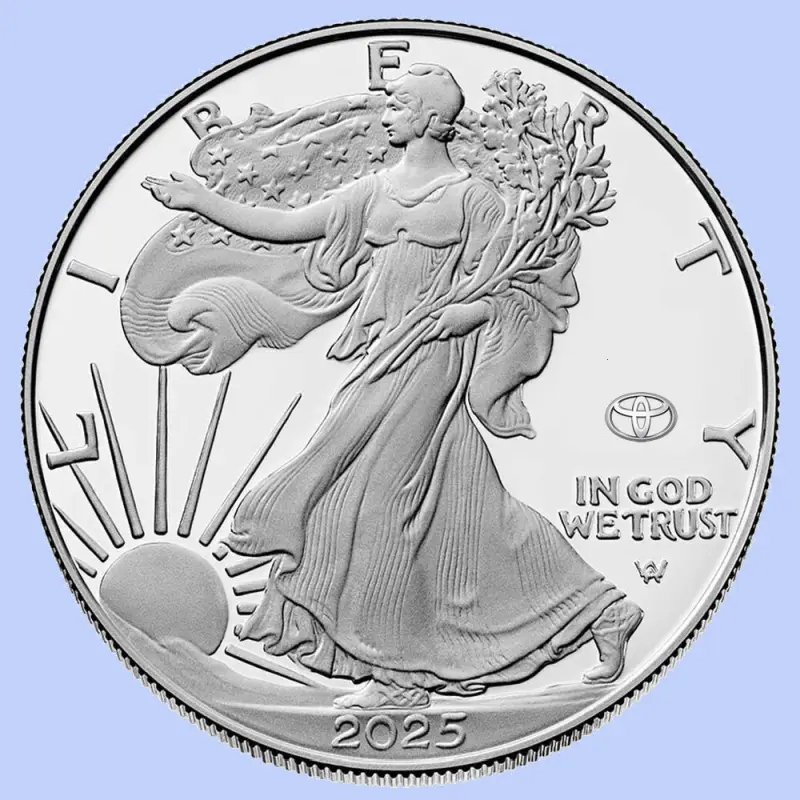
|
|
Moderator
United States
195744 Posts |
Quote:
We'll be right back, but first, a message from your local advertiser, Toyota - Tomorrow's Privy... Sadly, we are not far from this becoming a reality.  |
|
Valued Member
United States
106 Posts |
You all are correct it is Reed Marks on the area just above the breasts. I had been focused on the die cracks being so many coins, and something I have not found before. So I didn't inspect that coins area very well I could see it on a larger screen way easier, it sure does make a difference how something like this appears   . Thanks again eveyone for all your help and expertise, I do appreciate it very much. 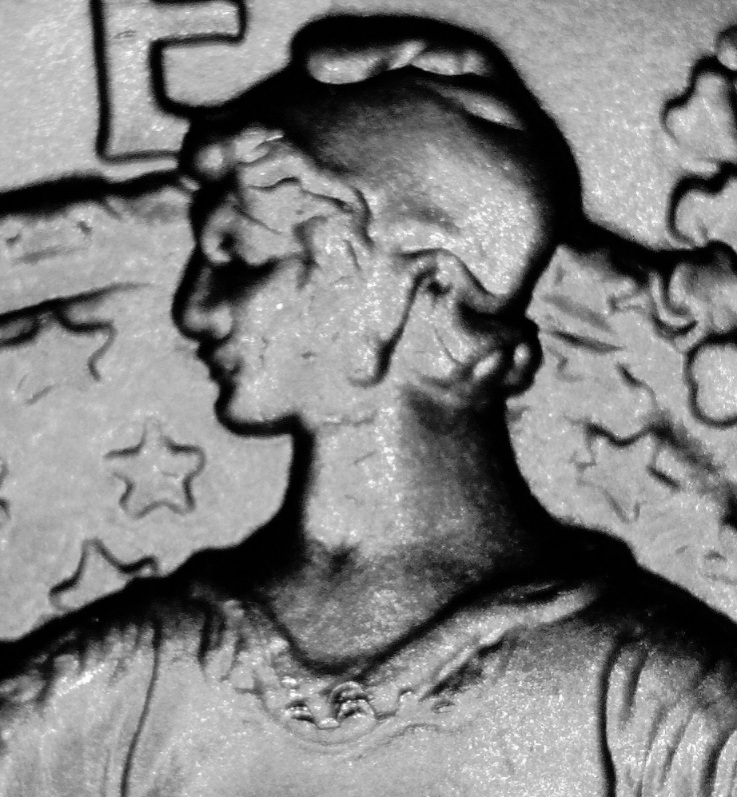 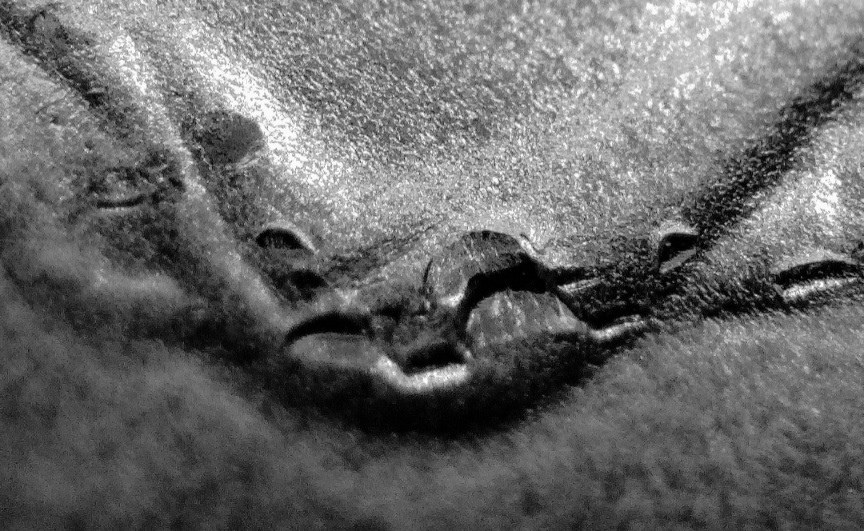 |
|
Valued Member
United States
106 Posts |
@Dearborn, thank you for editing my title . |
|
Page 2 of 2
|
Replies: 28 / Views: 2,107 |
Page 2 of 2
|







 First Page


 Posted 11/12/2025 2:21 pm