| Author |
 Replies: 14 / Views: 1,756 Replies: 14 / Views: 1,756 |
|
|
Pillar of the Community
United States
1767 Posts |
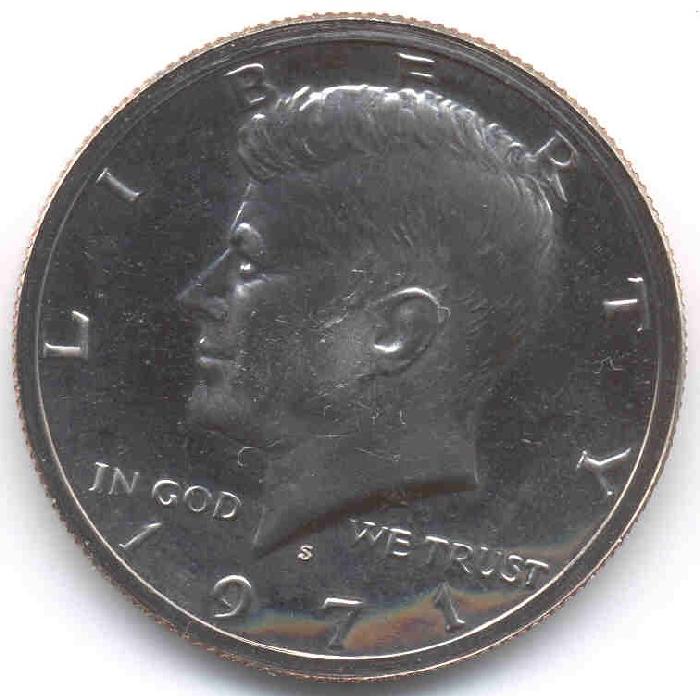
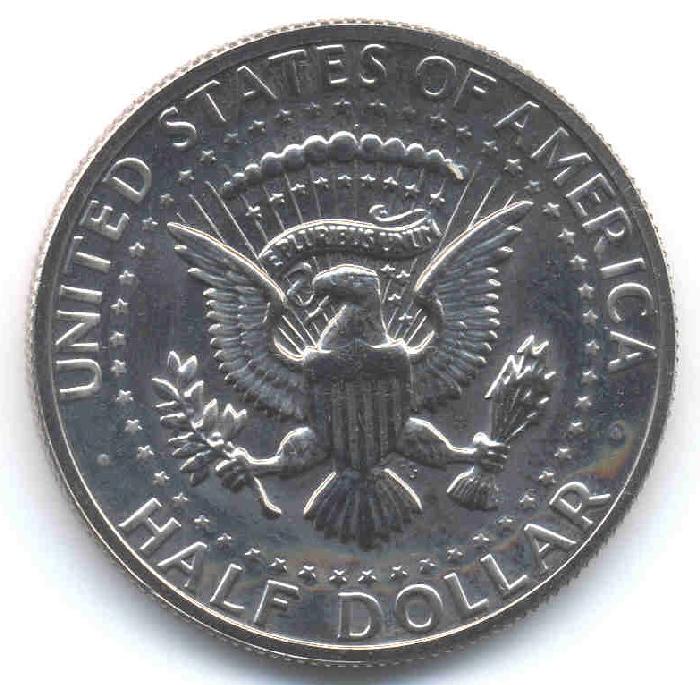
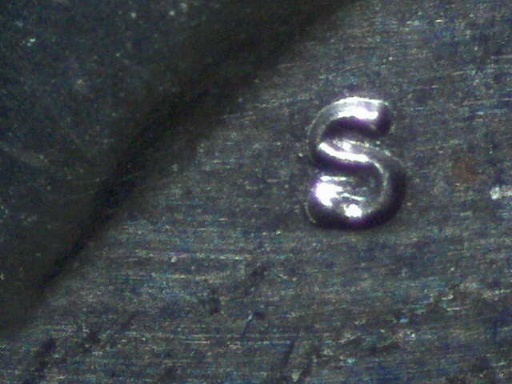
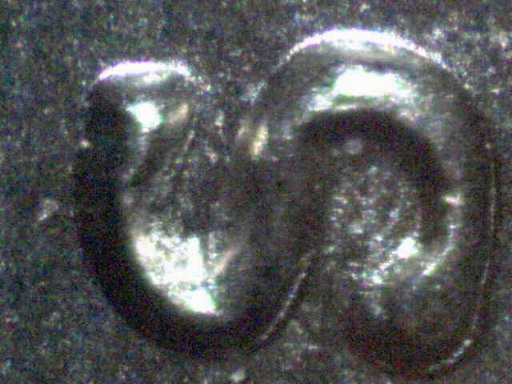
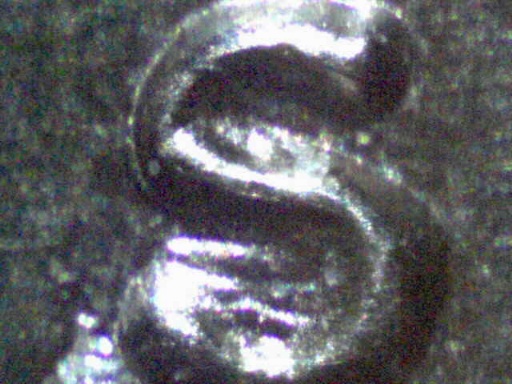
I was inserting my Kennedy's in a folder (Thank you sn31) for temperary storage and I noticed something. I have a 1971s and 2006s The 71s looks odd compared to the 06s. Further explaintion is show in the pictures below. 1971s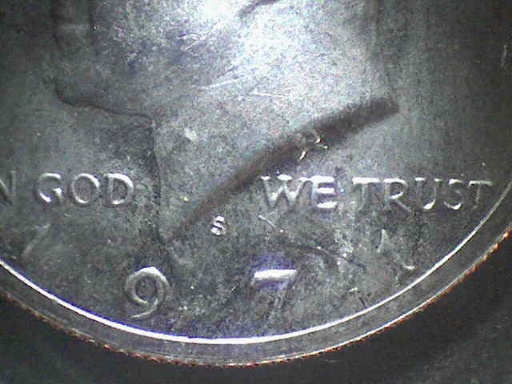 2006s 2006s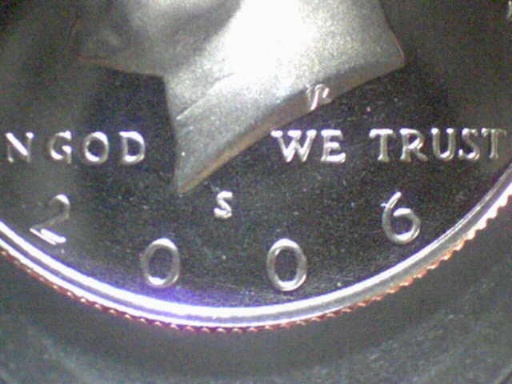 Side by side view Side by side view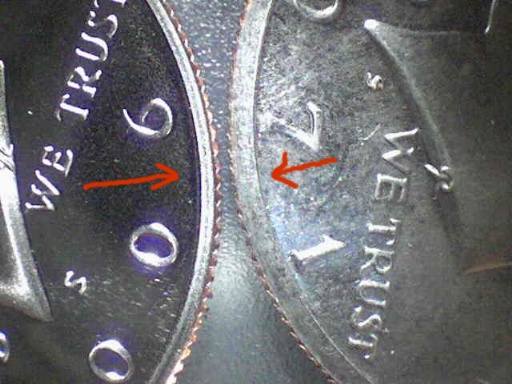 A closer view side by side A closer view side by side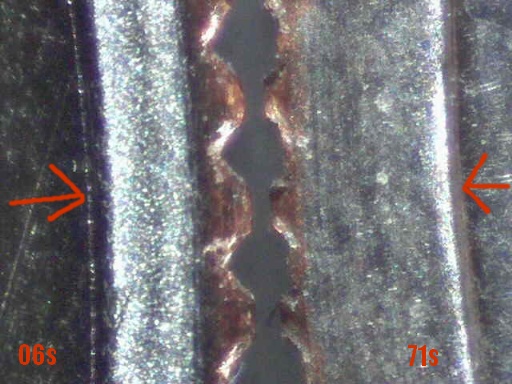 The 71s is the only one I have that looks as such. What do you think? Thanks, mila_ Edited by Mila_cent
04/06/2007 12:17 am
|
|
|
|
Pillar of the Community
United States
7123 Posts |
Hi Mila-cent
we need pics of the whole coin ,, both sides if you can Please !
Metalman
|
|
Valued Member
United States
194 Posts |
I am pretty sure the thick rim is normal for the 71, but that S looks different to me. You might have something there. If you could post more pics, that would help tremendosly. Phoenix  |
|
Pillar of the Community
 United States
1767 Posts |
Edited by Mila_cent
04/01/2007 01:52 am
|
|
Pillar of the Community
United States
1767 Posts |
One more thing I forgot to mention. The edge feels like the rolling wheel of a lighter.
I don't know how else to define it.
Thanks, mila_
Edited by Mila_cent
04/04/2007 01:49 am
|
|
Bedrock of the Community
United States
12437 Posts |
Well, you have two coins minted 35 years apart so differences are bound to occur. The mintmark is created by a punch die and those wear down and are periodically changed. See the 1979 and 1981 "filled S" versus "clear S" for example. Also, the rims can be explained by the usage of different collars when the coins were made.
|
|
Pillar of the Community
United States
1767 Posts |
So then this 1971s Kennedy is normal for that year. Is there anyone else that have a '71s like this as well? (wide rim?)
Thanks, mila_
|
|
Pillar of the Community
United States
6406 Posts |
I suspect biokemist6 is correct that significant differences are bound to exist between coins manufactured 35 years apart. Circulation strike 1971 Kennedys often have wider rims than later dates.
I'm just impressed by the quality of the photomicrographs. That's great work, Mila_cent!
|
|
Pillar of the Community
United States
1767 Posts |
Thank you, Jaobler. The closeup photo was taken with a QX5 microscope.
mila_
|
|
Valued Member
United States
159 Posts |
I have to get one of those microscopes. Very nice close ups
|
|
Valued Member
United States
52 Posts |
I just got the QX5. How do you manage the lighting? I get lots of glare on the coins. Your's look great.
|
|
Pillar of the Community
United States
1767 Posts |
treasurehunter... there is a slider on the right side which shows a 'light bulb' in which you can adjust the lighting.
mila_
|
|
Pillar of the Community
United States
819 Posts |
great photos, please tell me more about the
Great looking photos! Please tell this uninformed person more about the QX5, where is it available and what is the price range? thanxz, again, great photos.
|
|
Valued Member
United States
52 Posts |
It's funny because basically the QX5 is a kid's toy. But I heard several people say they were using it to take coin pictures and it worked great. It orignally came out as QX3 and sold for about 35 bucks from what I understand, now a company called digital blue bought it up. It will attach to your computer and has 10x,40x and 200x settings. Mila I do use that slider, but still get glare on the top of the coin. Think I'll try some outside lighting. Anyway, I purchased my at Amazon for 75.00 it usually sells for about 145.00. The first one I got did not work, but I called the company and they sent out a new one right away. I think you can still find the old Qx3 on ebay cheap, but if you use windows XP you have to update the software. |
|
Pillar of the Community
United States
1767 Posts |
Edited by Mila_cent
04/20/2007 7:01 pm
|
| |
Replies: 14 / Views: 1,756 |
|







 Posted 04/01/2007 12:18 am