


 Posted 04/26/2022 11:56 am


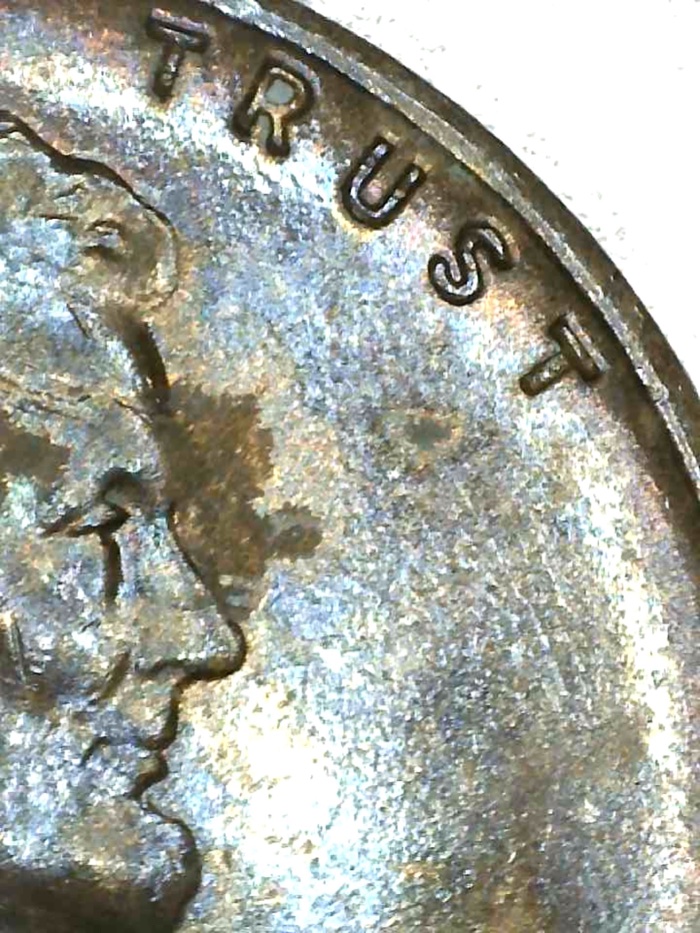
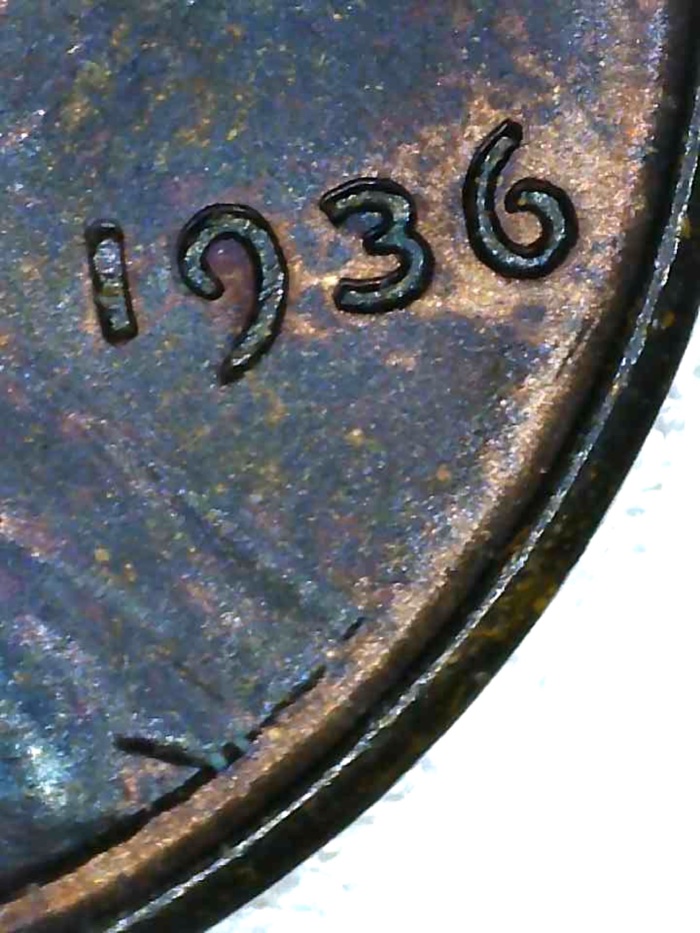
Not a doubled die. what you are seeing on that area is simple die wear. When looking for a doubled die always look at the centers of the devices. When you look at the outsides/insides of devices, you will find die wear/machine doubling on those areas. So look at the centers of the devices:
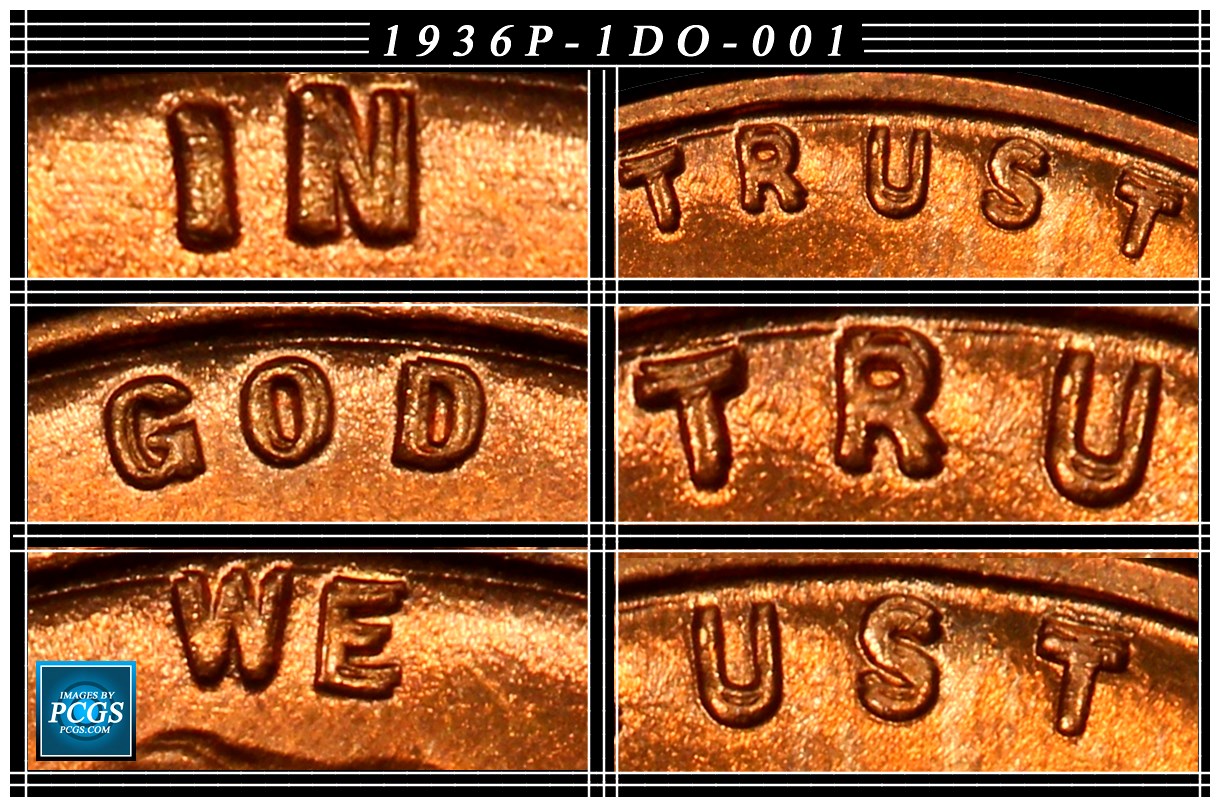

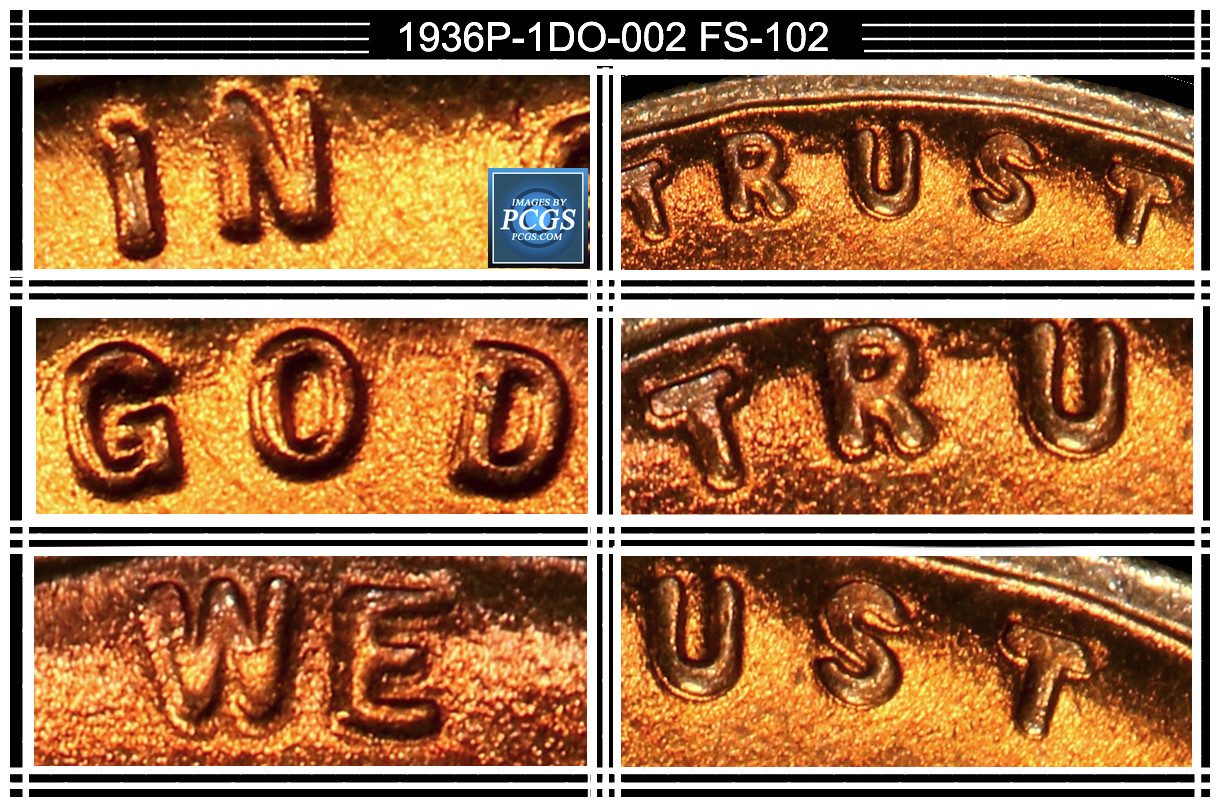
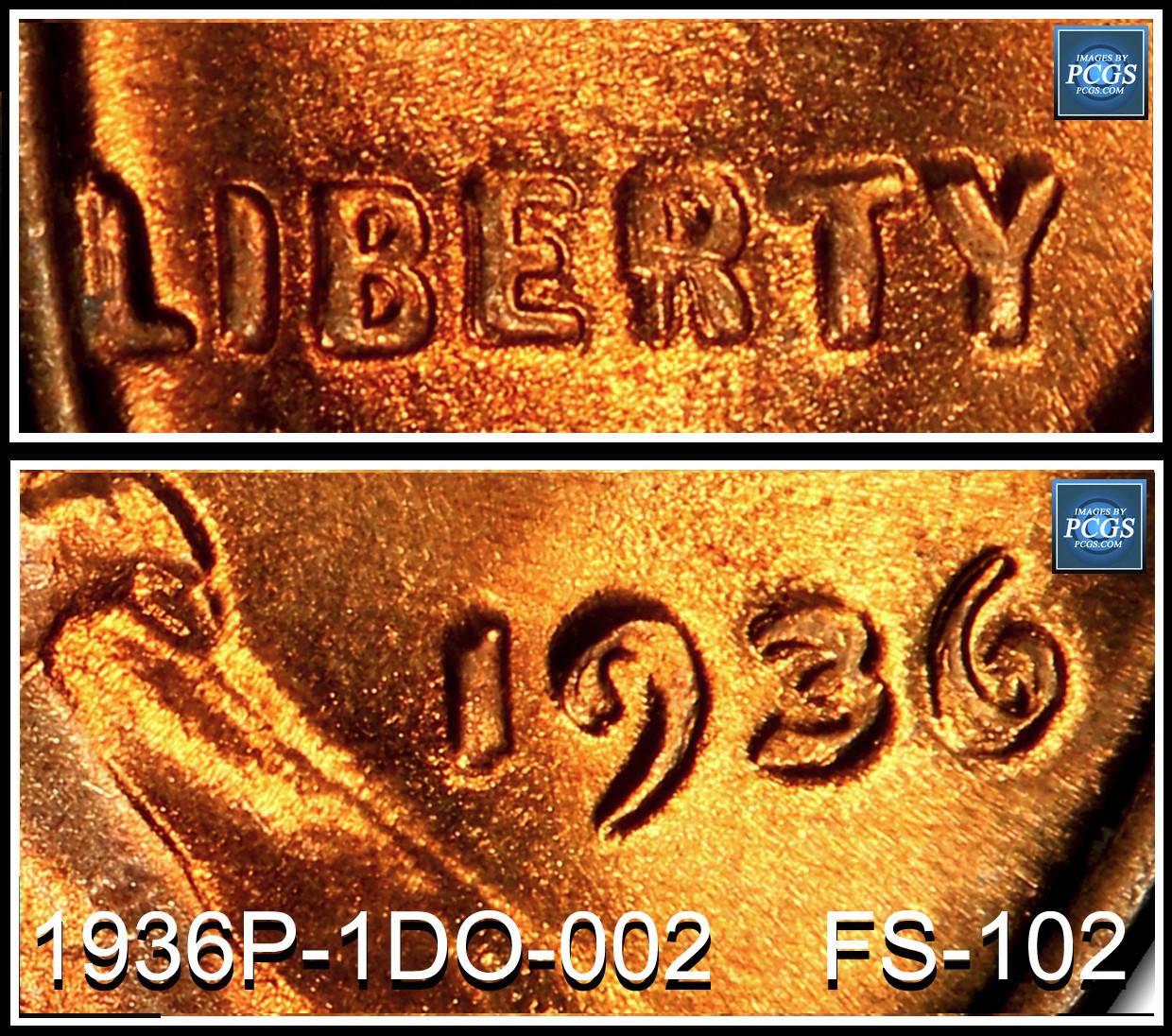
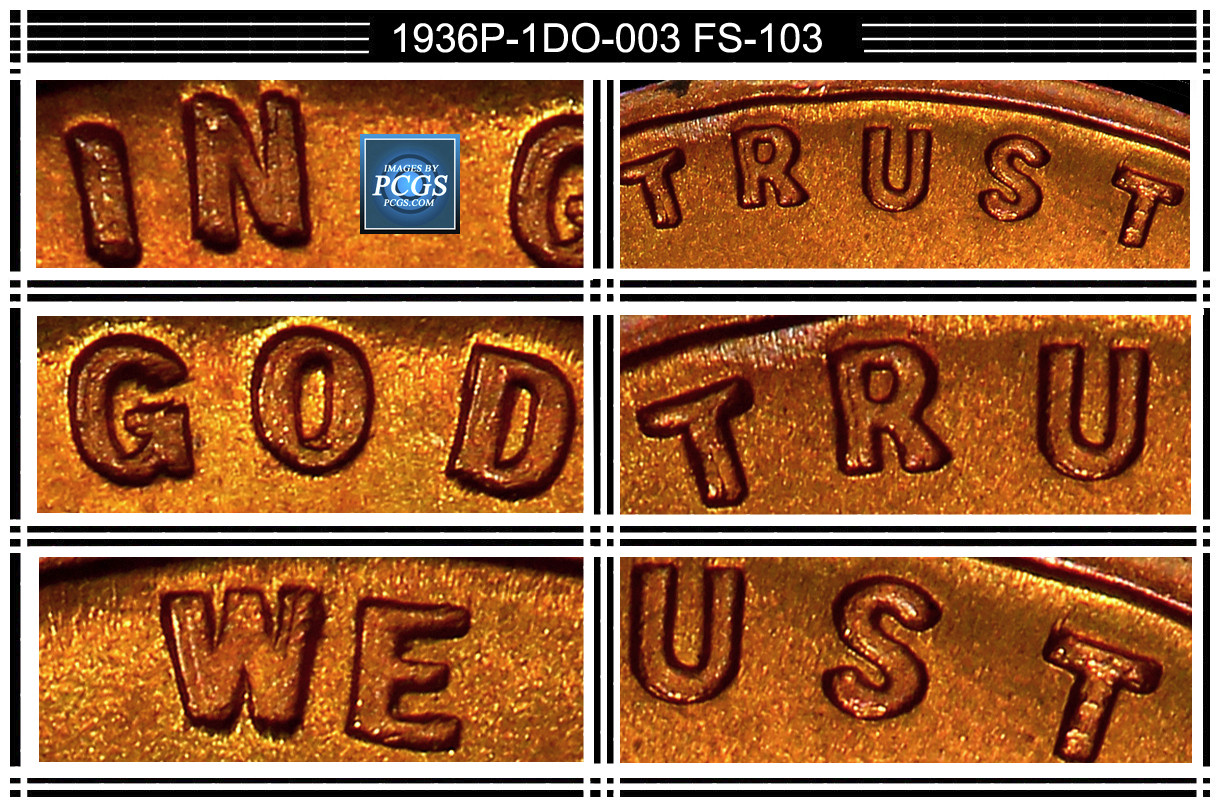
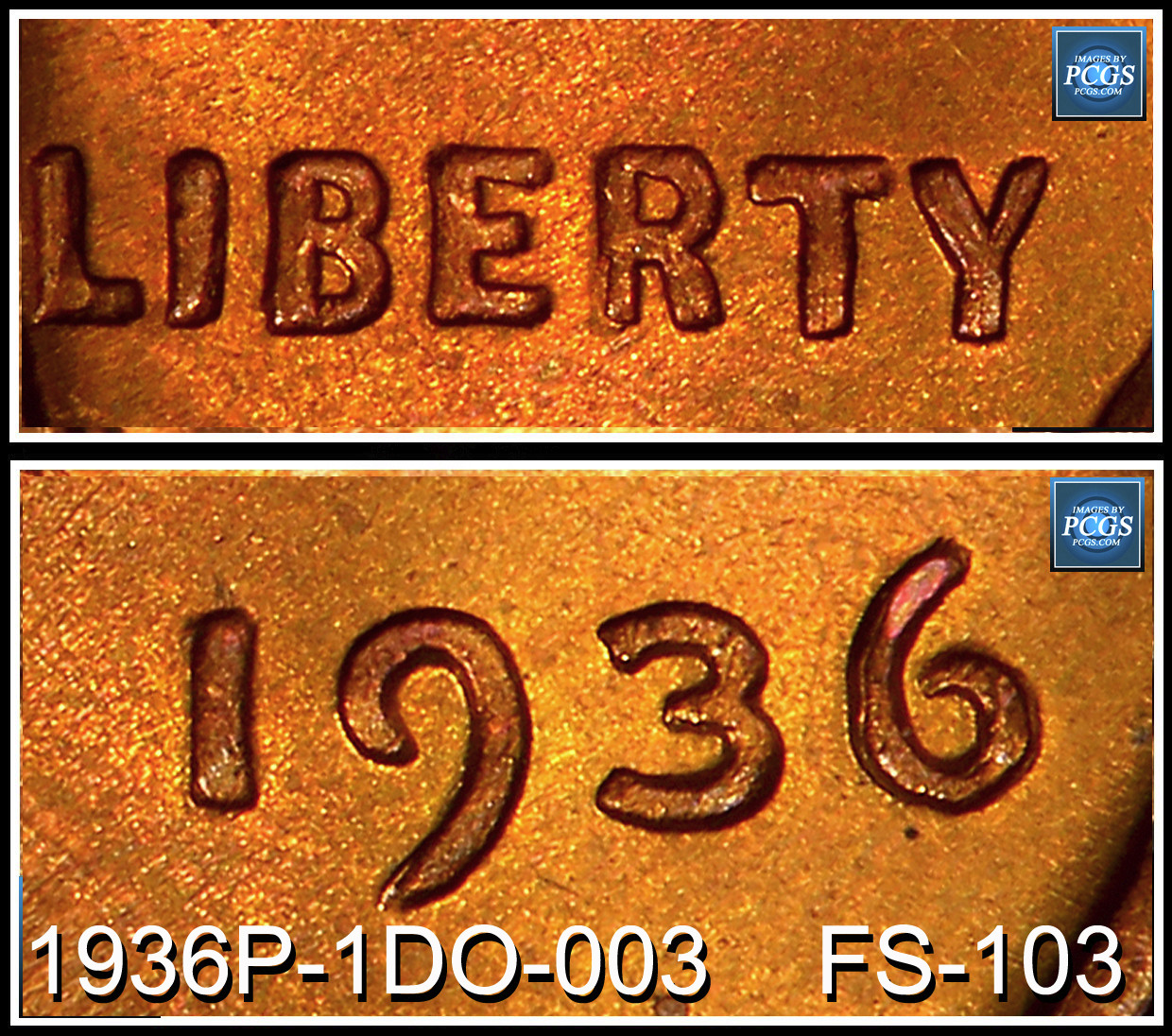
So looking at the outside/inside edges of devices is a waste of time. Look at the centers of the devices. Look for enlarging of the devices. Also two of the DDO's have a damaged hub issue on the 'R' on Liberty. But also note that with a damaged hub, there are also normal dies with this issue. So always look at the centers of the devices to see the spread on the centers of doubled dies.
After viewing the information on this post, go back and look at the clues I mentioned on your coin:
1. Size of the devices are the clue. Note your are smaller in size than the DDO.
2. Die wear affect all the devices towards the direction of the rim. So some devices will show the tops of the devices affected. Others will show the left side of the devices are affected. Others will show the right sides of the devices affected. So know what to look for, you are training your eyes what to look/not look for.
3. Machine Doubling removes on side of the devices in the direction of the push/slam of the movement of the dies. Often in a single direction removing the contour of the devices. (Just on a single side, the opposite sides will look normal. On multiple affected MD, the single direction theory goes out the door. The looseness of the machine allows the devices to go in any direction and they can be different on each strike.
CoopHome: Identifying doubled dies - Machine Doubling - Die wear all on this thread. Knowing the differences will speed up the search. Then you can go on to/hold on to the current coin or go on to the next coin
So looking at the outside/inside edges of devices is a waste of time. Look at the centers of the devices. Look for enlarging of the devices. Also two of the DDO's have a damaged hub issue on the 'R' on Liberty. But also note that with a damaged hub, there are also normal dies with this issue. So always look at the centers of the devices to see the spread on the centers of doubled dies.
After viewing the information on this post, go back and look at the clues I mentioned on your coin:
1. Size of the devices are the clue. Note your are smaller in size than the DDO.
2. Die wear affect all the devices towards the direction of the rim. So some devices will show the tops of the devices affected. Others will show the left side of the devices are affected. Others will show the right sides of the devices affected. So know what to look for, you are training your eyes what to look/not look for.
3. Machine Doubling removes on side of the devices in the direction of the push/slam of the movement of the dies. Often in a single direction removing the contour of the devices. (Just on a single side, the opposite sides will look normal. On multiple affected MD, the single direction theory goes out the door. The looseness of the machine allows the devices to go in any direction and they can be different on each strike.
CoopHome: Identifying doubled dies - Machine Doubling - Die wear all on this thread. Knowing the differences will speed up the search. Then you can go on to/hold on to the current coin or go on to the next coin
Edited by coop
04/26/2022 12:06 pm
04/26/2022 12:06 pm