| Author |
 Replies: 103 / Views: 10,623 Replies: 103 / Views: 10,623 |
|
|
|
Pillar of the Community
 United States
717 Posts |
I thought I had the rare "slanted liberty" variety...
|
|
Pillar of the Community
United States
717 Posts |
OK, so I have been testing different lighting, settings, and post processing with gimp. I am ready to submit my "shiny cent" for your critique. Stats are as follows: ISO 100 F 5.6 Didn't record shutter speed 2 clicks of under exposure, I think 1/2 stop 2 Jansjos slightly above lens height 11:00 and 1:00, probably 70-80 degrees with a handheld homemade diffusor about an inch from the lights. Diffusser is a peice of cardbord made into a frame with some thin foam packing material attached. I also did some color balance to bring the picture closer to the color I see in hand. The result: 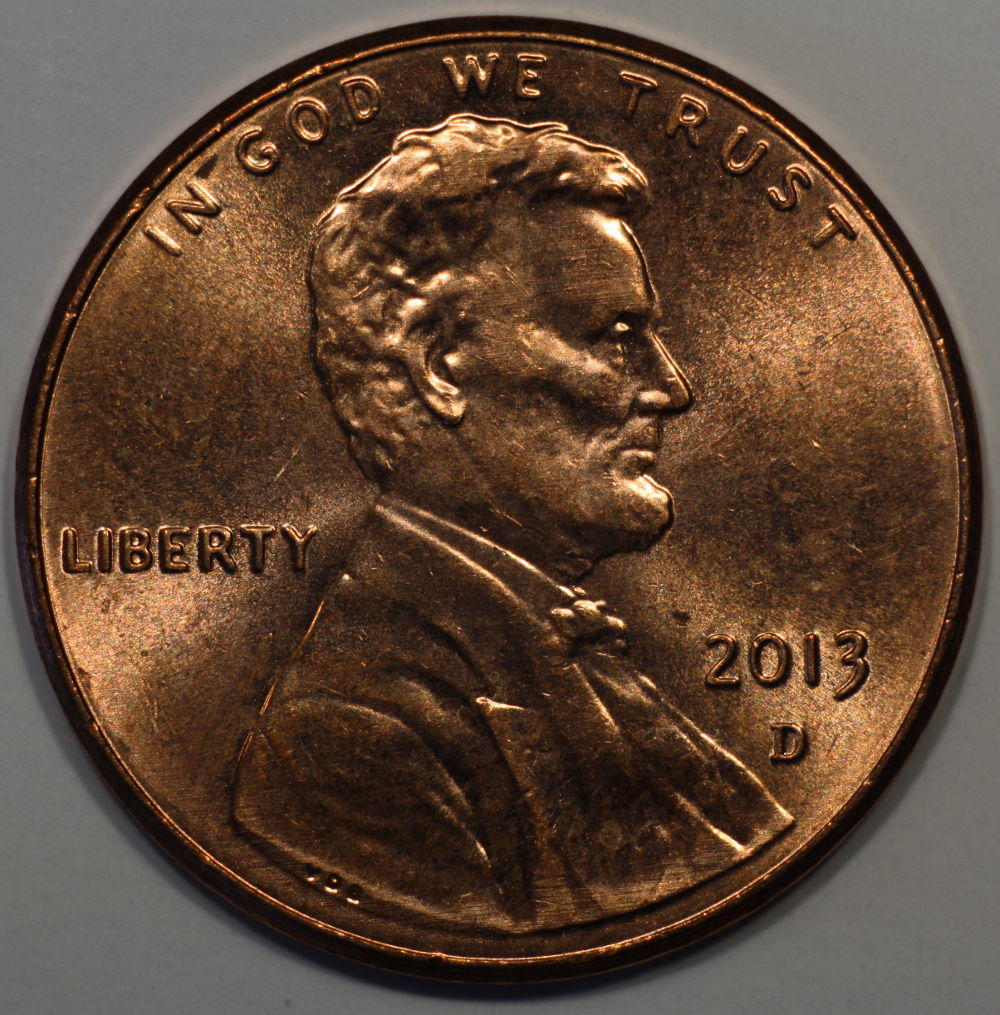 |
|
Pillar of the Community
 United States
4051 Posts |
What are your in-camera Picture Style settings? You still have a couple blown-out hotspots. Are you moving the magnifier square over the brightest area (looks to be the forehead/hair)? I think your diffuser is doing a good enough job, you may just have in-camera settings too aggressive if they are still "stock".
|
|
Pillar of the Community
United States
717 Posts |
Camera Picture Style settings must be stock, as I don't know what that is. :) will do some research
|
|
Pillar of the Community
United States
717 Posts |
Picture style setting is standard
|
|
Valued Member
United States
215 Posts |
Gymcoach, We are still about the same place, I am trying to eliminate the reflection of the lights from all of the letters. Next step will be shooting through glass.
What type of lights and how far are they from the coin?
|
|
Pillar of the Community
United States
717 Posts |
I have 2 jansjos, and they are usually 8 to 12 inches from the coin. Diffused or not, and angle to the coin make more difference than distance, in my observation.
|
|
Pillar of the Community
United States
4051 Posts |
Inside the Picture Style there are 4 adjustments: Sharpness; Contrast; Saturation; and Hue
If you're on Standard with stock settings it is very difficult to get a good photo of a shiny coin. Standard is sort of like "vivid" on a flat screen TV.
I recommend using Neutral, with -4 on Contrast. If you're shooting copper, it's also best to turn Saturation down to -2 to avoid blowing out the R channel.
Contact me for photographic equipment or visit my home page at: http://macrocoins.com |
|
Pillar of the Community
United States
4051 Posts |
Quote:
I have 2 jansjos, and they are usually 8 to 12 inches from the coin. Diffused or not, and angle to the coin make more difference than distance, in my observation. Ahh, that may be the problem. Jansjos that far away look like very small sources. I try to be between 75 and 125mm away from the coin, depending on the look I'm trying for. Edited to add: I'm talking Cents here. Dollars require larger sources (or more diffusion) and bigger distances. Edited by rmpsrpms
05/31/2015 3:27 pm
|
|
Pillar of the Community
United States
717 Posts |
ISO 100 5.6 1/100th lights about 4-5 inches 70 degrees no post processing, no diffusion just crop, scale, export 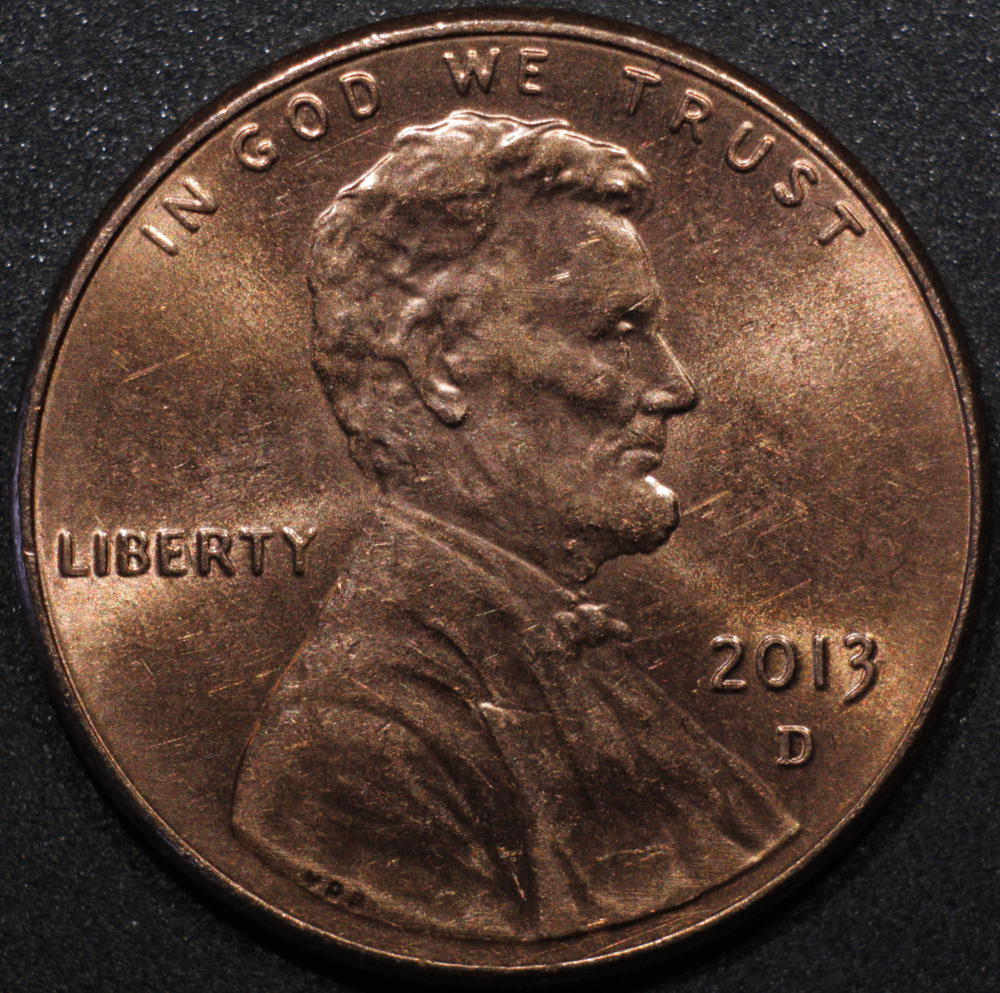 |
|
Pillar of the Community
United States
4051 Posts |
Pretty dramatic difference the light distance makes! Try shooting a sweep of distances, all same angle with same lights, but move them from 2" to 6" away and see what you like best. You may have found just the right spot at 4-5", which is 100-125mm, right in the sweet spot of where I usually shoot.
|
|
Pillar of the Community
United States
717 Posts |
Just so you know Ray, I rotated the picture a few degrees, so Liberty would be closer to level  |
|
Pillar of the Community
United States
4051 Posts |
I'd like to say "thank you" but first need to clarify...you rotated the coin, or the picture? Rotating the picture is never a good idea, as it will decrease the sharpness of the image. A rotation is as bad or worse than a non-integer jpg conversion. The last shot does not seem quite as sharp as the previous...might the rotation be the reason? But anyway, thank you. As you can tell, this is one of my pet peeves. I'm not OCD but I do hate to see coins rotated improperly in photos. My advice is always to simply delete the photo and take another one with proper framing.
|
|
Pillar of the Community
United States
717 Posts |
Now I've been spanked twice for that LIBERTY. You an engineer? You guys are hard to please! But thank you for the lessons. I do have a question about sharpness though. There is a box to check for 200% image. When I click it, it almost seems like it is too much to get proper focus. Is that beyond the lens or sensor capabilities?
|
|
Pillar of the Community
United States
1476 Posts |
Quote:
Rotating the picture is never a good idea, as it will decrease the sharpness of the image How does it decrease the sharpness? I have been doing that to all my pictures after they are taken.  |
| |
Replies: 103 / Views: 10,623 |






 First Page
 Previous Page


 Posted 05/31/2015 10:04 am


