| Author |
 Replies: 45 / Views: 6,464 Replies: 45 / Views: 6,464 |
|
|
|
Pillar of the Community
 United States
721 Posts |
Right on... Thank you for your time.
|
|
Pillar of the Community
United States
721 Posts |
All I need is the helicoid, the adapter, 75mm Nikon lens and the ac adapter dc coupler for canon. Ok once I get this all together I will come back to the other post to see what to set the iso and other stuff I dont know about.
|
|
Valued Member
United States
81 Posts |
So I got Rays Helicoil with the new lens and took a quick snap shot. Nothing special on the bullion coin other than has a bit of color but the set up seems to work real good. I will play with it more but wanted to show you how it looks. This was not shot with the Cannot T6i but a D5 Cannon camera. 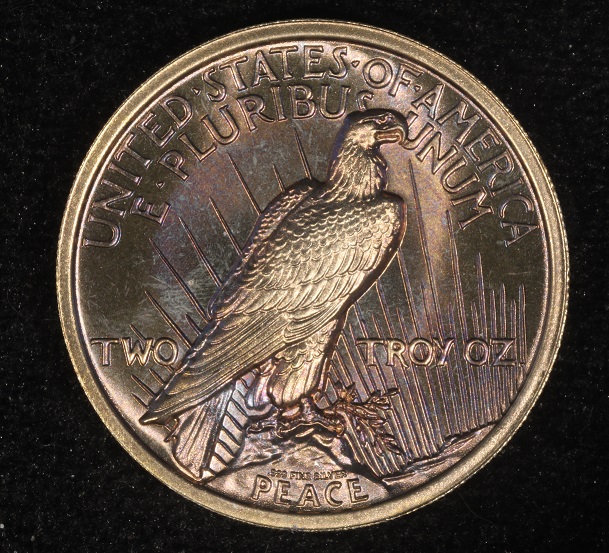 |
|
Pillar of the Community
United States
721 Posts |
What does it look like with a dime is what am wondering. I got a couple possible Roosevelt scarface and or split die I would like to post when I get this gadget up and running. Nice coin. I got a 3 ounce coin from non political Trump that is real nice
|
|
Valued Member
United States
81 Posts |
So here is a shot with a dime next to a DC gold creation. Seems to work very well but I guess I am wondering minnimarine are you going to shot them with a camera stand? That is what I am using shooting down. Seems like the focus will require me to move the camera up and or down. I am not familiar with the Kikon type lens or the M42-42 but I see the writing of focus 35-90 which I am guessing allows me to focus the Helicoil part or does it allow more light in Ray? ps I tried to rotate the picture but I cannot seem to master that part. Bad enough to lower the image under 300KB. Sorry you will have to turn your head a bit!  The gold piece is smaller that the dime as you can see and I think there is some blur or slight doubling from when DC pressed the coin. I have some more to shoot with this new lens set up I will have to try and experiment how to exactly use this helicoil set up but seems fairly easy. Hope this helps. 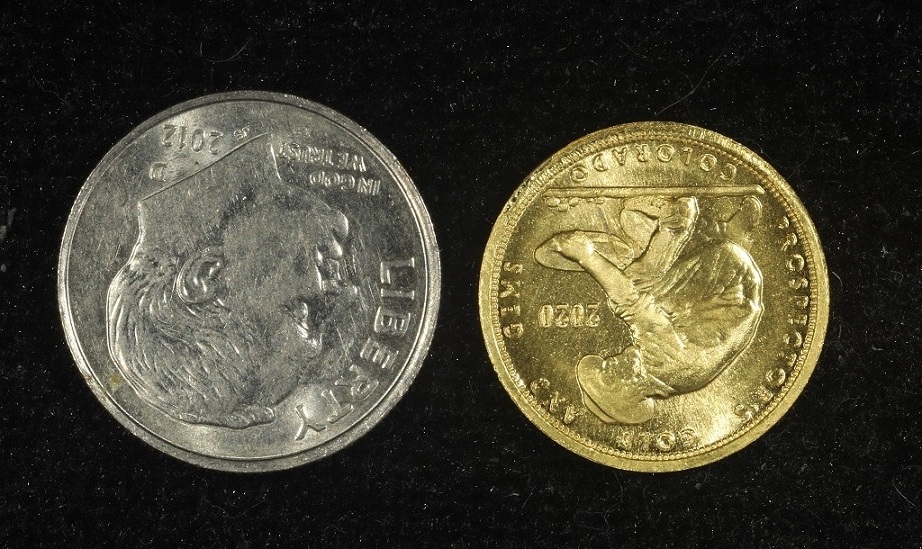 Edited by Gluggo
03/26/2021 3:56 pm
|
|
Valued Member
United States
81 Posts |
Here is my set up with the new Helicoil and nikon lens. I also upgraded the lights to his new set up there a real good quality light. I also got the Diffuser set up over the lens very slick! I think I figured it ouy now! 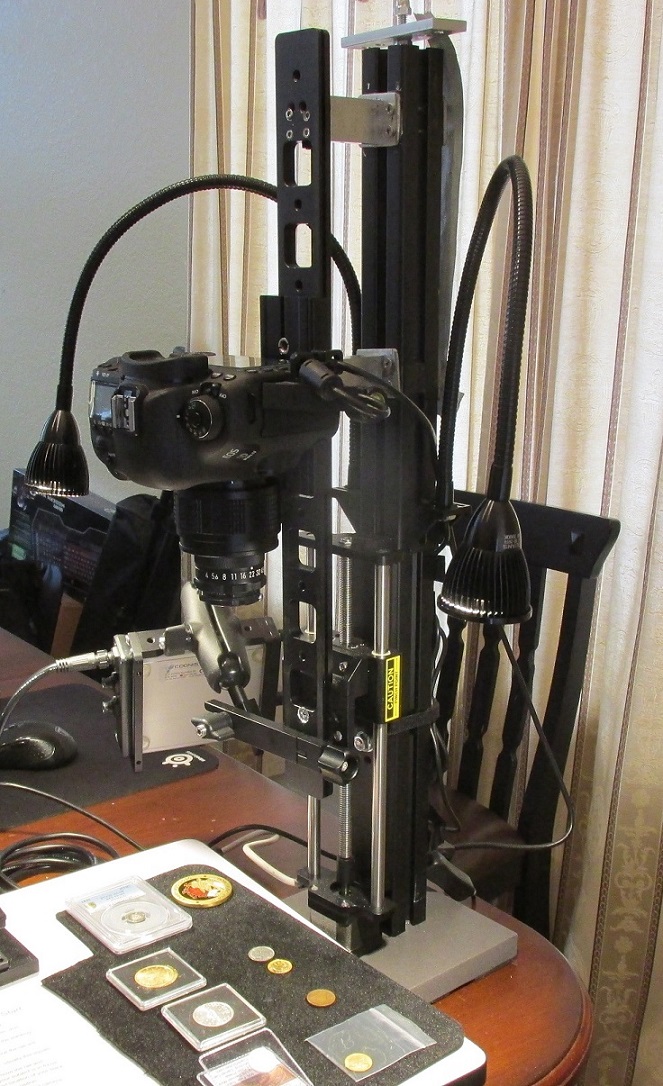 Edited by Gluggo
03/27/2021 3:24 pm
|
|
Pillar of the Community
United States
721 Posts |
Ya I just got all that in yesterday and it's a pistol grip tripod for shooting down. I'm just waiting on the helicoid stuff I ordered yesterday and see what I can learn. I'm going to go get a couple led lights today. She sent a macro lens set with the camera. More stuff to learn. This is what I got. That is not my set up. I yet to start that project. 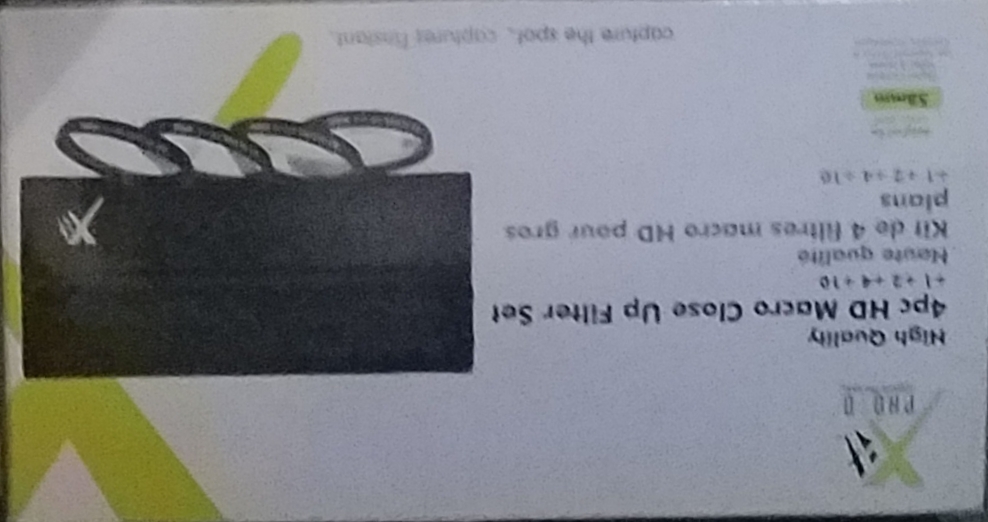 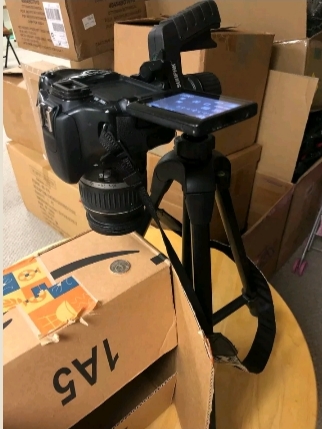 |
|
Pillar of the Community
United States
721 Posts |
Ya all if this helped. I can improve on all of it as I learn. I'm actually excited. I'm sure one I get this up running and got most figured. I will want the T7 lol
|
|
Pillar of the Community
 United States
4051 Posts |
I don't think the camera really matters so much. Your T3i should do just fine. I personally use a T2i, so you're one generation ahead of me. Only reason to go with the T7 is if you have to for software reasons. I actually own a T7, purchased to make sure my recommendations are correct, and as a backup to the T2i for when it finally gives up.
|
|
Pillar of the Community
United States
721 Posts |
Was looking at the T7. That's alot of coins. I will use a few coins and post them here to see if I got the lighting right and or adjustments. I just now figured out how to use this camera. I will blame phones. Better pictures would be a huge plus. Big help.
|
|
Valued Member
United States
81 Posts |
You will spend coin on the Camera equipment just comes with the territory. Just dont be like me buy it and forget all about it for about a year. Sort of trying to get back into it. I bought a few videos on both my cameras and slowly been learning. Bought alot of books to but I am of the age where I was raised on the Boob Tub so videos are my preference. Lots of great learning tools out there to teach you the basics which is where I am. But I have to keep working which is where I am right now trying to pay off all the coin purchases from this month. I do not have a T7 but I did buy a new T6i which must be close in style with some few differences. But I really like my T6i even though its not a full blown 1 on 1 professional camera but about only 1/3rd the cost. But for coins it does real nice.
Make sure you get all the software downloaded so you can work right off your computor before you snap the shot. At least that is how I do it, I can do the fine focus, look at the screen snap a shot! Stop then go find the picture and blow it up to see how good it looks. If its still in great focus then I know I am close. If it comes out blurry then I know I need to refocus and try again. Good luck
|
|
Valued Member
United States
123 Posts |
Actually, getting the lighting and exposure right will make more of a difference than a 12MP or 15MP camera, You could have a nice old 8MP camera and get great coin shots. Having a macro lens will make focusing easier, close up, but if you can't get a whole coin framed, you can always crop with all kinds of easy and Free software. @Gluggo that enlarger stand is fantastic. Unless it's a light stand with a camera mount. I've worked up a number of different setups for macro and photography over the years. I just started on coins which is different. Anyone can make their own as long as the camera is parallel to the flat surface that the coin is on, that's a healthy start. 18% grey card is nice but not necessary. That's more important for color balance and if someone is using a phone, that reads the light automatic. For a camera like the ones in this thread you can go Auto or Program or switch to Manual and then you have full control over the exposure. That may seem more complicated, but when it comes to being able to get a good shot, when you can pick the opening and shutter speed and the camera is firmly mounted, that is a really good solution. One suggestion for anyone. Shutter release by cable if the camera allows it. If not, set the self timer to 2 or 10 seconds, whatever suits you best. Press the shutter and step back. Now the camera will be stable and solid. Here's the latest, mostly for fun. An old enlarger lens, with an adapter to a Canon 40-D. The bellows is what creates the ability to focus at different distances and magnifications. The scientific table isn't necessary, I just have one already. Otherwise old boxes, cards, coasters, darn near anything that you can stack up, to get to the zone you want, so the coin fills the frame. Black is a piece of craft foam from Hobby Lobby or one of those places. 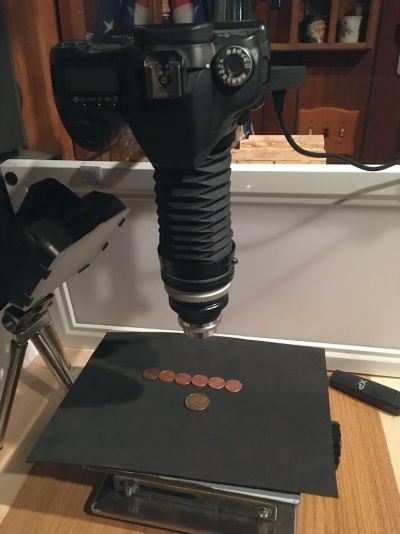 Still working on lighting variations. 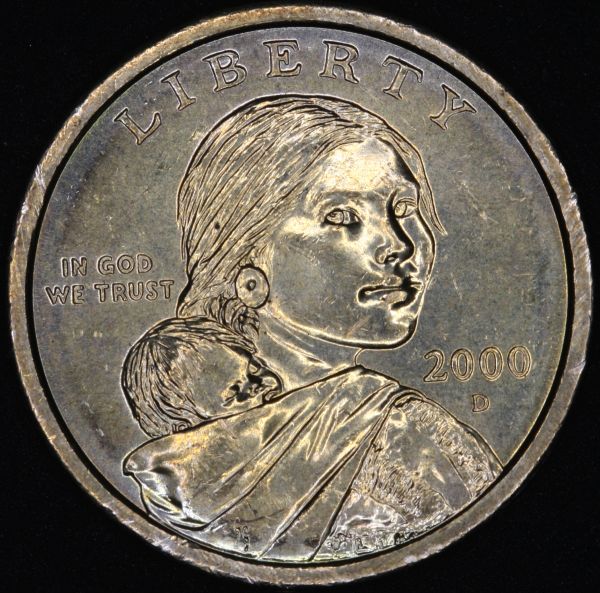 This one I took because I wanted to illustrate a coin roll artifact on the coin. The rolls have red printing on the ends and apparently this one was in contact for awhile? Look at the ring around the rim? Red tones on the Obverse of the coin. Edited by PPorro
04/02/2021 3:07 pm
|
|
Pillar of the Community
United States
721 Posts |
I gotthe remote shutter and all my my stuff in. Picked laptop up from repair shop. Setting it up today and gonna give it a try. Mine will be on a tripo. Just got to figure the card and the computer stuff or the camera and computer. I should get it going today and learn from there. Rpmsrpms a huge help. I feel like I owe you. I'm sure I will have questions on this computer if I can get logged in.
|
|
Pillar of the Community
United States
721 Posts |
Where is that post on how to set your camera up for pics?
|
|
Valued Member
United States
81 Posts |
Minnarine I am not familiar where that post is. What I did was go to the camera web site and download all the software that comes with your camera. I am guessing if you plug in your camera model number you should be able to do the same. If you are able to download and install then use a USB cord which should plug into your camera. Plug both end to the camera and running computer. Turn on the camera and the program should automatically come on. If it does not then maybe come back here at that point. If something pops up play around maybe find a Youtube video on that specific process. I find there is a YouTube video on almost everything these days. Good luck and lit us know how you made out.
|
| |
Replies: 45 / Views: 6,464 |








 First Page


 Posted 03/24/2021 1:52 pm


