| Author |
 Replies: 56 / Views: 9,879 Replies: 56 / Views: 9,879 |
|
|
|
Pillar of the Community
Australia
1092 Posts |
OK, I've read through this topic and discovered my camera has a setting for close ups. Set up a tripod, with the bag of coins on one leg for balance. Placed it on a book to give it a little more height. Placed the coin on a white backround. Got a couple lights shining from different angles (Lighting angles is very important)and put the camera on timer. Pressed the button and I got a quite a beautiful photo. Then I loaded the photo on my computer and cropped it a little. It's Looking good! Thank you everyone for your advice.
Now how do I post it to show off? I checked the properties of the photo it's 4.4 meg.
By The Way. I'm sure this question has been asked many times, and the answer given. Perhaps a definite answer could be placed in FAQ to the question "How do I post a photo?". Restictions on size and how to reduce the size without destroying the quality, etc, could be listed there also.
I tried seaches for post photo and get topics that did not tell me how to do it.
Also for a poll topic, this thread is the best I've ever seen for Photography!
Edited by toast
03/12/2006 6:18 pm
|
|
Pillar of the Community
 United States
1327 Posts |
the best and easiest way I have found on larger picture is to make a account at www.photobucket.com and you can download your photo there adn then copy the link that it gives you and on the message page select the insert image button and paste your link there very easy to do. hope this helps |
|
Pillar of the Community
Australia
1092 Posts |
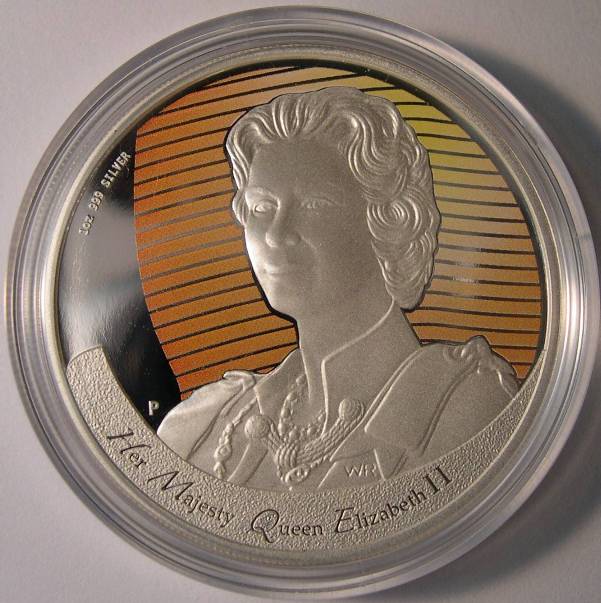
Here is the photo of the Queen, with a "Mona Lisa" Smile. 2006 $1 Silver Proof Image:  Figures of Note 2.jpg Figures of Note 2.jpg61.96 KB |
|
Pillar of the Community
United States
1327 Posts |
what country is that from. I really like it would look nice with my other silver dollars
|
|
Pillar of the Community
Australia
1092 Posts |
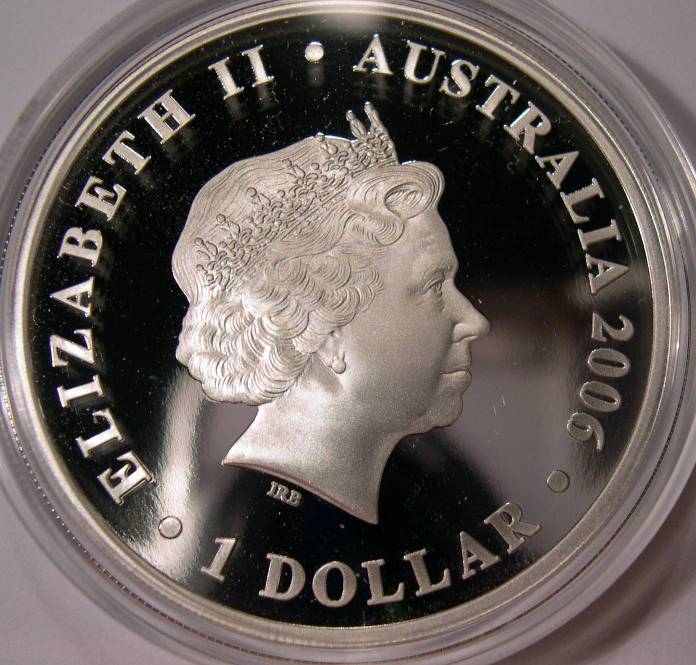
That is an new Australian coin. Comes in a set of 5 different designs called "Figures of Note", because the people were on the first Australian decimal notes. Total Mintage 2,500 Here is the other side... Image: queen.jpg76.25 KB And two more... Image: Macarthur.jpg37.85 KB I should of dusted the case first. Image: Greenway.jpg44.83 KB And removed a hair. But I'm learning and very excited at being able to take a nice photo and post it. Edited by toast
03/13/2006 12:38 am
|
|
Pillar of the Community
Australia
1529 Posts |
One of the good threads in the Forum. It is good to see members have picked up a lot of knowledge and tips (Ihave) and are now posting very good photos of their coins....  |
|
Pillar of the Community
Belgium
2078 Posts |
|
|
Forum Mom
 United States
5877 Posts |
That's a winner!  Sad thing is, here is the same pic by just doing an autofix on the levels: 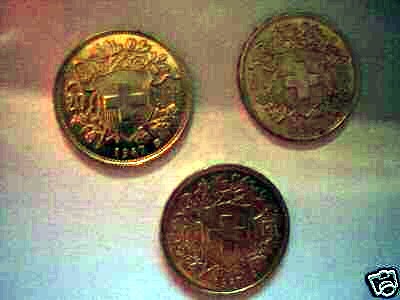 Don't people look at the pictures they're posting?  As an added bonus, both of their pictures are identical. They didn't even do obverse and reverse pics... |
|
Pillar of the Community
Belgium
2078 Posts |
Sad thing is the two 1947 B coins would have gone 10% over melt with a good pic whereas now probably the lot will go 5-7% below melt So somebody may get three vrenelis cheaply  |
|
Pillar of the Community
United States
1327 Posts |
though this topic was alot of help to me.
I haven't had much time to take any new pictures latley but have been trying new things thought it might help some of the new guys. anyone else have any new thing they are trying or are you happy with what you are using
|
|
New Member
United Kingdom
41 Posts |
I scan my coins and most of the time I get satisfactory results. The problem is that it takes a while the whole scanning process and will probably use my Olympus mJu300 for a test when I have some time
|
| |
Replies: 56 / Views: 9,879 |







 First Page
 Previous Page


 Posted 03/12/2006 6:26 pm


 Figures of Note 2.jpg
 queen.jpg
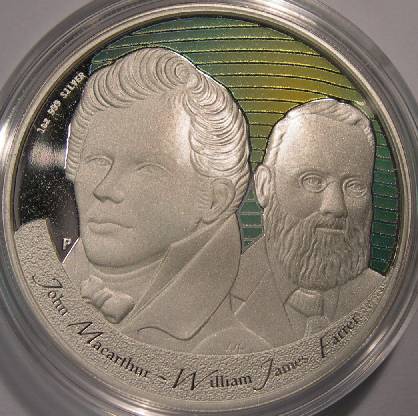 Macarthur.jpg
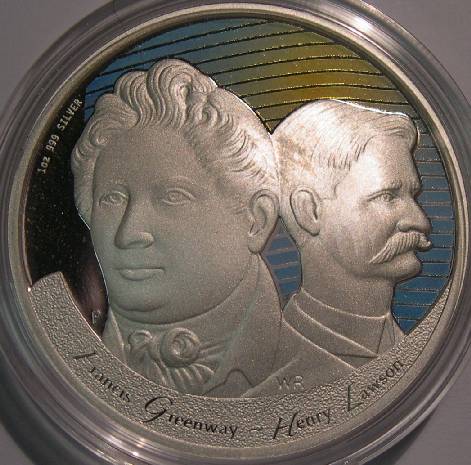 Greenway.jpg