| Author |
 Replies: 32 / Views: 1,612 Replies: 32 / Views: 1,612 |
|
Valued Member
Canada
326 Posts |
I'm not a photographer and I don't want to become an expert. I've tried sifting through some of the posts in this forum to find an approach that works for me for photographing my coins. I haven;t found the right solution so far.
Initially I assumed an iPhone centered solution would be best since I already have an iPhone 16 with a pretty capable camera. I didn't want to shell out big bucks so I opted for trying one suggestion from here to buy a ring light that worked with the iPhone and give that a try with the stack -of-books technique to elevate and stabilize the camera.
Well - my results have been mixed but for some reason my iPhone doesn't focus the image very well (using the tap to focus method) and my pictures don't capture the color that the eye sees. I know lighting is important and background, distance from the subject among other things.
Being in Canada I couldn't get the ring light that was suggested so I got what ring light was available (NEEWER) and the ring light attachment fixture sits right atop some of the camera's menu options and you gotta be careful not to crush the glass of the phone. Anyway, I've tried lighting tricks, iPhone positions, zoom levels, camera photo options, but I can't find something that works well and reliably.
I'm in a wheelchair so I need something fairly simple that can be manipulated easily. We also have a Canon G11 Powershot with a standard lens but that would be difficult for me to use being vertically challenged so I've avoided that route. Anyway, I'd appreciate the wisdom of the group and if there is a topic somewhere that summarizes all the tips and tricks in one place I'd appreciate just a pointer and I'll check it out.
Thanks!!
|
|
|
|
Bedrock of the Community
 United States
27514 Posts |
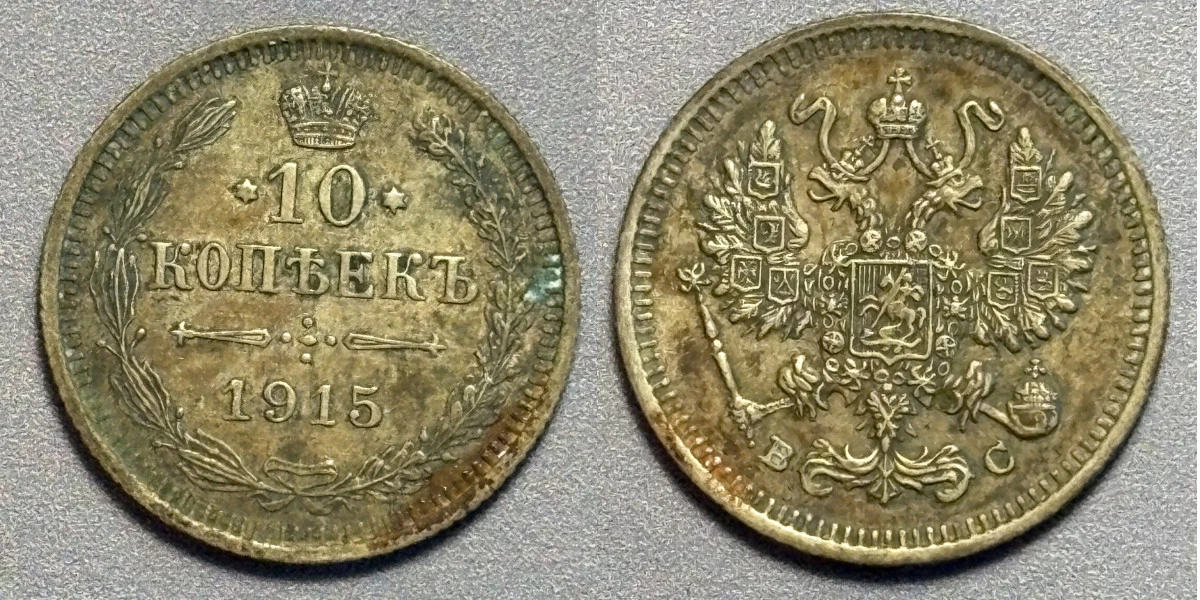
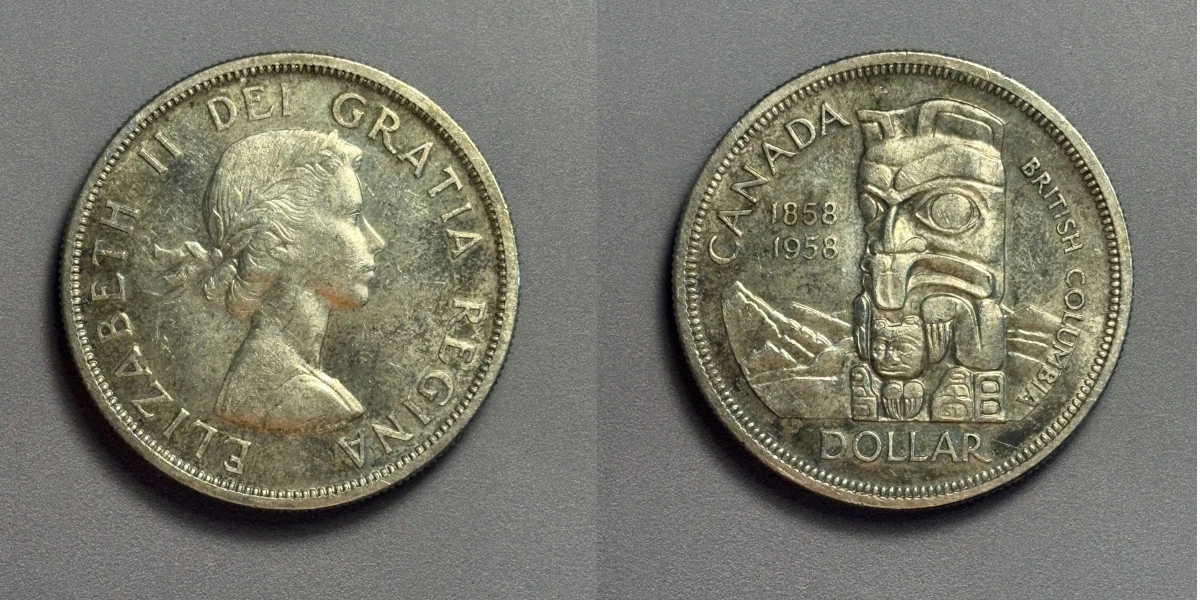
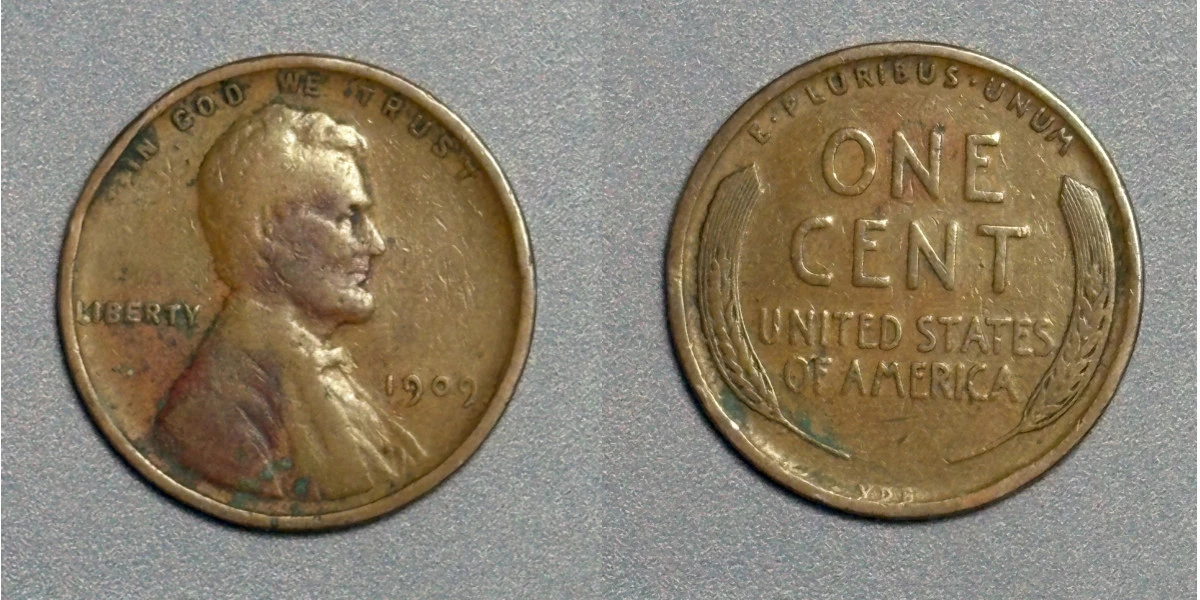
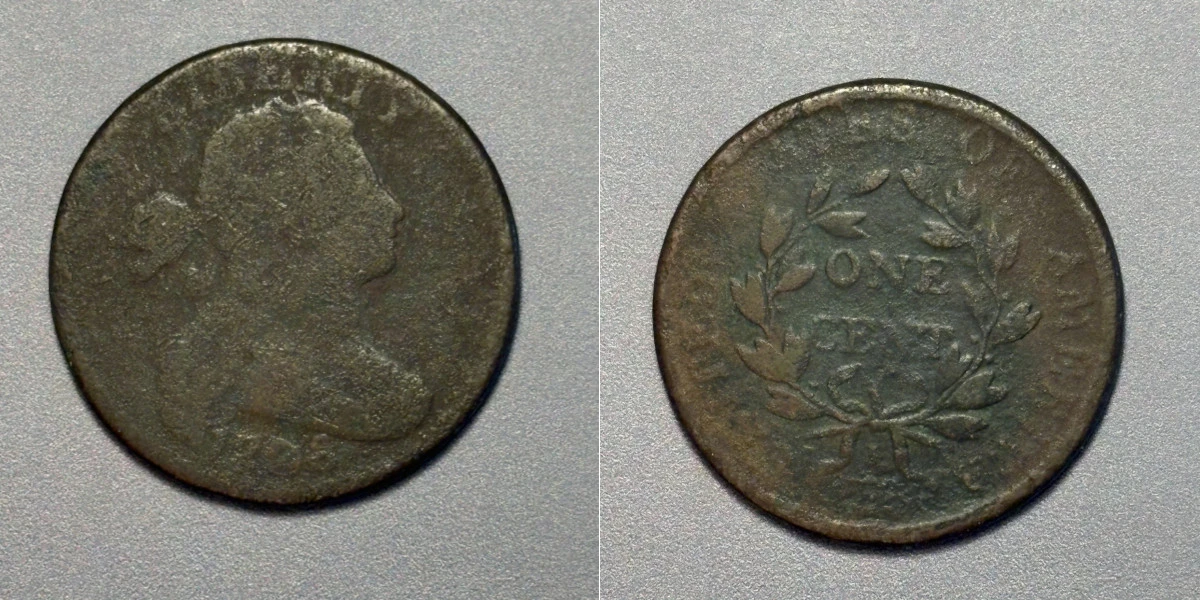
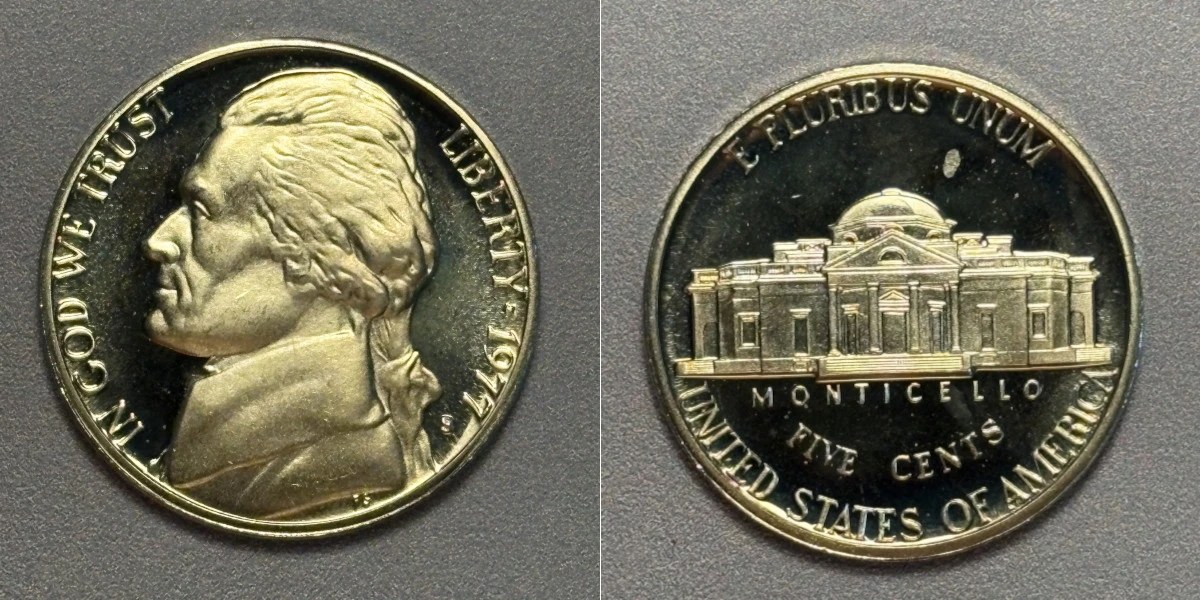
lahave56, I also have an i16 and it drove me crazy at first - so much so that I went back to my i6+ for a while until I figured out what would work best for me. Here's what the issues were at first. I had to have the phone very close to the coin, which led to a phone shadow on the coin. There was a fish-eye effect and the coin coloration appeared off. My solution: back the phone away from the coin at least 7.5" and turn macro off (tap the little flower). Lighting is a mix of Voncerus desk lamp and a swag light with 60 watt daylight bulb. Here are a few of my recent posts. Not professional, but serviceable for my needs. 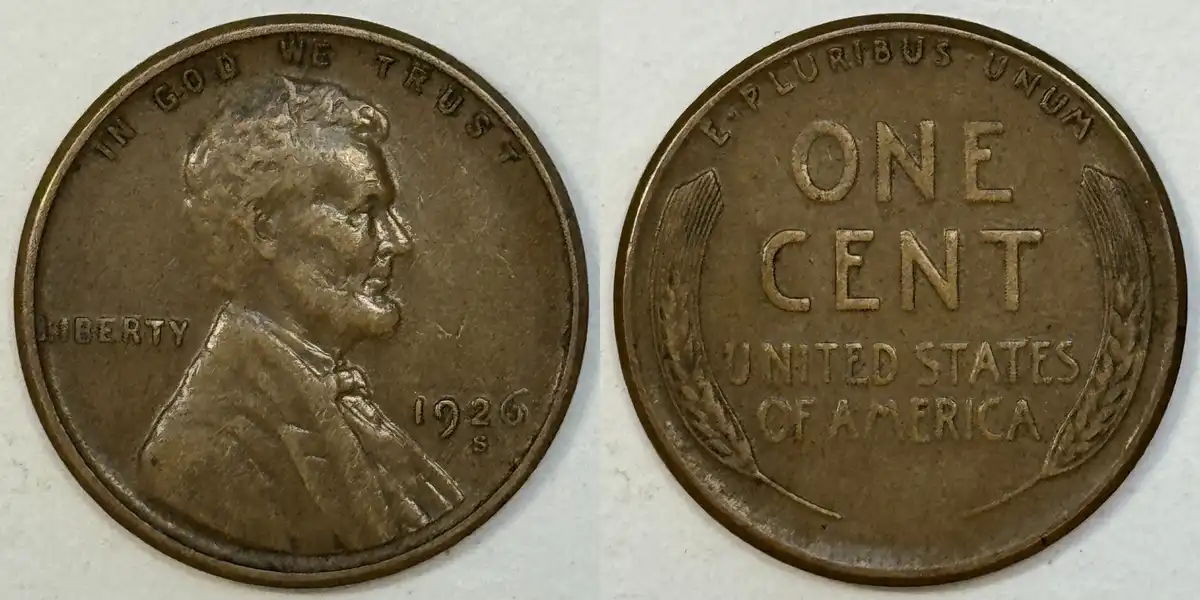 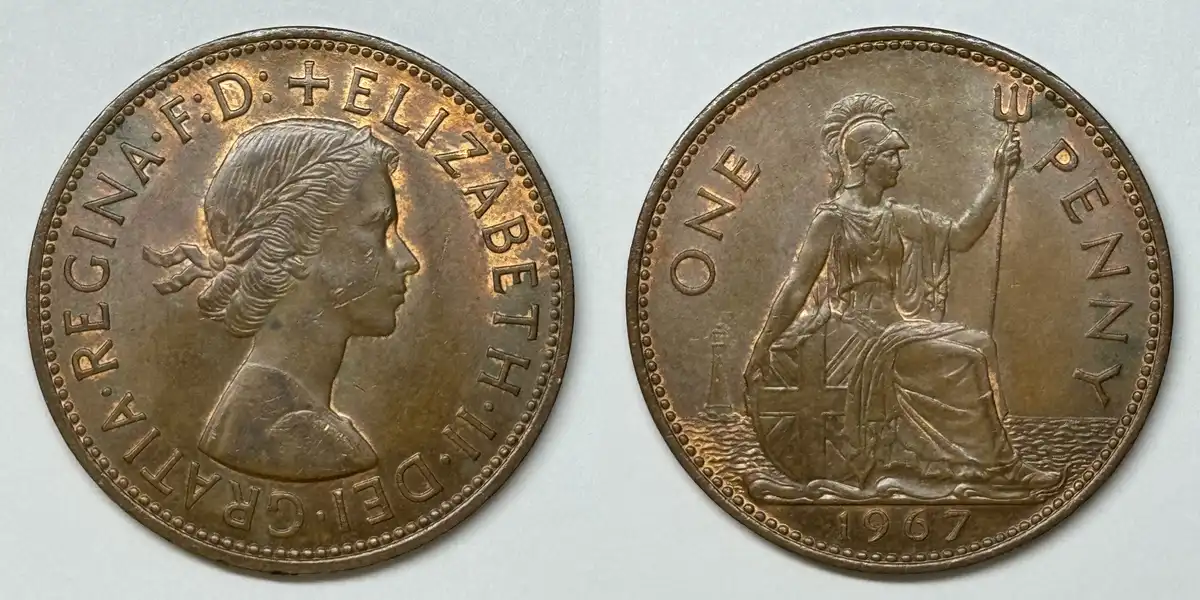 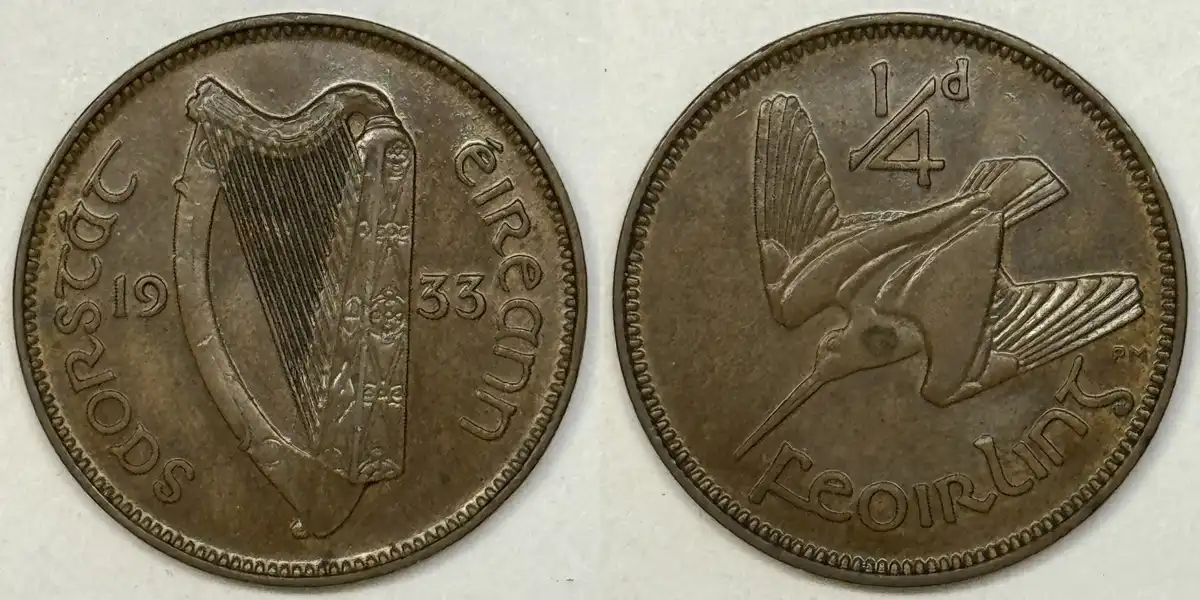 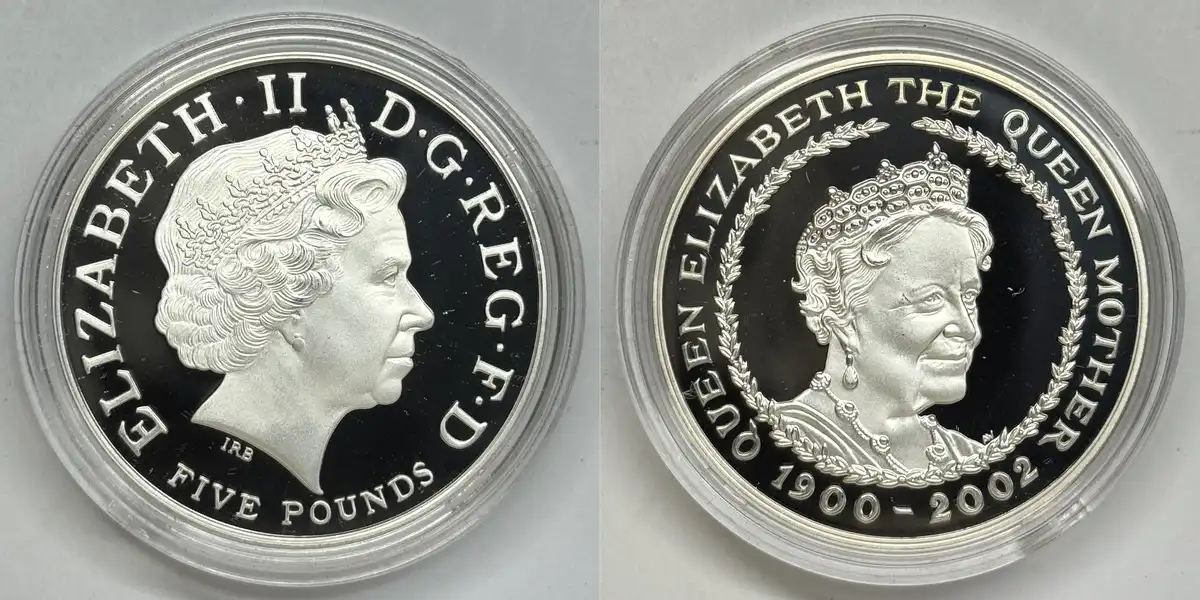 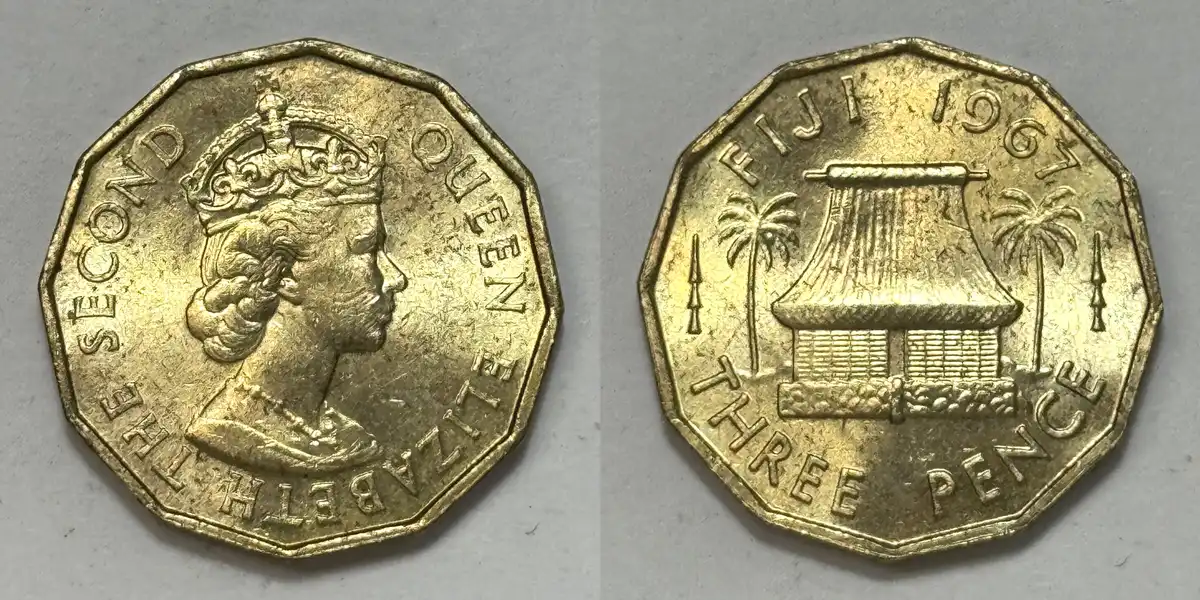 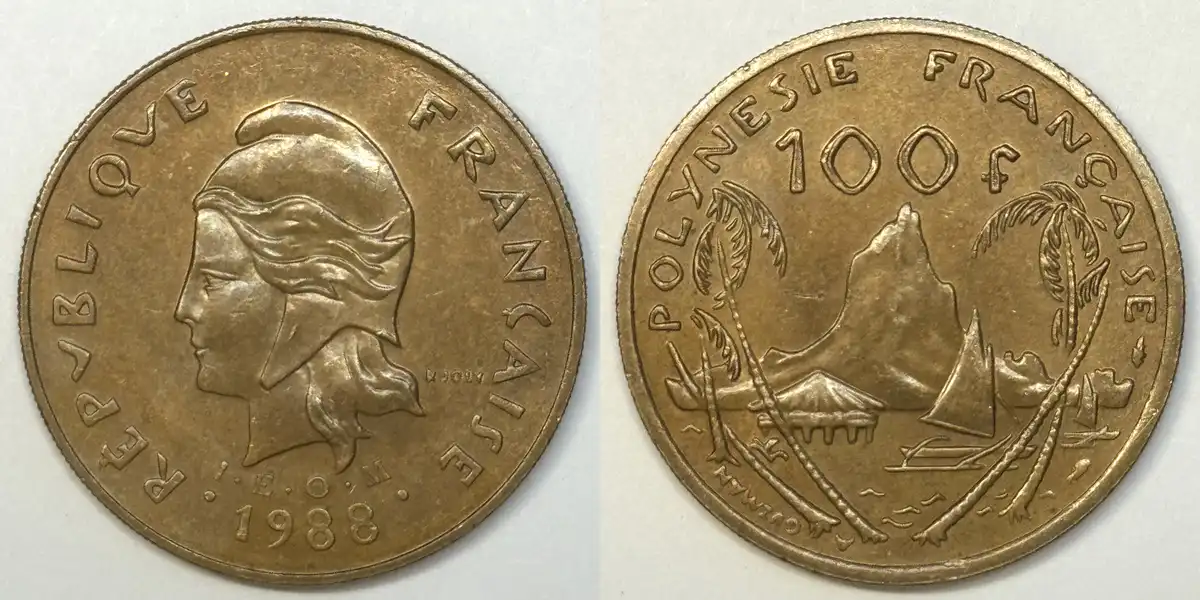 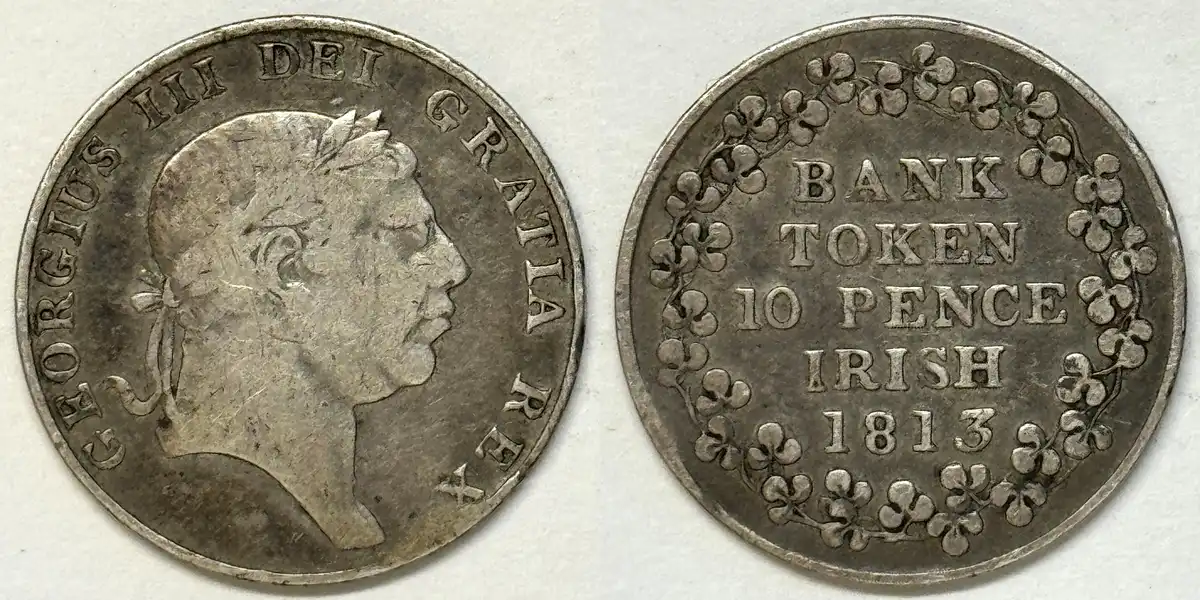 Inordinately fascinated by bits of metal with strange markings and figures
|
|
Valued Member
 Canada
326 Posts |
HondoB Those are some great pictures especially the focus to pick up the finer details and the colour looks perfect also even with the variety in your examples.
I do turn macro off and Ive tried different distances but not quite as far as you used. Like you I found if I got really close the colors went to heck. For the smaller coins do you use the zoom at all or do you just crop after the fact.
I also have an Ott light but both that and the ring light are LED so perhaps an incandescent bulb would work better. I'm going to give your suggestions a try and see how I make out. I will post the results here.
Thanks!
|
|
Bedrock of the Community
United States
27514 Posts |
Quote:
For the smaller coins do you use the zoom at all or do you just crop after the fact. Some of both. I use zoom up to about 5X or 6X. Very tiny coins are still a problem, as the phone may not focus on them properly. I place the coin on top of a tiny battery and that often helps. Another thing to try is tapping on the coin image in the display to get the camera to focus there. This is actually an exposure setting but it helps. For some coins I may take 6 - 8 photos of each side. Inordinately fascinated by bits of metal with strange markings and figures
Edited by HondoB
05/18/2026 7:31 pm
|
|
Bedrock of the Community
Canada
10030 Posts |
Great pics Hondo and keep at it lahave56 you'll get it.
|
|
Bedrock of the Community
United States
27514 Posts |
Thank you, mcshilling. Yes, lahave56, keep at it and you'll find a way. It took me quite a while to work my way up to these mediocre pics.
Inordinately fascinated by bits of metal with strange markings and figures
|
|
Pillar of the Community
United States
660 Posts |
I'm struggling too, so I won't offer any advice. I've used microscopes, a flatbed scanner, and a Sony Cybershot DSC-HX200V digital camera. So far, my best color comes from the Sony in Macro mode, while the best detail comes from the microscope. Now, if I could only combine them, heh! There's no smartphone in my arsenal.
Just hoping sometime this year to approach such expertise as HondoB and a slew of others on this forum. There are some awesome macro photographers here. I think practice has helped me a bit.
Just wanted to say, you're not suffering alone, lahave56
|
|
Pillar of the Community
United States
2484 Posts |
Hondo, those are some fantastic images you have posted, very nice work!  They look better than my Canon camera snapshots. 
|
|
Valued Member
Canada
326 Posts |
Thanks for the encouragement folks Occasionally I get a good one but I want an approach that's more reliable and captures colors and details more effectively and reliably. I'm not even close to giving up! I do have a microscope but I haven't dragged it out yet &  |
|
Bedrock of the Community
United States
19678 Posts |
Good discussion! And, excellent photos HondoB!
|
|
Bedrock of the Community
United States
27514 Posts |
mcshilling takes excellent photos. He has a digital SLR on a great mount and a nice light setup. I hope to take pictures as nice as his one day.
Inordinately fascinated by bits of metal with strange markings and figures
|
|
Bedrock of the Community
Canada
10030 Posts |
Hondo your are as good if not better than mine but thanks for the compliment.
|
|
Valued Member
Canada
326 Posts |
Edited by lahave56
05/19/2026 3:30 pm
|
|
Moderator
United States
197782 Posts |
They look pretty good to me. If you are not already, use the timer to avoid vibrations from touching the shutter button. |
|
Valued Member
Canada
326 Posts |
Quote:
use the timer to avoid vibrations Thanks jbuck - I do use the timer feature and it definitely helps. As HondoB said distance from the coin also seems to [affect] the camera's focus. I've also tried the tap (and tap and hold) feature to tell the camera what to focus on (I usually pick the date or other lettering or some design detail) but that doesn't seem to work for me. I also noticed that in some cases with the camera just sitting there stable the image of the coin seems to wander on the display. Apparently it's the camera switching between lens[es] but I'm still a bit mystified there as to under what exact conditions it happens. I have macro mode off (yellow flower x'd out) as HondoB also suggested. Anyway, I'll keep googling and systematically trying things. Edited by lahave56
05/19/2026 4:28 pm
|
|
Bedrock of the Community
United States
27514 Posts |
Your pics are great, lahave! You're doing a great job. You'll find out that every coin is a new challenge, and what worked well with the last one does not translate to the next one. But I would be very happy with the pics you're taking. Inordinately fascinated by bits of metal with strange markings and figures
|
| |
Replies: 32 / Views: 1,612 |







 Posted 05/18/2026 7:11 pm