Coin Community Family of Web Sites Join Thousands of Coin, Bullion, & Money Collectors
300,000 items to help build your collection! Specializing in Modern Numismatics Coin, Banknote and Medal Collectors's Online Mall Royal Estate Auctions - $1 Coin AuctionsRoyal Canadian Mint products, Canadian, Polish, American, and world coins and banknotes. Vancouvers #1 Coin and Paper Money Dealer Join Thousands of Coin, Bullion, & Money Collectors


Username:
Password:
Save Password
Forgot your Password?


This page may contain links that result in small commissions to keep this free site up and running.

Welcome Guest! Registering and/or logging in will remove the anchor (bottom) ads and the security checks. It's Free!

Removing Dansco Printing

To participate in the forum you must log in or register.
Author Replies: 1 / Views: 49Next Topic  
Pillar of the Community
seamonkey5150's Avatar
United States
1080 Posts
 Posted Yesterday   8:20 pm Show Profile   Bookmark this topic Add seamonkey5150 to your friends list Get a Link to this Message Number of Subscribers
How difficult is it to remove the letter on a Dansco page?

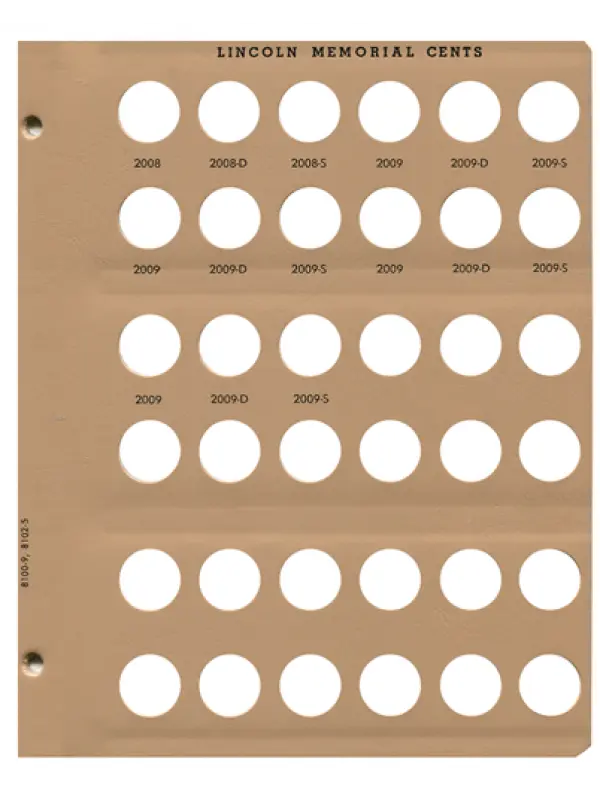
The blank cent is out of stock but their is a Lincoln Cents w/Proof 8102 Dansco Album Page #5 2008-2009 available from where I want to order. I do like that it has the Lincoln Memorial cent on the top of the page but I'd like to remove all the dates to be able to label as I wish. At least this page only has 15 dates I'd have to remove

Removing-Dansco-Printing
Pillar of the Community
Greasy Fingers's Avatar
United States
7344 Posts
 Posted Today  27M ago  Show Profile   Bookmark this reply Add Greasy Fingers to your friends list Get a Link to this Reply
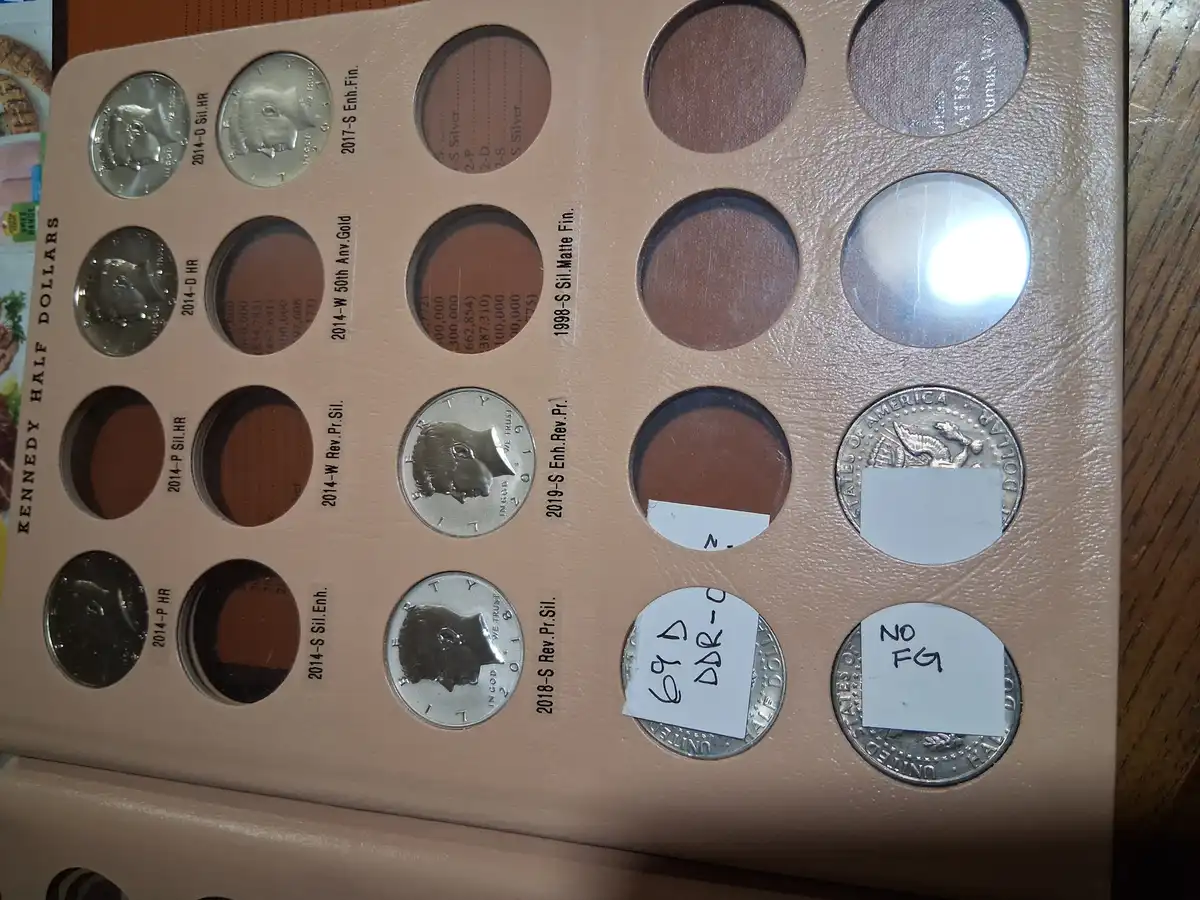
I just removed the dates on a Kennedy half dollar page and I must say I'm happy how it came out. I used acetone and a q-tip lightly rubbed until the ink started to smear then used hand sanitizer with a new q-tip. A bit of the "gloss" was reduced but I think that is because I became impatience as I progressed onto the next date.
Good thing is you can practice/experiment on the printing that is on the left side of page and hidden when enclosed in album
Removing-Dansco-Printing
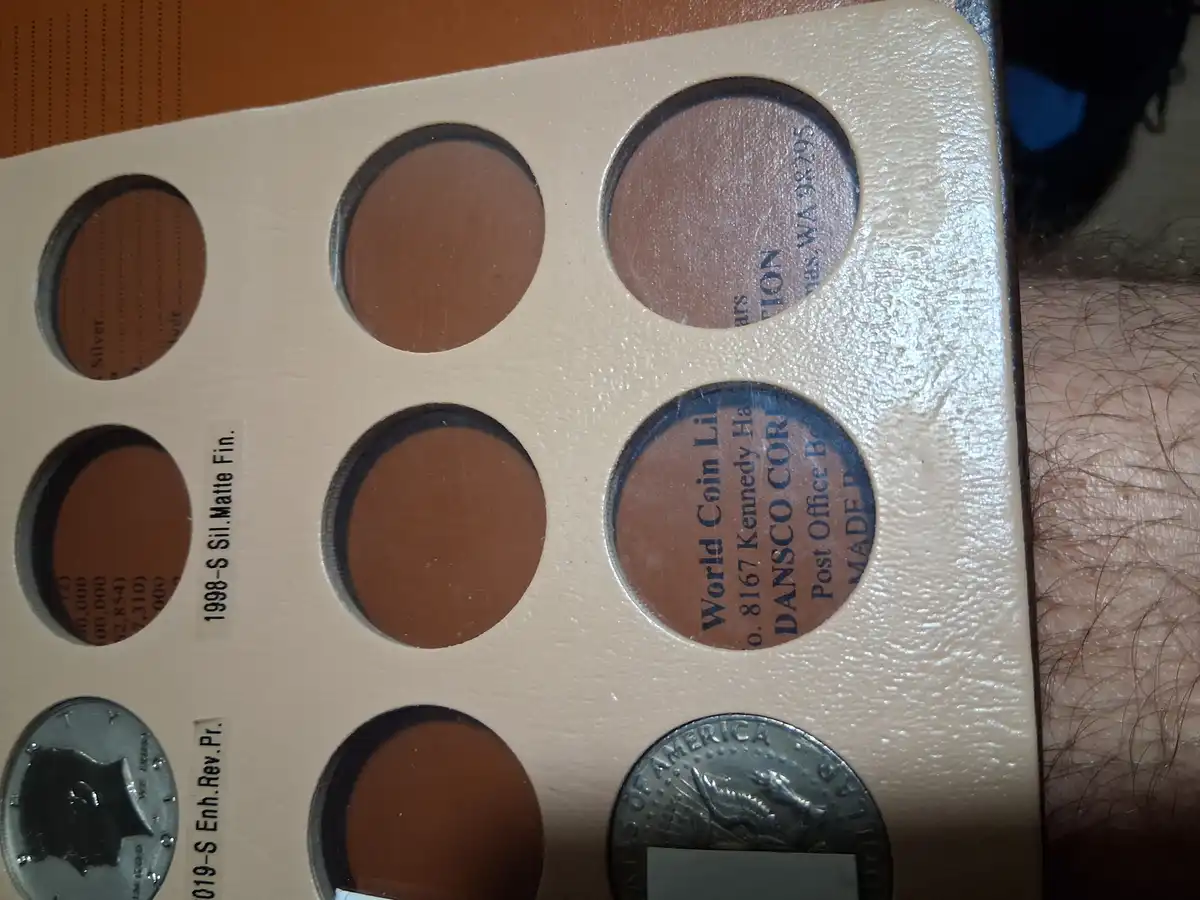
2nd photo I tried to show the reduced "gloss"
Removing-Dansco-Printing
edited: for me to remove all 20 dates took less than an hour ( I really wanted to start labeling and filling in the holes), so I think if you take your time you won't see such a reduction in "gloss". Plus later I'm thinking of trying some leather conditioner (like Lexul) to rehydrate the areas where the gloss was lost.

Good luck...............
Edited by Greasy Fingers
Today 9M ago
  Replies: 1 / Views: 49Next Topic  

To participate in the forum you must log in or register.


Disclaimer: While a tremendous amount of effort goes into ensuring the accuracy of the information contained in this site, Coin Community assumes no liability for errors. Copyright 2005 - 2026 Coin Community Family- all rights reserved worldwide. Use of any images or content on this website without prior written permission of Coin Community or the original lender is strictly prohibited.
Contact Us  |  Advertise Here  |  Privacy Policy / Terms of Use

Coin Community Forum © 2005 - 2026 Coin Community Forums
It took 0.2 seconds to rattle this change. Forums