| Author |
 Replies: 63 / Views: 8,729 Replies: 63 / Views: 8,729 |
|
|
|
|
Pillar of the Community
 United States
4051 Posts |
It seems there is a difference of opinion on what should be run in manual mode. In my setup, I set aperture, ISO, and focus manually, and then let the camera set the exposure automatically. It seems you and SuperDave are setting aperture, ISO and exposure manually, and letting the camera set focus automatically. This is all fine and good as long as you have an AF lens, but of course I'm using enlarging/duplicating lenses so don't have that option. I'm also very interested in focus stacking, and making sure the system is focused on the middle of the DOF rather than on any high or low points. If you set aperture fairly stopped-down, then it makes little difference. But in my critical focusing I open the aperture as much as I can until I am right on the edge of the DOF for the topography of the coin I'm shooting, and then carefully focus on a feature that is midway between the highest points on the devices and lowest points of the field, then snap the shot. There is no way an AF lens can do that, so images taken with AF will always be just a bit off in focus either high or low unless the aperture is closed down so much that the highs and lows don't matter.
Now, for exposure, what advantage is there in setting manual shutter speed except wasting time and shutter actuations? The camera is far faster and more accurate than I am at setting the exposure. If you want to skew +/- you can always select higher or lower EV levels manually, but this is still faster than setting things manually, and usually results in better dynamic range.
But no worries, I'm not opinionated on this!
By the way, much better contrast and levels on the coin this time. Not a lot to improve on...Ray
|
|
Bedrock of the Community
 United States
14454 Posts |
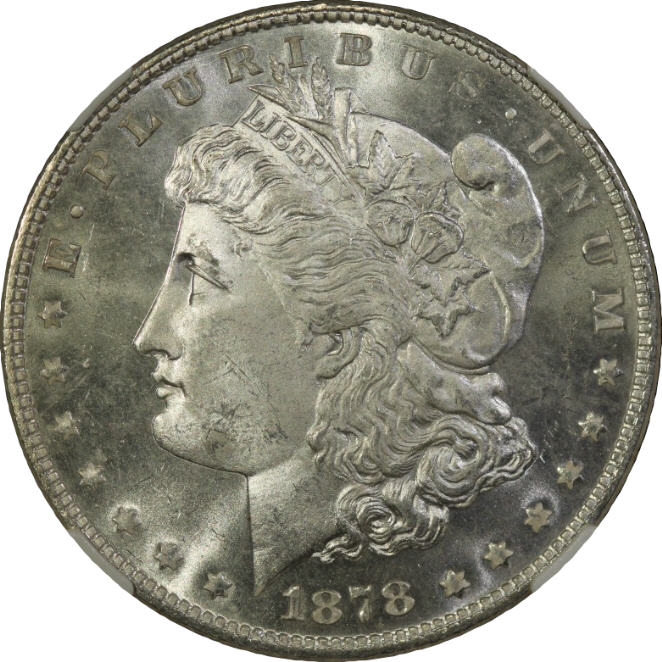
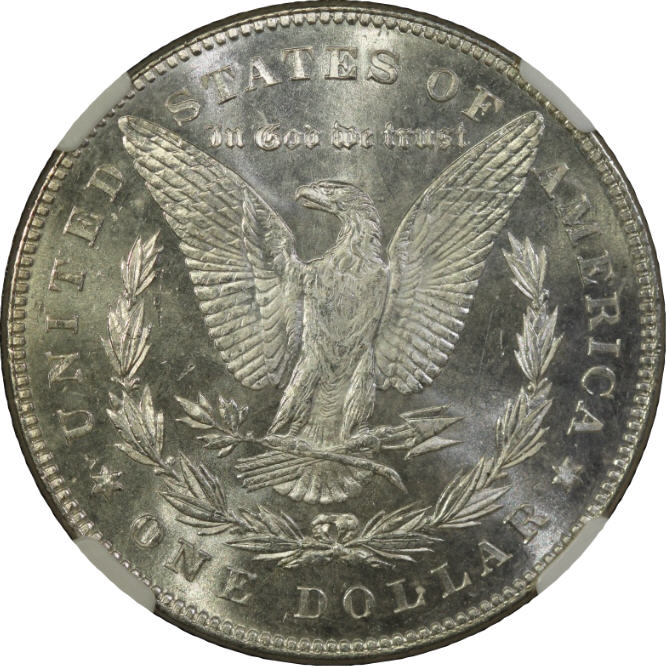
I didn't do any post processing to this image above, does it look like this is the settings I need to be using?
|
|
Pillar of the Community
United States
4051 Posts |
Looks good to me. I would still suggest adding a bit of diffusion to the 12:00 light. Just try putting one or two layers of white kleenex or tissue over the light and see if you like the effect. I've also never been a fan of white backgrounds for coins. I think black backgrounds show coins off better, especially silver coins. But now we're talking aesthetics, so you know you're on the right path...Ray
|
|
Bedrock of the Community
United States
14454 Posts |
I don't use any background instead of the Dansco album, but its all cropped out. If the forum didn't put the square around the pictures the picture would be round not square, so what you see as white is what the forum adds to every photograph. If you go here you will see what the picture actually looks like without the frame the forum adds http://home.roadrunner.com/~kbr1315/IMG_0714.jpg |
|
Bedrock of the Community
United States
14454 Posts |
|
|
Moderator
United States
23522 Posts |
I'm working freaky hours, so forgive my intermittent posting.
Ray, this new setup is the very first time DOF has been a necessary concern, and one advantage of bracketing exposures is that I only ever have to adjust levels for other people's images; never my own. That said, I'm intrigued enough to give Aperture Priority a try.
|
|
Bedrock of the Community
United States
14454 Posts |
SD, any recommendations from you on what I can try to improve the shots or do you think this is as good as its going to get?
|
|
Moderator
United States
23522 Posts |
Can't say yet, Bryan - I'm posting from my phone and can't see 'em big enough. My guess is I'll tell you it's time to sharpen your postprocessing skills.
|
|
Bedrock of the Community
United States
14454 Posts |
lol woohoo! got to try and learn something new now
|
|
Pillar of the Community
United States
4051 Posts |
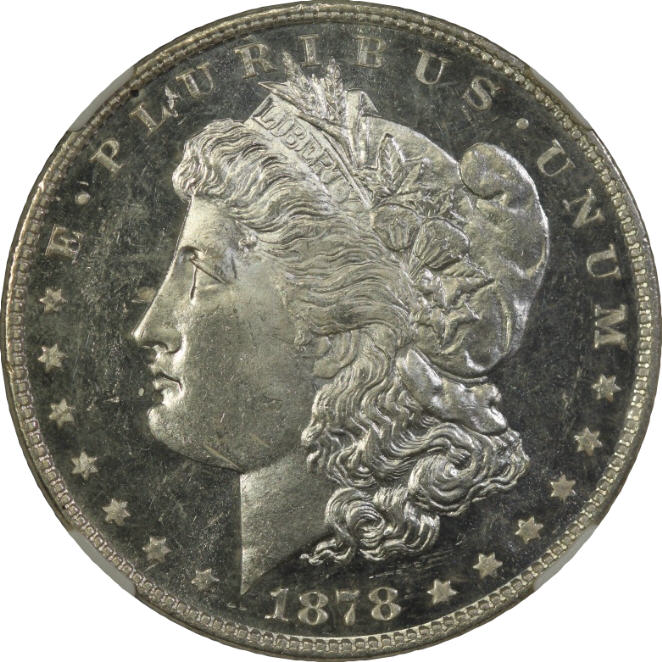
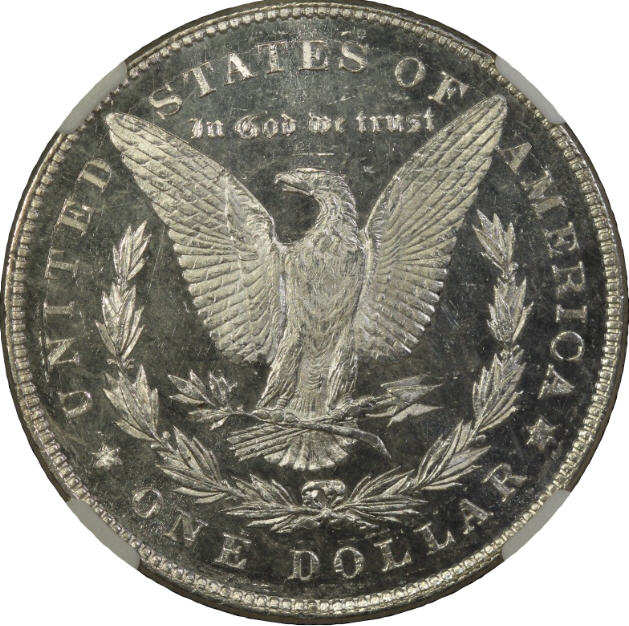
Bryan...I'm a lot happier with your latest shots using the diffuser. I might suggest bringing your other two lights so they cross at 90-deg to each other. This will create an "X" shaped pattern of luster on the coin. That pattern will maximize the luster generation, while the diffuse light at 12:00 tames the luster and evens out the illumination. Another suggestion is to increase the contrast in the camera setting. I bet your "standard" setting has contrast setting of "0". Increase it to 1, and 2, and see how it looks. Even without PP, I really like the latest shots...Ray
Contact me for photographic equipment or visit my home page at: http://macrocoins.com |
|
Bedrock of the Community
United States
14454 Posts |
Sorry it took so long but here are some pictures with the contrast set like you mentioned. This is a different coin because I was taking these because I am getting ready to liquidate some of my extras 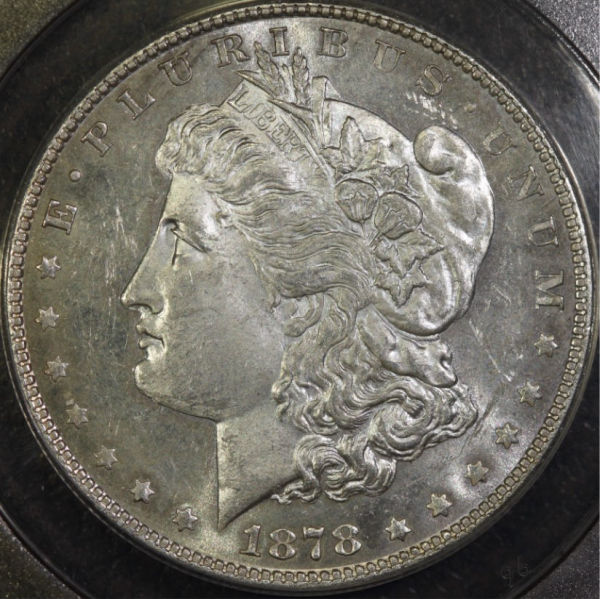 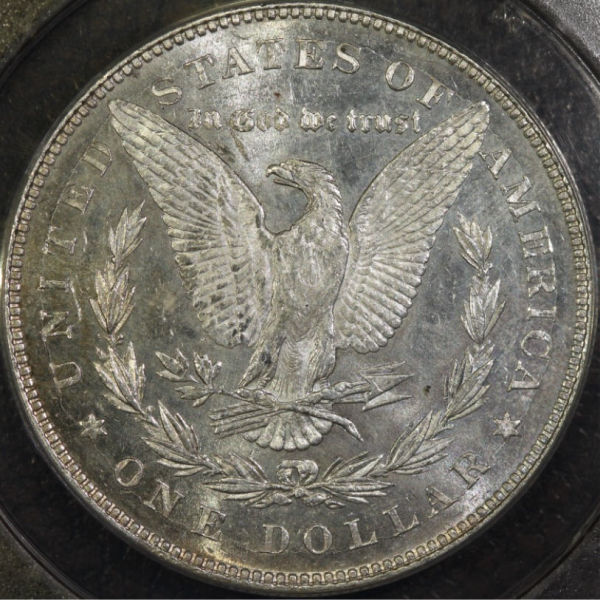 If anyone sees something that I can do to improve further please let me know but I am finally pretty happy with the pictures I am getting right now. I have noticed in RAW format the pictures have a light magenta color to them (I have my camera set up to take raw and jpg files) and the .jpg files do not have this color difference and was wondering why Edit: I know what it was, I guess I had messed with the settings in Photoshop and those settings were still set when I opened any other RAW picture and that was what was throwing the color off, I reset the settings to the default settings and now the magenta color is gone |
|
Bedrock of the Community
United States
14454 Posts |
this is a picture of the 2011 proof coin from the 25th anniversary set with the contrast set to 2 as Ray had suggested 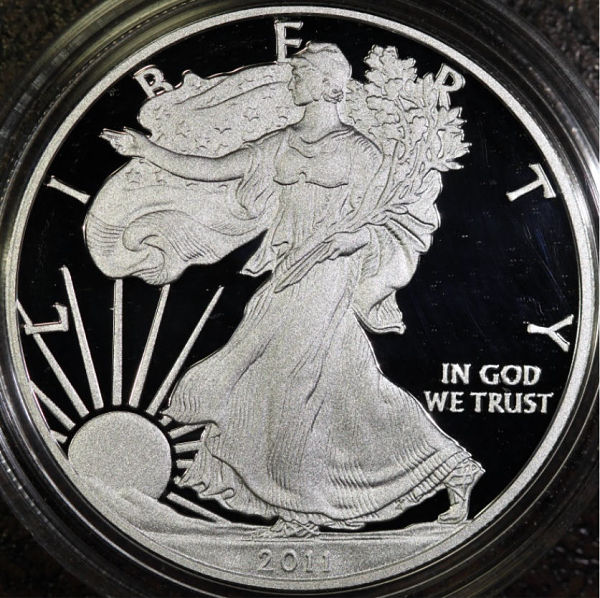 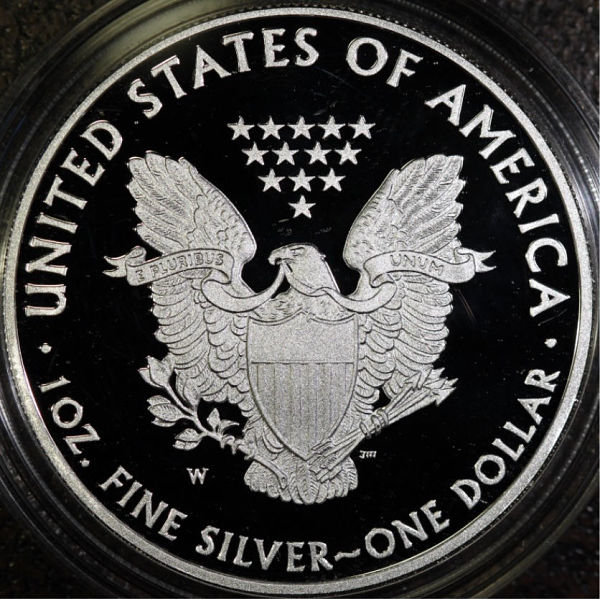 |
|
Pillar of the Community
United States
4051 Posts |
Those are nicer than any proof photo I've been able to take. Good job...Ray
|
|
Valued Member
United States
51 Posts |
Brian, what lights did you use to shoot your proofs? How are they positioned? Have you diffused them?
pavel
|
|
Bedrock of the Community
United States
14454 Posts |
I use 3 Jansjo led lights from IKEA, I have one at around 3:00 one around 6:00 and one at 12:00 with a tissue over the light at 12:00
|
|
|
Replies: 63 / Views: 8,729 |
|




 First Page
 Previous Page

 Posted 02/28/2012 07:13 am