| Author |
 Replies: 22 / Views: 4,386 Replies: 22 / Views: 4,386 |
Page 2 of 2
|
|
|
|
Valued Member
United States
211 Posts |
Matt - High intensity light is not going to alter the quality of light and shadow on a coin. Brighter lighting offers two advantages -
First it allows you to stop down the camera. If you are shooting at f8-f16 you are going to be getting a sharper focused shot. This is important in macro-photography. Generally I set my camera to AP (aperture priority) and force the camera to f8.
Second you can position the light further away and reduce an effect called "Fall Off" were the light is more intense near the lamp reduced to shadow further away.
Also, (though I should do some tests to demonstrate) you can diffuse a bright light by bouncing it or running it through a diffusion filter and this softens the shadows. If I am trying to highlight a specific mark on a coin I will get rid of the diffusion to enhance the detail. However, overall a little diffusion makes a GEM condition coin look more shiny.
|
|
Valued Member
United States
211 Posts |
Here is a 1901 Gold Eagle shot with a 65 watt fluorescent light bounced on a white umbrella. For coins the light is overkill (I use this light for portraits), a 35 watt will do fine. The important thing to notice is the sharpness (stopped to f8) and the luster. Note how the detail is not lost in the highlights.  Edited by Stunet
07/04/2010 12:20 pm
|
|
Moderator
 United States
23522 Posts |
That's a stupendous result for bounced light, Stunet. It illustrates the fact that differing camera/lens combinations work differently; this would be an uncharacteristically great result for my setup under diffused lighting, yet is reasonable for yours.
|
|
Valued Member
United States
321 Posts |
Great shot, thanks for the explanation!
|
|
Pillar of the Community
  United States
2448 Posts |
It is a great shot, but what lens, and focal length. My shots come out just as good until I have to convert them to something CCF will allow me to post. Most of the time I can't post anything over 450x450 pixels. Great idea about the umbrella, it warms up the image and you don't get flash bounce or glare.
Depending on the lens, you're not letting a lot of light in at F8 and it restricts the depth of field. Some lenses, relative to the apature, require a great deal of light just to operate on automatic cameras. Are you shooting with manual, or situational settings?
I shall continue my endeavor to persevere.
|
|
Moderator
United States
23522 Posts |
Quote:
My shots come out just as good until I have to convert them to something CCF will allow me to post. Most of the time I can't post anything over 450x450 pixels. I don't know about other graphics programs - I use the Gimp exclusively - but I can save images at reduced quality. In the Gimp, saving at 80% quality makes an 800x800 image around 250kb, both within the abilities of the CCF Gallery (one of which you should now be eligible for). Under the same conditions, I can do 1000x1000 at Photobucket and display it here: 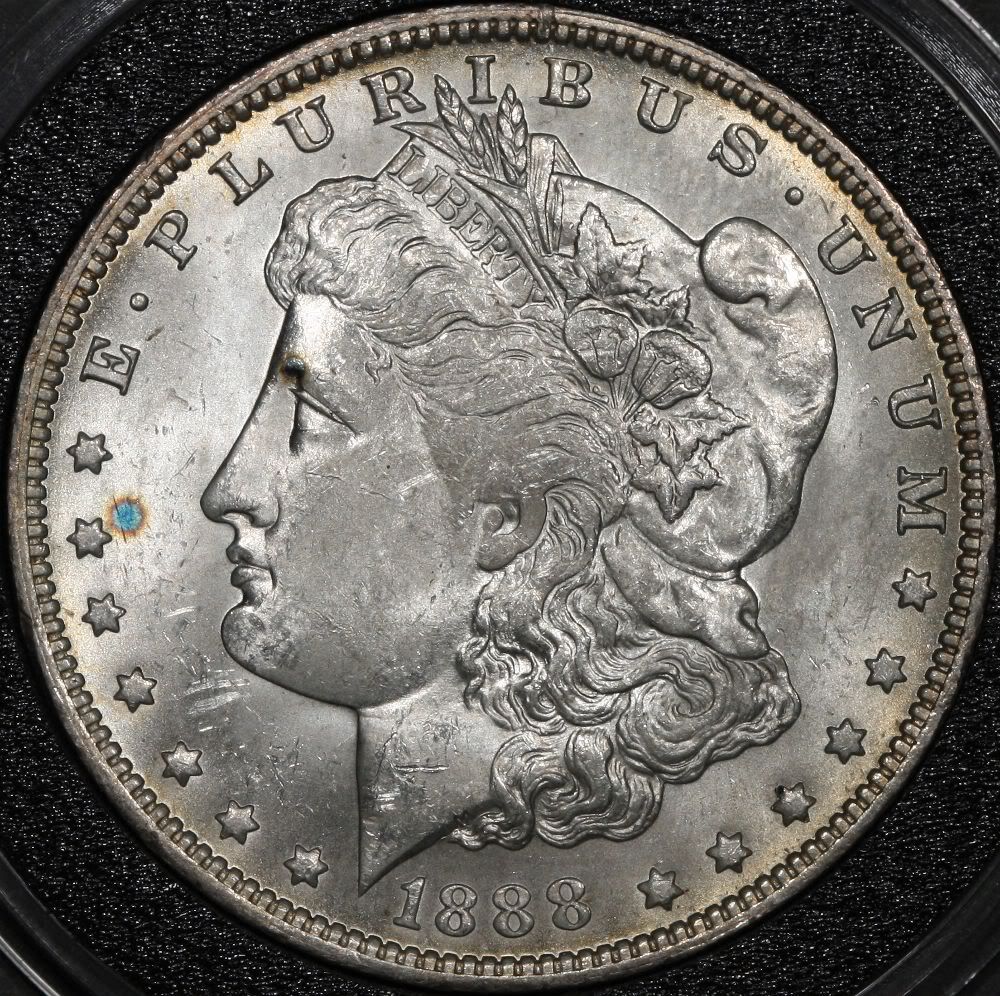 |
|
Pillar of the Community
United States
2448 Posts |
Okie Dokie, back to the drawing or should I say photo clip board. I shall continue to endeavor to persevere.
|
|
Moderator
United States
23522 Posts |
If you haven't gotten the email regarding a Personal Gallery yet, drop a quick thread into the Coin Community Support forum and Bobby will hook you up. That will give you 800x800 ability and onsite storage.
|
|
New Member
United States
5 Posts |
Quote:
I lean towards a contrast based on the luster of the coin. The brighter the coin, the darker the background. To my eye - and please consider that I'm only talking about my personal opinion here - lustrous silver is best shot against black, and darker copper and silver are best against white.
You have an excellent equipment set for shooting coins. Avail yourself of the camera's Custom White Balance features, and your only required choices for lighting will be how diffusely you choose to apply it. There is no reason why your equipment cannot shoot pics of equal quality to those from anyone here at CCF; it only remains for you to discover how your particular setup achieves this. Thanks SuperDave. The information posted here is very helpful especially about the background colors to use depending on the coin. I am still learning alot about shooting coins and find it fascinating. Far from being a photographer, I can say that it is a challenge. The toughest shot I tried to do was the penny. It took a lot of trial and error but I can attest to the fact that in the end a white background helped me to get a better picture. As I continue to read these posts, I look forward to additional insight because sometimes you have questions but are not sure just what to ask. |
|
Pillar of the Community
Canada
1248 Posts |
Use a 60 or 100 watt incandecent lamp with a very normal reflector. cost about $8 at wally mart.
the flex type.
the camera is at 90 degrees to the coin on a old enlarger stand (tripot will do)
then at 45 degrees a sheet of glass.....
it is called axial lighting. there is a great article with pictures here somewhere... maybe even Super daves..
but it works , oh boy it works.
|
|
Moderator
United States
16697 Posts |
I use old fashion 60W (4) over my kitchen table on a black matte cotton background ( a glove ). Grey works too.
swcoin.ecrater.com
|
|
Valued Member
United States
487 Posts |
I have been experimenting with my Canon Powershot SX110 IS. I shoot my coins in Auto Macro mode and let the camera do the aperture setting. I'm unhappy with the shots I am getting. Would it be better to shoot in manual mode and set the aperture myself. Tried a couple shots at my deck door with direct sunlight, in auto/macro and got shoots that where not to impressive. Help please!
|
|
Pillar of the Community
Canada
1248 Posts |
IMO, always do the manual thing and play with it..
I use a 100 watt tungsten(normal light bulb) and the axial method.
white balance set to Tungsten. works like a charm with a 90mm macro lens on a Rebel.
|
|
Valued Member
United States
487 Posts |
Not familiar the term axial method.What is this?
|
|
Valued Member
United States
211 Posts |
Axial method refers to the camera as the axis of the shot. In this case the light coming from the same axis as the camera. The more common name for this is "fill lighting" because it fills all the shadows.
Generally one lights with a "key" light (a light placed at an angle off axis that throws shadows) and a fill light to determine how much of the shadows should be filled in. Technically photographers will talk about a key to fill ratio. Thus a lot of fill may be best for shooting a slab and presenting luster of a coin, a lot of key will emphasis a strong strike, surface scratches or a clash.
|
|
Page 2 of 2
|
Replies: 22 / Views: 4,386 |
Page 2 of 2
|








 First Page

 Posted 07/04/2010 12:19 pm


