| Author |
 Replies: 5,697 / Views: 530,684 Replies: 5,697 / Views: 530,684 |
|
|
|
Pillar of the Community
United States
1376 Posts |
Quote:
Something to do with scanning quality? I was wondering this as well. If you look at the green border around the certs, the border on your note is distinctly different than mine and I would think that they should be similar. Scanner software output settings can make a difference. My software (VueScan) has 8 different output settings (9 if you count manual). Here's the exact same scan of a 1928 $1 LTN (before I crop and re-arrange as in my other postings) saved with each of the 8 output settings... Auto 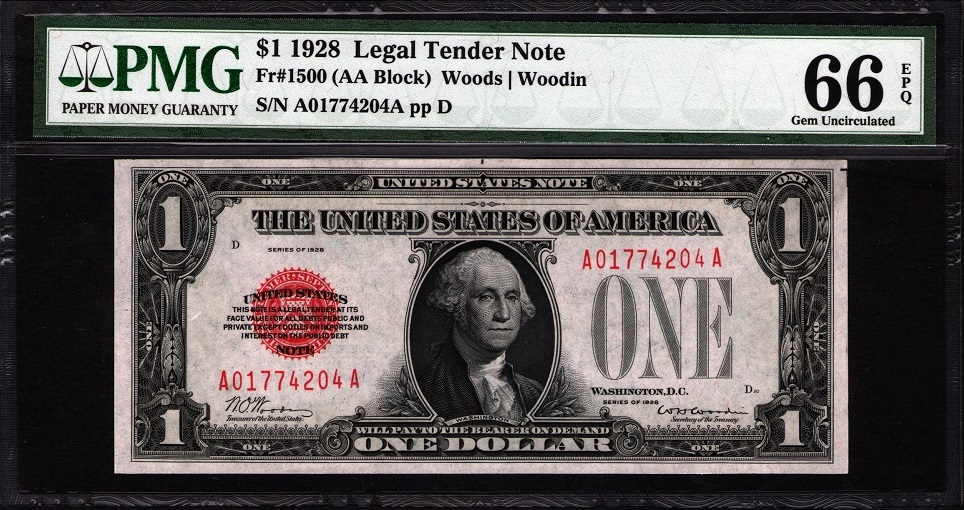 Flourescent 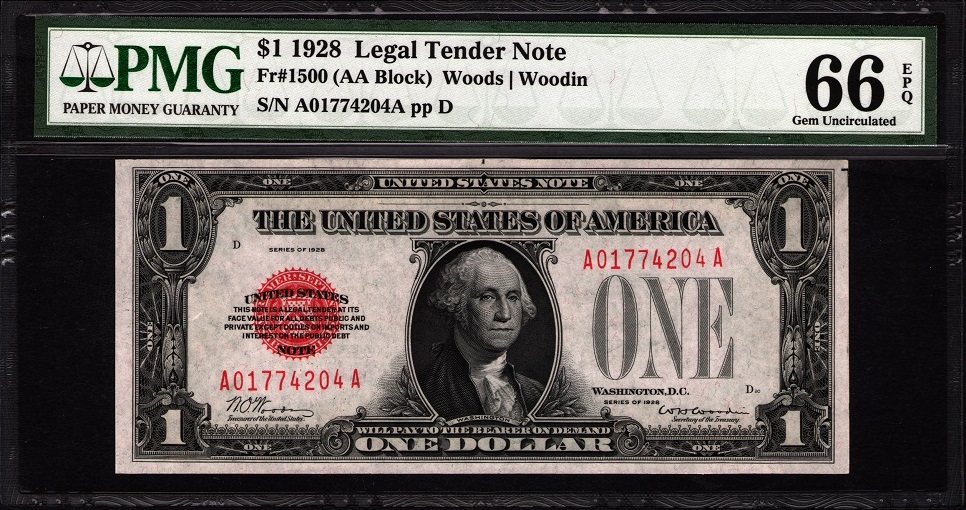 Landscape 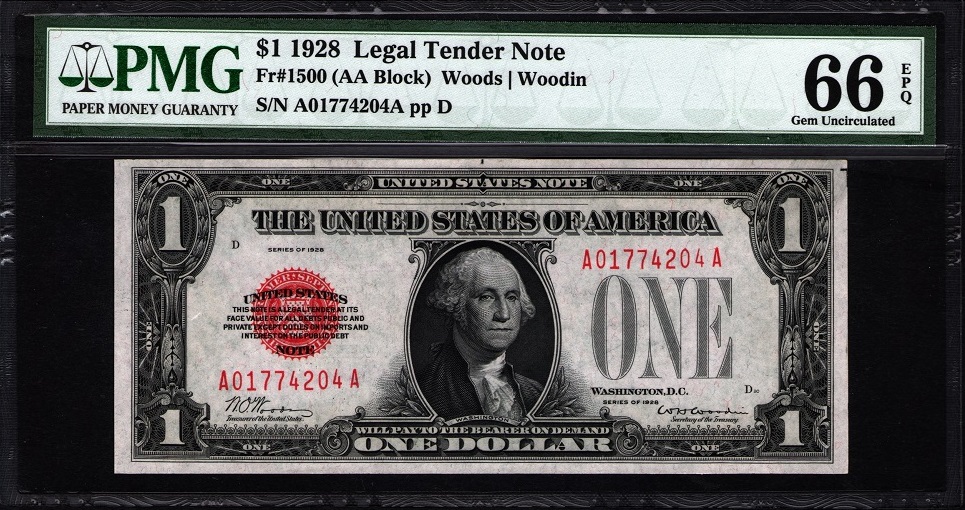 Neutral 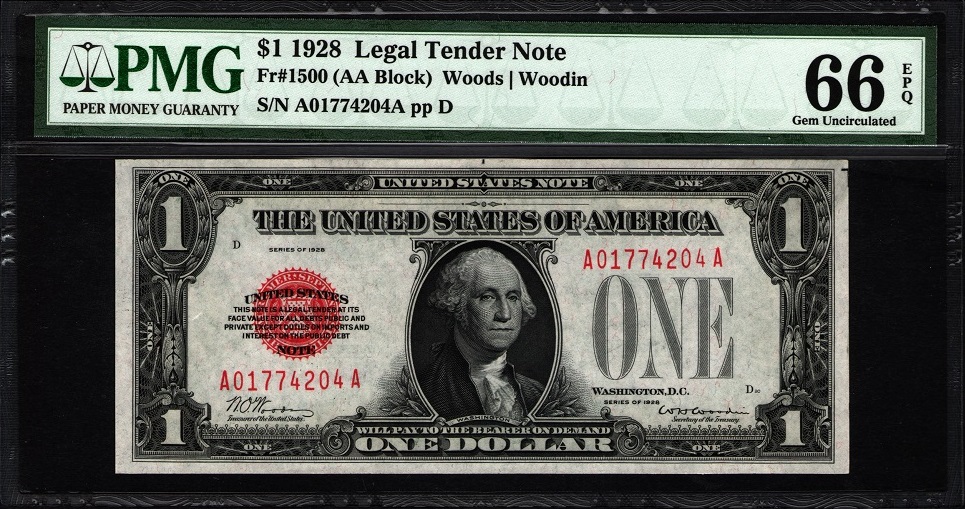 Night 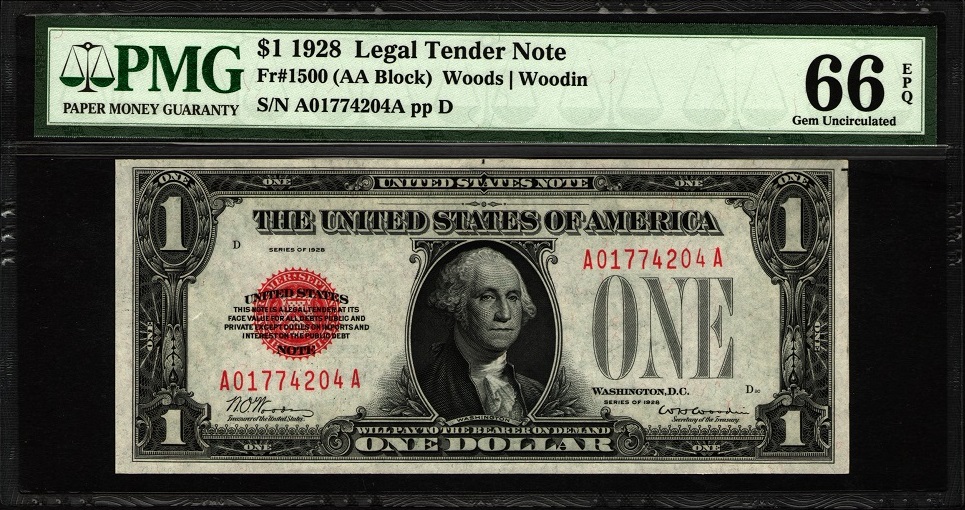 Portrait 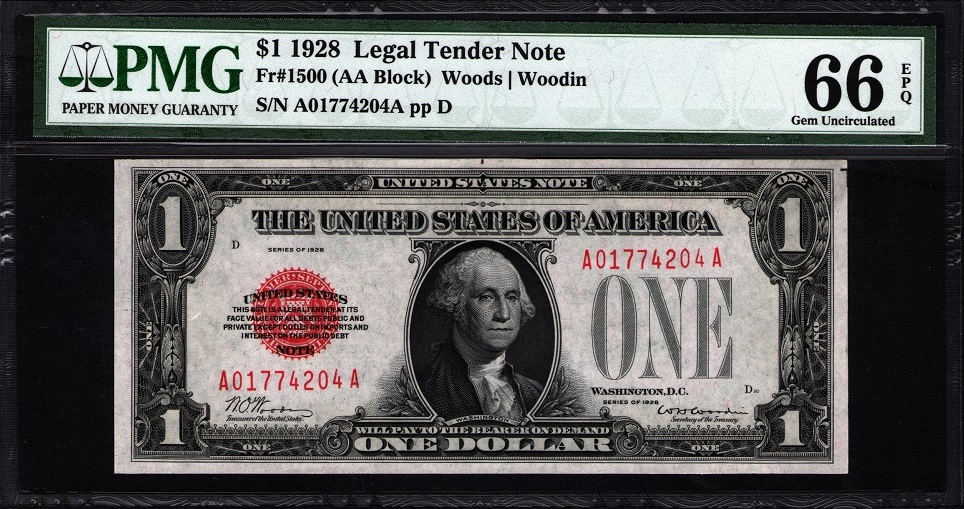 Tungsten 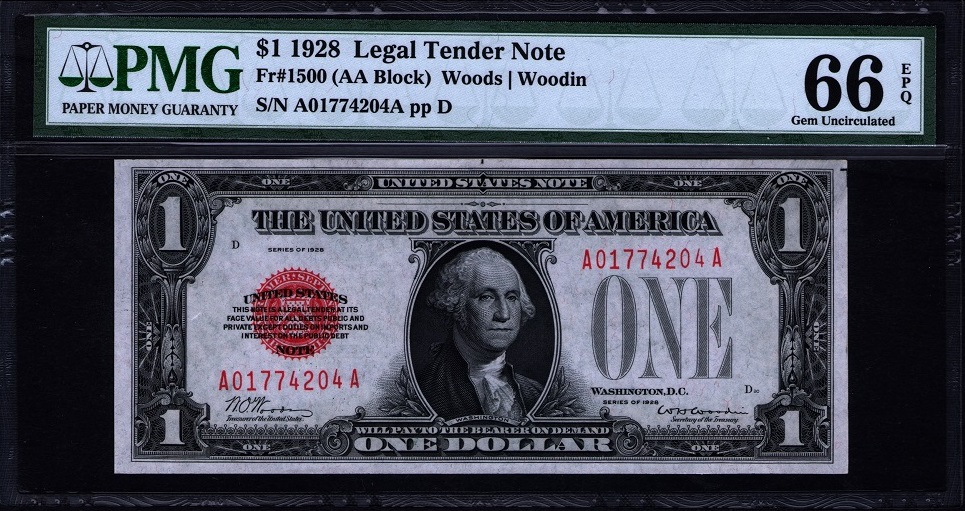 White Balance 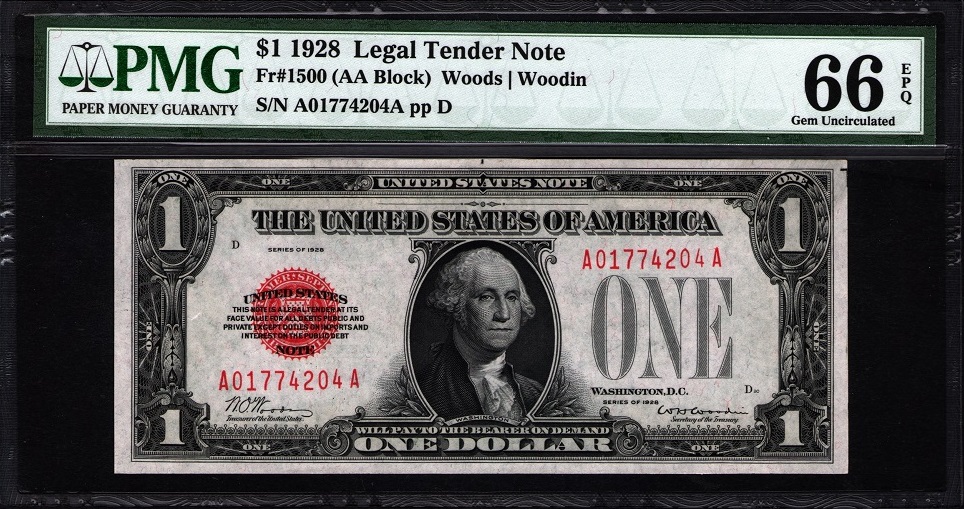 As you can see, they don't all look the same (and to my eyes NONE of them look EXACTLY like the note in hand). I could play around with the manual setting to try and get the scan to look exactly like the note in hand, but the benefit of this seems small to me. So, I just keep the scanner software set to white balance, as it looks close enough. White balance is critical in digital photography, so I figure it should be just as important in a digital scan and leave it at that. |
|
Bedrock of the Community
 United States
12915 Posts |
 Those greens and reds are SO deep. |
|
Pillar of the Community
United States
1376 Posts |
Quote:
Those greens and reds are SO deep. CelticKnot, That has to do with the brightness setting in the software. In VueScan, this setting goes from .25 (dark) to 4 (bright and washed out) with a default setting of 1. Here's the previous scan, but this time saved with a brightness setting of 1.96 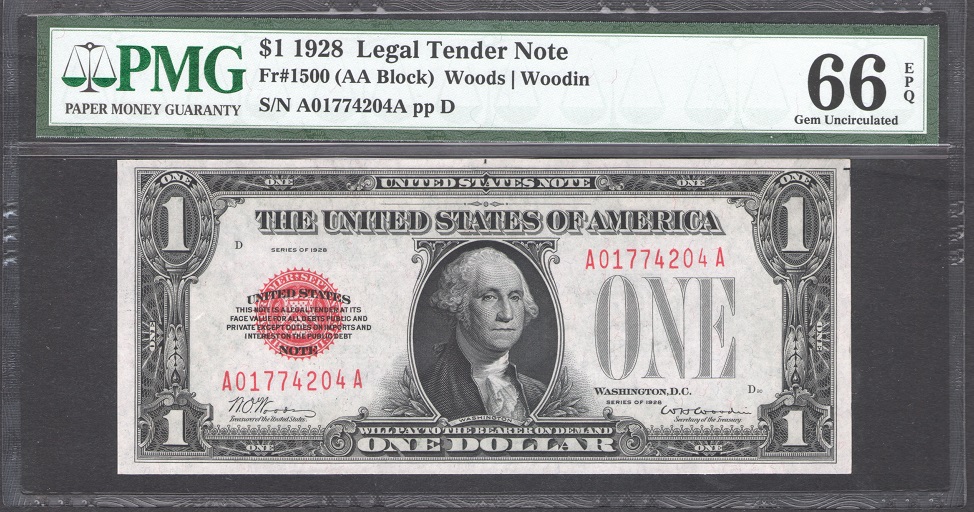 as compared to the previous (setting of 1) I just leave this setting at its default setting of 1. Once again, in my eyes NEITHER of these .JPEGs look EXACTLY like the note in hand. I guess the point of all these scans is just that digital images can be manipulated (BIG surprise there). I figure that the software has already been optimized for most situations and so just leave it at its default settings. |
|
Bedrock of the Community
United States
94367 Posts |
BadDog - Thanks for all your effort. Looking at all my USN $2s, I see little difference in color intensity to be honest. This is a straight scan from an old HP 2600 using Windows 10, and to my eye it is an exact image. It has none of the blood-red intensity of your pics. 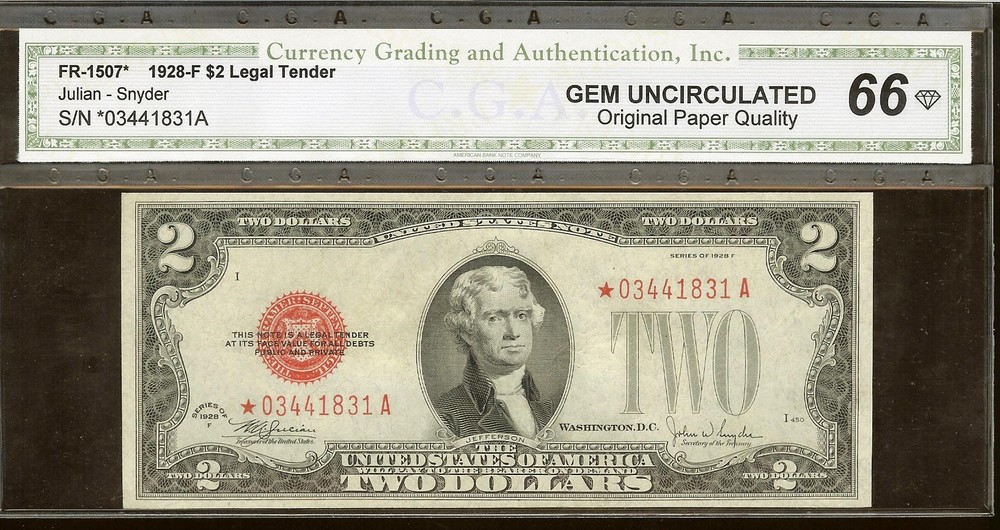 Edited by Coinfrog
08/24/2018 9:11 pm
|
|
Pillar of the Community
United States
1376 Posts |
Coinfrog, I haven't used the built in W10 scanning software for sometime. It quit working with my scanner (Canon Imageclass MF4150) when W10 was updated to some version or other some time ago (and that's when I bought the VueScan software). Since you said you're using the W10 software, I decided to go ahead and give it a shot and lo and behold it is once again working  Another update must have corrected whatever got broke in the previous update  So, here is the same note that I've been comparing scans with, but this time scanned with the W10 scanning software 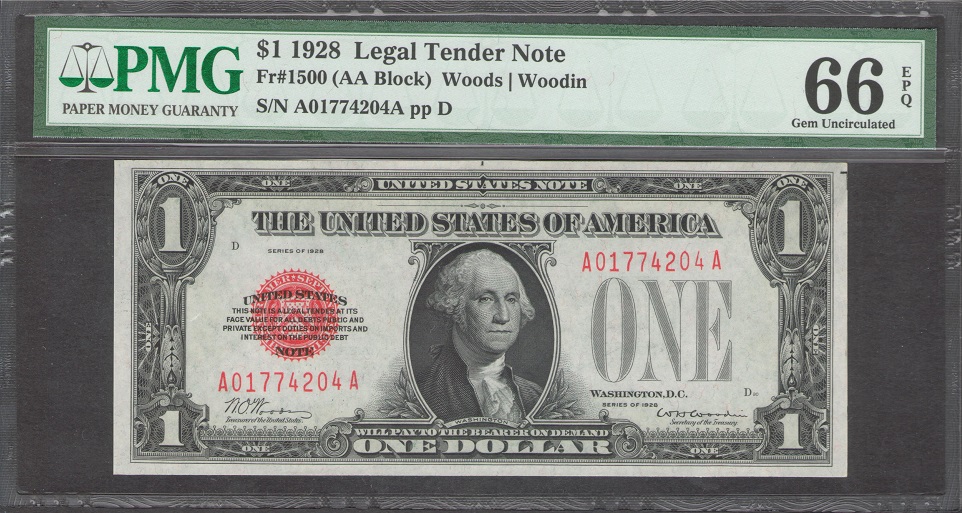 Yet again, a different look to the scan, BUT I will say that this one probably looks the closest to the note in hand. Maybe I'll switch back to the W10 software since it's working for me once again  |
|
Pillar of the Community
United States
4705 Posts |
You guys sucked me in with your scans of red seals. This is not a new acquisition of notes, but a new acquisition of an all in one printer scanner. As far as I can tell there are no fancy settings, no options at all, and I don't have any photo editing software so this is what I get when I hit the scan button. 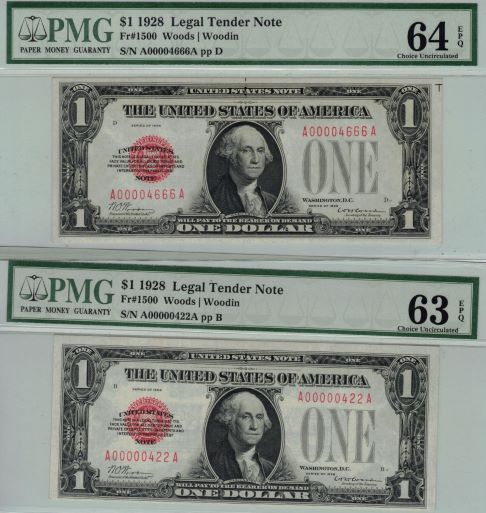 |
|
Pillar of the Community
United States
1376 Posts |
jimbucks, Nice notes Looks like your new all-in-one scanner is working a-ok to me. The only thing I'd recommend is that you put a piece of dark (black works great, but anything but white works pretty good) over the note when you scan it. It will stop the bleed through of the other side of the note in the scan. Edited by BadDog
08/24/2018 11:05 pm
|
|
Bedrock of the Community
United States
12915 Posts |
I don't have any graded red seals, but I do have a few raw ones. This is a scan from a Canon All-in-One that's about 7-8 years old. 600 dpi, otherwise default settings. 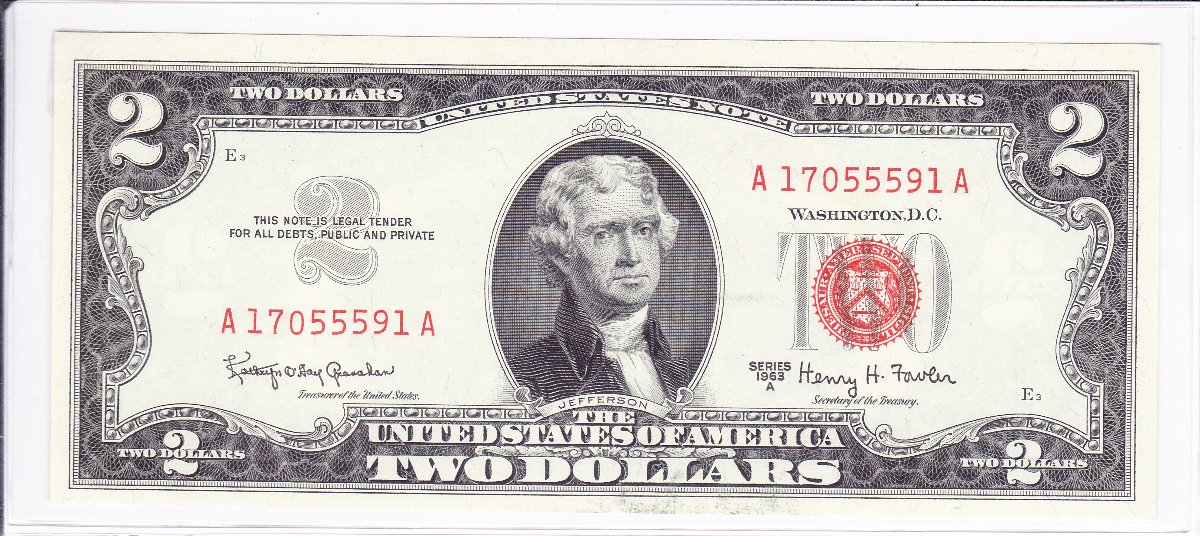 My scan seems to be more washed out than the real deal, which has more of a "creamy" complexion rather than the white depicted here that's almost as white as the forum background. The colors seem fairly accurate tho. Edited by CelticKnot
08/24/2018 11:16 pm
|
|
Pillar of the Community
 United States
5029 Posts |
Great looking notes folks! They all have the beautiful "pop" of red from days gone by |
|
Bedrock of the Community
United States
94367 Posts |
BadDag - Thanks for the W10 comparison. I feel better now!  |
|
New Member
United States
14 Posts |
Do any of you use a document scanner to scan your notes? I just ran a couple through my Fujitsu scanner and didn't see any creases or marks of any kind. But still I'm wary of using it to scan pristine notes of value.
TIA
|
|
Bedrock of the Community
United States
12915 Posts |
By document scanner do you mean one with an ADF (feeder)? I would not use one of those to scan.
|
|
New Member
United States
14 Posts |
Yes, A.K.A. Sheet fed scanner. No flatbed.
|
|
Pillar of the Community
United States
1376 Posts |
I would only use a flatbed scanner  |
|
Bedrock of the Community
United States
94367 Posts |
|
| |
Replies: 5,697 / Views: 530,684 |







 First Page
 Previous Page


 Posted 08/24/2018 6:58 pm





