| Author |
 Replies: 15 / Views: 2,597 Replies: 15 / Views: 2,597 |
|
|
Valued Member
United States
364 Posts |
I am an amateur trying to learn how to take acceptable coin photographs. I have been reading this section for help. My camera is a Fuji Finepix S 2900 series. It has a good macros feature, and it seems that the settings are sufficient to take good pictures. Can I ask you guys 2 questions?
I need to buy something to stabilize my shots. Is it okay to buy a simple tripod for this? I am looking for a Dolica Ax620B100 62 inch tripod. Is this sufficient?
Also, regarding software, is there a cheap software program that will do viewfinder and crop pictures?
I have little to no experience, and I usually do point and shoot pictures. This is a foray into uncharted waters for me. My goal is simply to be able to post good, solid pics - I understand I will not be at the level of you guys. You all's pics are pretty amazing in terms of the detail you can bring out. Edited by Nobis1
03/17/2012 09:34 am
|
|
|
|
Pillar of the Community
United States
531 Posts |
You should be able to get the results you desire with your Finepix S 2900. The point and shoot camera I use is a Finepix as well. The Finepix has a 1/4" thread mount on the bottom so you can use a tripod to hold the camera. Ultimately you may find that a camera stand will allow the best consistent results. Lighting is very important as well. I have purchased and am using the Jansjo lights noted in other threads and am very impressed with them.
As far as software for editing, etc. You have a number of choices, but you asked specifically about low cost options. Do searches for Gimp and PhotoScape. I have used both and personally prefer PhotoScape. They are free so your budget will like them.
|
|
Moderator
 United States
23522 Posts |
A cheap tripod will be more than sufficient for you. You'll probably need to use the corner of a table so the legs of the tripod can get close enough to get the camera vertical over the coin. Make sure the camera is exactly parallel to the table when shooting - just put a mirror on the table, and adjust the camera so that its' lens appears in the center of the image in the viewfinder.
|
|
Valued Member
United States
51 Posts |
I am using a free software Irfanview! And it does most of the things for me. There are many plugins available for it as well. If you are going to use a tripod, look into getting some remote, or perhaps utilizing a delay shutter to stabilize your set up after pushing the button. |
|
Valued Member
 United States
364 Posts |
Thanks guys. This is very helpful.
|
|
Valued Member
United States
364 Posts |
I have been playing with macros and the extra macros feature on the camera. Do you all think one of the little mini tripods would be best for this? I saw another thread where a person had a point and click with a mini tripod and it worked well. MSuperdave's comment regarding using a table made me think of this
|
|
Pillar of the Community
United States
531 Posts |
I had a tripod years ago that allowed me to pull the center post out the top and reinsert in from the bottom of the mount between the legs. This let me use the tripod on a table and was very stable for macro work. The key is to get the camera well above the subject which will allow your lighting to reach the coin.
|
|
Moderator
United States
23522 Posts |
If a mini-tripod will hold your camera securely pointing straight down, by all means use one. Yours is a fairly large camera, though, and I think a mini will hold it still enough. A short board extending out from the table, anchored by a few books at the back, will solve the corner problem with a fullsize tripod.
I emphasize having the camera pointed straight down because you're playing with a very shallow depth of field when shooting in Macro mode, and this is by far the easiest way to ensure having the whole coin in focus. It's very difficult to get the coin and lens parallel in any other orientation.
Even if you can achieve a fully-focused coin when it's not parallel to the lens, distortions will be introduced that may affect a viewer's opinion of the coin.
|
|
Valued Member
United States
364 Posts |
Thanks Pennyguy and SuperDave. I like the suggestion of a full size tripod and a board coming off the table. I can then use the table for 10 and 2 lighting. I will also use it straight down and try the mirror trick. This morning I played around with macros and extra macros by setting the camera on a table with natural light behind and an 81 toned CC Morgan propped in front of the camera. I played around with the shutter speed and light features. The pics were better than I expected. With lighting and a tripod, I expect I could do even better.
A full size tripod also allows me to take pics of my kids and do movies better, so that is a plus also. I will post some pics once I get it together. Thanks again.
|
|
Valued Member
United States
51 Posts |
Nobis1, one thing you may want to pay attention to when choosing a tripod is the maximum height. Since you will be taking pictures of small objects, you will need to verify what is the minimum distance you will be able to focus with your camera in macro mode, than compare it to the maximum height of a tripod.
|
|
Valued Member
United States
364 Posts |
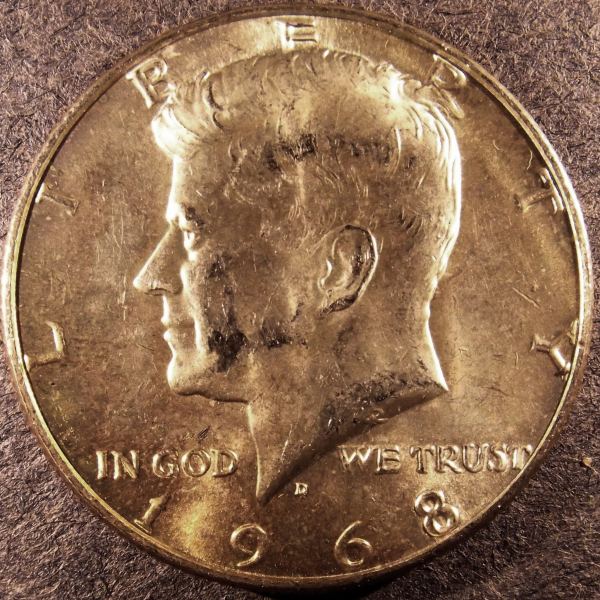
Here is my first attempt with the Jansjos, a tripod and my camera on macros. I also downloaded photoscape, and I like it. Here is a 68 Kennedy I found today: 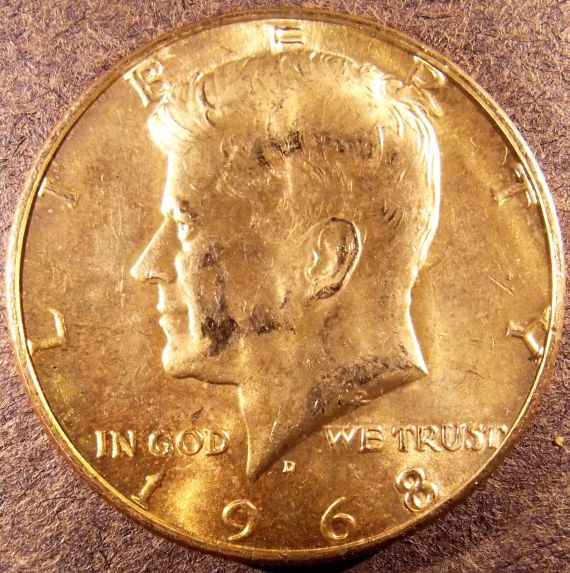 The detail is great. The weird thing is that the coin is much whiter than the picture shows. It is white on top. Near the bottom there is some nice toning running from just above the L until just after 6. Any ideas on how to show the silvery white color? I may also try this with a blast white Morgan and a 2011 Kennedy in MS condition to see how that shows up. Thanks again for you all's help. |
|
Valued Member
United States
364 Posts |
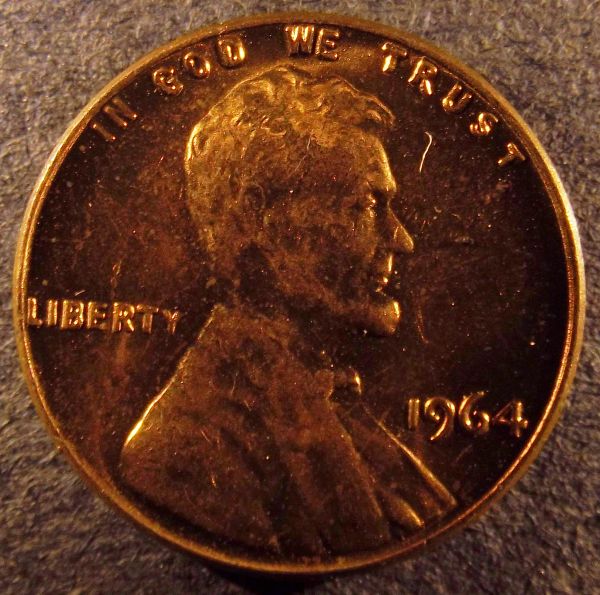
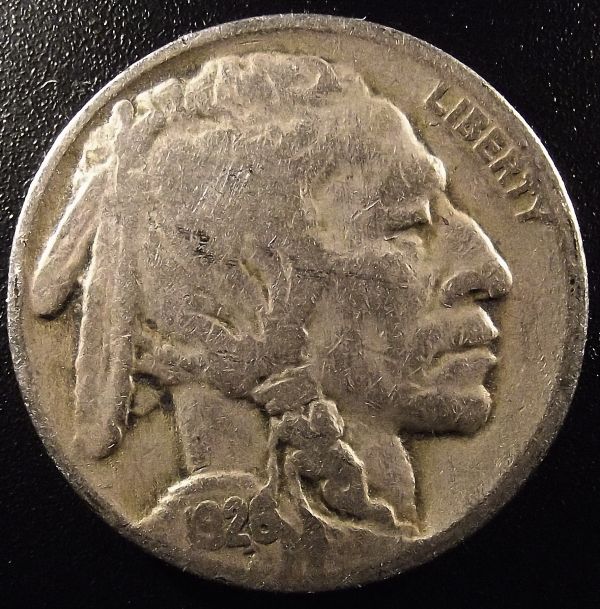
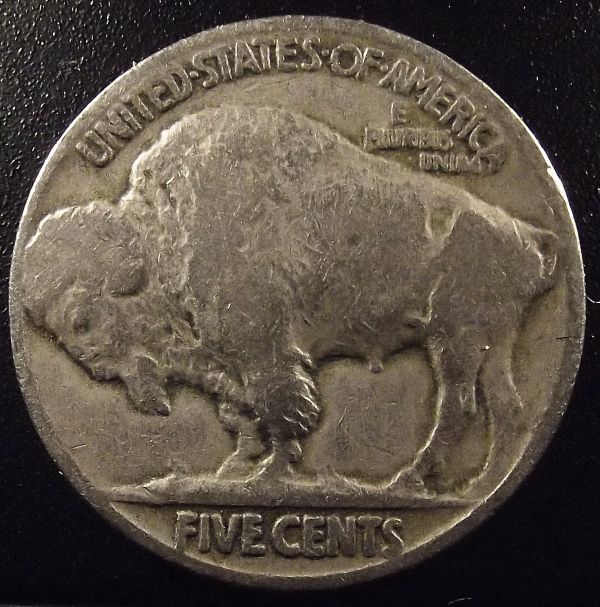
Here are 2 more pictures. Still having some issue with the color. I lowered the ISO from 400 to 64 and 100. I may increase it going forward as the result was better when higher. I also played with the lighting functiona bit. 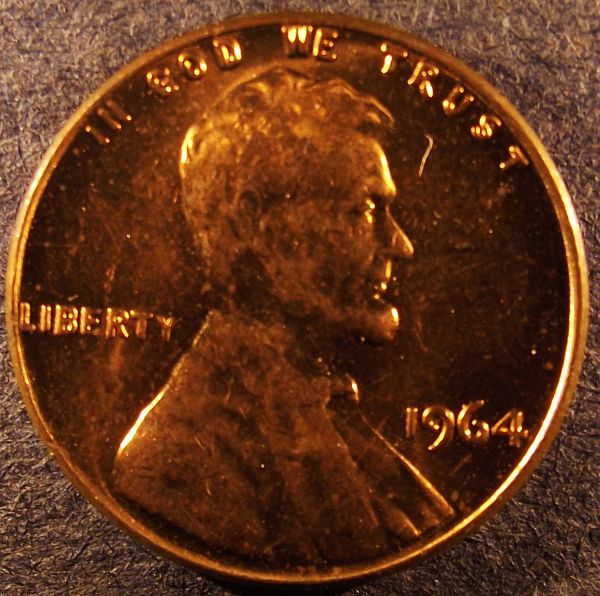 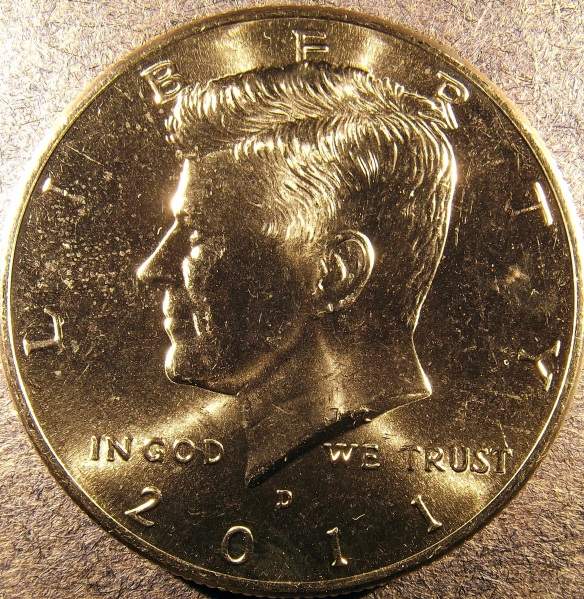 |
|
Valued Member
United States
364 Posts |
|
|
Moderator
United States
23522 Posts |
That set is a nice indication if just_how_difficult coin photography becomes when you introduce luster to the equation - the Buff images say, "golly, this is a pretty good little camera" while the lustrous Kennedy shows less contrast and sharpness. The correct lighting for the shot will change between the two, and it's just a matter of patient experimentation to figure what your particular camera likes best for lustrous silver.
Becoming comfortable with sharpness and contrast adjustment in postprocessing will also be a necessary skill.
|
|
Valued Member
United States
364 Posts |
Thanks SuperDave. Your assesment is exactly what I was going through as I did these. I spent the last 2 nights after the kids went to bed playing with the camera set-up, tripod set-up and lighting to work on coin photographs. After capturing the images, I then played with photoscape to get the color, sharpness etc. as close to real life as possible. As you can see, the 68' D modification made it look more real. As you indicated, the buffalo turned out (at least to my amateur eye) to be quite good.
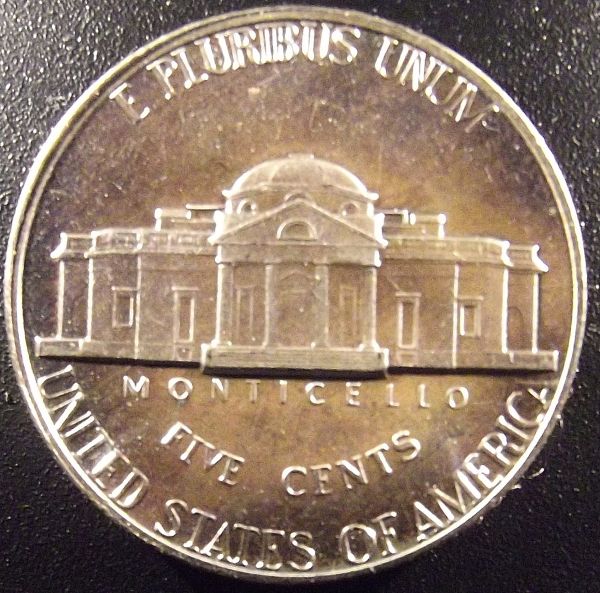
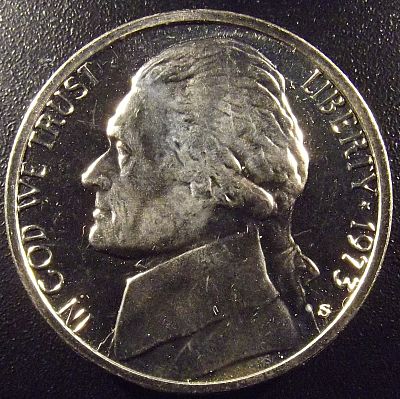
However, the 68' D, the 11' D, the 64' penny and the 73' S nickel introduced varying levels of luster and color to the equation. Frankly, getting the luster to come through was difficult.
These were shot on super-macros from about 1-2 inches away from the coin. I may back it off more, use regular macros and work on the lighting to try and capture the luster. We shall see how it goes. Thank you for the feedback.
|
|
Moderator
United States
23522 Posts |
You've got the right idea, man. Just play.
|
| |
Replies: 15 / Views: 2,597 |
|










 Posted 03/17/2012 11:22 am