Coin Community Family of Web Sites Join Thousands of Coin, Bullion, & Money Collectors
Vancouvers #1 Coin and Paper Money Dealer Specializing in Modern Numismatics Coin, Banknote and Medal Collectors's Online Mall Royal Canadian Mint products, Canadian, Polish, American, and world coins and banknotes. 300,000 items to help build your collection! Royal Estate Auctions - $1 Coin AuctionsJoin Thousands of Coin, Bullion, & Money Collectors


Username:
Password:
Save Password
Forgot your Password?


This page may contain links that result in small commissions to keep this free site up and running.

Welcome Guest! Registering and/or logging in will remove the anchor (bottom) ads. It's Free!

Posting Pictures On This Site

To participate in the forum you must log in or register.
Author Previous TopicReplies: 5 / Views: 1,327Next Topic  
Valued Member
penny mann's Avatar
Canada
53 Posts
 Posted 11/16/2014  5:52 pm Show Profile   Bookmark this topic Add penny mann to your friends list Get a Link to this Message Number of Subscribers
Can anyone explain how I can post pictures on this site. I have tried and I guess I am just not getting it.
Thanks Roy
Pillar of the Community
Medieval's Avatar
3772 Posts
 Posted 11/16/2014  6:00 pm  Show Profile   Bookmark this reply Add Medieval to your friends list Get a Link to this Reply
First, you cannot post picture when you use 'quick reply' but you have to use 'reply to topic' at the top.
The easiest way is to upload it from your computer (tag 'upload' at the bottom if the image is not too large.
To ensure that the image is the proper size I personally use 'Paint' to crop or resize the image.
The second easy way is to use the 'image' bottom at the top of the 'reply to topic' menu, there you can load a picture from an external source.
Also, don't waste space by having a large frame around what you want to show.
Hope this helps.
Pillar of the Community
denco7's Avatar
United States
2543 Posts
 Posted 11/16/2014  6:13 pm  Show Profile   Bookmark this reply Add denco7 to your friends list Get a Link to this Reply
Here are the FAQ's which I am assuming you have already read.

http://www.coincommunity.com/forum/...g-images.asp

Give us an indication of where things are going wrong
Pillar of the Community
Bas S Warwick's Avatar
New Zealand
526 Posts
 Posted 11/16/2014  6:14 pm  Show Profile   Bookmark this reply Add Bas S Warwick to your friends list Get a Link to this Reply
If you are copying a picture using 'right click' 'copy image' make sure you change the file type to JPEG.
Follow Medievals instructions.

Remember you have to make sure the image is under 100kb. Hover your mouse over the picture 'list' menu in Paint to find out the size. If crop is necessary use Image Stretch/Skew.
Valued Member
penny mann's Avatar
Canada
53 Posts
 Posted 11/16/2014  7:43 pm  Show Profile   Bookmark this reply Add penny mann to your friends list Get a Link to this Reply
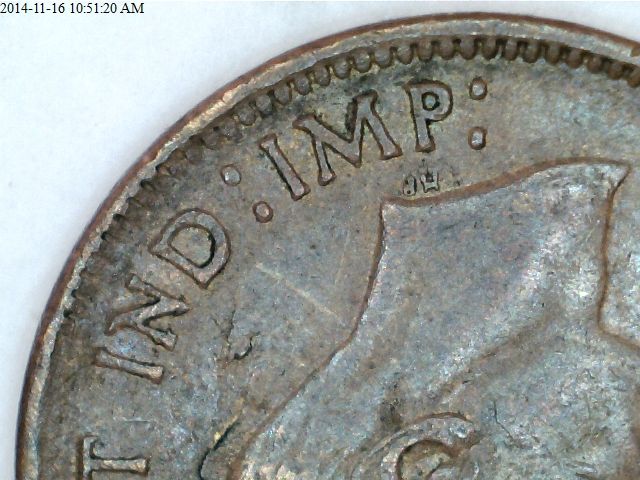
Thank you to Medieval, Denco 7 & Bas s warwick for their direction on posting pictures.

Posting-Pictures-On-This-Site
Pillar of the Community
Bas S Warwick's Avatar
New Zealand
526 Posts
 Posted 11/17/2014  03:09 am  Show Profile   Bookmark this reply Add Bas S Warwick to your friends list Get a Link to this Reply
Looks like its coming together now
Edited by Bas S Warwick
11/17/2014 03:42 am
  Previous TopicReplies: 5 / Views: 1,327Next Topic  

To participate in the forum you must log in or register.


Disclaimer: While a tremendous amount of effort goes into ensuring the accuracy of the information contained in this site, Coin Community assumes no liability for errors. Copyright 2005 - 2026 Coin Community Family- all rights reserved worldwide. Use of any images or content on this website without prior written permission of Coin Community or the original lender is strictly prohibited.
Contact Us  |  Advertise Here  |  Privacy Policy / Terms of Use

Coin Community Forum © 2005 - 2026 Coin Community Forums
It took 0.24 seconds to rattle this change. Forums