| Author |
 Replies: 17 / Views: 4,819 Replies: 17 / Views: 4,819 |
|
Pillar of the Community
Canada
2784 Posts |
I am wondering how can one. get rid of the lens reflection. on a bright metal coin I have tried a lot of different things. but still I see the shadow of the lens. I am presently shooting through a 23 mm hole. the hole is in a white board. I purchased at the dollar store. this very cheap white board is excellent for reflecting. light down on to the coin. the light is from 2 jansjo lamps. but I still see the shadow of the lens. any solutions would be appreciated thank you 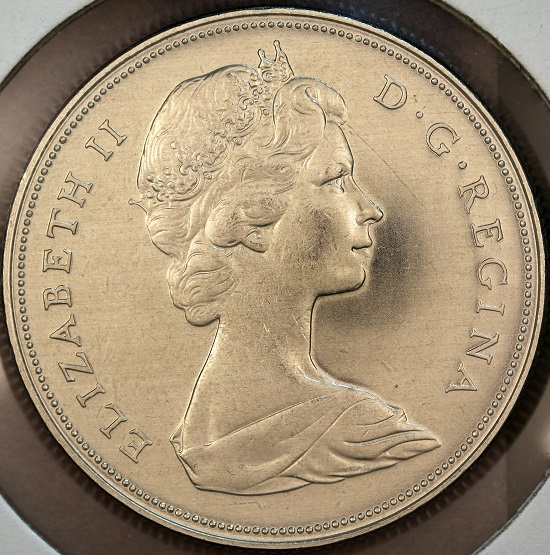 |
|
|
|
Pillar of the Community
United States
9395 Posts |
One possibility (besides the tilt/shift bellows I mentioned earlier) would be to expand the blackout region to cover the whole coin. Here's an example (2009 Denmark 5 Kroner), first with the lens reflection, and the second with the blackout region expanded to cover the whole coin: 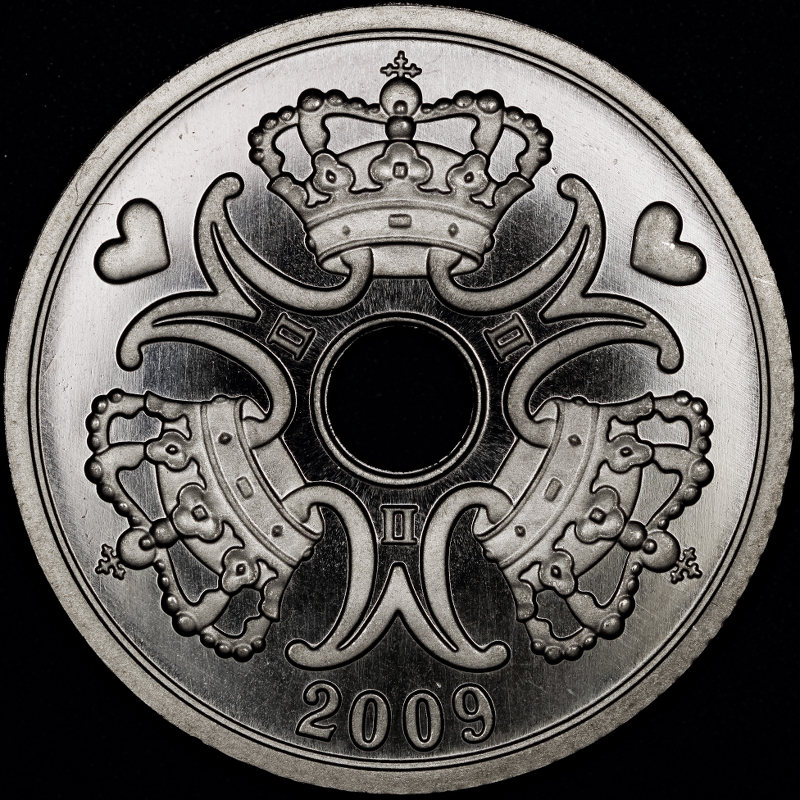 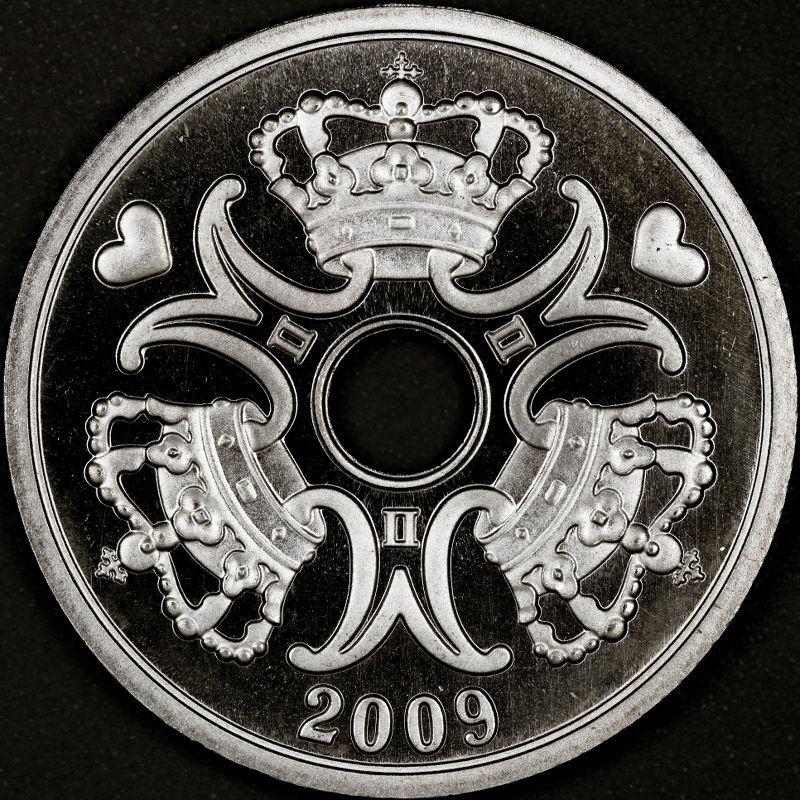 It would be nicer to have the whole coin bright -- I'm looking into the rather unpleasant true axial illumination for this (otherwise I'm stuck with pseudo-axial using the tile-shift bellows. |
|
Pillar of the Community
United States
6011 Posts |
Would it help, perhaps, to shoot from farther away and zoom in a bit? I'm having the same problem with photographing proof coins. One thing I have tried in the past is to shoot at a slight angle, just enough to get the reflection/shadow out of the way. This produces a slightly oblong image, but I can then edit it in Photoshop to adjust the dimensions back to square. Here's an example: 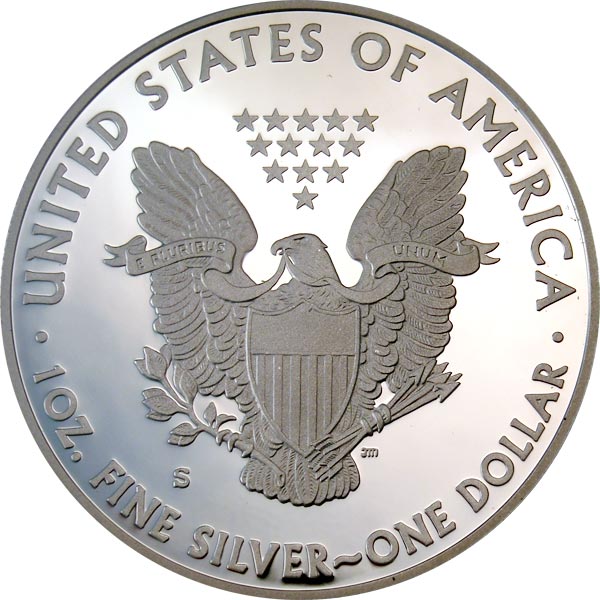 |
|
Pillar of the Community
United States
9395 Posts |
Here is the 2009 Denmark 5 Kroner, using the shift (pseudo-axial) technique with the Nikon PB-4 tilt-shift bellows: 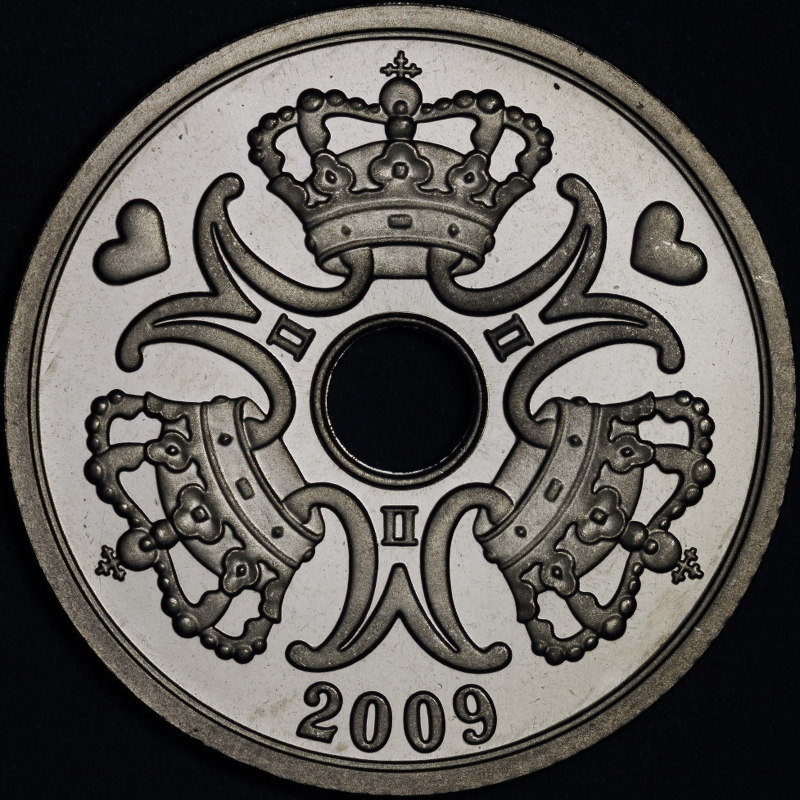 One problem is that you need at least medium bellows extension to use the shift function, so I had to use the 135mm EL-Nikkor for this shot. Another problem with this method would be shooting a slabbed coin, where you get strong reflection off the plastic. |
|
Pillar of the Community
 Canada
2784 Posts |
wow great photos. I have a light. I purchased from Germany. you are able to shoot through the center. I am waiting for the dimmer. the light is 6500k. I will try this. if this don't work then I will try your suggestions thank you all so much. great photos.
|
|
Pillar of the Community
2087 Posts |
Well this thread made me feel like Homer simpson Doh! I had seen this problem so many times in my own work and just didn't click as to what was going on. Reading pepactonius's suggested solution and demonstration. I thought I would give it a go. I don't know much about the PB4 bellows but I do know the Minolta AB III tilt shift bellows and I can tell you from that the cross section of the bellows is large enough to get the necessary shift. that cross section( and I suspect the PB4 is the same just isn't large enough to be useful as it could be. I long while ago I discovered the Minolta 100mm F4 bellows lens actually projects an image circle large enough to cover a 645 medium format sensor( For that reason I think the lens was adapted from an enlarger lens design.) I quickly discovered the Olympus OM 135 f 4.5 bellows lens also projected a very large image size. The problem is the Minolta tilt shift bellows cross section just doesn't allow you to use that wonderfully large image circle. My solution: A Mamiya 645 MF tilt shift bellows with the requisite adapters. To fit the camera I use a fotodiox adapter. To fit the lens I use a Mamiya 645 67mm reversing ring. Raf camera made me an adapter with a 67mm female thread and a 45mm femal thread. I then use the lens mount section from a Minolta extension ring set ( 45mm male thread. The large cross section of the mamiya bellows allows me to take full advantage of the image circle from both lenses: Here a cell phone photo of the set up with the Oly 135mm lens. Note I am using 0.6 magnification with a working distance of aprox 31cm. Not the funny looking white spot near the medal is much reduced glare( cell phone photos just aren't my thing) 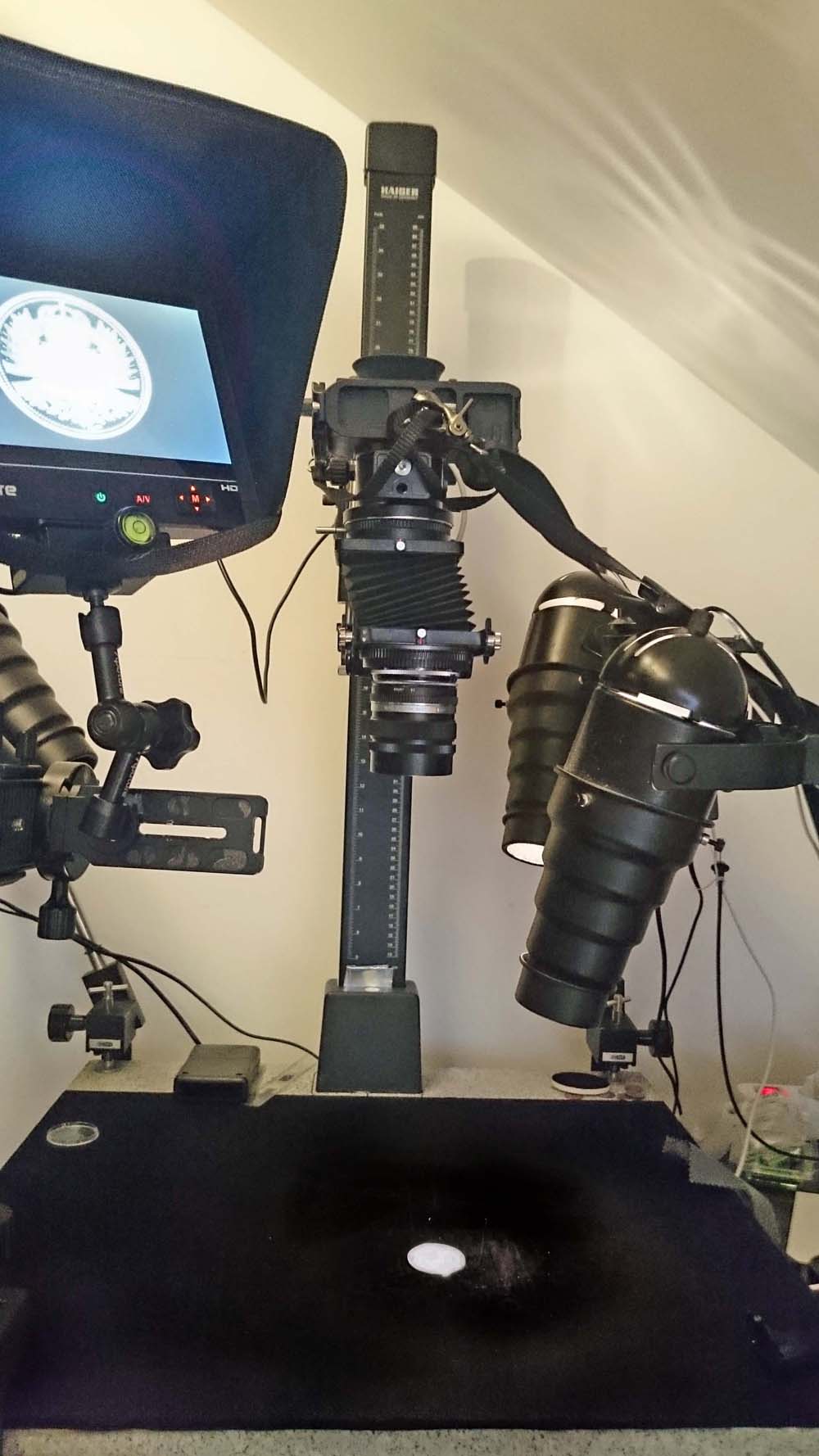 this is the resultant photo. It looks like an axial lighting shot. It is also just a very quick test shot( I think its horrible) 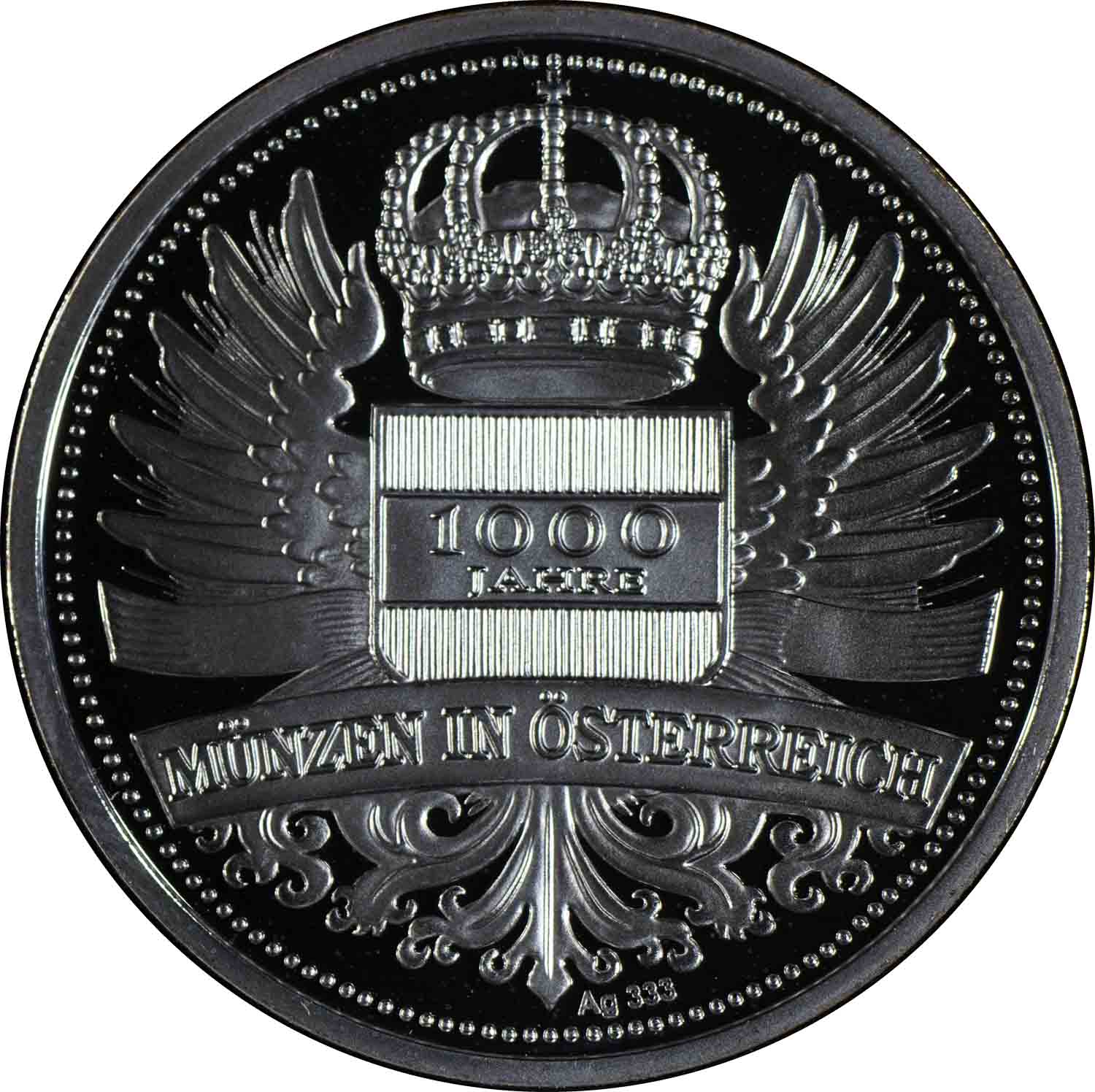 With smaller coins I can get high magnifications and a much greater degree of shift. Mamiya bellows are expensive..I hunted a couple of years for mine... I managed to get one with a holed bellows for under US$100.00 I then found a firm in the UK who could make a new bellows for it. All up it cost me just over US$200.00 Edited by austrokiwi
02/29/2016 09:34 am
|
|
Pillar of the Community
Canada
2784 Posts |
I tried the light from Germany no improvement. went for a long walk. so I was thinking. if the idea is to not have the lens center over the coin. what if using focus stacking in conjunction. with a pendulum. mounting base for the camera. so the camera would have to move in a arc. the focal point would have to be just ahead of the lens. no that wont work. the focal point has to be right at the coin. so the sweep for the camera mount has to always no matter the angle come from the coin. that way you shoot the coin from both sides of center. your focus never changes. Photoshop, helicon or combine zerene. put all the images together. flatten that should correct this problem.. I will head to a machine shop in the next couple of weeks and build this unit. if it works I will show you all how to do this. I would like any opinion's and thoughts. if you can think of another way please share. it will help us all
|
|
Pillar of the Community
2087 Posts |
There is a reason hades is full of lawyers and heaven is full of engineers! I look forward to seeing your idea in action it sounds sweet
Edited by austrokiwi
02/29/2016 11:57 am
|
|
Pillar of the Community
United States
9395 Posts |
Quote:
It is also just a very quick test shot( I think its horrible) To get the uniform bright field look, I think you need to move the lights around until they are reflected in the coins mirror surfaces. Probably one diffused light is best, where the diffuser needs to be large enough to be reflected back from the whole coin surface. Also, when I did my shot, I got a little bit more offset by placing the coin image at one end of the sensor. The 135mm EL-Nikkor is supposed to cover 4x5 negative (although some folks claim that it's barely adequate for 4x5 and you really need the 150mm lens), so coverage is adequate for the extra shift. With an APS-C sensor, the Nikon PB-4 opening seems adequate for shots like this. It might be a different story with a full-frame sensor. |
|
Pillar of the Community
United States
9395 Posts |
Quote:
that way you shoot the coin from both sides of center Sometimes big shifts in the entrance pupil location cause trouble for stacking programs. This is especially true if there are overlapping spines, etc. Fortunately, coins don't have these features, so you might get away with this approach. It'll be interesting to see pictures of and from your setup once it's operational. |
|
Pillar of the Community
Canada
2784 Posts |
wanted to share a couple of little experiments. I have tried first I offset the coin. I stood a piece of white acrylic next to the coin. I slightly tilted the acrylic. towards the coin. this gave the coin a nice creamy look. second set the coin the same. this times used a piece of stainless steel. slightly tilted the stainless. towards the coin. this time the coin got a beautiful nickel metal look. so if we can figure away. to shoot coins using slight angles. using these 2 types of material as reflectors. Appling focus stacking. this should eliminate the lens shadow. plus take care of dark shadows on the coin. because the coin get photography from both sides. I did an experiment of slanting the xy stage. I photographer at the high side. I moved the coin from the low side. to the high side. photographed the coin in one millimetre increments. still got the lens shadow. so that why I think the only option. is to away shoot from one side to the other. moving the camera. never shoot dead center. that should eliminate the lens shadow. well we shall see
|
|
Pillar of the Community
Canada
2784 Posts |
wanted to try to see. if I can avoid axis lighting. I am getting closer. to the image I want. I would like that the coin looks exactly. as it does in my hand. I will later mount my canon t1i with a nikon macro lens on it. see what I can get. I am wondering as there a way in photo shop. to get ridge of a very small black dot on a coin. that is the lens reflection. 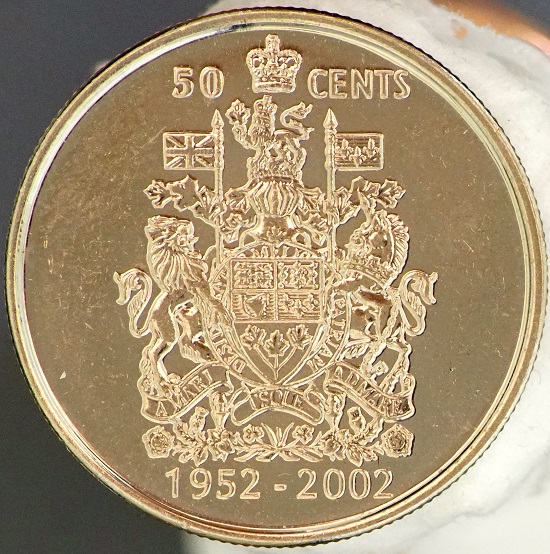 |
|
Pillar of the Community
United States
949 Posts |
Quote:
(besides the tilt/shift bellows I mentioned earlier I feel like a dummy, but I tried to find the earlier reference pepactonius gave mentioning/discussing this, and could not. Could I get some help? I have to replace/repair the Nikon PB-6 bellows I have been using and have been considering going over to the PB-4. This thread motivates that a bit, but the comments from austrokiwi make me wonder if I should go for a Minolta tilt-shift instead. Then again, most of the ancients I shoot don't have the kind of highly polished reflective surfaces you guys are dealing with, so maybe the lens reflection problem won't factor into my work much at all. I just don't know. |
|
Pillar of the Community
Canada
2784 Posts |
lrbguy hello well I have found away around. the lens reflection. I never tried the tilt shift. the other members on this thread has. but I have found a solution that works for myself. the hardest coin to shot is the Canadian half and full dollar. they are like perfect mirrors. if you do get a lens reflection. I will tell you away that is working for myself. all you need is a piece of glass plus lights. have a great one 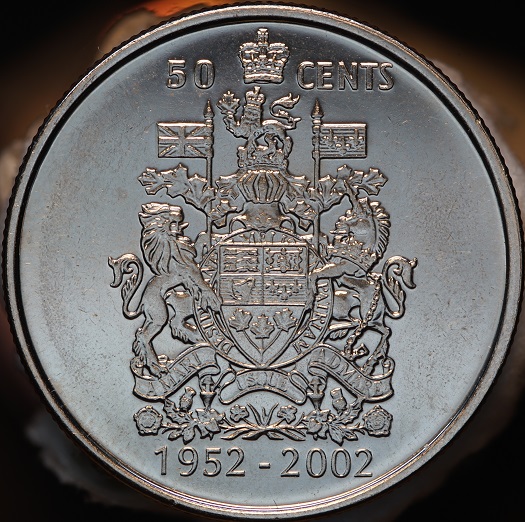 |
|
Pillar of the Community
Canada
2784 Posts |
|
|
Pillar of the Community
United States
949 Posts |
Thanks Rocky, but I'm afraid I was ambiguous in my request. I started downloading the tips and tricks that Doug Smith uses on ancients years ago already. He has some good stuff generally, and I thank you for the thought. However, the help I was looking for was in tracking down a link to the thread where pepactonius made specific reference to his tilt/shift setup.
I'm trying to decide whether it is worth going after a Nikon PB-4 and part of that involves understanding just how the use of shift addresses this problem. Tilt I usually associate with increasing depth of field.
|
| |
Replies: 17 / Views: 4,819 |










 Posted 02/20/2016 3:26 pm


