| Author |
 Replies: 19 / Views: 3,413 Replies: 19 / Views: 3,413 |
|
Pillar of the Community
United States
887 Posts |
I currently use a Canon 50D with a Canon 100mm Macro, and a Sunpak ringlite. I have been thinking about getting a digital microscope, and was looking at the Celestron Handheld Digital Microscope Pro 5mp. But I'm not sure if I really need the 20x-200x vs the 1:1 set-up I have now. I also don't know how good the image quality of the Celestron is in comparison. I'm including 2 images of what I can do now. 1st is the full frame 1:1, and the second is a 100% crop of the date of the same image. Will I really see a benefit of getting the microscope? 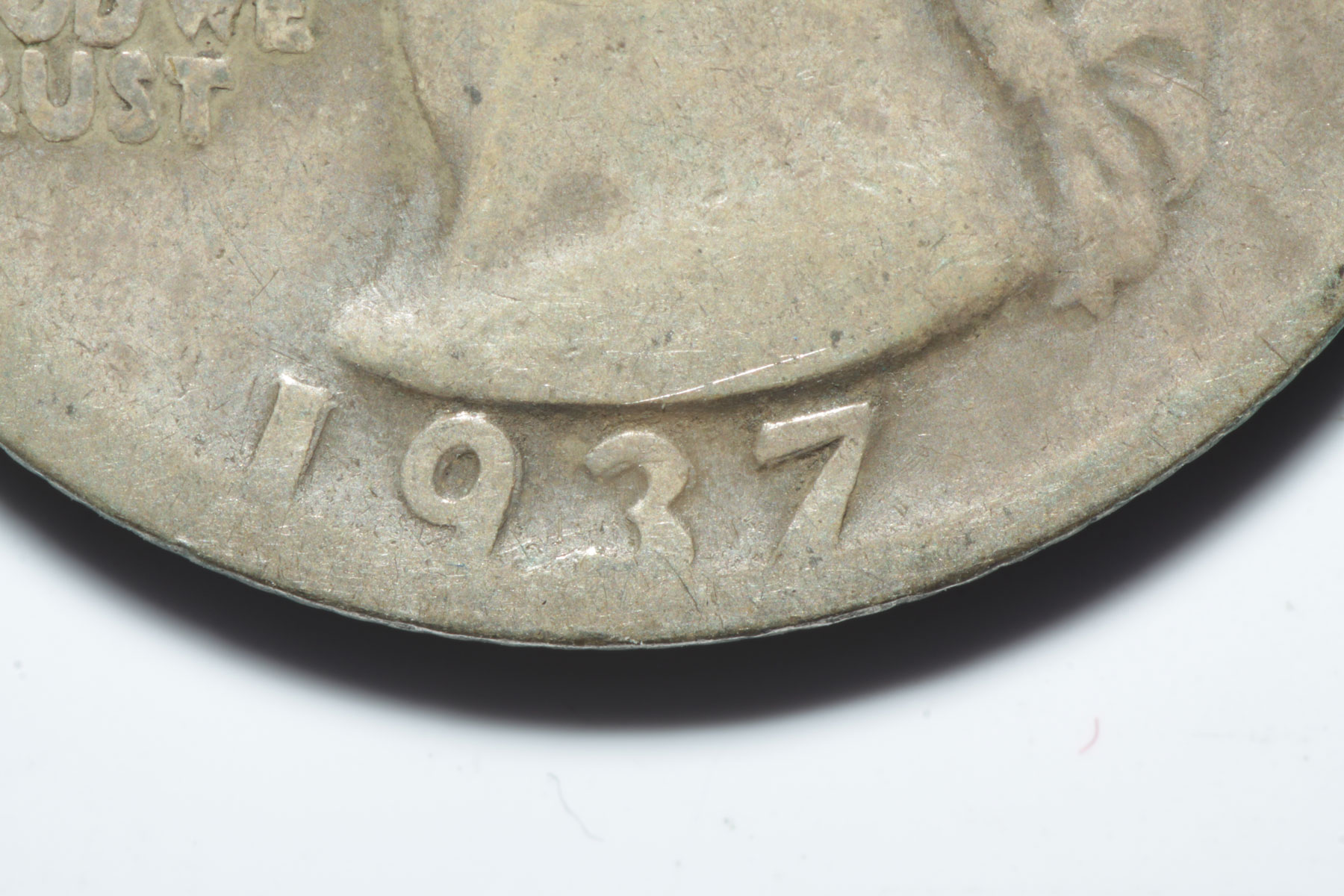 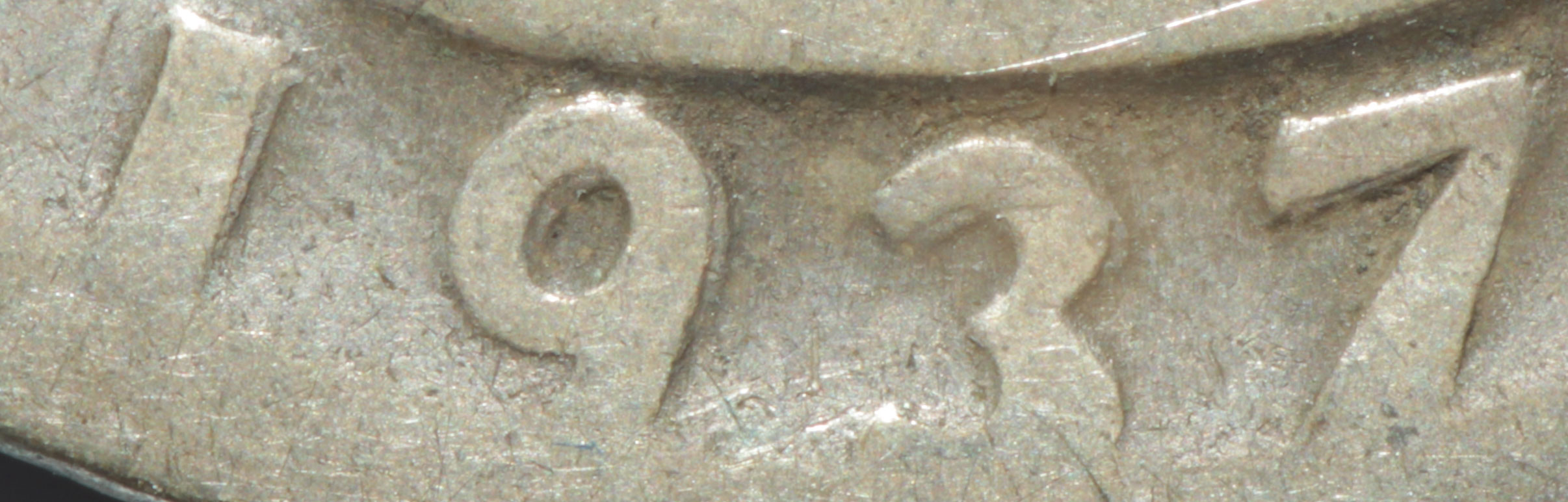 |
|
|
|
Bedrock of the Community
United States
12477 Posts |
I've never used one of those digital microscopes so I can't really say but I do have a question. Do you look for RPMs? In that case, I think the microscope will help. The cropped image above is great but, what can you do with your setup to photograph a Lincoln Cent's mintmark (or other very small details)? In Memory of Crazyb0 12-26-1951 to 7-27-2020
In Memory of Tootallious 3-31-1964 to 4-15-2020
In Memory of T-BOP 10-12-1949 to 1-19-2024
Edited by spru
07/18/2017 11:03 pm
|
|
Pillar of the Community
United States
1334 Posts |
Why not use both?
I have a digi-micro 200x scope that I keep hooked up to my laptop and I also have a Canon T6 dslr with a 24mm lense and a vivitar wide angle macro attachment for the stock 18-55 lense.
The digital microscope costs less than $30 shipped to your door. And is indespensible for scanning large ammounts of coins in a short period of time.
So for example when going through bags & rolls of wheaties looking for die and MM varieties. I can flip on my scope & laptop and scan and photograph dozens of coins in less time that it takes me to setup my Canon, lenses & lighting. Photograph coins then Download the photos to laptop, post edit, etc.
|
|
Pillar of the Community
 United States
4051 Posts |
Just buy a 2x teleconverter and you'll probably get enough magnification, at higher quality, so you don't need to buy the DSLR.
|
|
Pillar of the Community
7234 Posts |
Stick with the Cannon - lots more fun!   Really - your pics are great!!!!! Edited by Mark1959
07/19/2017 12:31 am
|
|
Moderator
United States
56855 Posts |
Try taking and posting a pic of an RPM with your current setup. Your pics seem fine as is. I have two scopes and try not to use unless I have to. I like using a point n shoot camera.If you do get a scope,get one that goes as low as possible and not higher than 150x.Also,you can buy a scope for under $20,so if you want to go ahead and experiment.The lighting will drive you  John1  |
|
Pillar of the Community
 United States
887 Posts |
When I get home, I'll do an RPM, and see how that goes.
There is no set-up time with the Canon. All I have to do is turn it on. I keep it mounted on the tripod, I use an AC adapter instead of batteries, and even though I could tether, I find it easier to just d/l images off the card.
The lighting with the digital microscope is what I think would kill it for me. I have my current system set where I have to do no editing, other than cropping. I;ve seen some of the lower end microscope images, and well, let's just say they don't meet my requirements without massive post editing.
|
|
Pillar of the Community
United States
4051 Posts |
If you are not tethering, are you at least using Live View? If not, you will never get a really sharp image from it at these higher magnifications. Tethering and viewing on-screen automatically forces Live View to be active, which in turn forces the vibration-free shutter EFSC function to be active. This eliminates both shutter shake and mirror slap. If you don't turn on Live View manually, then you will get both of these issues and sharpness suffers.
That said, I assume your ringlight is continuous? If it's a flash, then this helps to minimize both shutter shake and mirror slap if you have the flash trigger set properly.
|
|
Pillar of the Community
 United States
4621 Posts |
I have both. I use the Celstron as a quick & dirty check - hooked up to phone or tablet, it's easy to scan coins. Used it to check the wife's finger for a splinter two nights back.
But quality wise, even though it's higher MP than the usual 2MP cheap digital microscope, it's nothing by comparison with the DSLR.
-----Burton 50+ year / Life / Emeritus ANA member (joined 12/1/1973) Life member: Numismatics International, CONECA Member: TNA, FtWCC, NETCC, EveryCountry (online) coin club Owned by three cats and a wife of 40+ years (joined 1983) Author: 3rd Edition of the Sample Slabs book, https://www.sampleslabs.info/ |
|
Pillar of the Community
United States
887 Posts |
Quote:
If you are not tethering, are you at least using Live View? If not, you will never get a really sharp image from it at these higher magnifications. Tethering and viewing on-screen automatically forces Live View to be active, which in turn forces the vibration-free shutter EFSC function to be active. This eliminates both shutter shake and mirror slap. If you don't turn on Live View manually, then you will get both of these issues and sharpness suffers.
That said, I assume your ringlight is continuous? If it's a flash, then this helps to minimize both shutter shake and mirror slap if you have the flash trigger set properly. Yes, I use live view, and I use the timer. The ringlight is not continuous, it also has an offset light (not just the ringlight) which is what I use. I don't use mirror lock up, but I haven't seen any camera shake, and I'm a pixel peeper. |
|
Rest in Peace
United States
2668 Posts |
 Besides my digital microscope, I just realized I could set up my old I4 with the lens adapter I have for it. Gotta find the adapter - I moved a year ago. |
|
Pillar of the Community
United States
887 Posts |
Here is an RPM shot I just took. First is uncropped, second is a 100% crop of the RPM (it's a '56 D/D fyi). If I wasn't lazy, I'd do it again and focus more carefully. 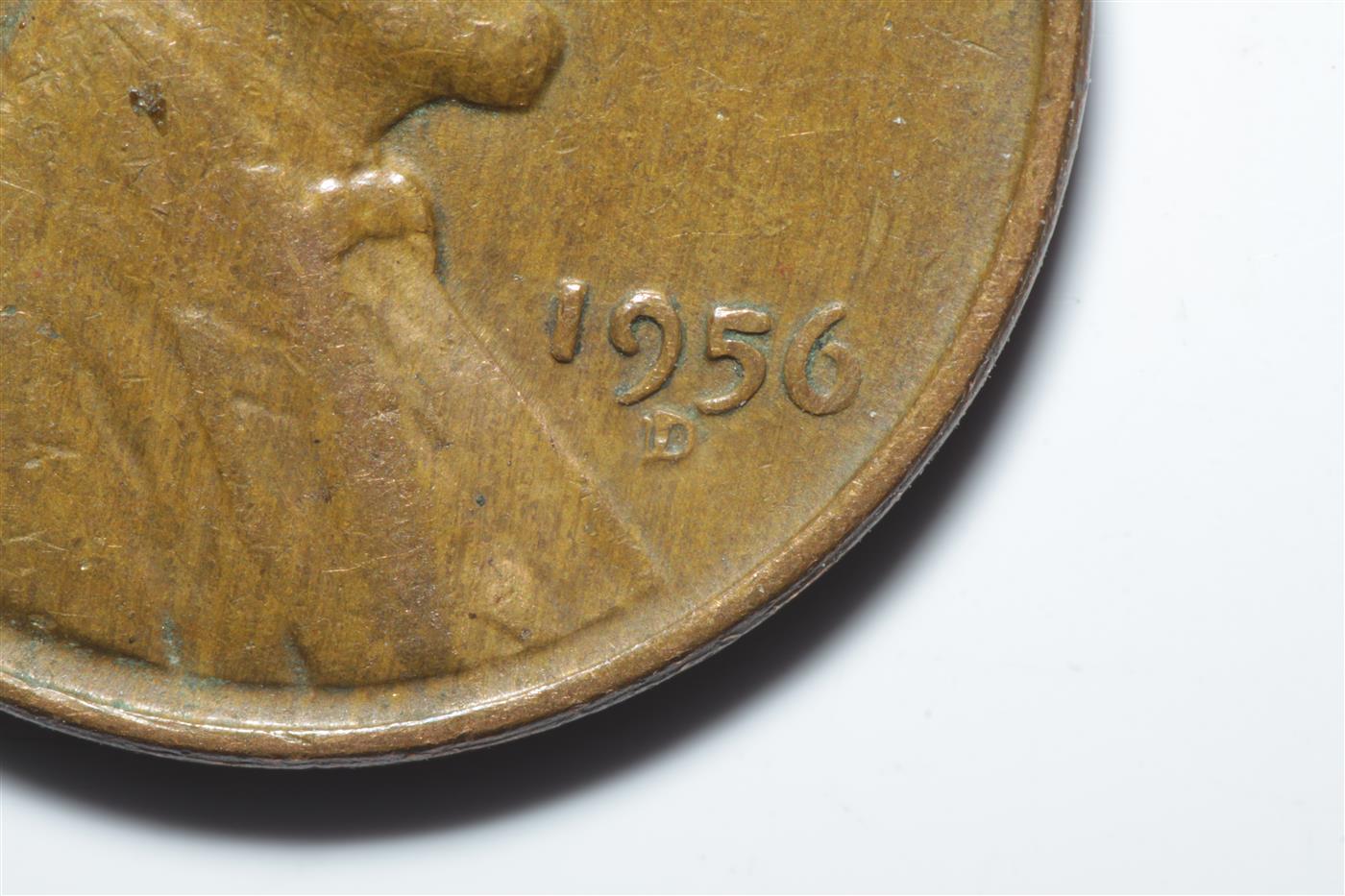 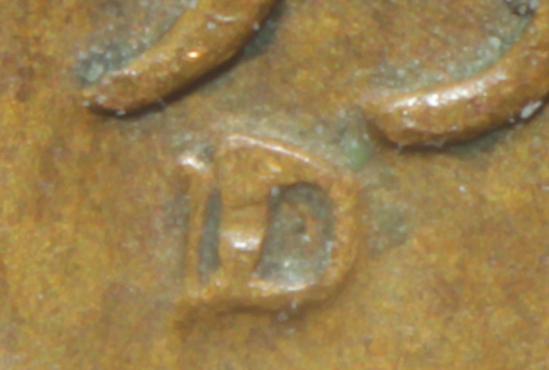 Edited by Beefer518
07/19/2017 3:48 pm
|
|
Moderator
United States
56855 Posts |
Stick with your set up. Other than being a bit out of focus it looks good. John1 |
|
Pillar of the Community
United States
4051 Posts |
The image looks to be suffering from "100% crop syndrome". This "syndrome" relates to the reduction of detail at pixel level due to Bayer demosaicing. Background is that the Bayer array does not give full RGB information to each pixel. The missing information must be interpolated, and this process results in reduced resolution.
Your camera also has an Anti-Aliasing filter, known colloquially as a "blur filter". This filter spreads information from each pixel to adjacent pixels in the array in order to minimize moire effects. Ironically, this actually helps to improve the Bayer demosaicing problem, but causes a reduction in resolution on its own.
The best way to reduce these effects, and ensure you are getting good final image sharpness, is to downsize the image by a minimum of 2x.
Problem is this will reduce your final image size as well, possibly farther than you'd like. To mitigate this effect, you can use a 2x teleconverter to "spread" the optical information across more pixels. There is very little optical loss in doing this as long as the teleconverter is decent quality. With the magnification effectively doubled, you can now downsize the image by 2x to eliminate the effect of "100% crop syndrome", and the final image will be the same size as the original (without teleconverter) but significantly sharper.
Edited by rmpsrpms
07/19/2017 6:09 pm
|
|
Valued Member
United States
441 Posts |
Ray...is it possible to get the same magnification using extension tubes vs. a teleconverter?
If not, what teleconverter do you recommend to use with a Canon Rebel or T6i using a bellows with M42 enlarger lenses or native EF or EF-S lenses?
|
|
Pillar of the Community
United States
4051 Posts |
The nice thing about a 2x teleconverter is it simply magnifies the image 2x, while keeping the working distance and lens parameters fixed. You can get a similar effect with more extension, but if the lens is optimized at a lower magnification, its sharpness may suffer. This is especially true for dedicated macro lenses like the OP's 100mm Canon. It is not at all designed to operate correctly when extended an additional 100mm from the camera, and with the coin closer to the lens. This is well outside its design window. It is much happier just having a teleconverter take its 1:1 image and magnify it to 2:1. This is also true for duplication and reproduction lenses that are designed to operate in a narrow range of magnification. I learned this trick long ago using a 105mm Printing-Nikkor, which is happiest right at 1:1, and loses corner performance quickly at higher or lower magnifications. Operating it at 1:1, with a teleconverter, gave me a superb 2:1 image. More general use lenses such as enlarging lenses can be operated with extension at less loss of image quality. In fact, many enlarger lenses will prefer to operate at 2:1 vs 1:1 for instance. An El-Cheapo Vivitar 2x-1 in M42 works very well for this purpose. They are typically <$20 on ebay. I prefer the newer ones (all black, no aperture ring) but the older ones should work fine as well. |
| |
Replies: 19 / Views: 3,413 |









 Posted 07/18/2017 10:28 pm


