









 Posted 11/17/2017 8:36 pm


You can do it in the free app Photoshop Mix.
Find two coin pictures of similar lighting and toning, then click on the layer and change the opacity slider.
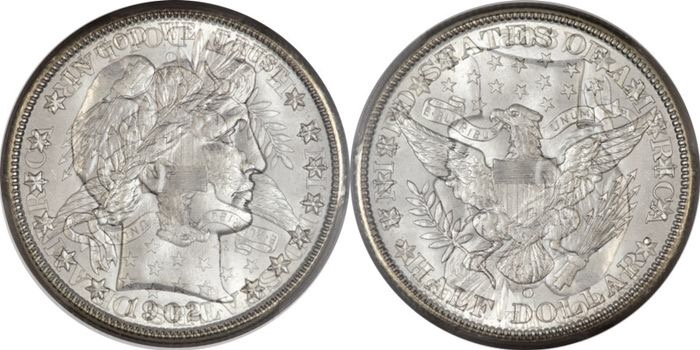
Edit: here's one I did in 3 minutes. (2 minutes to find a suitable picture & 1 minute to do the 'shopping.)
Edit 2: 100% opacity on the base image, between 30 and 40% on the top image.
Find two coin pictures of similar lighting and toning, then click on the layer and change the opacity slider.
Edit: here's one I did in 3 minutes. (2 minutes to find a suitable picture & 1 minute to do the 'shopping.)
Edit 2: 100% opacity on the base image, between 30 and 40% on the top image.
Edited by RoyCoinBoy
11/17/2017 8:44 pm
11/17/2017 8:44 pm


 I'll have to try it. I used Photoblend before.


