If this is not the appropriate place for this, I apologize, but I would like to create an easy to link walk-through of what I do to upload pics that may help those having trouble.
This assumes that the pics are already under 300kb and ready to be posted. I am using an LG G6 and Android 7.0, so it won't look the same to everyone on mobile/tablet, but should be pretty similar.
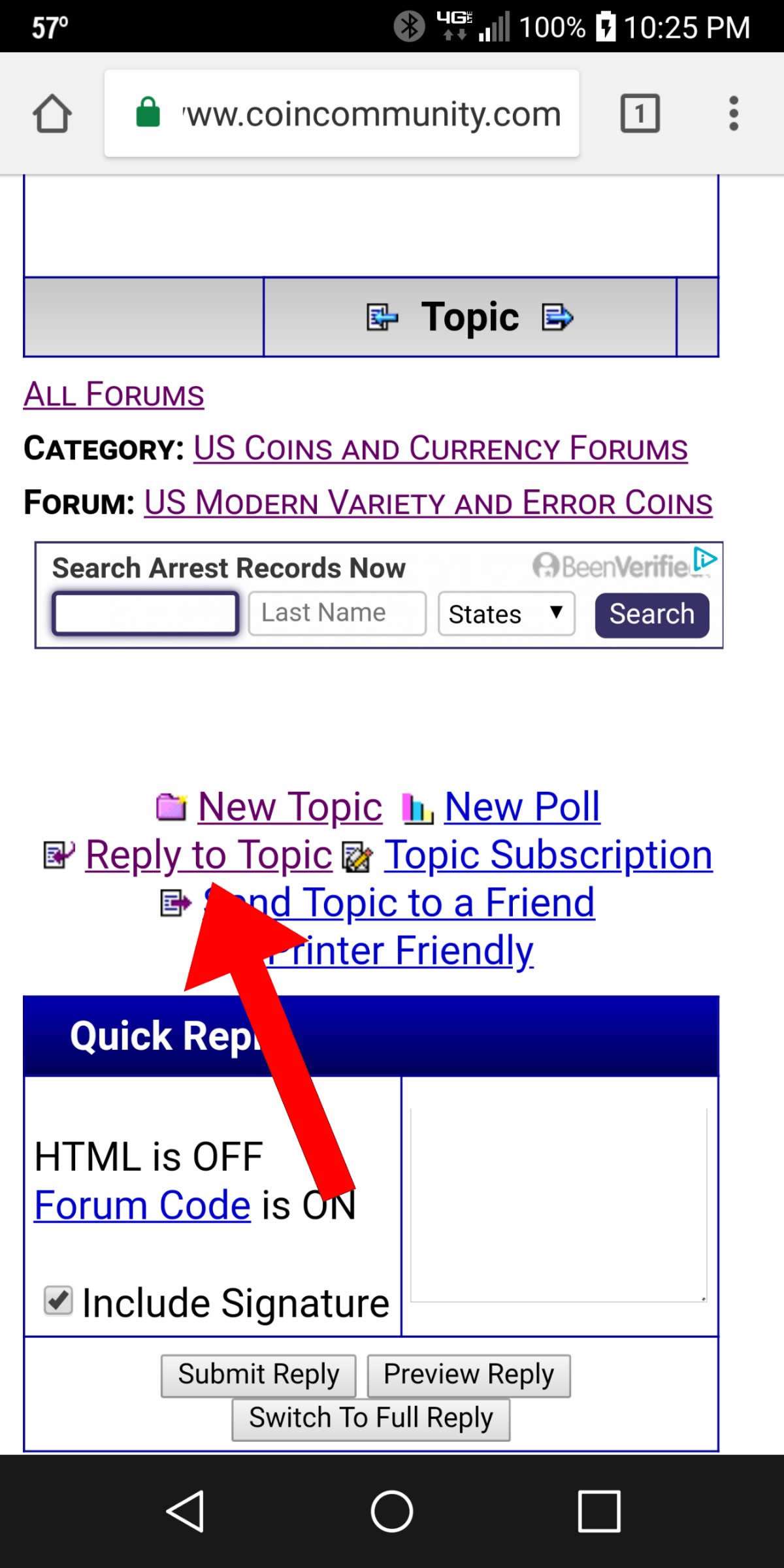
You must be in Full Reply. If you are starting a new topic you are already in that and if you are responding to someone else's topic, click this:
Many times it is easier to upload pics first and add text around/between them later, so click this:
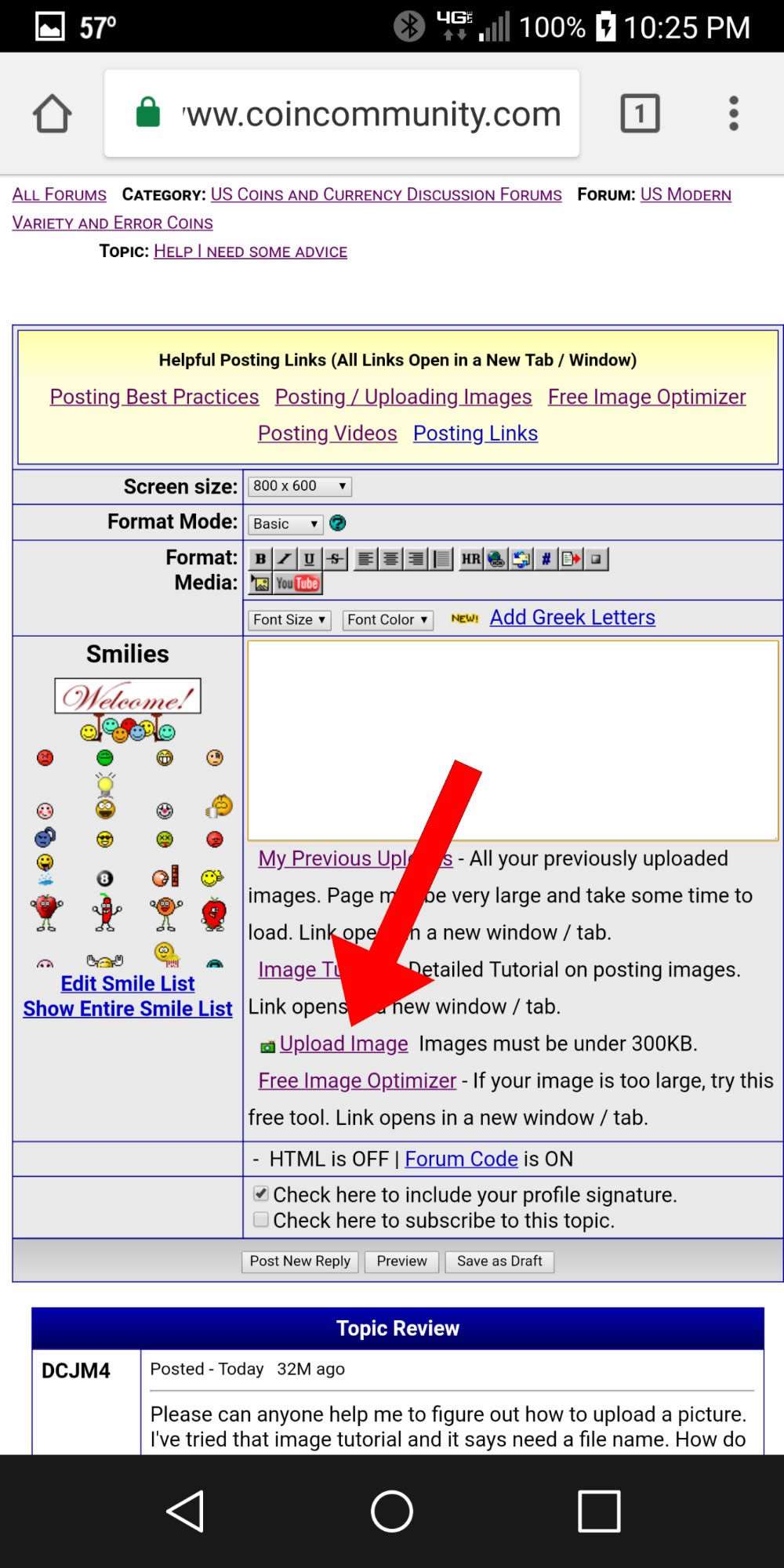
Then begin the file selection process here:
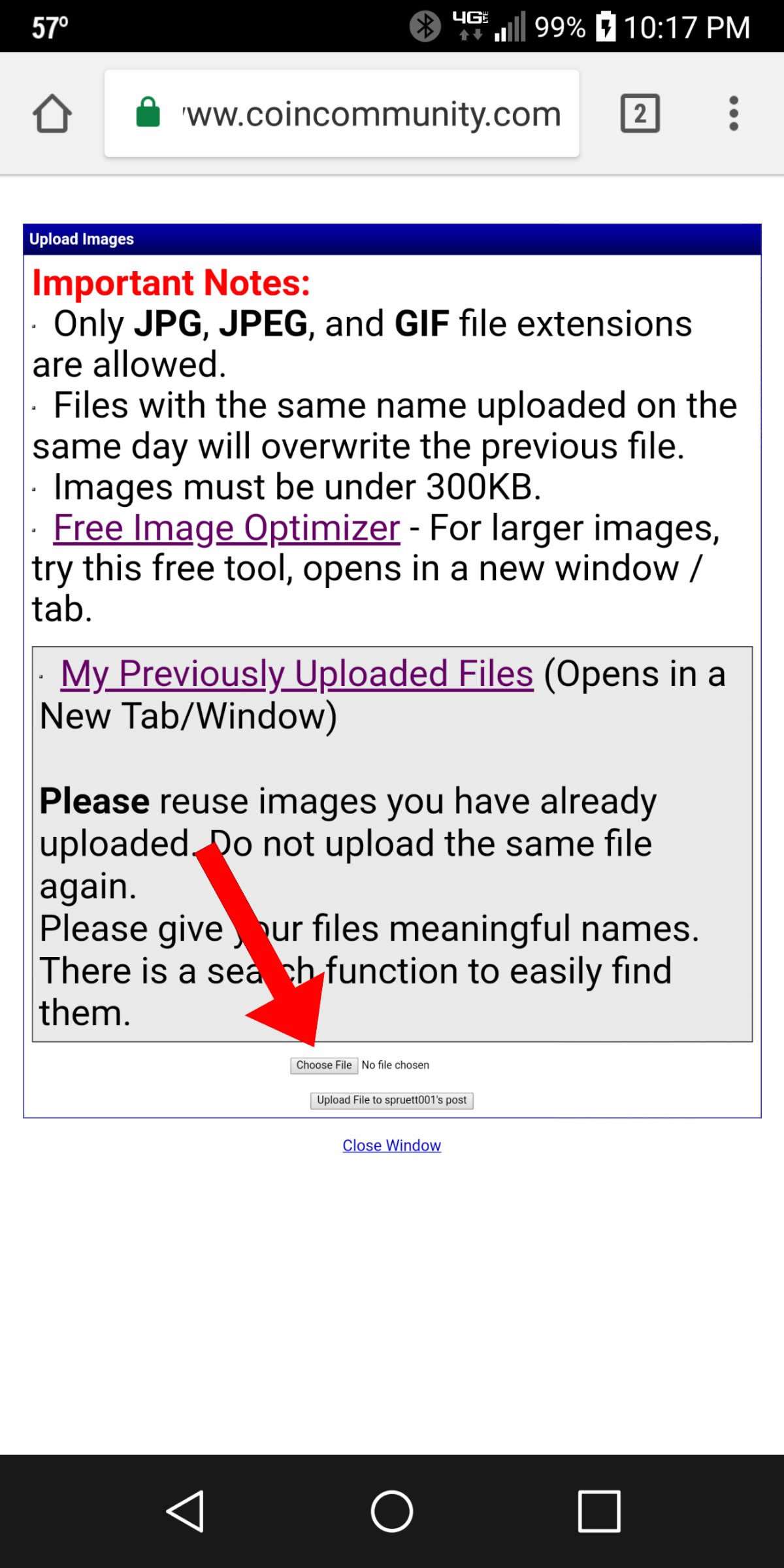
On my phone, the menu shown below pops up (I suspect something similar on other devices). If the picture is saved to your device, select Documents, Gallery, Downloads, etc. depending on the device/OS.
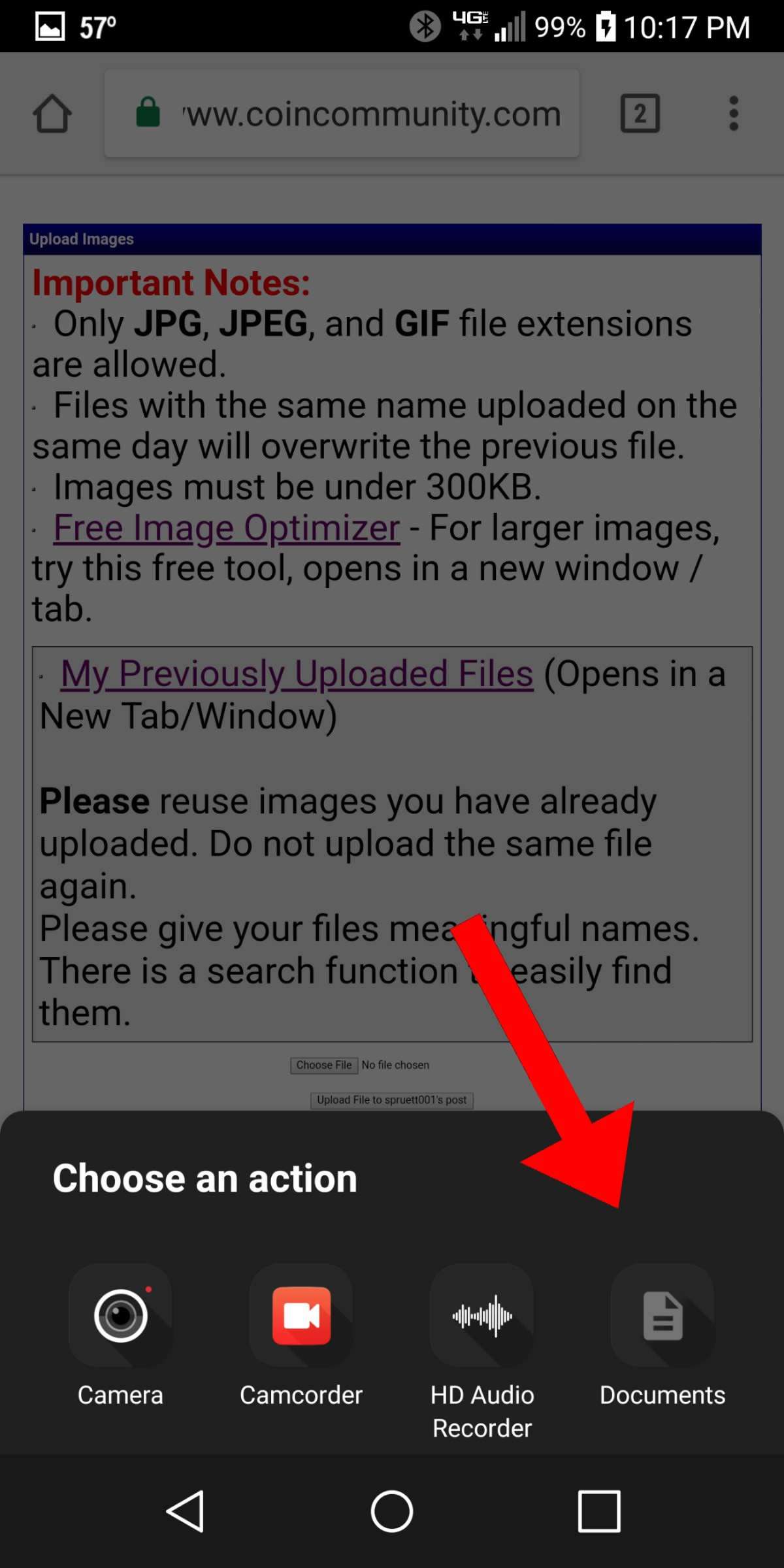
When I select Documents, I am automatically taken to Downloads. Since I used the Image Optimizer to resize my pics and had to download the resized images, they are in downloads. If there was no need to optimize them and download, then I will need to navigate to my Gallery and Album that contains the original pic I want to upload using the Menu button in the top left corner. I select the first one I want to upload to my post:
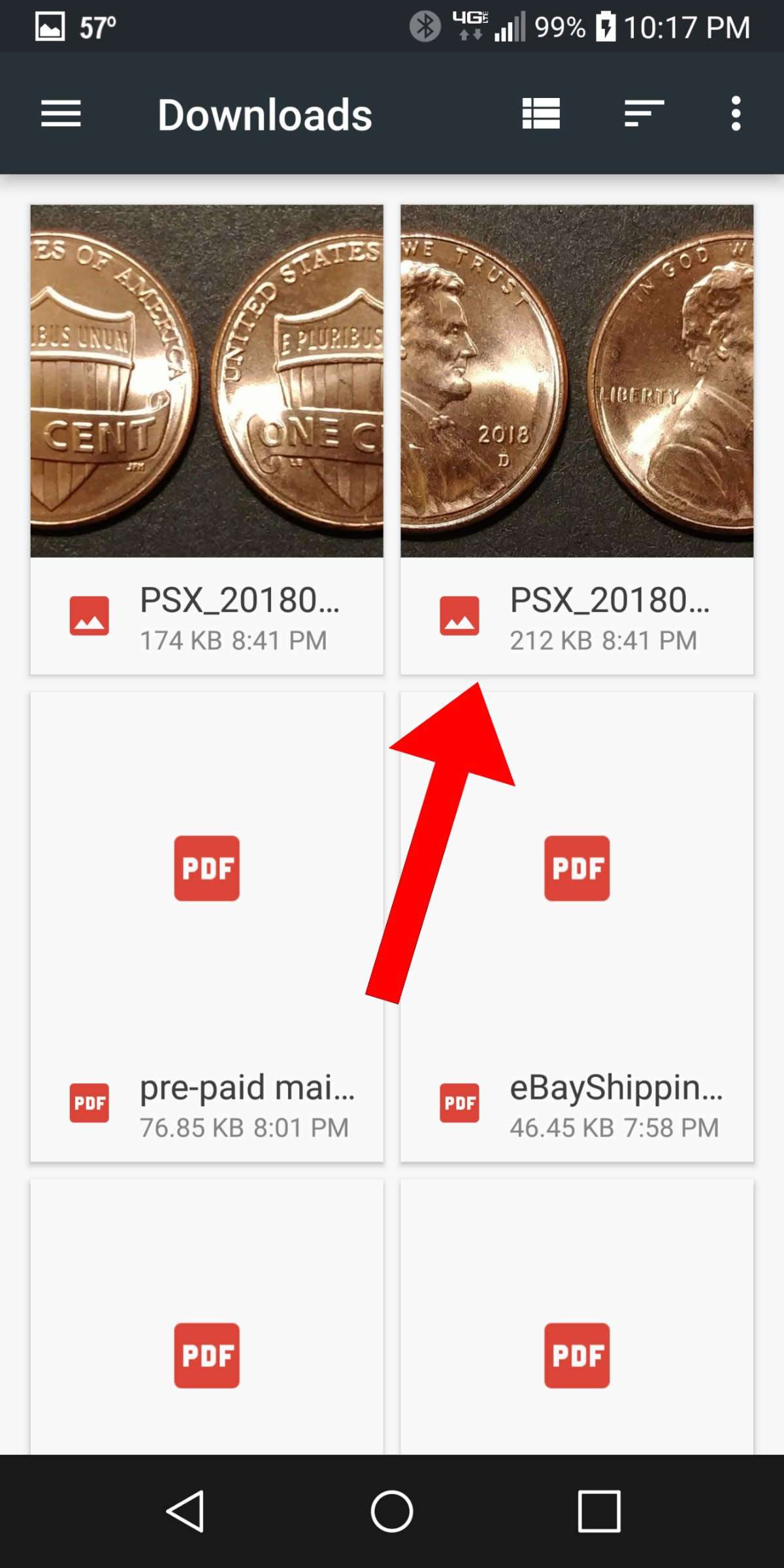
Now that the file has been chosen, I must select to upload it to my post:
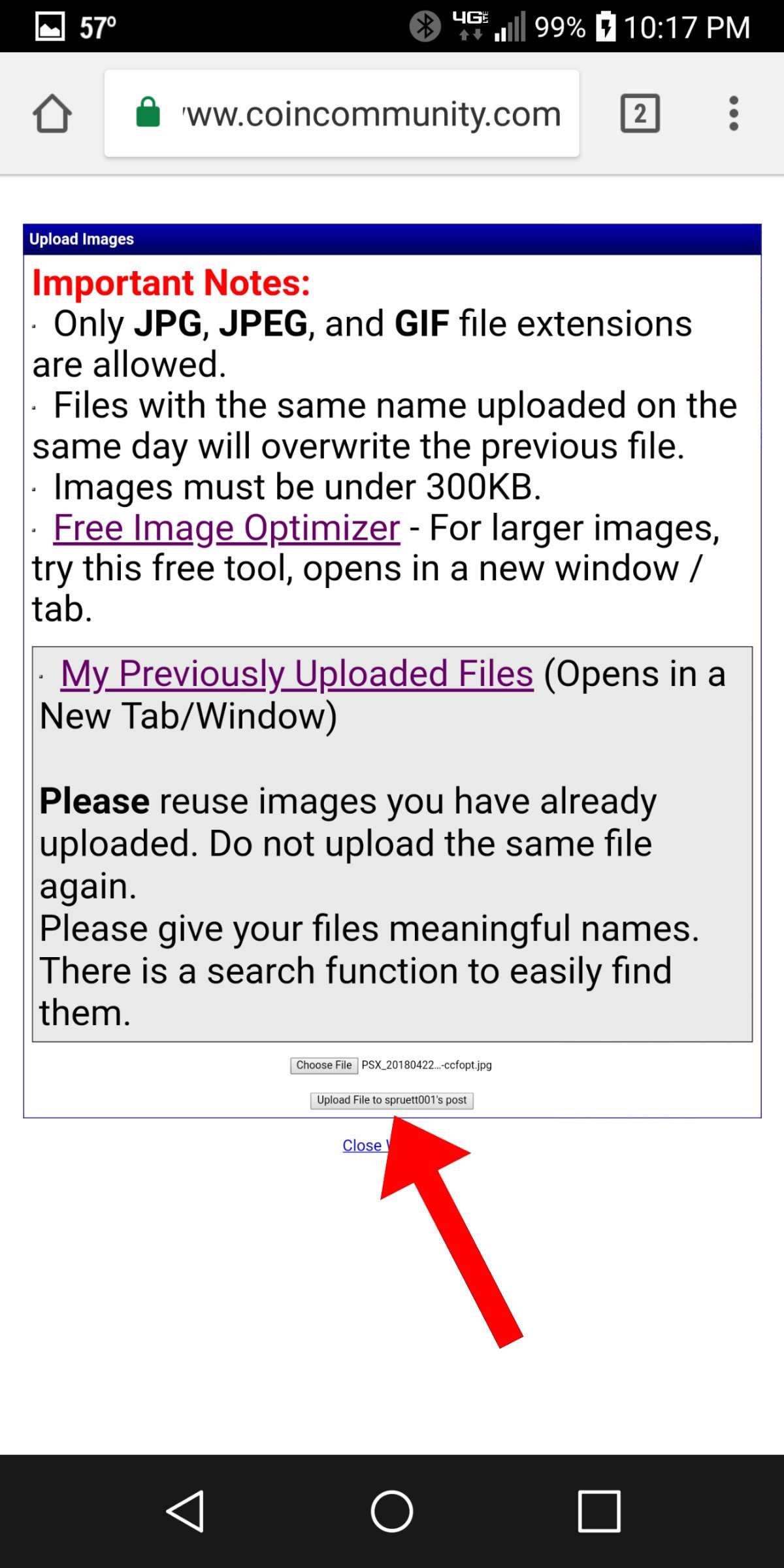
After it has been uploaded, you will see a screen confirming the upload and asking if you want to upload another or close the window (if you are done uploading pics). Selecting to upload another will take you back to the screen in pic #3.

Closing the window takes you back to your full reply box where the pic is represented by its filename surround by the "img" tags:
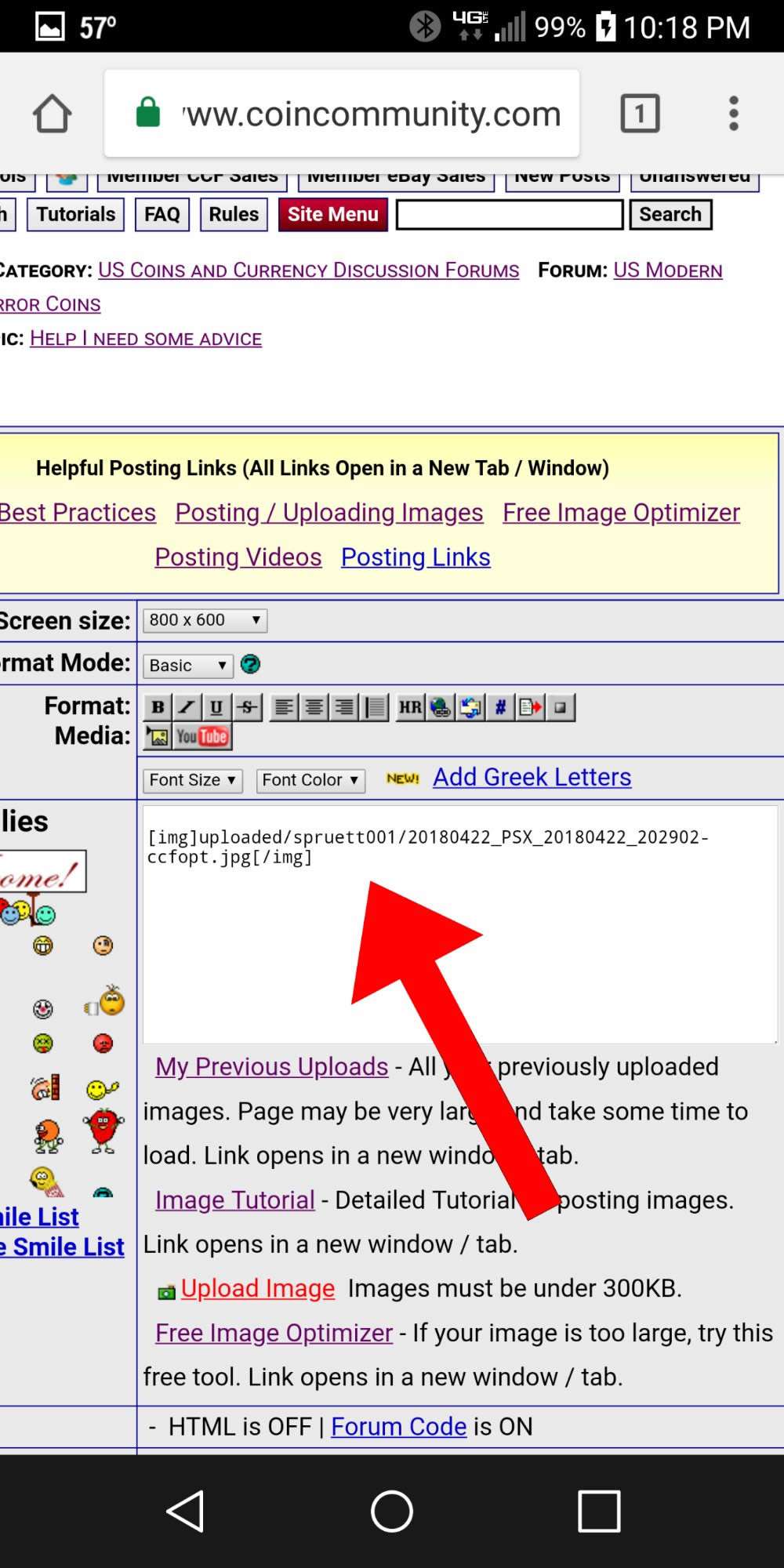
Remember to always Preview your post before Submitting it to make sure the correct pics have been uploaded and they are oriented correctly.
I may make another about using the Image Optimizer on mobile if this helps.












 Posted 04/23/2018 01:14 am


