| Author |
 Replies: 21 / Views: 3,149 Replies: 21 / Views: 3,149 |
Page 2 of 2
|
|
|
|
Pillar of the Community
Canada
1931 Posts |
hi numismo
underneath your image in photobucket there should be a set of different links. email and IM, direct link, html code and IMG code. I haven't loaded a pic in a while but I think you just left click on img code. it will automatically copy the link, then you come back to your post on the forum, right click and paste. once you post the reply your image should show up right into the post. try now if you want. I will wait. if the IMG CODE doesn't work then it will be the HTML code. hope all that made sense
Edited by malissadawn
01/03/2009 7:57 pm
|
|
Moderator
 Australia
16982 Posts |
There are three different ways to get photos onto a CCF thread. 1. Download the images into the CCF database using the "add image" camera icon in the "reply to thread" box. This is easiest, but has the size limitations mentioned by the OP. 2. Get a CCF Gallery, download the pics into there, and put the gallery image's permanent URL between IMG tags. This option is only available to members with more than 50 posts, who register with the forum admin for a gallery. Size limitations are relaxed for gallery images. 3. Use an external photo hosting website like photobucket. There are fewer size restrictions, but the downside is, if you delete the pic off photobucket, it gets deleted from the forum, too. Using either option 2 or 3, you don't need to use the "add image" camera icon; just click on "insert image" in the Reply to Topic box (fourth button from the right) and put the URL for the pic in between the img tags. Or, simply type the img tags in manually in the Quick Reply box. For example, putting the following line into a thread: [im g]ht tp://www.coincommunity.org/gallery/albums/userpics/10041/telling1887apart.jpg[/i mg] will show one of the pics in my Gallery: 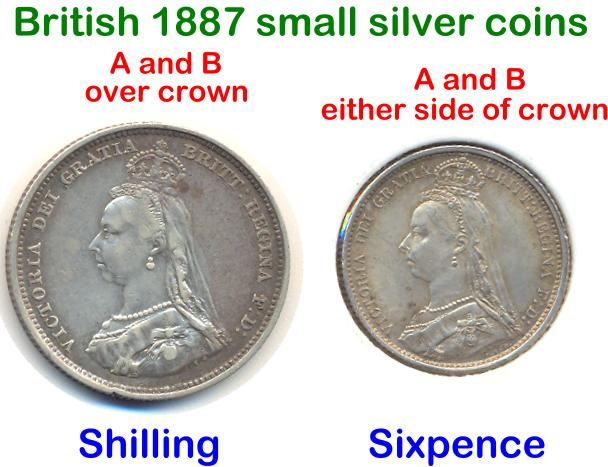 Don't say "infinitely" when you mean "very"; otherwise, you'll have no word left when you want to talk about something really infinite. - C. S. Lewis
|
|
Rest in Peace
 United States
3039 Posts |
Thanks Sap but in the Reply to Topic box, I have NO "insert image" button, box or logo.
|
|
Pillar of the Community
Canada
1931 Posts |
numismo, are you using photobucket now? you dont need the image insert button for photobucket. just copy and paste the code underneath the photo in your photobucket album that I mentioned and it does it all for you. sorry, that didnt sound right to me. you can paste the code right where you usually type to reply to these posts. Its very simple once you try it a couple times.
Edited by malissadawn
01/04/2009 12:33 am
|
|
Rest in Peace
United States
3039 Posts |
In photobucket, I can't cut. The "cut" is not lit up.
|
|
Rest in Peace
United States
3039 Posts |
The "copy" is lit up in photobucket but the "paste" is dark in the reply part of the CCF. AAAGHHH
|
|
Rest in Peace
United States
3039 Posts |
[url="http://s403.photobucket.com/albums/pp116/lulubeau/?action=view¤t=20090103_123419.jpg" target="_blank"><img src="http://i403.photobucket.com/albums/pp116/lulubeau/20090103_123419.jpg" border="0" alt="1983 1c">[/url]
Maybe this will do it. I'm trying to show a die break on a 1983 cent.
|
|
Rest in Peace
United States
3039 Posts |
|
|
Rest in Peace
United States
3039 Posts |
[url="http://s403.photobucket.com/albums/pp116/lulubeau/?action=view¤t=20090103_123419.jpg" target="_blank"><img src="http://i403.photobucket.com/albums/pp116/lulubeau/20090103_123419.jpg" border="0" alt="1983 1c">[/url]
Now ?
|
|
Pillar of the Community
Canada
1931 Posts |
 it isn't working the way I used to do it for some reason so I'm just borrowing your post for a little practice to see whats wrong. hang in there we'll get it figured out |
|
Pillar of the Community
Canada
1931 Posts |
ok numismo, sorry if I gave instructions that didn't work. Something must have changed since the last time I posted a picture. This time:
-I went into photo bucket.
-I clicked on the picture I want to post to make it show me a full screen image
-on the right hand side of the picture is a box that says IMG link code
-highlight and copy the IMG code (the bottom one)
-come back to this post (where you write your messages) and right click and then paste.
that should work for you.
|
|
Pillar of the Community
United States
3098 Posts |
 Is this yours? ahh... right. So look in your original link there's http://i403.photobucket.com/albums/...3_123419.jpgWITH THE JPG!! IT NEEDS TO HAVE THE .jpg EXTENSION!! So what you have to do is put it like this [im g]link.jpg[/im g] And it should work... Edited by wd1040
01/04/2009 02:05 am
|
|
Moderator
Australia
16982 Posts |
Quote:
Thanks Sap but in the Reply to Topic box, I have NO "insert image" button, box or logo. 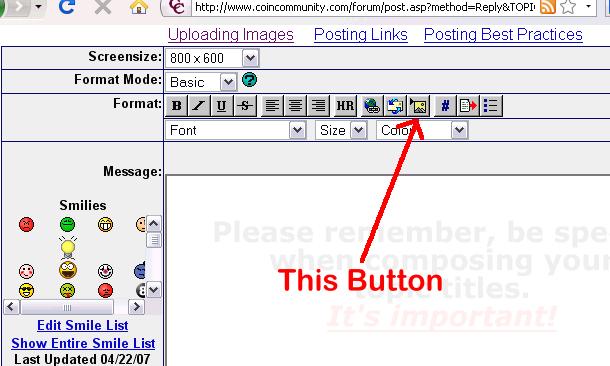 Don't say "infinitely" when you mean "very"; otherwise, you'll have no word left when you want to talk about something really infinite. - C. S. Lewis
|
|
Rest in Peace
United States
3039 Posts |
Hi All:
A hearty thank you to all who have tried to help me figure this technical stuff. As you can see, my savvy in this area, well, isn't too good. Sorry for all the bother. Anyway, thanks again. Now to see if I can get this image over to the errors forum to see if this is a die break.
|
|
Pillar of the Community
United States
1571 Posts |
numismo, I also use photobucket, and the image I want will have several lines below the image I want. I just click in the small box at the lower left hand corner, and then go to the bottom og the page, and click on the long bar "Generate img, etc for emmessage board. Click on ththe text in that box, and right clock to copy. You are done with PB. Go to the p[lace you want to p[ost the image, and in your reply, before, during, or after go to the left side, and paste the image. If you want to see what it looks like before you post, push preview, and it will show the image. Then you can submit. Like this: 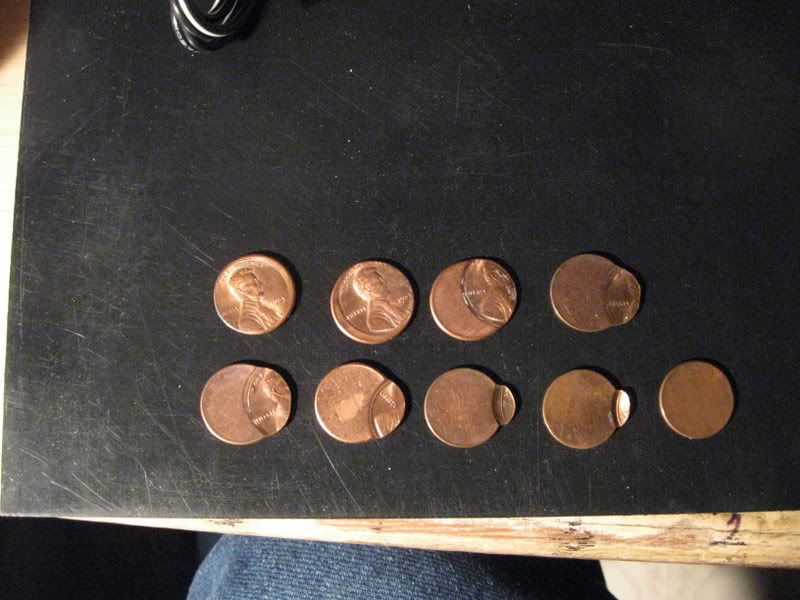 Hope this helps! Dick Edited by livingdinasaur
02/13/2009 12:23 am
|
|
Page 2 of 2
|
Replies: 21 / Views: 3,149 |
Page 2 of 2
|








 First Page


 Posted 01/03/2009 10:24 pm


