| Author |
 Replies: 182 / Views: 49,721 Replies: 182 / Views: 49,721 |
|
|
|
Pillar of the Community
United States
3552 Posts |
Quote:
These photos were taken with only cropping/straightening... Universal, For some unknown reason I am only seeing your image placeholders on your post. The actual photos are absent: at least when viewed from my computer. You may wish to address this issue to ensure that all viewers are able to equally review your work and to post applicable commentaries etc. mdpmedia |
|
Moderator
 United States
23522 Posts |
Quote:
For some unknown reason I am only seeing your image placeholders on your post. That was nine months ago, and he's very likely removed them from his site since. This is why we prefer that members upload images intended for CCF, to CCF. We'll host them here, and as long as CCF exists those images will also. |
|
Pillar of the Community
 United States
2815 Posts |
Thanks for bringing this thread back up again, SD. It reminded me that I need to update with a slight adjustment I made to the setup. It is really simple, and it improved focusing significantly. I just added these:   Through trial and error I found that a stack of 7 Eisenhower dollars will put the 8th coin in perfect focus when using an iphone:    Here is that 1899-O Morgan seen in the photos above:   Here is a "dirty" 1921-D using the same exact setup:   Circulated silver dollars such as these are much easier to photograph since they do not reflect a lot of light back into the camera. I haven't tried this on a lustrous Morgan yet, but I'm going to soon. I gotta get one out of "storage". Here is how a bronze medal turned out:  I love the super clean result. Without the lightbox I'm using it takes 15 Eisenhower dollars to achieve the same height for optimum focus. The 16th coin will be the one you photograph. Also, your iphone will need to be mounted approximately 4.5 inches above the surface you will be shooting on- like this:  If anyone wants to try this please do so, and let me know how it works out for you.  Edited by Darth Morgan
04/28/2015 01:58 am
|
|
Pillar of the Community
United States
3552 Posts |
Hi,
Sometimes, the most obvious and assumed facts often go unmentioned.
I am sure this tip is applicable to most if not all cell phones but I will direct my comments only to the iPhone since that is what we are discussing here in this thread.
As time goes by Apple continues to churn out new and more expensive iPhone models; many of these models are simply overkill especially for what we strive for in this coin photography forum.
I feel confident that this fact is one that many are already aware of.
But an actuality that may have gone unnoticed by some neophytes to cell phone technology is the presence of fully integrated functionality of the iPhone's camera, WiFi interface, & iCloud photo transfer mechanism: all operative without even having to sign up for a monthly cell phone plan that includes voice. Just imagine: all of these monthly recurring services for free except for the one-time expense of the iPhone.
I looked on Craigslist recently and have seen several used 4S models for as low as $ 40 - $ 60.
So just imagine the flexibility and convenience one has access to by knowing this fact since 'permanently' attaching a 2nd used 4S on a tripod, for instance, for coin shots exclusively would preclude the necessity to tear it down each time one has to run outside of the studio etc.
I hope many find this information favorable in case it meets an economic need .
mdpmedia
|
|
Pillar of the Community
United States
3552 Posts |
In summary, I failed to reiterate that for this system to operate effectively a modem, router, and connectivity to an ISP must obviously be present to integrate the use of USB or wireless Rf for photo transfers.
By the way, FaceTime will also work with this same setup without the need for traditional cell phone voice capacity: functioning primarily via IP data protocol for 'both' the sound and dynamic/static pictures.
|
|
Pillar of the Community
United States
1305 Posts |
I have re-entererd the coin collecting hobby. I collect CC Dollars. I have just ordered the Nimbus Cloud Dome, Santo Lightbox, and an 18% gray card. I have 4 Jansco lights. I will be using an iPhone 5s. Any suggestions while I wait for the supplies to arrive? Thanks to all for this thread.
|
|
Pillar of the Community
United States
3552 Posts |
The best suggestion I can give you is to read all you can about lighting.
Just type into the CCF search space:
1. axial lighting and
2. diffusion lighting
to obtain a day worth of reading which will get you up to speed.
|
|
Pillar of the Community
United States
1305 Posts |
Thanks, mdpmedia. I didn't see anything about axial lighting in this thread-unless I missed it somewhere. From what I have been reading, diffusion and coin placement gets most of the attention. I will be doing almost all PCGS CC Dollars in slabs. 99% of them will be brilliant, PL and or DMPL.
|
|
Pillar of the Community
United States
3552 Posts |
Quote:
...didn't see anything about axial lighting in this thread... You are indeed correct about this subject being absent in this thread but it is my fault for being vague about its whereabouts. In order to search for 'any' topic within the 'entire' CCF website just go to the top left portion of any CCF page and look for this search box:  This particular search box had 'axial lighting' as its searching criteria and produced the following results as of 10:13 PM EST, '15: http://www.coincommunity.com/numism...ng&sa=SearchThis should now better clarify my previous narrative. |
|
Pillar of the Community
United States
1305 Posts |
Thanks again, mdpmedia. I was just wondering if you had used axial lighting with the setup shown in this thread.
|
|
Pillar of the Community
United States
1305 Posts |
HELP!! I cannot get the Santos light box put together. The back piece doesn't seem to fit, it's too small to fit into the slots and tighten. How does this thing go together? I read a few reviews and it was stated that the assembly was very hard. Any suggestions is greatly appreciated.
|
|
Pillar of the Community
United States
1305 Posts |
Never mind. I found a video on Youtube, and was able to figure it out. Sorry for any inconvenience.
|
|
Pillar of the Community
United States
1305 Posts |
I have done some trials with this setup, and need some helpful suggestions. I have tried everything I know of to get rid of the hot spots. The coin I am shooting is a shinny Morgan dollar in a PCGS holder. I have tried all angles with 2 Jansjos, 3 Jansjos, and used various levels of diffusion. Seems like the more diffusion I use, the luster is lost. I have viewed the pics here of the setup, and cannot tell what type of cover is being used on the lights. All the photos here are excellent, and I hope to achieve similar results. Thanks. |
|
Pillar of the Community
United States
1305 Posts |
Here are a couple of shots. 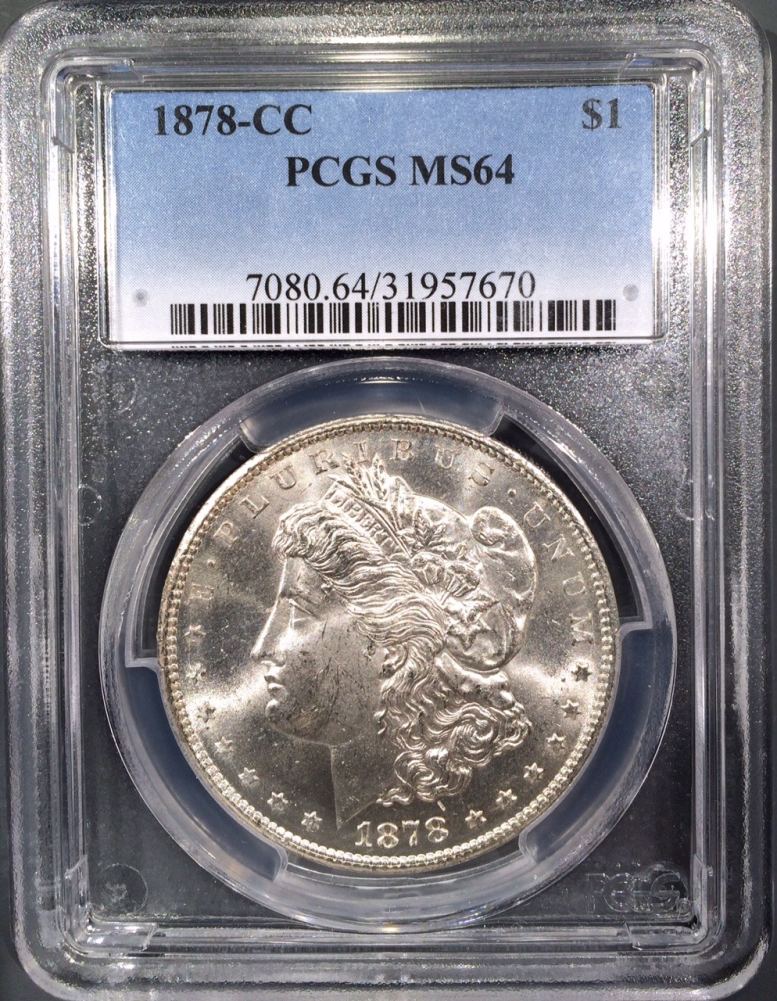 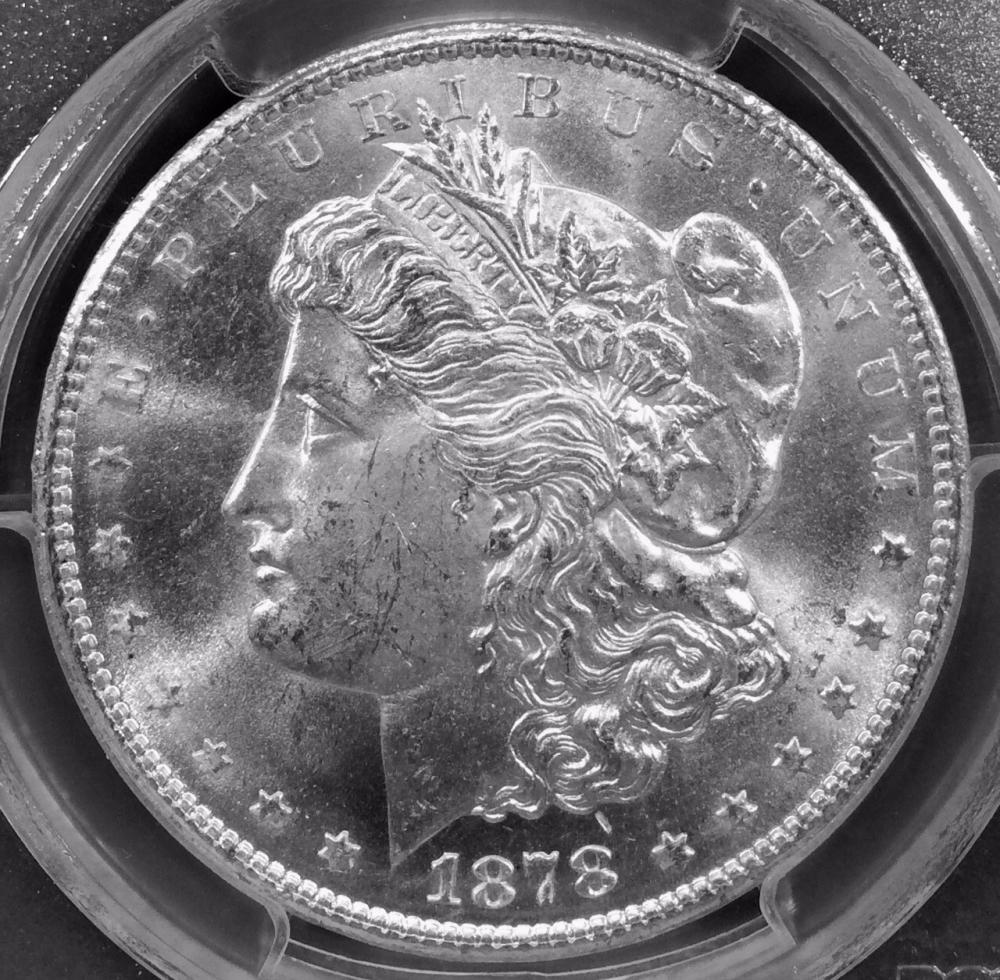 |
|
Pillar of the Community
Canada
2784 Posts |
hello ham 1947. well I am not quit sure what he is doing here. I can tell you thou his light is a CFL tube light. soft probably day light. ham I am taking photos of very bright coins. some of the other threads here explain to . fold art paper up on both sides of your coin. charcoal black its that old drawing paper we used years ago in school. I find that helps great and lets your coin come through. it cuts down on the hot spots and gives your coin a nice light silver look. when you fold the paper make sure it is above your coin on both sides. I make it so the coin lays on the paper and both sides are above the coin. it has been working great for me hopefully this helps you
|
| |
Replies: 182 / Views: 49,721 |








 First Page
 Previous Page


 Posted 04/22/2015 07:54 am


