| Author |
 Replies: 20 / Views: 2,585 Replies: 20 / Views: 2,585 |
|
Valued Member
United States
425 Posts |
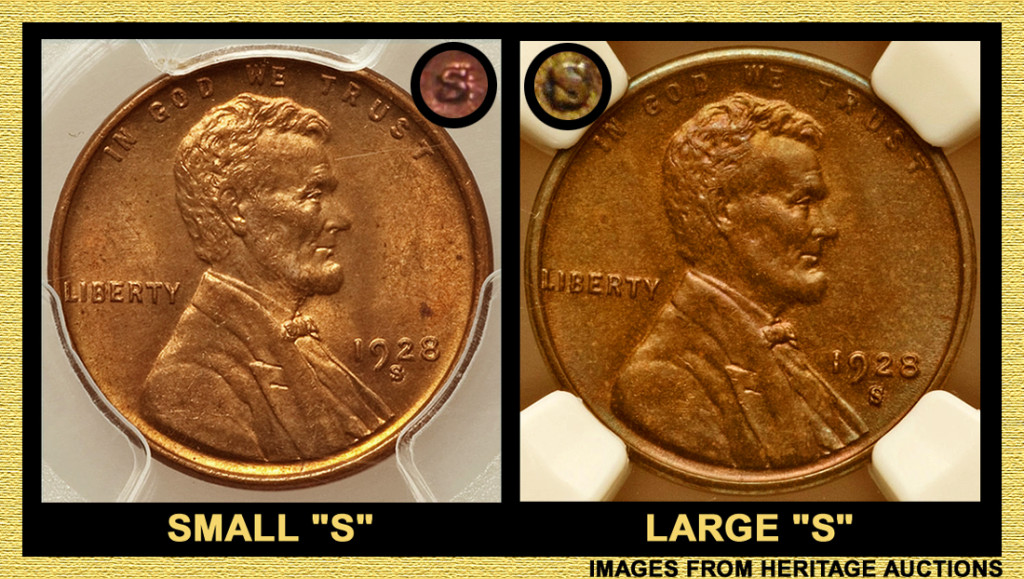
Hi. I just found this in a roll and did a bit of research and I'm thinking it's a large mint mark based on the mint mark being partly below the window. Other details are too faint with the magnification that I have. Opinions? 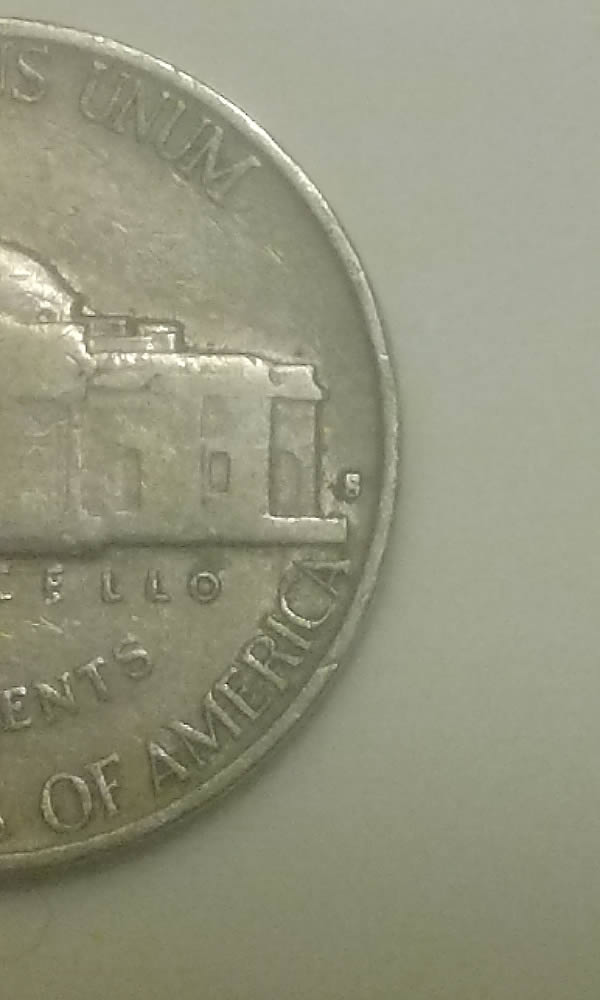 |
|
|
|
Pillar of the Community
United States
2824 Posts |
large S 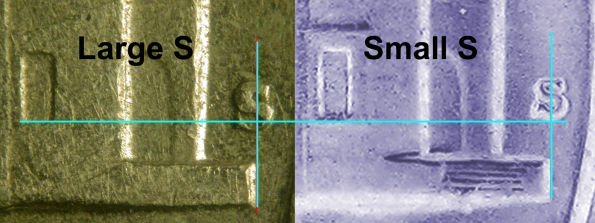 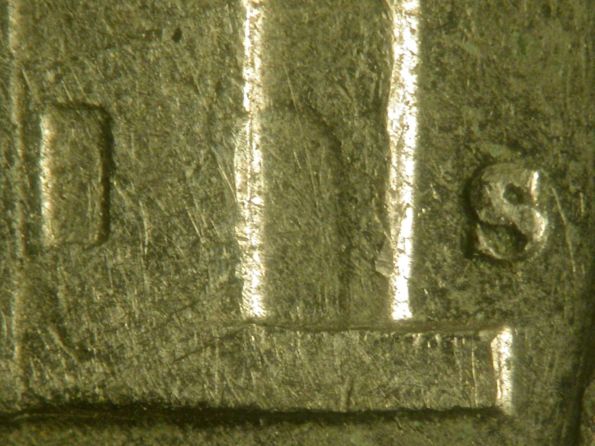 |
|
Valued Member
 United States
425 Posts |
|
|
Bedrock of the Community
United States
62064 Posts |
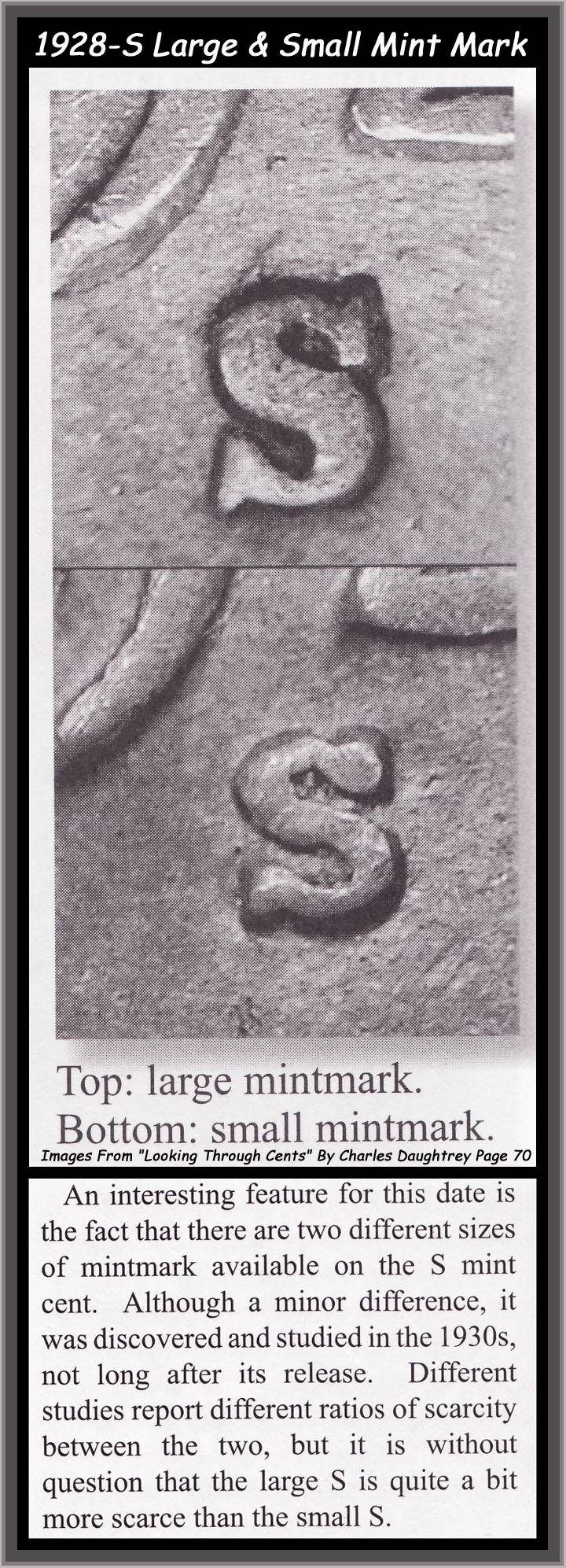
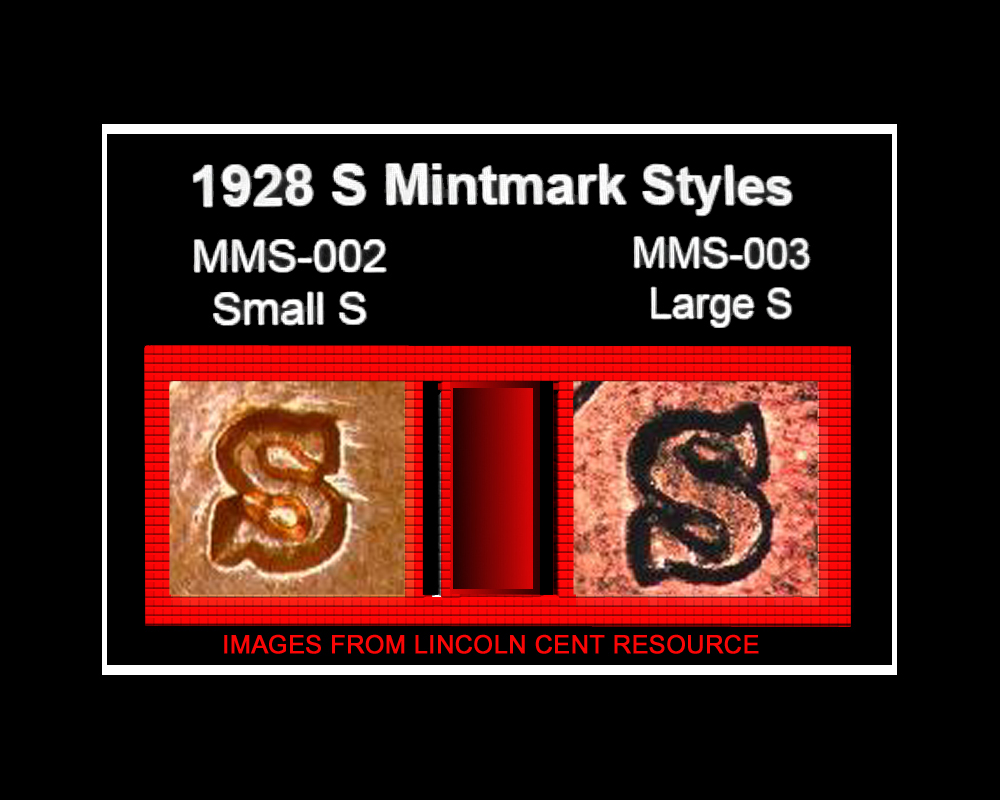
Here is another image of the two different die punches that were used that year. 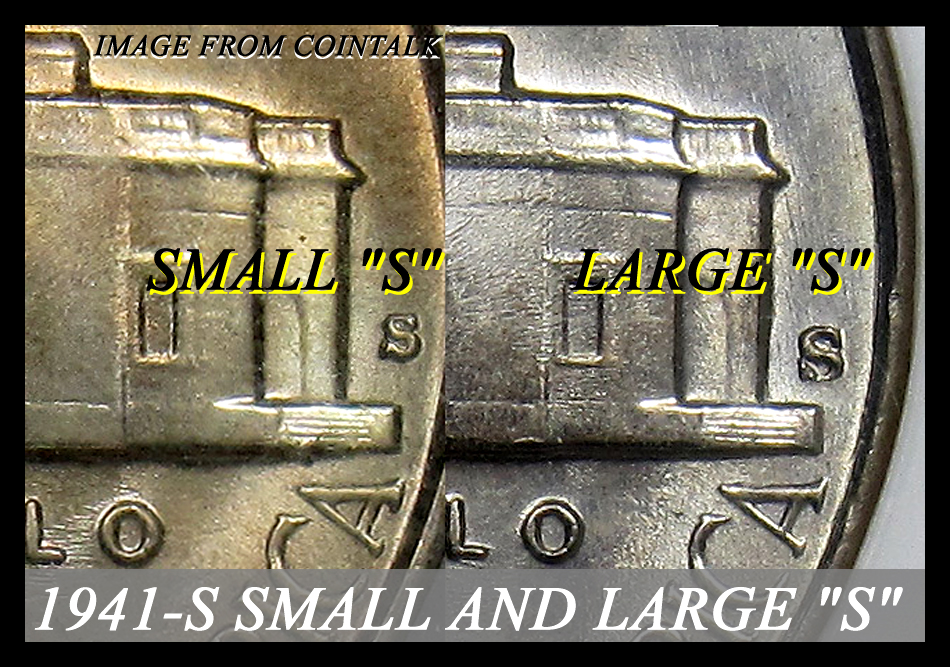 |
|
Valued Member
United States
425 Posts |
Thanks coop. So you concur with Ocala and I?
|
|
Bedrock of the Community
United States
62064 Posts |
I would like to see the mint mark a lot closer to tell. There might be a bit of coin contact in that area altering your coins mint mark?
|
|
Valued Member
United States
425 Posts |
Boo. Well I have to wait once more until I get a digital microscope.
|
|
Pillar of the Community
United States
2824 Posts |
Pretend Web Zoom TrickA trick I use to zoom in or enlarge small images posted on CCF is I put my mouse over the image and right click on it pull down to view image. It open the image up by itself then I put my mouse on the image again and press the ctrl key & the plus symbol together each time I press it will blow it up to 3 times. It not a replacement to a clear photo but it often helps this is also useful for cherry picking on ebay or other sites as you can see below. 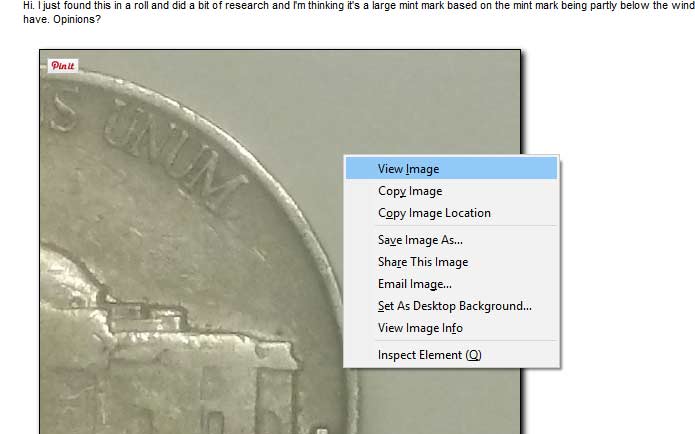 press ctrl&+ (the ctrl key & the plus symbol key )together press ctrl&+ (the ctrl key & the plus symbol key )together 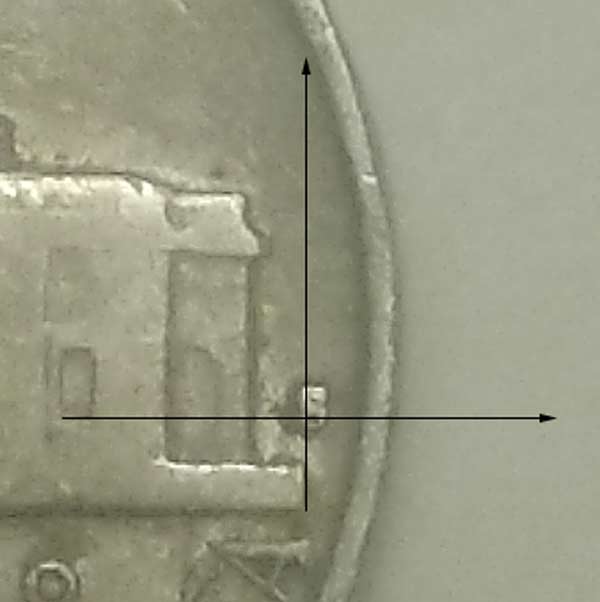 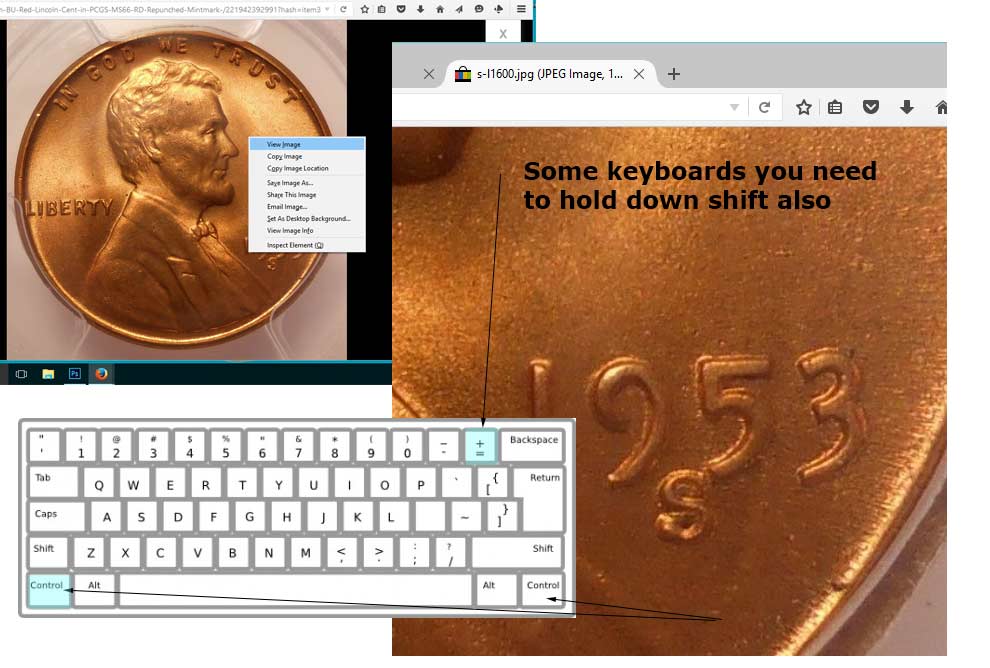
Edited by OcalaFlorida
11/18/2015 12:10 pm
|
|
Bedrock of the Community
United States
62064 Posts |
The location of the mint marks can vary on the dies until 1990 because they were hand punched. But the black arrows hide what I want to see.
|
|
Pillar of the Community
United States
2824 Posts |
Not sure if that would help for your needs Coop was more of a general tip for small pictures. 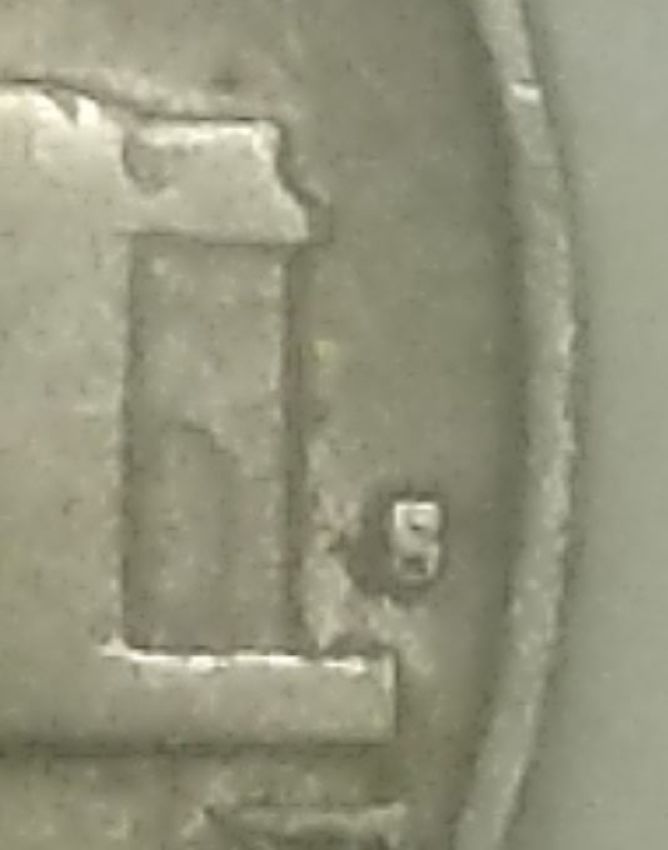 |
|
Valued Member
United States
425 Posts |
Nice. Thanks guys. However I haven't had a computer for some time. I've just been using my phone.
|
|
Pillar of the Community
United States
2824 Posts |
On Mobile Maybeif smart phone you might be able to hold finger over picture and wait the right menu will pop up. then place fingers next to each over on image and slide them further apart against screen from each other to blow the image up or pinch fingers together against screen to reduce image size. 
Edited by OcalaFlorida
11/18/2015 2:43 pm
|
|
Valued Member
United States
425 Posts |
I know that. I don't know how to save a zoomed in image without photo editing software, and either way, it doesn't increase the information, so I'm not seeing that there would be much benefit. Thanks anyhow.
|
|
Bedrock of the Community
United States
62064 Posts |
I'm thinking the large "S" on this one. (the image isn't all that clear) but it looks like the top loop on the left has a longer curve there. The small "S" has a shorter curve in that area.
|
|
Valued Member
United States
425 Posts |
Nice. Thanks again coop. I 2x2'd it and labeled it large s. I'll have to compare it to the one I have in my book. I'd like to make a set of '41 large date 1c-25c coins and 41 small date 1c - 50c coins. I have 2 dimes to examine and a few cents, and maybe a quarter or two as well. Need a half though. I want to do the same for '28 also (minus the nickel. What's the deal with the 28s nickel, is it the large or small mm do you know?)
Edited by Joecontois
11/19/2015 10:44 am
|
|
Bedrock of the Community
United States
62064 Posts |
|
| |
Replies: 20 / Views: 2,585 |







 Posted 11/16/2015 9:48 pm