| Author |
 Replies: 120 / Views: 15,022 Replies: 120 / Views: 15,022 |
|
|
|
Pillar of the Community
 Canada
2784 Posts |
austrokiwi yes you are right. I find control pro way to many function. it has a lot of stuff that is useless to me. this system that ii am using. is very easy and streamline. I can change all the camera setting with my mouse. I take the picture with my mouse. plus I can magnify just enough to get perfect focus. this for myself is perfect. when I look at the second monitor the only thing there is the coin. if there was a blemish on the queens chin. I can see this system makes it so easy to search coins. looking for varieties. I don't have to set in front of a microscope. just set back and check coins. my son built me a block. I can do 10 coins in a minute if I want to. I hope austrokiwi you have good luck with control pro. have a great one
|
|
Pillar of the Community
Canada
2784 Posts |
tethering software. control contacted me. they sent me links. to the new latest version of control pro. that was just released. so they gave me all the links. I needed to try this new version. I had to delete the old version. remove it from my hard drive. I tried this latest version. looks good I would say more user friendly. I also received the lens. I was talking about. suppose to be the sharpest macro lens out on the market. I will do some test shots with it in a few days. I need and adapter. it will be here soon. with the Sony a7r II plus this lens. I should be able to get rid of lens shadow. we shall see very soon.
|
|
Pillar of the Community
2087 Posts |
Sony FE 90mm F 2.8mm? I know its probably the newest Macro lens on the market.....sharpest I don't know
|
|
Pillar of the Community
Canada
2784 Posts |
I wanted to share these words from a professional photographer. that has taken 1000 or so images with capture one pro. this is what a new person. with this program needs to understand. there is a steep learning curve. but if you master this program. working with your images. you will take your photos to a whole new level. for anyone thinking about using this program. take your time master this program you will be rewarded
The three biggest improvements (for me) so far over 8.1:
#9726;Color management - new Master, highlight, shadow, midtone "circles" that give you a tremendous amount of control over specific color within the photography, very much like color grading a motion picture
#9726;The new Luma-specific curve, which allows you to perform levels/curves adjustments (brightness/contrast) entirely in the luminosity realm, without impacting saturation or hue at all (the traditional RGB curve is still available)
#9726;All the little tweaks and enhancements to the layers and layer-specific processing functionalities
The latter should not be overlooked. As far as I'm aware, Capture One is the only software that provides layer processing on RAW files. This gives you ready access to the full dynamic range of the RAW files that the latest and greatest sensors are outputting today (especially Sony and Sony-derived sensors, as well as the newer Leica sensors and others). It really is a game changer if you are coming from Lightroom and want to be extremely detailed and precise in your processing - with LR, I had to process the RAW file as a whole into a TIFF, then import into Photoshop to perform the layer-based tweaks. As good as TIFF is, it isn't RAW, and TIFF files are enormous. Capture One does away with the extra step and obviates much of the need for Photoshop (note I still have and use Photoshop for the Nik plugins.and that's about it. If the Nik plugins were made natively available for Capture One, I'd probably never use Photoshop at all. As it stands, you can "round trip" a photo file out of Capture One into the Nik plugins, and it works, but that creates a TIFF and feels a little clunky).
As far as I'm concerned, the only real drawbacks to Capture One remain the same as I originally found back in version 7, namely that the User Interface still doesn't feel as intuitive to me as Lightroom or even DXO. I have a harder time recommending Capture One to newbie photographers than I do Lightroom for that simple fact - I worry that newcomers will try Capture One for a few hours, get frustrated, and give up. It's a program that rewards patience and demands you dig into it to uncover every feature and tool, but it doesn't make it immediately obvious up front how to use all those tools
Bottom line: still the RAW processor for me. If pure image quality matters to you, then you should definitely give Capture One a try (and have the patience to give it a long try).
this person knows what they are talking about. control pro got me to take there latest update today. so it has been improved again. I am going to take my time with this and learn how it works. but for anyone having problems. I might be able to help you. I know now where to go to reset your trial. if it stops for no reason. I want to take the time and work this program over the next 30 days. if it stays good. I will purchase this program. I will update later as to my thoughts on this program.
|
|
Pillar of the Community
Canada
2784 Posts |
purchased a sigma APO 180mm F 5.6 I wanted to see. if I could get rid of lens reflection. this lens is producing much darker images. but no lens reflection. these photos was taken at F8 nice lens. 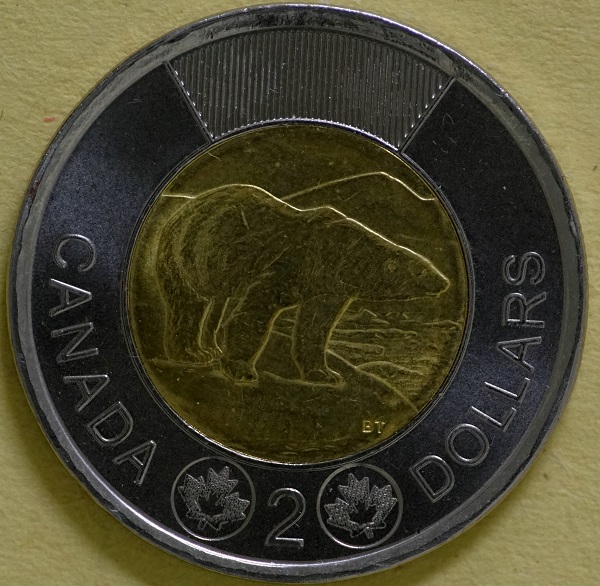 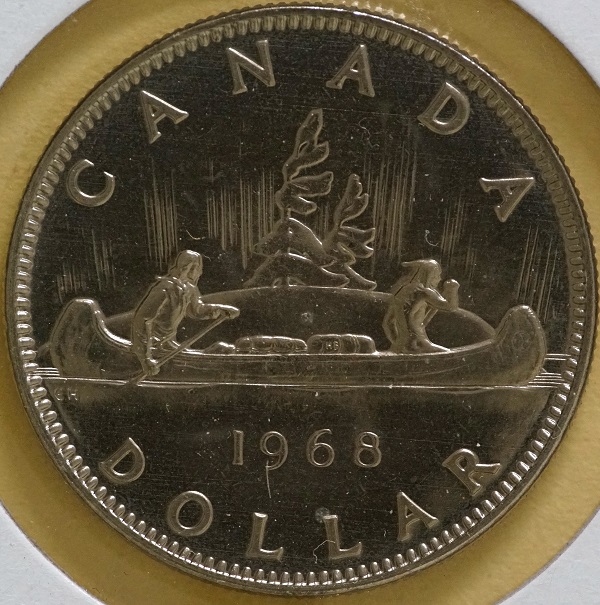 |
|
Pillar of the Community
Canada
2784 Posts |
the distance between the lens and the coin is 16 inches. I will raise the light setting on the camera to compensate. the nice thing about this lens is it gives me a lot more room for lighting. I thing I will purchase a sigma 2x convertor. before I do that thou want to work with this lens for a while.
|
|
Pillar of the Community
Canada
2784 Posts |
got one of these 2006 silver eagle. its certified MS 69. I always wanted a chance to shoot one of these. so thought I would try the sigma again. setting is f 8 set the light stop up plus on the sony 1/3. I like it here is the image 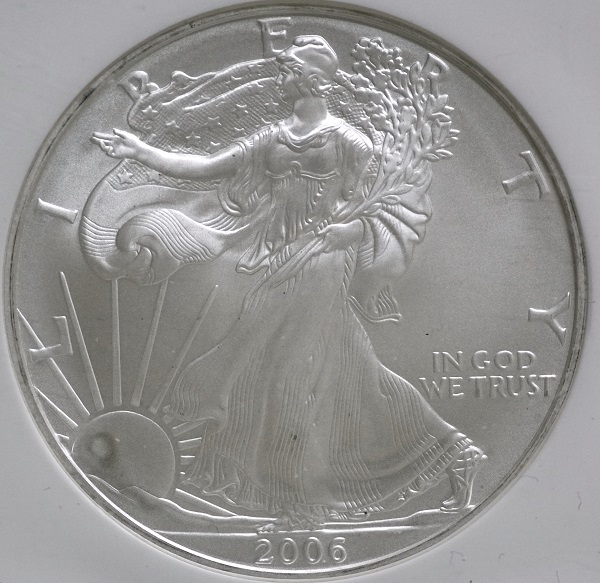 |
|
Pillar of the Community
Canada
2784 Posts |
ok tried to make some changes to the setting. plus the lighting. slabbed coin are different to photography no doubt. think I am getting it thou. 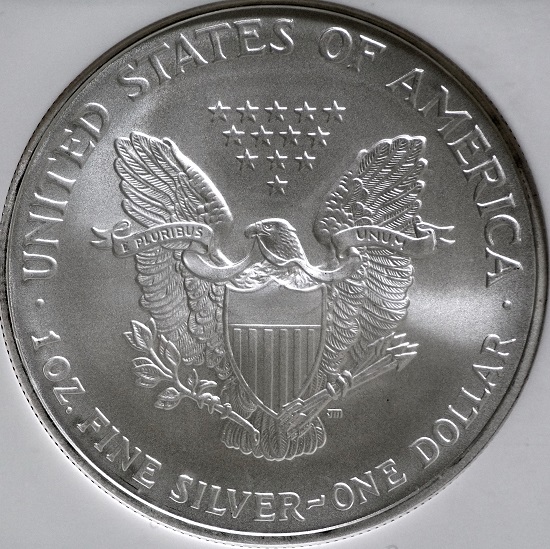 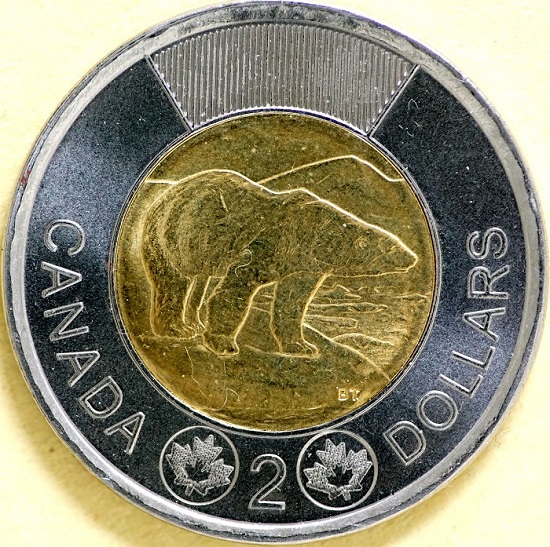 |
|
Pillar of the Community
Canada
2784 Posts |
the one that really stands out is photographing. American silver versus Canadian nickel coins. big different. I have purchased a photo cube. I will take some images later with that. after the new mount is here. I will see how Canadian nickel coins look with that with lots of light. 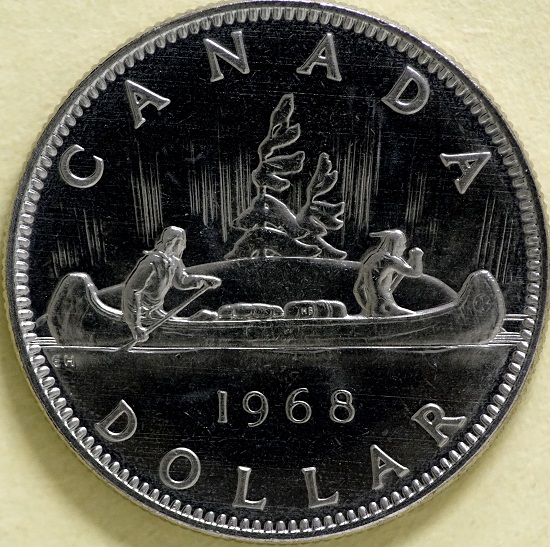 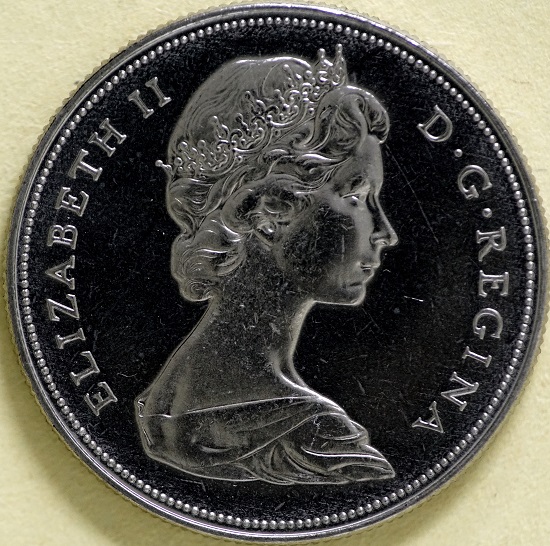 |
|
Pillar of the Community
2087 Posts |
Just having a coffee and decided to post this observation: A number of people in this forum and another really recommend tethering for improving work flow. I have now been tethering my A7rII for almost a couple of months and My view is that tethering for this particular camera is mostly pointless. As I understand Tethering provides this advantages. Direct saving of the images to the Tethered computer, ability to magnify the subject on the computer screen to facilitate better focusing and camera control via the computer. With the A7r the only advantage Tethering gives is saving the files to the computer and perhaps being able to adjust the camera settings from the computer. The other advantage of better focusing doesn't apply to The A7rII. The cameras rear screen and view finder provide heaps more resolution than the computer screen. Maybe when I get a 4 k monitor the situation will improve. But its still won't be enough to satisfy me. I use Capture one pro version ( its an absolutely wonderful raw processing program and the more I learn about it the more I like it. However like all Tethering programs it doesn't provide focus peaking and Zebra( my HMDI monitor does) So tethering actually slows down my work process As I continually revert back to the cameras screen to see exactly how the picture will turn out ( what I see on the camera screen is what I get) For fine focusing I end up using the cameras focus peaking and Manual focus assist features. Now I have been playing with another camera and I would say.. for that camera Tethering would be an advantage, but of course that camera can't be tethered. For those who are confused by the term focus peaking: Focus peaking is a facility that adds false color to the display and indicates where the best focus is. It can be set to one of three colors(( from memory red white or yellow). I prefer red. here is a picture of the rear screen of the Sony A7rII with a coin in the display with focus peaking on. It even highlights the dust speaks (when they are in focus) 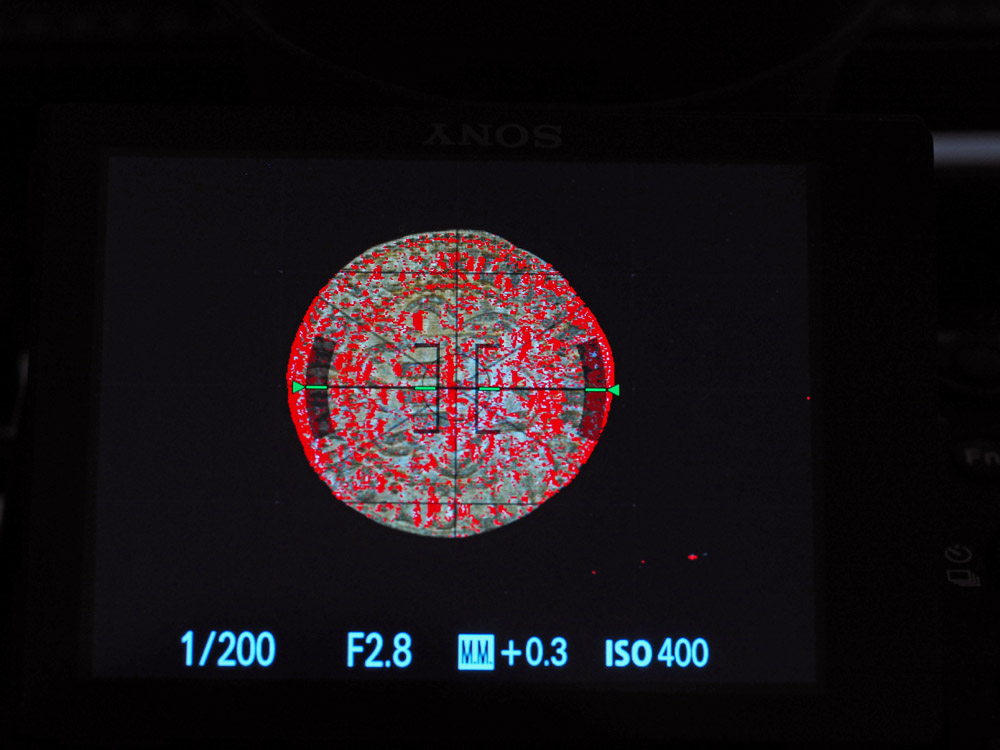 Edited by austrokiwi
04/07/2016 08:01 am
|
|
Pillar of the Community
Canada
2784 Posts |
austrokiwi I agree with you completely. I finally got control pro to work. I don't even bother using it. I uploaded the Sony camera shutter trigger to my computer. use it to take the image. I do all my focusing with the cameras live screen. I have a better range of magnification. built right into the camera. the new canon camera I purchased. I find that it to when tethered the magnification is to much. it makes it very difficult to do fine focus. so for the new canon cameras that a draw back.
|
|
Pillar of the Community
United States
9395 Posts |
Does the Sony do magnified live view (5x or 10x)?
I can see where the 1x live view is not good for fine focusing, but the 5x and 10x enlarges a small part of the coin to fill most of the screen. The whole coin image would be 5-10 feet across, and is very good for fine focusing.
The biggest problem with Canon 5x and 10x live view is that I have to reach up and use the camera's touchscreen to enter either 5x or 10x mode -- clicking the buttons on the monitor does not work. Interestingly, once you are in 5x or 10x mode, you can use the mouse to get back to 1x mode. This must be some new usability feature with the T6s/760D. It used to work fine on my older camera.
|
|
Pillar of the Community
2087 Posts |
The Sony does 5X and 12.5X ( this is what Sony calls manual focus assist) I have programmed one particular function button for that feature; press it once I get 5X, a second press changes it to 12.5X and the third press returns it to normal size. the cameras control pad allows me to move the magnified area around the subject. Having the feature set to one function button makes it very easy to use. It is much easier to use than the zoom feature on Capture one Pro 9 Edit... the other camera feature that makes tethering less attractive is Zebra. When tethering you can get a nice histogram to look at the exposure. It is nice looking at a histogram on a large screen. However a Histogram is digital feedback....zebra is more analogue( in comparison) I set it to 70 and where highlights of the coin are starting to be blown out( over exposed ) diagonal moving stripes are shown on the cameras display. This feedback though more basic than a histogram gives faster feedback. Here is a coin I deliberately overexposed and you can see the diagonal strips over the blown out areas: 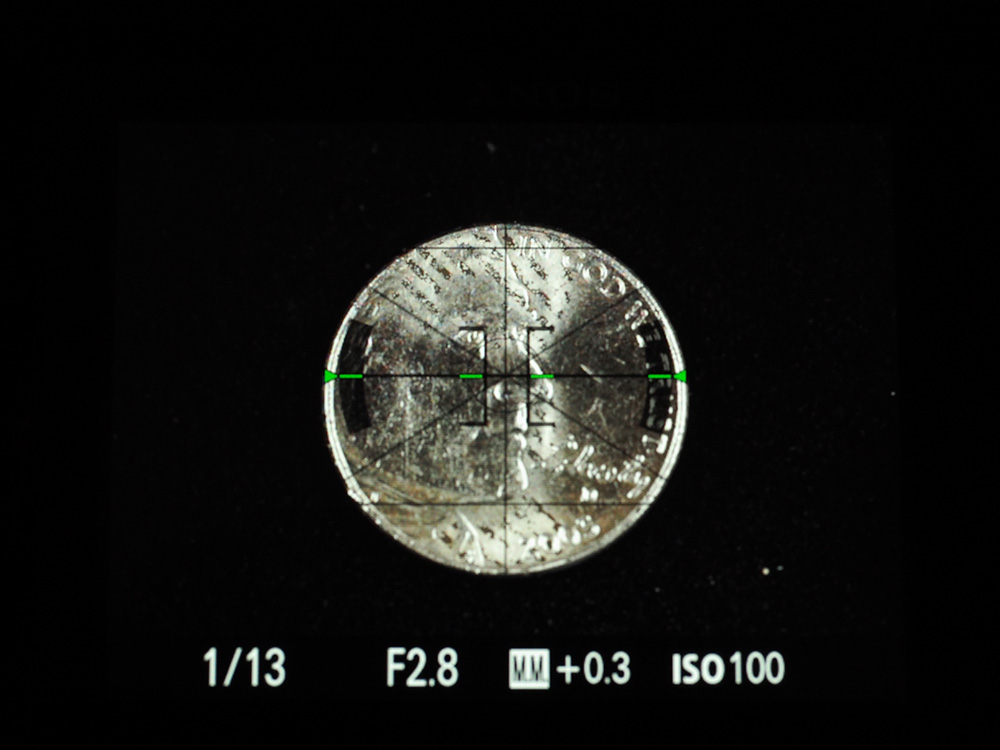 Edited by austrokiwi
04/07/2016 11:43 am
|
|
Pillar of the Community
 United States
4051 Posts |
For max resolution single shots, a compromise between focus high/low must be made, and I find that to do this I need to have a magnified view of an area of the coin, usually near the center, that has all levels available within the magnified region. For a Cent, the most convenient area is the throat/chin/jaw/field area near center of the coin. Critical focusing on the throat, while monitoring the chin/jaw and field to ensure they are sharp enough, gives me an excellent critical focus method. I can do this in Live View without tethering, but my camera is beyond my reach during shooting. The ability to do the magnified critical focusing, while sitting in my chair (no popping up and down!) is the key reason I tether.
Contact me for photographic equipment or visit my home page at: http://macrocoins.com |
|
Pillar of the Community
2087 Posts |
Quote:
The ability to do the magnified critical focusing, while sitting in my chair (no popping up and down!) is the key reason I tether. Ok that makes sense... My rig is on a low table ( think slightly higher than normal coffee table) and I sit on a bar chair, so the camera is never out of reach |
| |
Replies: 120 / Views: 15,022 |








 First Page
 Previous Page


 Posted 03/19/2016 3:22 pm


