Coin Community Family of Web Sites Join Thousands of Coin, Bullion, & Money Collectors
Coin, Banknote and Medal Collectors's Online Mall Royal Estate Auctions - $1 Coin AuctionsJoin Thousands of Coin, Bullion, & Money Collectors 300,000 items to help build your collection! Specializing in Modern Numismatics Royal Canadian Mint products, Canadian, Polish, American, and world coins and banknotes. Vancouvers #1 Coin and Paper Money Dealer


Username:
Password:
Save Password
Forgot your Password?


This page may contain links that result in small commissions to keep this free site up and running.

Welcome Guest! Registering and/or logging in will remove the anchor (bottom) ads. It's Free!

Using Modified Logitech C310 Web Cam As A Magnifier And Camera

To participate in the forum you must log in or register.
Author Previous TopicReplies: 3 / Views: 3,704Next Topic  
Valued Member
The Regency Store's Avatar
United States
103 Posts
 Posted 08/08/2017  12:44 am Show Profile   Bookmark this topic Add The Regency Store to your friends list Get a Link to this Message Number of Subscribers
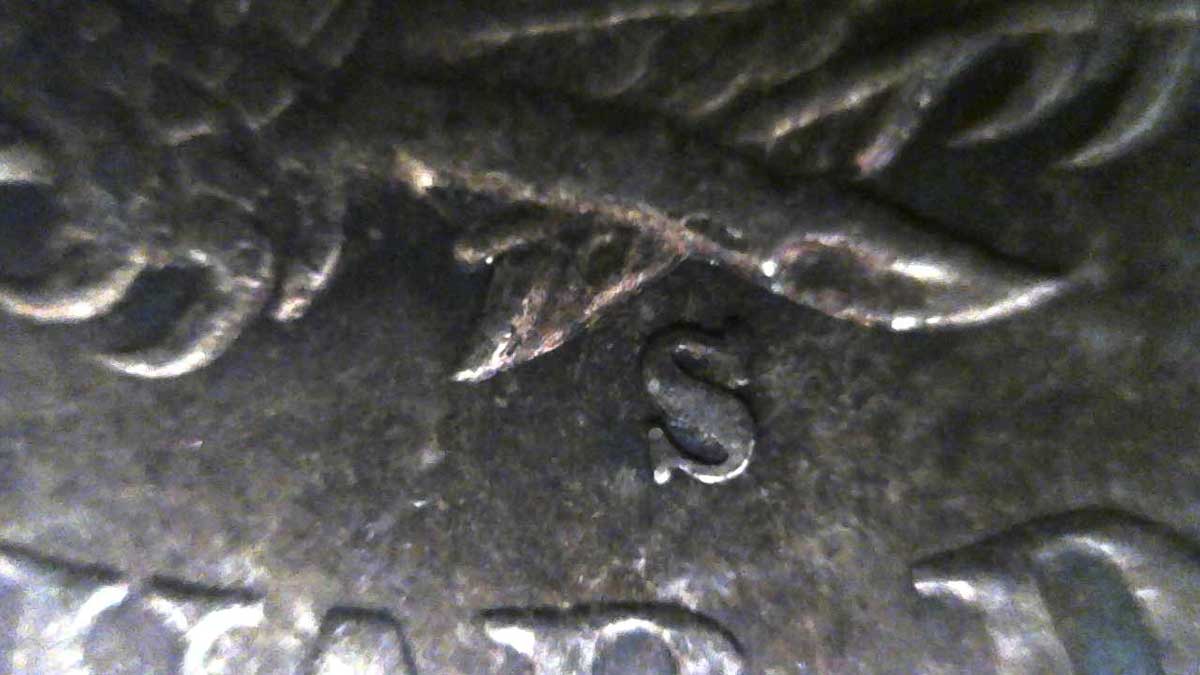
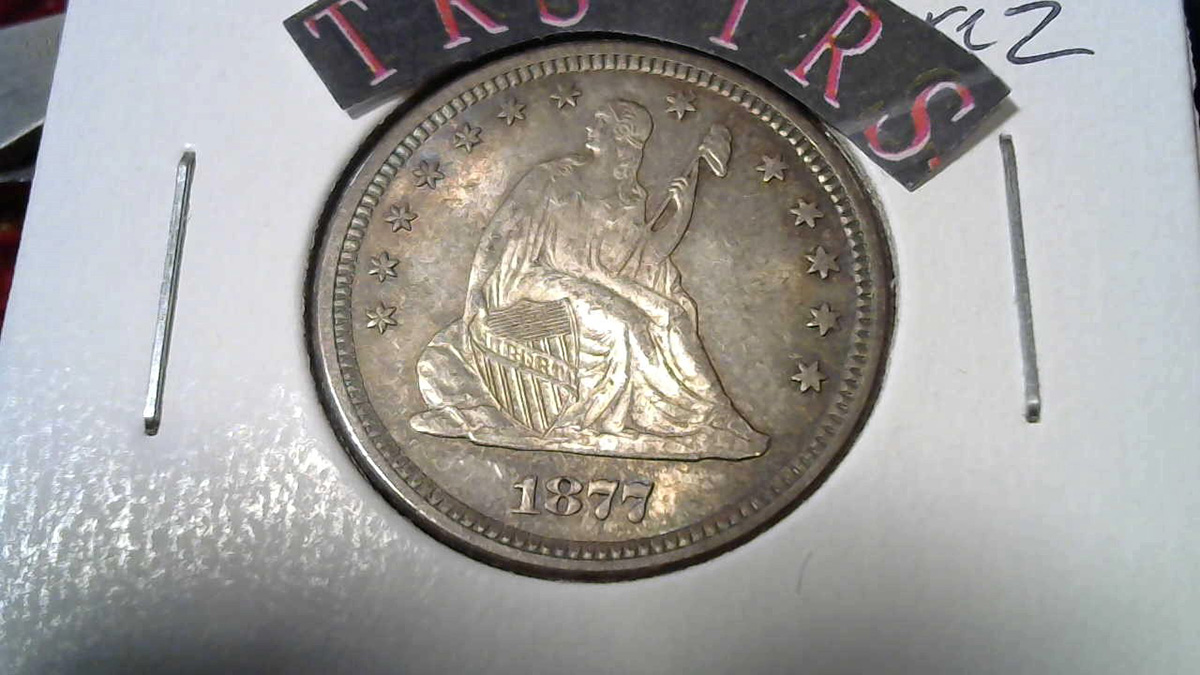
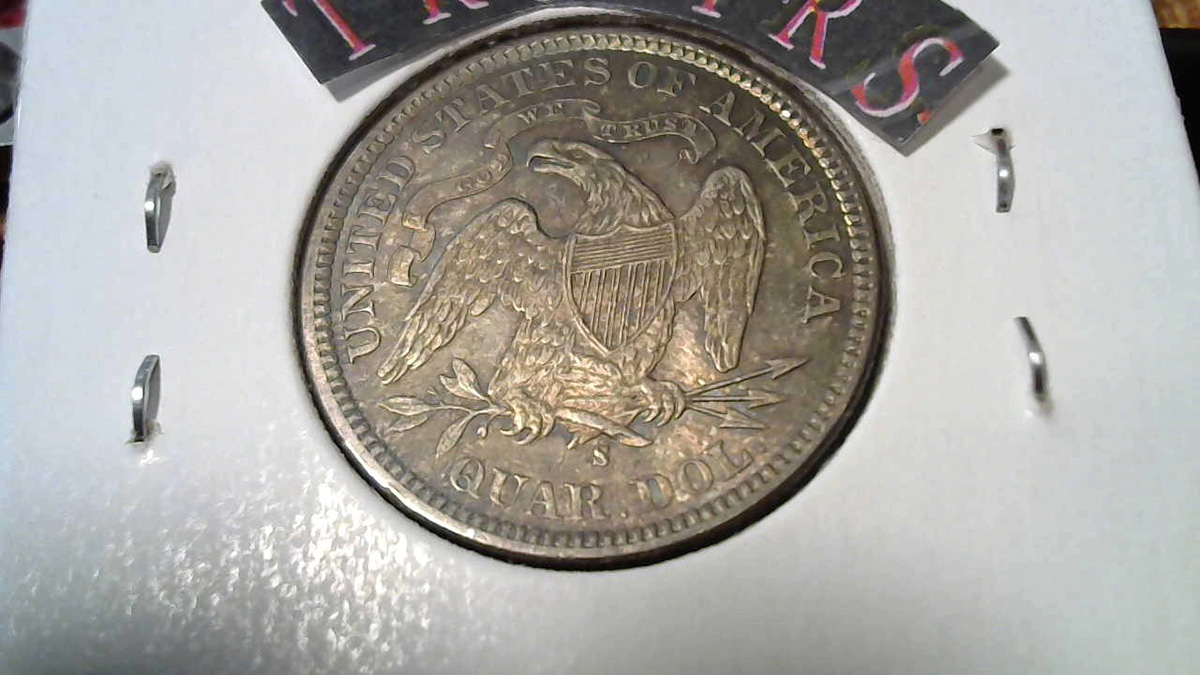
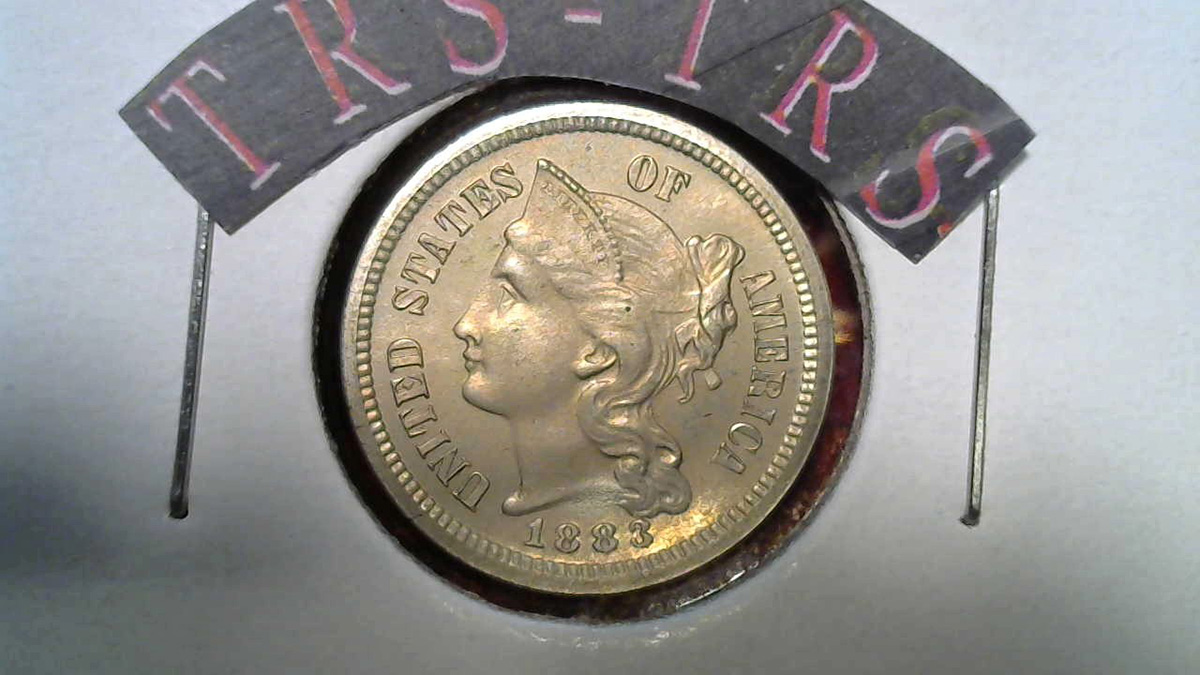
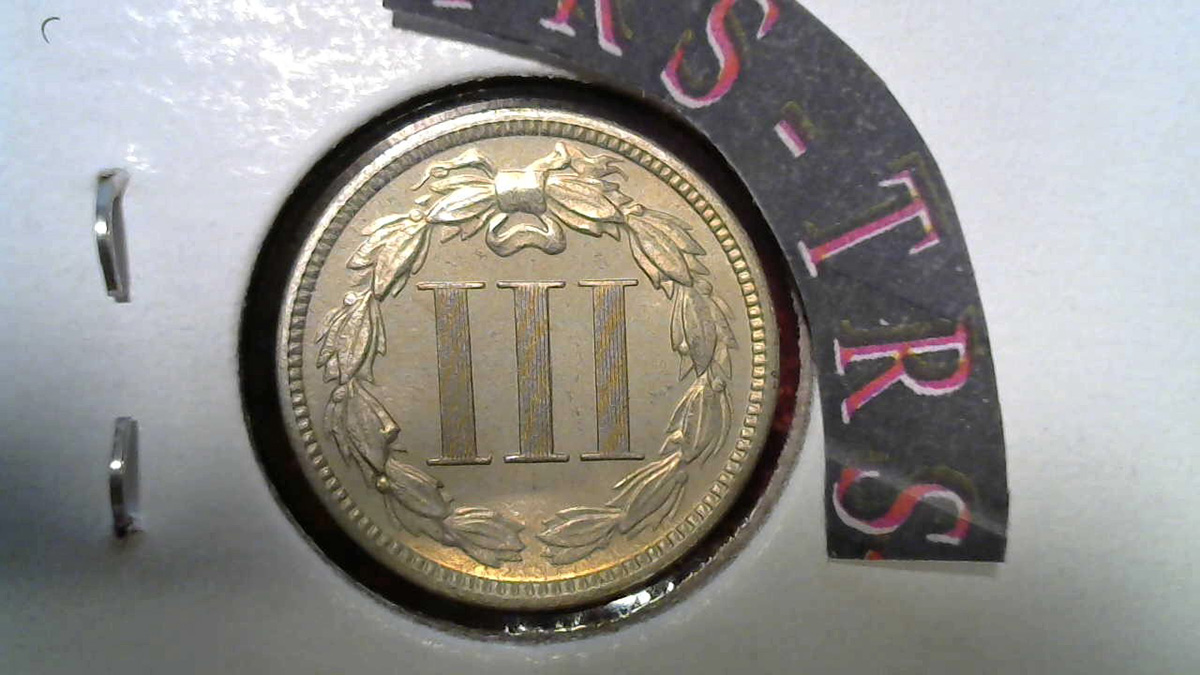
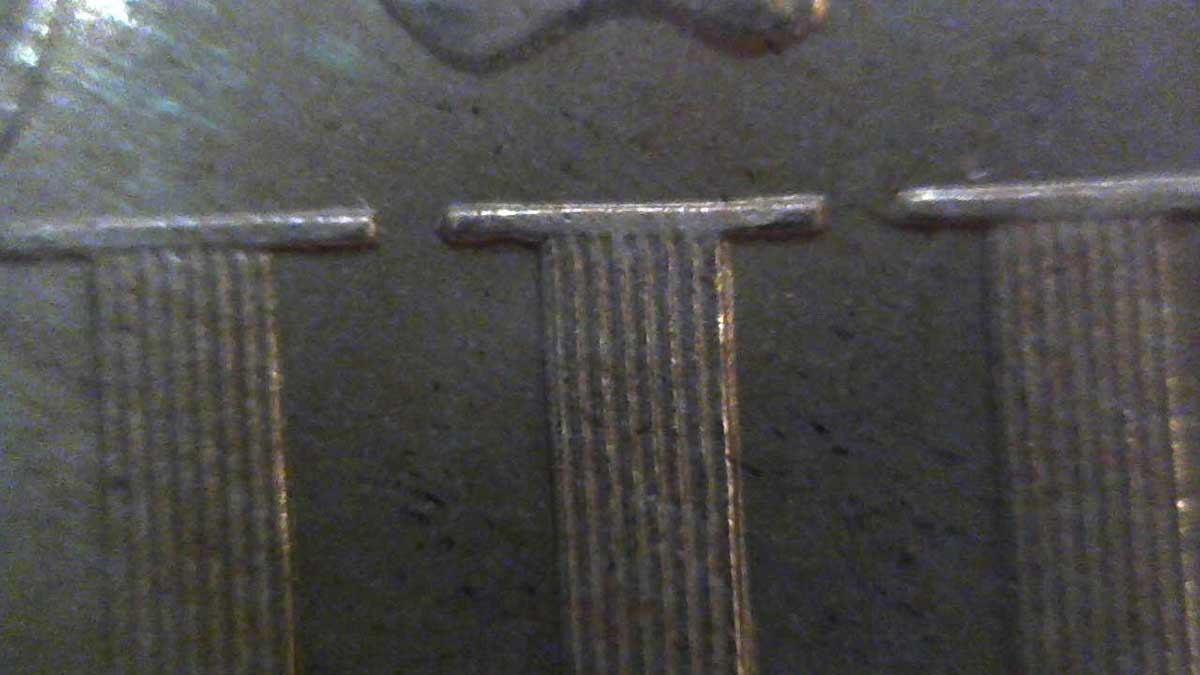
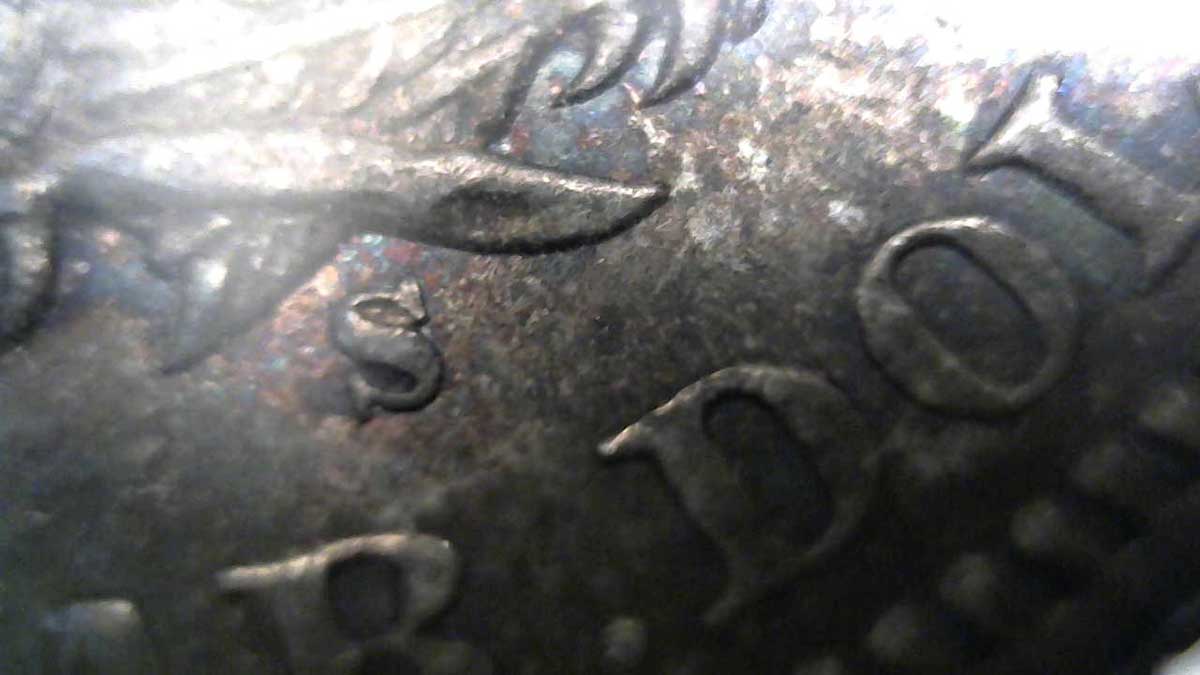
I was interested a while back in getting closeups using a web cam, came across a video on how to modify a Logitech C310 to be able to do rudimentary macro shooting. It's not the greatest camera, but it is as easy as removing the case screws (auto-void warranty) and break the hot glue bead that was placed on the screw-type lens during factory calibration. After that, it becomes an adjustable camera that can do pretty close-up shots. What I use it for is to get closeups of mint marks and problem areas of coins at an angle, which I can't really do with my mounted DSLR setup. It also does a pretty good job at catching mint luster and proof fields. Images below are of 1877-S Liberty Seated quarter and an 1883 3 Cent Nickel.

Using-Modified-Logitech-C310-Web-Cam-As-A-Magnifier-And-Camera

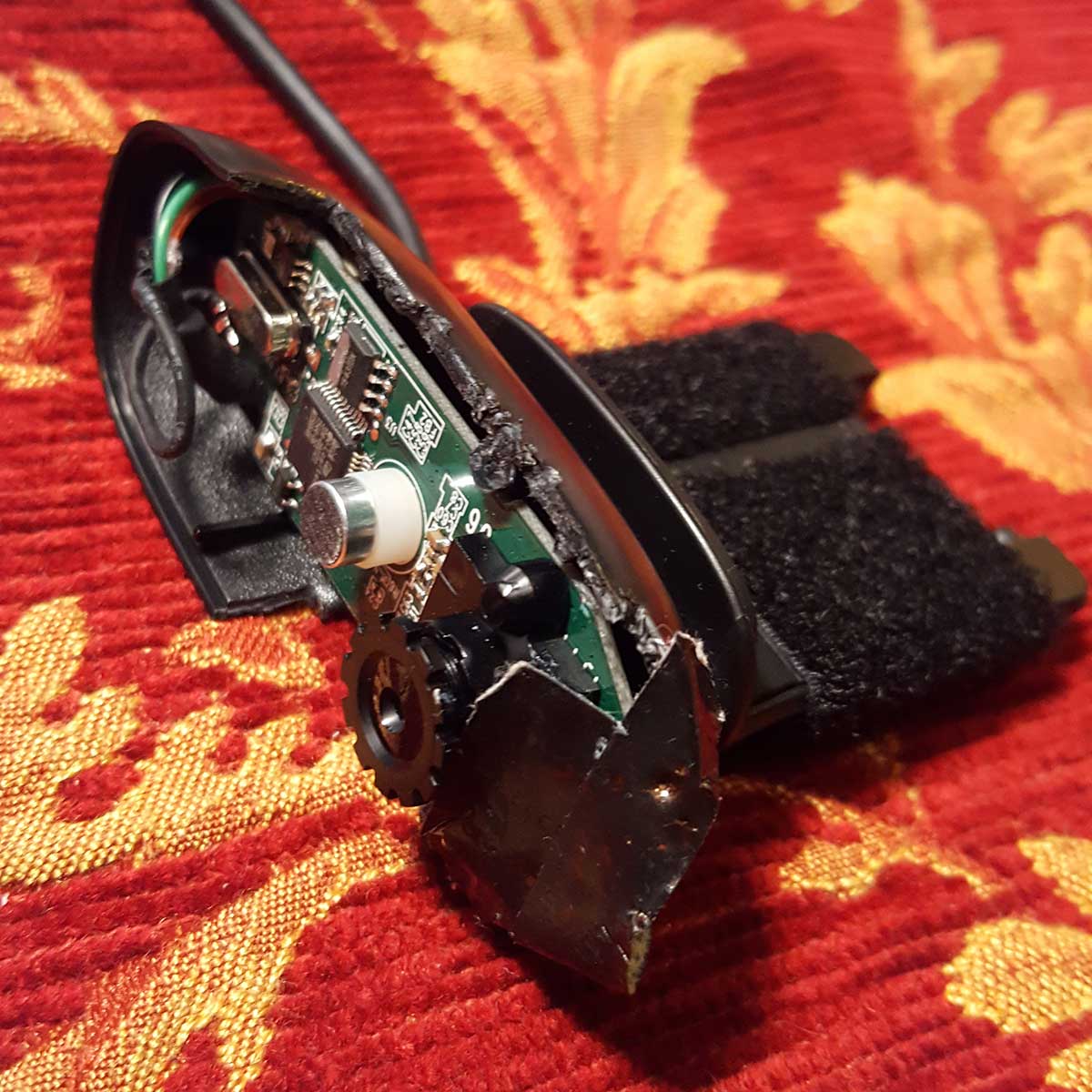
Here's a before and after of the camera once I tore it apart for my use.

Using-Modified-Logitech-C310-Web-Cam-As-A-Magnifier-And-Camera

Notice the duct tape on the electronics board, which covers the green "in-use" light that cannot be turned off. Duct tape is not good to use in any photography setting since the adhesive stays behind on anything it touches (photographers use gaffer's tape). I'd recommend a bead of silicone and small piece of rubber to black out the green light.

The velcro on the cam is for mounting to a goose neck. Mostly I use it had held since adjusting the lens for magnification and then moving the goose neck around is really not worth the effort. The C310 webcam is an earlier model, but still on Amazon for around $25.00. Can't attest to any other webcam types that do this but I'm sure that many can, you just have to be okay with voiding all warranties. BTW if the lens falls out because it was unscrewed too far (which is the direction to get macros) just use a puffer bulb to blow out the CMOS chip housing and carefully screw the lens back in. It fell out on me tonight and rolled under the table, puffed everything with air and finished taking shots.

Regards

Pillar of the Community
Learn More...
United States
4038 Posts
 Posted 08/08/2017  10:25 am  Show Profile   Bookmark this reply Add rmpsrpms to your friends list Get a Link to this Reply
Were your full-coin shots with the same camera?
Contact me for photographic equipment or visit my home page at:
http://macrocoins.com
Pillar of the Community
fioti's Avatar
United States
4212 Posts
 Posted 08/08/2017  12:39 pm  Show Profile   Bookmark this reply Add fioti to your friends list Get a Link to this Reply
I had a set-up like that, years ago. I used electrical tape, no residue.
Valued Member
The Regency Store's Avatar
United States
103 Posts
 Posted 08/08/2017  10:18 pm  Show Profile   Bookmark this reply Add The Regency Store to your friends list Get a Link to this Reply
http://goccf.com/t/294105#2502605

Yes all of the images in my original post were taken with the C310 web cam.

I forgot to mention that I cut away all of the plastic casing to try and let more light in from the sides during close-up shooting.

Even electrical tape leaves residue, but you just reminded me of that really sticky 3M electrical rubber mastic that would probably work well to black out the green LED light. But at $20 for a 10 foot roll....
  Previous TopicReplies: 3 / Views: 3,704Next Topic  

To participate in the forum you must log in or register.


Disclaimer: While a tremendous amount of effort goes into ensuring the accuracy of the information contained in this site, Coin Community assumes no liability for errors. Copyright 2005 - 2026 Coin Community Family- all rights reserved worldwide. Use of any images or content on this website without prior written permission of Coin Community or the original lender is strictly prohibited.
Contact Us  |  Advertise Here  |  Privacy Policy / Terms of Use

Coin Community Forum © 2005 - 2026 Coin Community Forums
It took 0.23 seconds to rattle this change. Forums