







 First Page
 Previous Page
 Replies: 618 / Views: 112,499


 Posted Today 1H 5M ago


Hello rmpsrpms,
10+ years ago I got a Rebel XS camera, bellows, lens and adapters from you. Not the microscope stand or objective. The goal was to take full sized pictures of coins from small to large. They were in storage for a long time until the last year when I started using them again.
I use a mac and learned that to use the canon software (eos utility) I needed to use an older operating system. My understanding is that's because the program is a 32-bit program and at some point mac stopped supporting 32 bit programs entirely. So you need to use MacOS 10.14 Mojave (from 2018) or earlier. Also the newer mac computers won't even let you install that old OS on new devices, so you need an older device. But that's how I still use the canon software on a mac. Luckily the Canon and MacOS software are free. You can even buy an old laptop that used to be $1000+ for $100 or so, use it as your Rebel XS coin photography laptop, and still be budget friendly.
Maybe windows doesn't support the old program for similar reasons. It's possible to dual boot your computer with an old OS to use the canon program and a newer OS for everyday stuff. Or you can make a virtual (old) system on your current (new) system. But that kinda stuff is a bit too technical or frustrating for me.
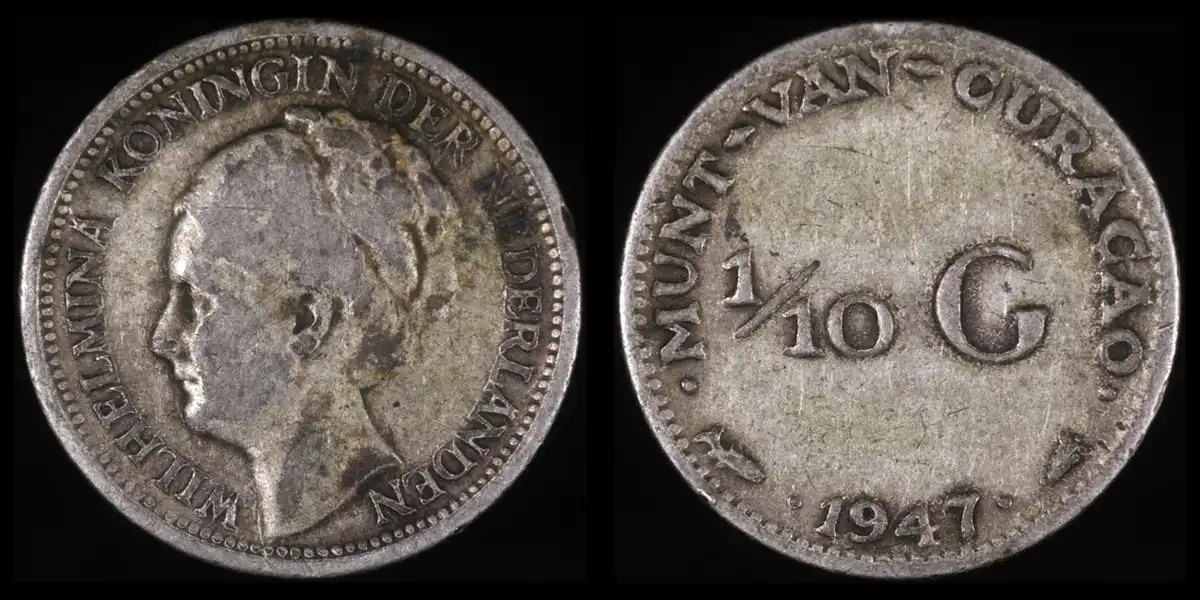
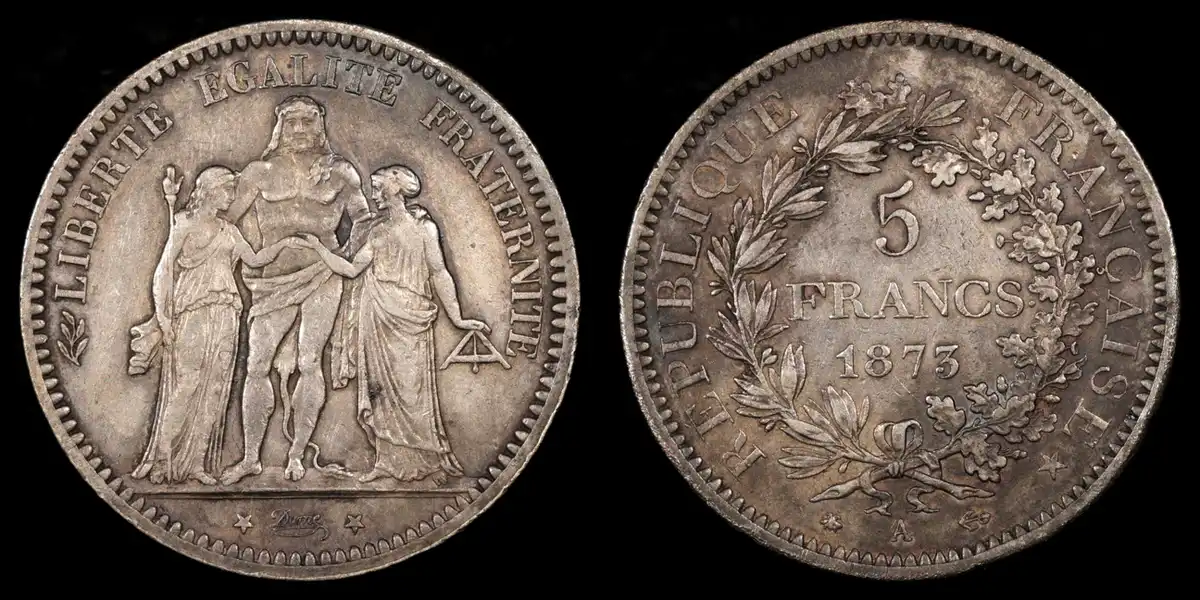
Following are some of my examples. They have been downsized from 2592 pixels high to 648 (4:1 ratio) and appended side-by-side. Otherwise no editing. The 1/10G is 15mm or smaller than a dime. The 5F is silver dollar sized.
I almost bought another Rebel XS when I realized how cheap they were, but eventually realized it was a film camera and not digital.
I recently ordered some opalux to play with. I need to work on a stand or platform. I like the x-y stages or the little things that look like jacks, but I'm hesitant to order more stuff. Another change in the last 13 years is the availability of 3d printed doodads that might be helpful.
-wheatiefan
10+ years ago I got a Rebel XS camera, bellows, lens and adapters from you. Not the microscope stand or objective. The goal was to take full sized pictures of coins from small to large. They were in storage for a long time until the last year when I started using them again.
I use a mac and learned that to use the canon software (eos utility) I needed to use an older operating system. My understanding is that's because the program is a 32-bit program and at some point mac stopped supporting 32 bit programs entirely. So you need to use MacOS 10.14 Mojave (from 2018) or earlier. Also the newer mac computers won't even let you install that old OS on new devices, so you need an older device. But that's how I still use the canon software on a mac. Luckily the Canon and MacOS software are free. You can even buy an old laptop that used to be $1000+ for $100 or so, use it as your Rebel XS coin photography laptop, and still be budget friendly.
Maybe windows doesn't support the old program for similar reasons. It's possible to dual boot your computer with an old OS to use the canon program and a newer OS for everyday stuff. Or you can make a virtual (old) system on your current (new) system. But that kinda stuff is a bit too technical or frustrating for me.
Following are some of my examples. They have been downsized from 2592 pixels high to 648 (4:1 ratio) and appended side-by-side. Otherwise no editing. The 1/10G is 15mm or smaller than a dime. The 5F is silver dollar sized.
I almost bought another Rebel XS when I realized how cheap they were, but eventually realized it was a film camera and not digital.
I recently ordered some opalux to play with. I need to work on a stand or platform. I like the x-y stages or the little things that look like jacks, but I'm hesitant to order more stuff. Another change in the last 13 years is the availability of 3d printed doodads that might be helpful.
-wheatiefan
Edited by wheatiefan
Today 1H 2M ago
Today 1H 2M ago


