| Author |
 Replies: 28 / Views: 3,821 Replies: 28 / Views: 3,821 |
Page 2 of 2
|
|
|
|
Pillar of the Community
United States
4132 Posts |
Aside from cropping to a square, I would avoid cropping as much as possible. That's the biggest limiting factor on quality for you right now.
|
|
Pillar of the Community
 United States
4051 Posts |
Lighting on the nickel is much improved vs earlier shots (except the medal, which is pretty nice) but is still a bit uneven. You might try a little diffusion, maybe a tissue over each light, to even it out a bit.
As the Captain said, major cropping is not good for image quality. Most cameras and lenses don't have great detail at pixel level, so it's better to downsize the image versus cropping it. This means getting closer to the coin to make it fill more of the screen. Downsizing creates "artificial sharpness" in the image by eliminating diffraction, lens aberrations, etc.
Contact me for photographic equipment or visit my home page at: http://macrocoins.com |
|
Pillar of the Community
 United States
615 Posts |
Experimenting with some copper:   |
|
Pillar of the Community
United States
615 Posts |
I can't get the lights to the angel I want, as the space I have to work with and the shape of my camera is not helping me out very much. the lens is about 5 inches away from the coins in these shots.   |
|
Pillar of the Community
United States
615 Posts |
I had the brilliant idea to remove the nickel from it's 2x2. I think it's a little bit better shot:  |
|
Pillar of the Community
United States
615 Posts |
Think I may have figured something out, or at least I'm getting closer. This is my favorite shot by far, minus some minor lighting issues towards the bottom of the coin.  |
|
Pillar of the Community
United States
615 Posts |
Yep, pretty sure I've figured out where the camera needs to be as far as height goes, now my biggest challenge is white balance and proper lighting angels. I'm going to have to work to try and figure out how to position with lights with my camera body in the way on the right side.  |
|
Pillar of the Community
921 Posts |
Try using MANUAL FOCUS instead of AUTO....
|
|
Pillar of the Community
United States
615 Posts |
Sadly this camera does not have a manual focus option. I can set up the shot but when I actually press the shutter it does it's goofy focus and there's no way to stop it.
|
|
Pillar of the Community
United States
615 Posts |
Picked up some proper gray backgrounds today, I think the color has improved dramatically.  |
|
Pillar of the Community
United States
615 Posts |
Took two shots with tissue over the lights to diffuse the lighting a bit. I think they came out okay:   |
|
Pillar of the Community
United States
615 Posts |
I just noticed the pictures are losing their sharpness from the center. Might be the cheap macro filters I'm using on my camera. Hrm.
|
|
Pillar of the Community
United States
615 Posts |
Still tweaking color. Also tweaked the focus as well.  |
|
Pillar of the Community
United States
615 Posts |
And of course, after more tweaking of settings that I have no idea how they work, I have this, the closest representation of the nickel yet:  |
|
Bedrock of the Community
United States
10065 Posts |
I googled you camera to get a pic of it. It is not the exact same model as mine - but they are close. Mine is the Kodah easyshare ZD712. If you are intersted, look at this thread I postes some time ago as to how to make a very inexpensive, but very functional macro lens for your camera. https://goccf.com/t/89250Just as a sneak preview, here are some of the pics: on the post: 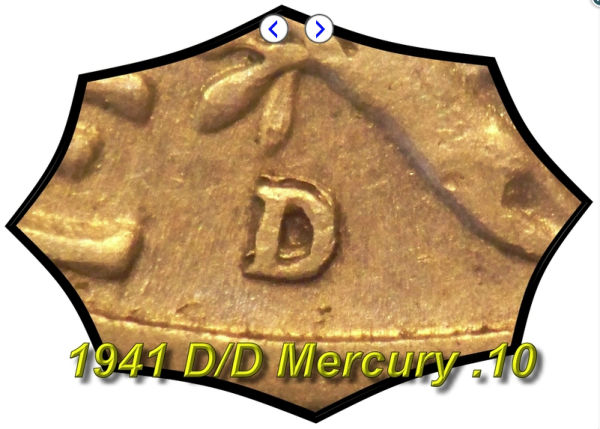 My lighting for the large cent was sunlight coming in the window. 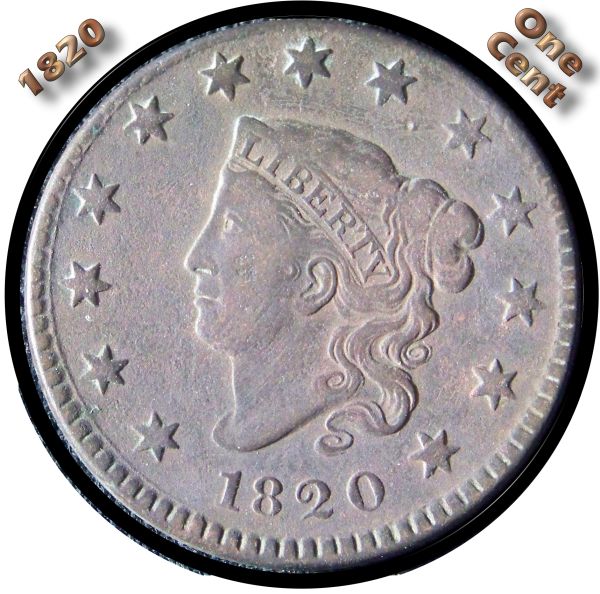 Edited by Earle42
01/10/2013 9:51 pm
|
|
Page 2 of 2
|
Replies: 28 / Views: 3,821 |
Page 2 of 2
|






 First Page

 Posted 01/08/2013 11:47 pm


