| Author |
 Replies: 27 / Views: 1,615 Replies: 27 / Views: 1,615 |
Page 2 of 2
|
|
|
|
Pillar of the Community
United States
509 Posts |
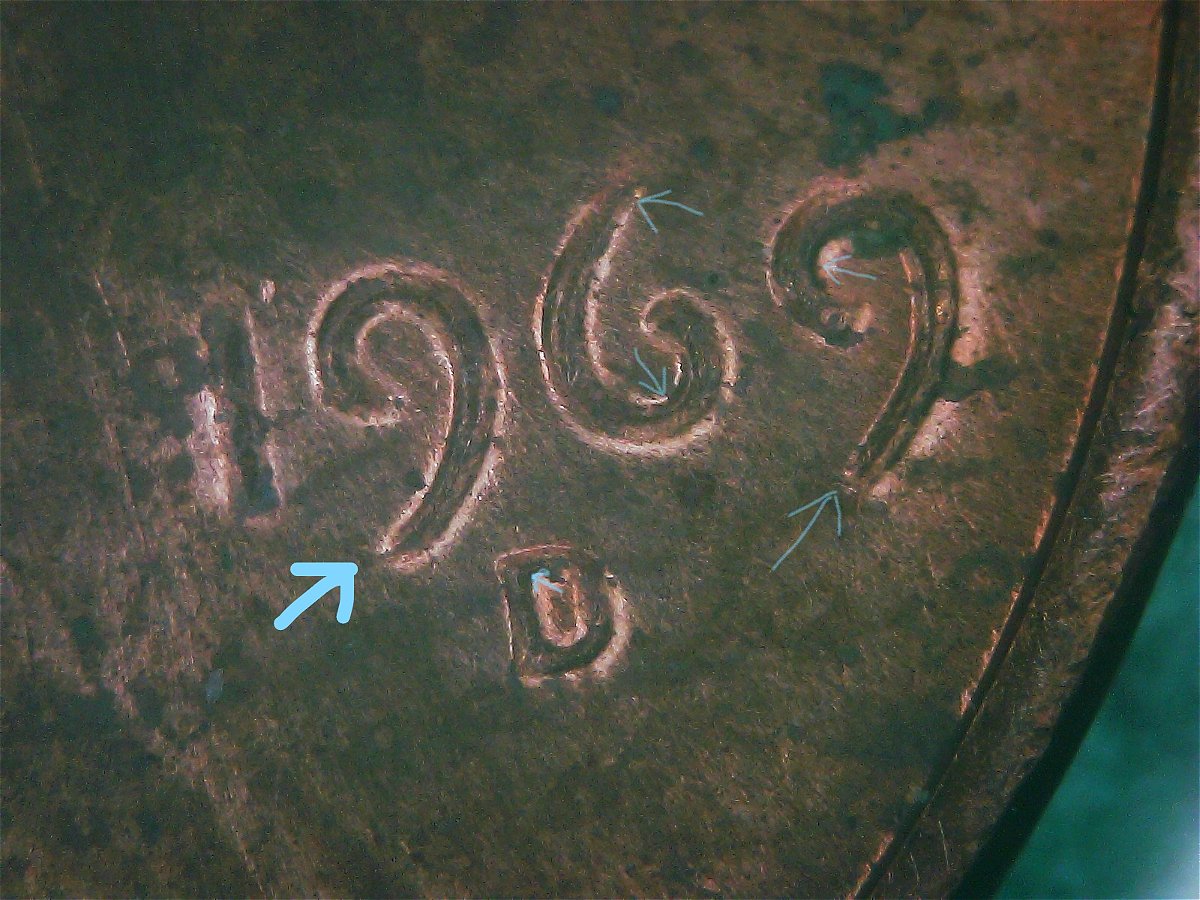
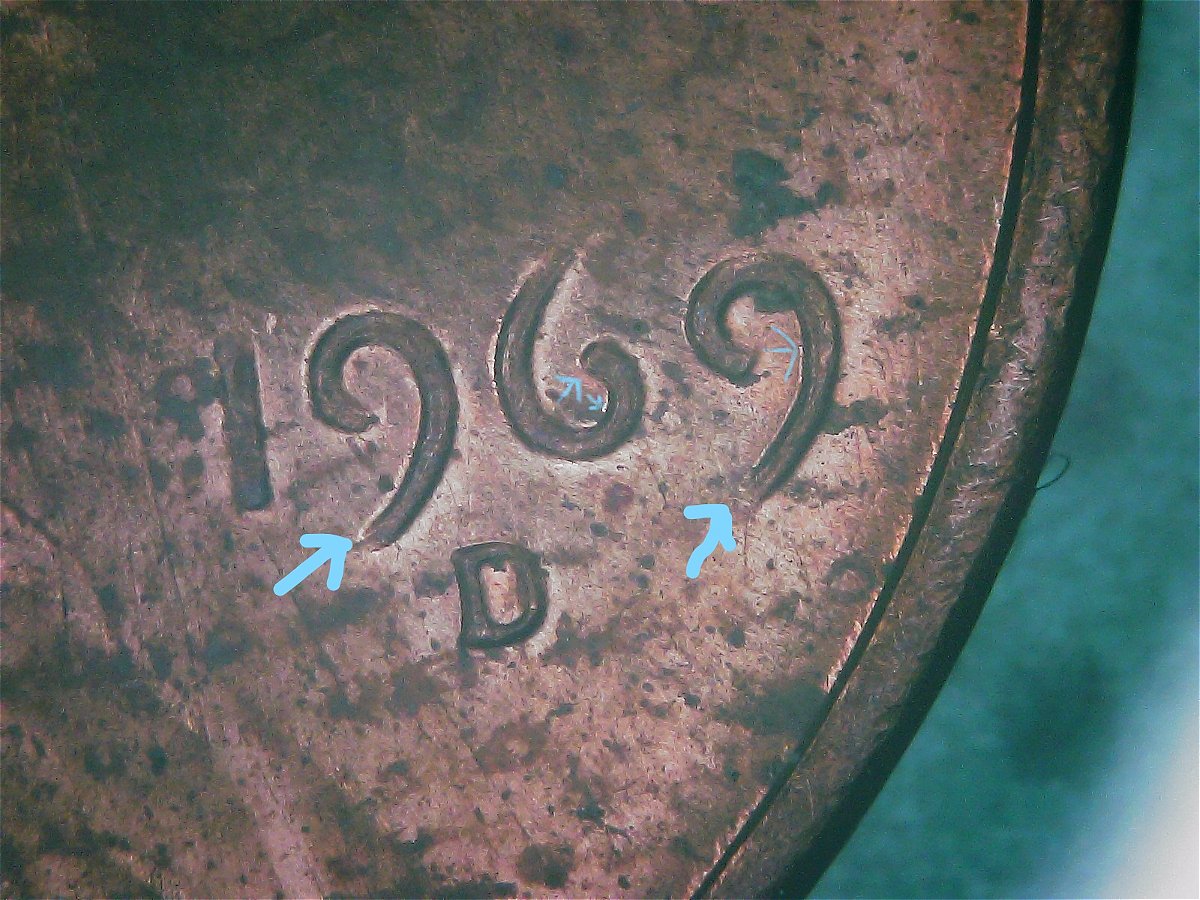
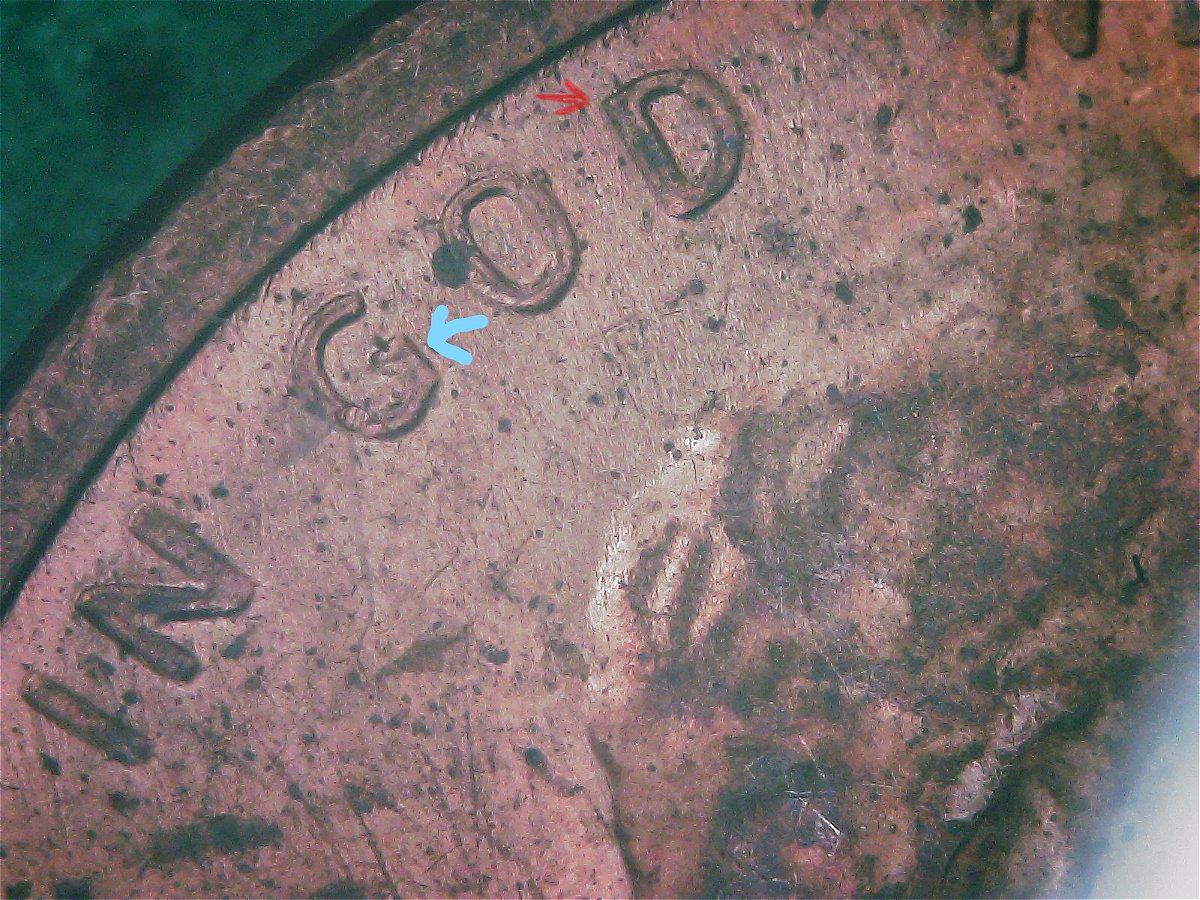
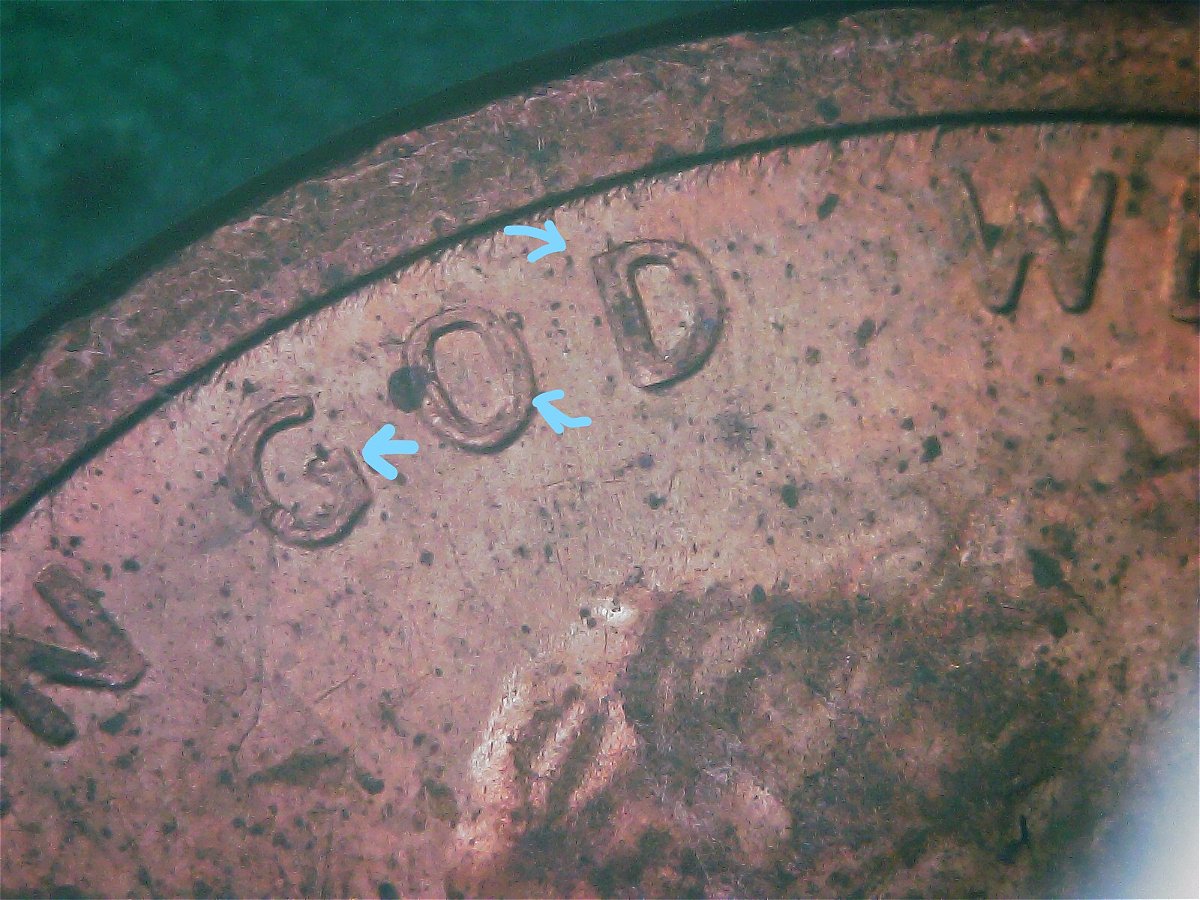
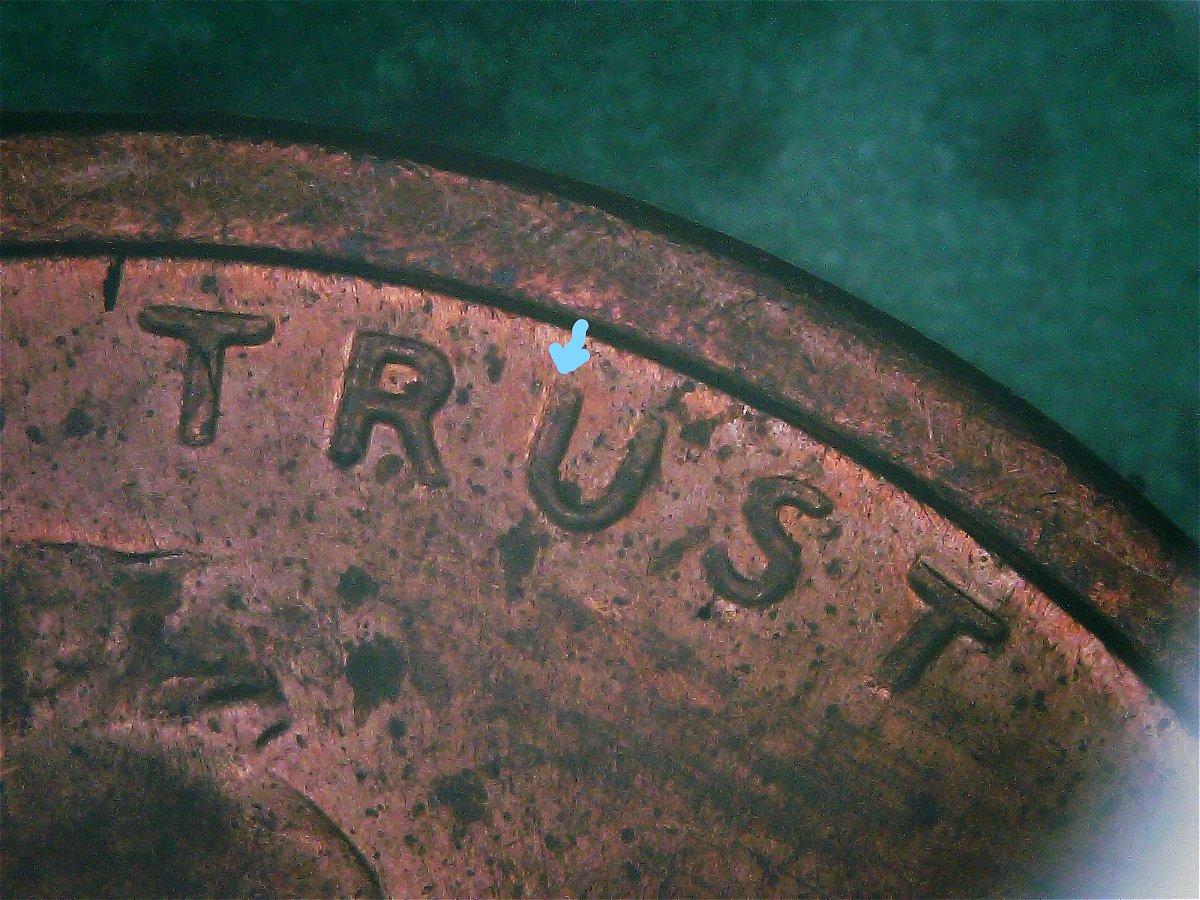
I believe what you are seeing is a result of light reflection and a severely worn out die. Your second set of pictures look totally different than your first set of pictures. The O in GOD is not doubled. If it was, you would see an increase in the size of this letter, not what it currently looks like. The thickness of the O seems to be cut in half which is not indicative of a doubled die. This die has been heavily braided as evidenced by the striations and polishing lines you can see. There also appears to be quite a bit flow lines, not typically seen on a copper Lincoln except under extreme magnification which can further make things look like something they are not (extreme magnification is not always your friend), which leads me to believe your coin is a result of Die Deterioration as well as lighting issues. |
|
Valued Member
 United States
255 Posts |
Bro if you could see my setup XD I'll keep at it with the pictures in the hopes I can get some decent ones. I'm legit using pieces of toilet paper to try to dull the bright white LED's, it's 100% not working is it.
|
|
Moderator
 United States
56855 Posts |
Let's wait for coop,but I do not think it is a DDO. John1  |
|
Pillar of the Community
United States
3003 Posts |
are you using single ply or double ply toilet paper? to much passes thru single ply toilet paper. I should know. I have to wash my hands more then once when using single ply.  |
|
Moderator
United States
56855 Posts |
Try a white coffee filter. John1 |
|
Valued Member
United States
255 Posts |
@John a coffee filter doesn't work with my scope, it relies on its onboard lighting which is mounted right next to the lens, if I cover the lights with a coffee filter, I'm qlso covering the camera.
|
|
Moderator
United States
56855 Posts |
Make and model of your scope? I have two scopes where the lights are around the camera lens and I used a coffee filter. John1 |
|
Valued Member
United States
255 Posts |
I'll get the details when I get home. It's a plugables brand though, something I bought from Amazon during lockdown. |
|
Moderator
United States
56855 Posts |
|
|
Pillar of the Community
Canada
3328 Posts |
There is usually a way to turn off or dim lighting on scopes. You can always try and turn the lights on the scope off all together and then use a filtered secondary light source. Took me 3 months to figure out I could turn my scope lights off.
|
|
Valued Member
United States
255 Posts |
@John1 it's a plugables 3007-A38? (data sticker is worn away a bit). I'm testing something with a coffee filter but it still doesn't seem to be working, I'll keep messing with it and hopefully I'll figure it out!
@wrekkdd it has a dimmer right on the front but any amount of light from it seems to create a nasty glare, and in order to get close enough to get pictures, the scope has to be right on top of the coin, not leaving enough room for other light sources to get to the coin. I'm ordering a loop friday lol
|
|
Moderator
United States
56855 Posts |
|
|
Valued Member
United States
255 Posts |
@john1 that is brilliant. I was trying something similar but definitely not the same lol let me give that a try real quick
|
|
Valued Member
United States
255 Posts |
|
|
Bedrock of the Community
United States
62064 Posts |
Finger prints on the coin. (can't be removed) You are looking at the outside/inside edges of the coin. That is where you will find Machine Doubling. Doubled dies are on the centers of the devices: 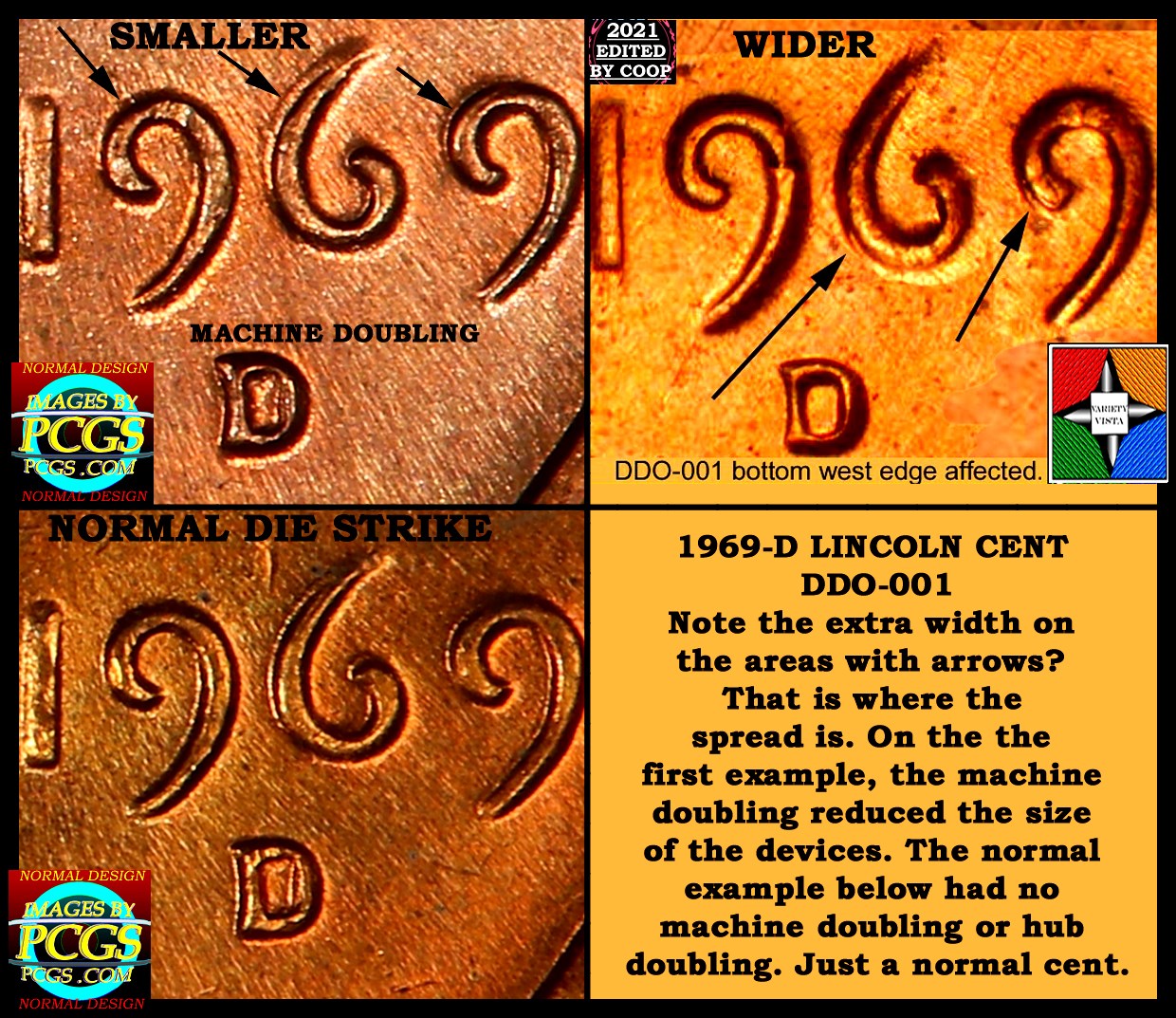 While this one is close to the edge, not the devices are wider at those areas. On Machine Doubling, the devices contour of the devices are flattened. Not on this one. These is a slight spread. Edited by coop
12/14/2021 4:16 pm
|
|
Page 2 of 2
|
Replies: 27 / Views: 1,615 |
Page 2 of 2
|








 First Page


 Posted 12/13/2021 11:07 pm