How difficult is it to remove the letter on a Dansco page?
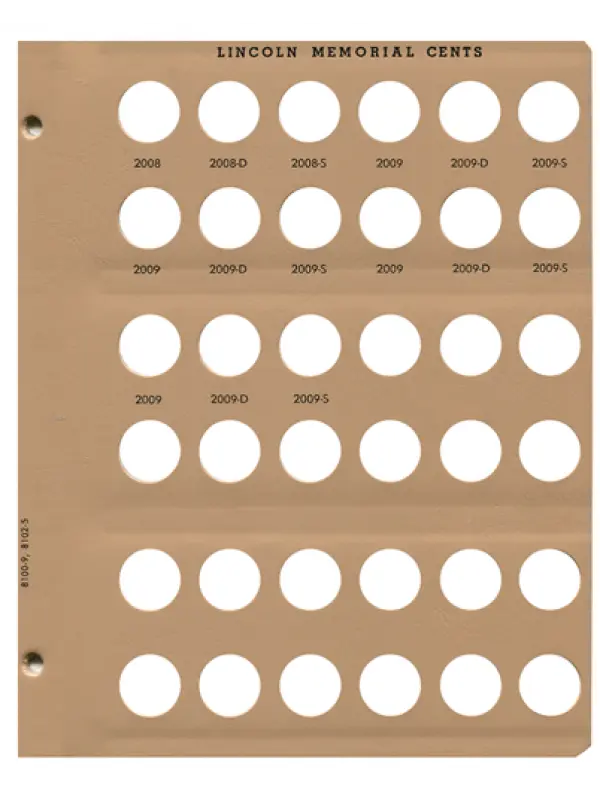
The blank cent is out of stock but their is a Lincoln Cents w/Proof 8102 Dansco Album Page #5 2008-2009 available from where I want to order. I do like that it has the Lincoln Memorial cent on the top of the page but I'd like to remove all the dates to be able to label as I wish. At least this page only has 15 dates I'd have to remove
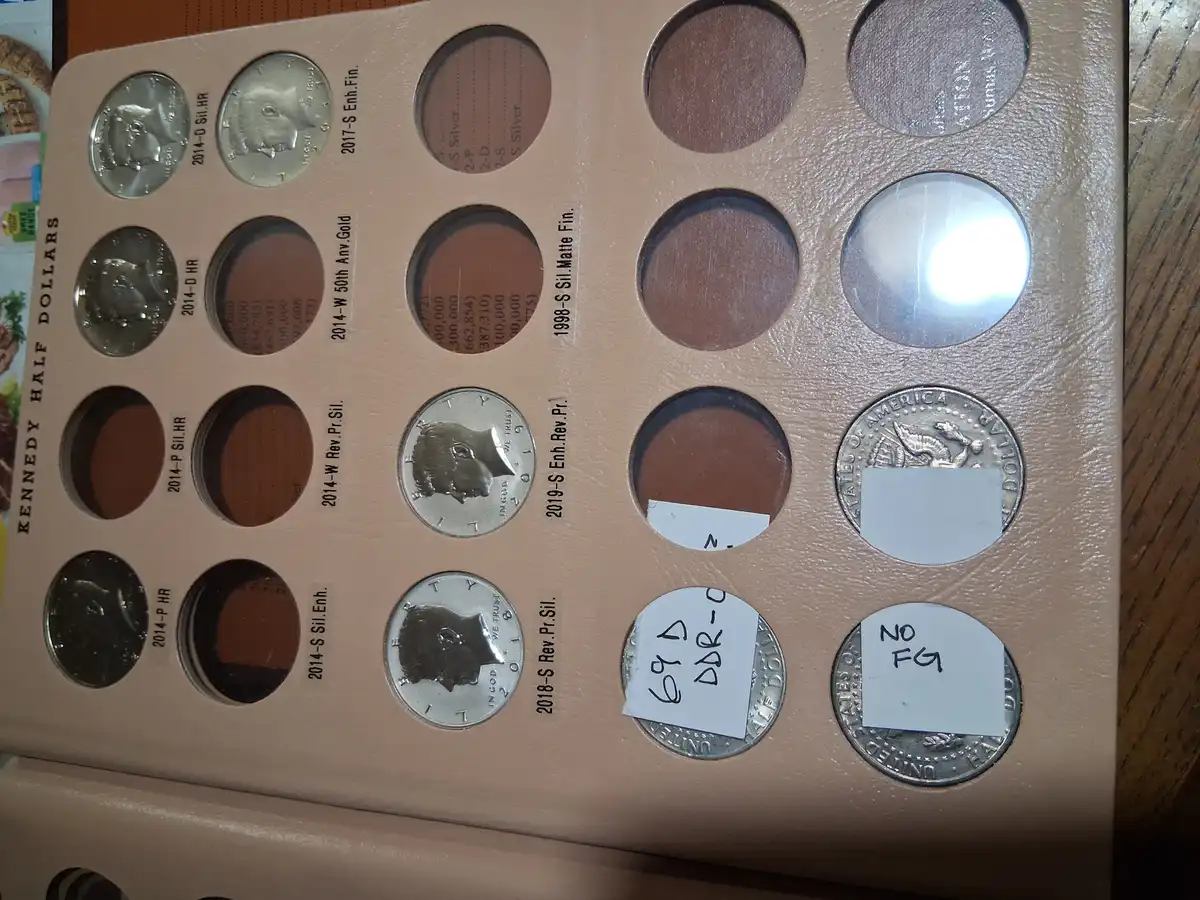
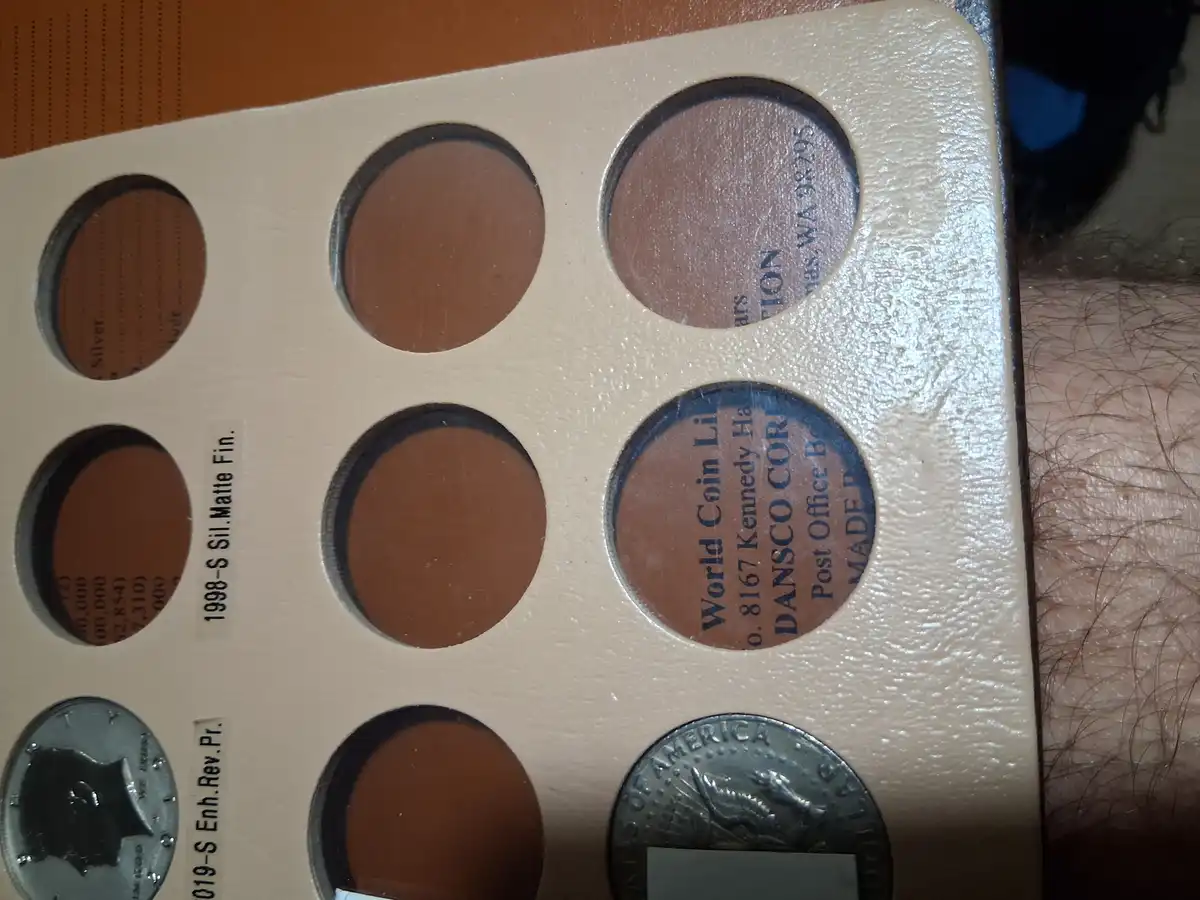
I just removed the dates on a Kennedy half dollar page and I must say I'm happy how it came out. I used acetone and a q-tip lightly rubbed until the ink started to smear then used hand sanitizer with a new q-tip. A bit of the "gloss" was reduced but I think that is because I became impatience as I progressed onto the next date. Good thing is you can practice/experiment on the printing that is on the left side of page and hidden when enclosed in album 2nd photo I tried to show the reduced "gloss" edited: for me to remove all 20 dates took less than an hour ( I really wanted to start labeling and filling in the holes), so I think if you take your time you won't see such a reduction in "gloss". Plus later I'm thinking of trying some leather conditioner (like Lexul) to rehydrate the areas where the gloss was lost.
Thanks Greasy Fingers. I wonder if isopropyl alcohol would be less harsh. I guess the key is to work in a small enough area and take my time.
I6609 - White tape would cover them but if I don't have a coin in the spot then I'll still have the date showing. I prefer the clear tape labels to try and blend in and not draw attention to it. Trying to be similar to the pre-printed dates on the page.
Disclaimer: While a tremendous amount of effort goes into ensuring the accuracy of the information contained in this site, Coin Community assumes no liability for errors. Copyright 2005 - 2026 Coin Community Family- all rights reserved worldwide. Use of any images or content on this website without prior written permission of Coin Community or the original lender is strictly prohibited. Contact Us | Advertise Here | Privacy Policy / Terms of Use








 Replies: 3 / Views: 90





 Posted Today 5H 42M ago


