| Author |
 Replies: 26 / Views: 4,267 Replies: 26 / Views: 4,267 |
|
Pillar of the Community
United States
3076 Posts |
Such a thing as the "LIVE VIEW FUNCTION" found with the newer non point and shoot cameras....WOW...simply AMAZING.... I've had this camera for a week with no software, and I've been pulling my hairs out...but I got the software loaded and SHAZAMM....with my point and shoot camera, I had to try all the different settings and see :after the fact" results... The live view allows you to see the changes of ISO, shutter speed and appeture effects "BEFORE" you shoot the shot.... which means....you can actually take a picture that "truly" represents the coin "in hand"..color and detail This is a coin I bought some time ago. but could never take a picture of an original PATINA..to do it justice.... never cleaned or altered coin..as most have been...its from the Redfield Hoard collection...coins taken from bags $1,000 bags he hid.... 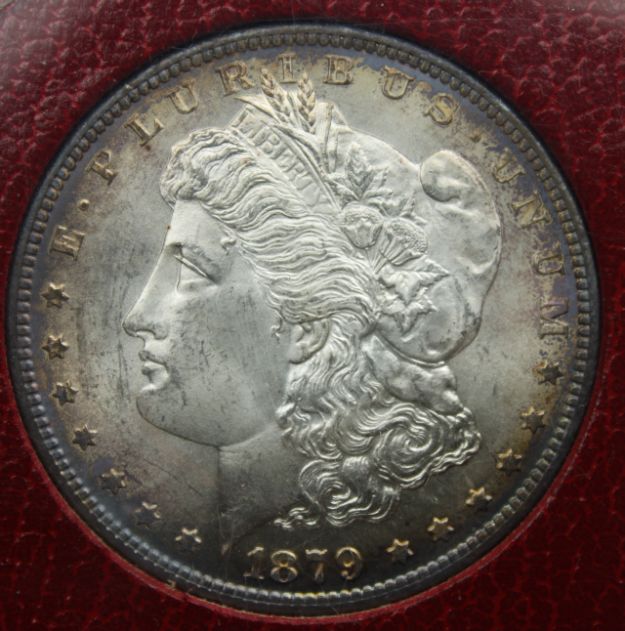 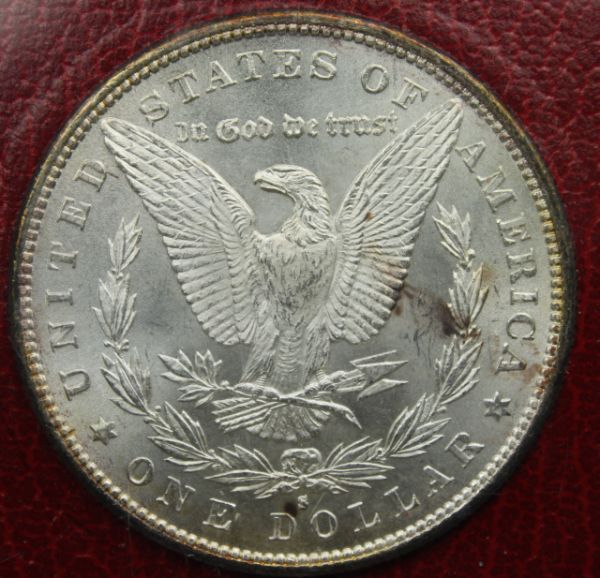 the beauty of the live view is...you can change all the "F"stop settings and shutter speeds as you look at them, which effect...the image..bright or dull.. Amazing program......I can now understand why SD is amazed by great photo's from point and shoot posters...it takes so much time with the point and shoot cameras to get decent results when the LIVE VIEW lets you see instantly what is happening...my old stand by reference pic's are next 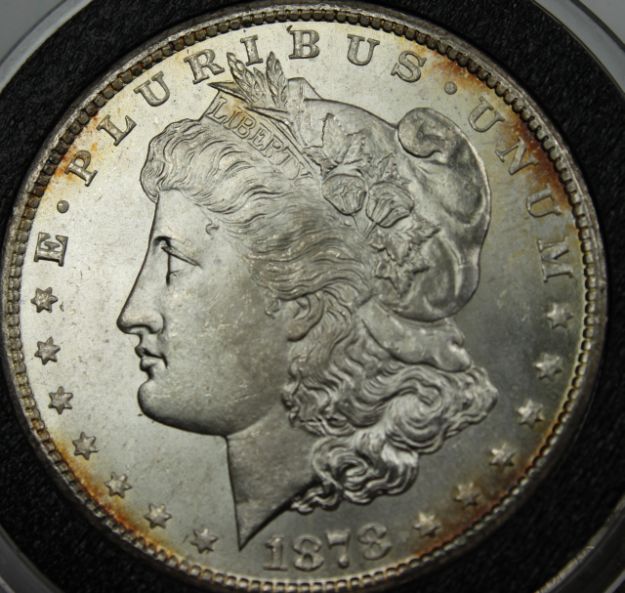 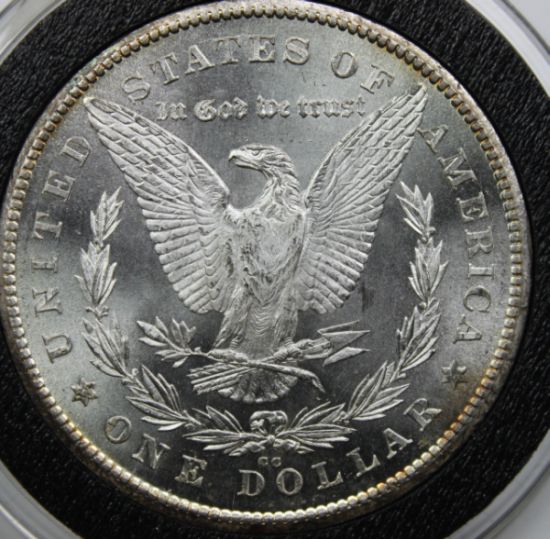 I use these to see the differences in my photo attempts, and research... |
|
|
|
Forum Dad
 United States
24232 Posts |
Did you discover the on screen zoom yet? For quick macro shots sometimes I never even snap a picture, I use that feature and hit the print screen button on my keyboard. 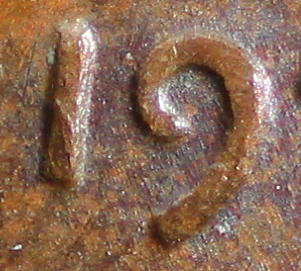 |
|
Pillar of the Community
United States
7842 Posts |
Nice pictures! What kind of camera is it? I'm looking for an upgrade.
|
|
Pillar of the Community
 United States
3076 Posts |
Bobby I just got the camera software loaded and haven't found the screen macro capture, I will try tonight..It will be an valuable asset on capturing VAM point's! Thanks for the tip.. The camera's a Canon T1i 15MP..I've had it a week with no software and had it stuck on the ADEP feature and couldn't even focus a thing. finally got it back to normal and the software really let me see the how the settings of shutter/light and aperture effect the over all photo...Following so many of the threads, I was able to get much better results with my other camera's, but it took many hours to capture a few good shots, were now I can see whats happening as it happens...I was happy to download my own photo's and expand them to find they expanded well and have much detail. this was something I was loosing when posting most pictures in the past as well as for vamming purposes expanding members coins to figure out what VAM they may have... many times they immediately loose the detail unless the pic's are hosted out side of this site.. For not being a TRUE Macro lens I am quite pleased with the stock EF-S 18-55MM 1:3.5-5.6 IS lens.... I recently bought some old good glass and adapters to play with the Macro side of the game, I'm sure it will be a whole new battle to learn how to take good shots with those as I don't believe they will work with the live mode, Fortunately I can now finally move along with my endevour of cataloging Vams |
|
Forum Dad
United States
24232 Posts |
When you're in live view mode just click the magnifying glass at the bottom, then maximize that window. You can click the arrows on the right for minute focus adjustments before using the print screen. Good stuff.
|
|
Pillar of the Community
United States
3076 Posts |
I couldn't get that to work but most likely I didn't do it correctly, I'll try again tomorrow..Thanks for the tip...I did get it to zoom in but the print screen button had no effect...Bobby I did notice something very wonderful. when you ZOOM in,, you can see when the focus is at the extreme..close up, in focus or slightly out of focus.. meaning you really can see if you have the focus dialed in.. in the past I have focused in as best as possible...by EYE...the zoom shows how little an adjustment really makes the true focus of the entire coin PERFECT.. For those of you following this thread. Nikon and Canon, and I'm reasonably sure other newer cameras have such a feature as the live browser/view..its not found with the point and shoot type camera's...Its a wonderful feature that allows you to see what the picture can be like before you capture it, using the different settings available that effect the overall picture out come... Aperture,and shutter speed, which dramatically effect the lighting for the coins out come..I'm shooting Morgans, Shinny objects, while copper will require other options and settings... Once again, thanks to you guys for you many posts of the overall scheme of photography its not a simple do this or that....Even for Morgans,,UNC (Shiney)coins and AG(Dull) coins..will not photograph the same... Here's an old melt bucket coin I picked up years ago.... 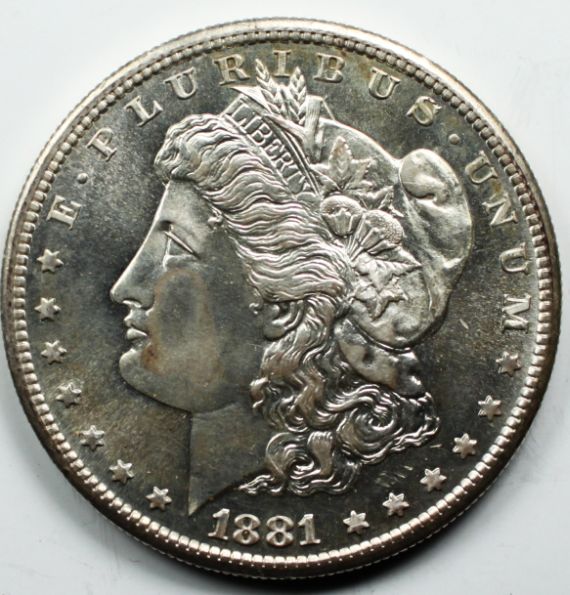 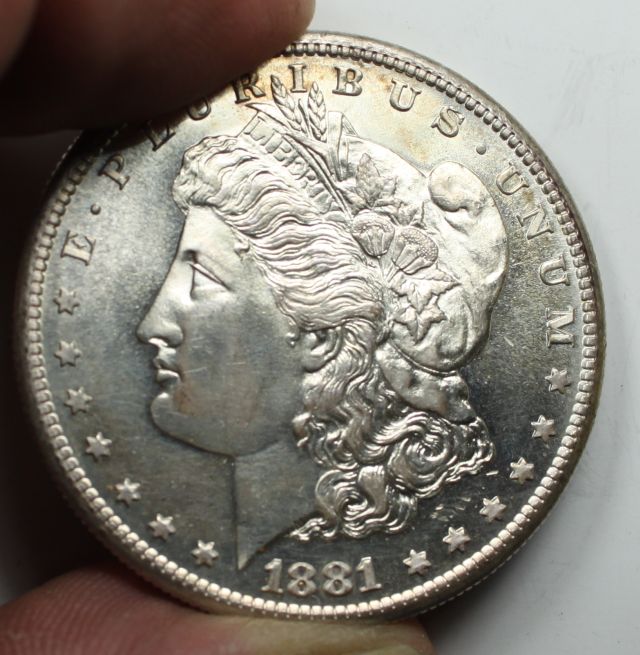 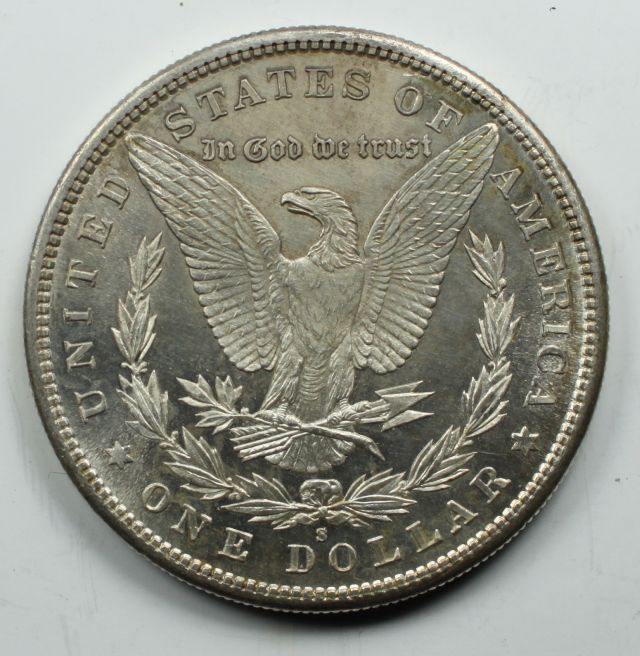 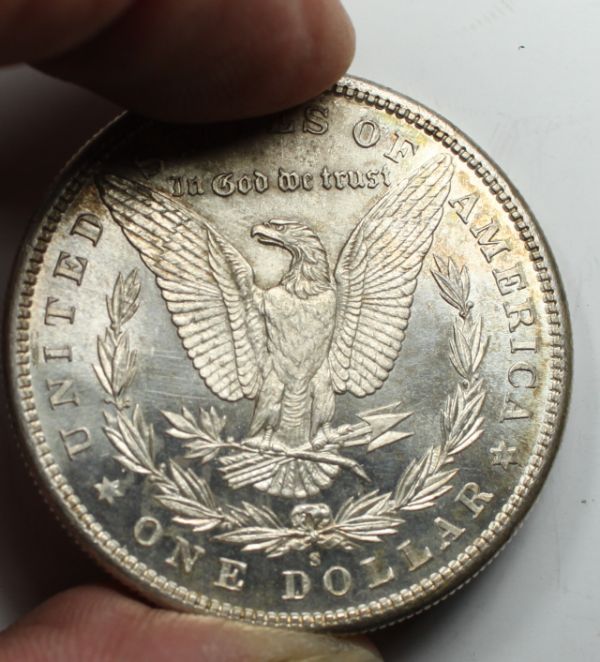 its nice to get a better pic of junk bucket coins... |
|
Valued Member
United States
132 Posts |
wow. I bought my sony dsc f717 in 2002, which I still use today, and it has this feature.
|
|
Pillar of the Community
United States
3076 Posts |
I got my 2004 Power Shot Pro1 which did not have any of these
computer functions..While its a good camera, It does not have an interchangeable lens..more or less a point and shoot camera of great quality..., Not being a Camera Sifu, and still not..I can only comment on the basic cameras available to the general public,and there lack of the qualities avalible to the lower end cameras..,Ive had the sony's and paid $1300 at the time, and it didn't have these functions...I wish not to argue as you most likely had a real camera..not the point and shoot type, where many more functions were available...But I do enjoy, what you have been enjoying...seeing what I am trying to do as it happens.. not second guessing after the fact...IF that was available in 2002 then more power to ya...I'm new to this stuff...and enjoy it now...
|
|
Pillar of the Community
United States
3076 Posts |
once again. I have to share with you. As I always follow these threads...I couldn't get the "print screen" magnified capture.. view as bobby suggested..how ever. AS one learns...I was able to capture some nice macro shots from a non macro lens... 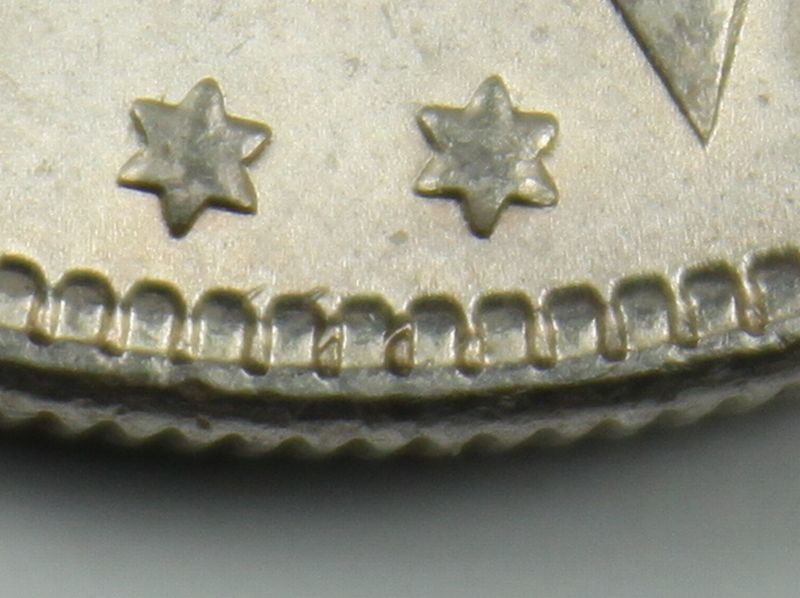 I never thought I could get such magnifications and detail...from a non macro lens... |
|
Pillar of the Community
United States
4051 Posts |
Did you take the pic with the EL-Omegar on bellows?
|
|
Pillar of the Community
United States
3076 Posts |
Actually no Ray, this photo is with the stock 18-55MM lens everyones dumping on ebay......I am still waiting for the all of the adapters to come in for the bellows...still learning the camera and have noticed I have the basics set...The camera is about 6 inches away from the coin, and sometimes the photo fills about 1/6th of the screen and other times it fills the screen..no adjustments were made...as a result the full pixles, for some pictures are around 5MB...the others have to be cropped down to around say 800X something....quite a change.. This last shot, was taken with the same setups,,reference settings...I normally use, I used the magnifying button Bobby suggested. this allows me to see the "real focus" and I adjust and take the shot.... the really interesting thing thing is I have been doing this as a norm.... However...I decided to crop the area I really wanted (usually cropped from the full coin) to capture on the coin.... When I did this it also gave me for my "mouse" a magnifying thing..I clicked on that and it expanded the view to "super macro nice detail ........ At first I saved this picture.....however it saved the picture at about say 70 or 80K.....For vams its to small as when I expand them they go poof....details disapear however,,I then slightly "CROPPED" this new window....and its saved with full detail at around 150K! more than enough to post and have excellent details... I really can't see why they are dumping these lenses... while my old power shot pro1, after all your guys lessons I was able to get the true color..I still have to figure out how to get that with this new (old Canon, by 2 years teckno) but live view and the camera I'm really enjoying..... Ray I'm anxiously awaiting the bellows parts..Although live view has auto focus many times I do readjust or manually focus... I'm sure there is a big learning curve for a bellows...might be 2 more weeks before I get the parts. I have the el omegar 75mm prime and 2 super Takumar's 55MM 1:1.8....one SMC and one not...I'm using them as a eye piece...for now... Ray I'm wondering, if I should have some extention tubes to work with, as one can use them with the camera body and also with the bellows.....depending, EOS and FD will mean two sets.....Also....how effective are the screw on 2X teleconverters which attatched to the from of the lens, as far as coin shooting is concerned? |
|
Pillar of the Community
United States
4051 Posts |
I'm impressed with the clarity of the shot using the 18-55 lens! The DOF is also very good. I had not thought about it before, but this is likely an advantage of cropping method vs higher mag method. Since the DOF decreases rapidly as magnification increases, as long as you have enough pixels to crop, you may get a better overall image cropping than increasing the mag. I'll need to think more about the limitations of this.
Extension tubes will work just like the bellows, but without mag adjustment capability other than adding or removing extensions. This is a better way of increasing magnification than adding close-up auxiliary lenses, unless you get some very high quality ones that are matched well to your main lens. Since there are a lot of variables, you won't know how well they'll work til you try them!
|
|
New Member
United States
41 Posts |
Just posted something about this on another topic. Canon offers it with all camera's and its name is EOS utility. I have it working with a macro lens and the pics are very good. Just have to be careful with settings when tethering it to computer. Would post a few examples but to new to site.
|
|
Pillar of the Community
United States
3076 Posts |
 welcome to the forum Amadus...I am using the EOS utillity, I'm just "NEW" to my "NEW" camera and its technology... Like CitizenPatriot, with this new gear, I am getting good results but the color is still not there and the luster of my example coin I use to reference adjustment success and failures by..All the photo's above lack the luster, but are decent pics...however I would dump them all in the trash can as they don't do the coin's any justice...As I am not using a dedicated Macro lens right now, and don't wish to spend a bunch more of money on a good real prime macro lens and "TRY" and learn the new gear I'm simply trying to learn how to use what I do have....I'll work on a better lens later.. but for now I am realizing,,,,,and perhaps you can comment or anyone...I always have the same settings..also the same distance from the lens to the camera...around 6 inches... I notice these 2 distinct things...some pictures are saved full screen and others the coin is small requiring zooming in before cropping... after the cropping..the image size is very small on the non full screen shots.. but for the full screen saved shots... viewing the types of captured shots, the small ones after cropping pixle out and loose detail when enlarging,, while the full screen shots..enlarge nicely with no degredation... I'm not sure why some are saved full screen and some not? my last post shows a full macro shot got saved in full screen,, while others didn't....hmmmm Ive only had this for 2 weeks now so Its a whole new ball game considering I had the old camera spot on... |
|
New Member
United States
41 Posts |
When I first got the EOS utility I was having a great many issues with it. It is a very fussy program. A friend of mine actually suggested re-booting it on occasion when it did not work properly. You really need to have all your drivers updated on your computer especially for the video card. First what version of the EOS Utility are you running, do you have the latest upgrade? What computer operating system are you using? Windows 64 or 32 bit or are you running mac?
I agree with you that in many cases the pics do not come out as expected even when viewing on the screen and then clicking and getting something a little different.
|
|
Pillar of the Community
United States
3076 Posts |
I recently had to upgrade this old box to some newer guts..Now I'm using a Phenom 6 core with all new drivers on the system, having fun learning to shoot better photo's of Morgan's. ..just to catalog some things...The colore of the coins I get are good on my end, but when I post them they are off....when I upload and recheck my post they are different and I'm not sure why...
|
| |
Replies: 26 / Views: 4,267 |







 Posted 10/13/2011 10:31 am





