| Author |
 Replies: 63 / Views: 8,679 Replies: 63 / Views: 8,679 |
|
|
|
Moderator
 United States
23522 Posts |
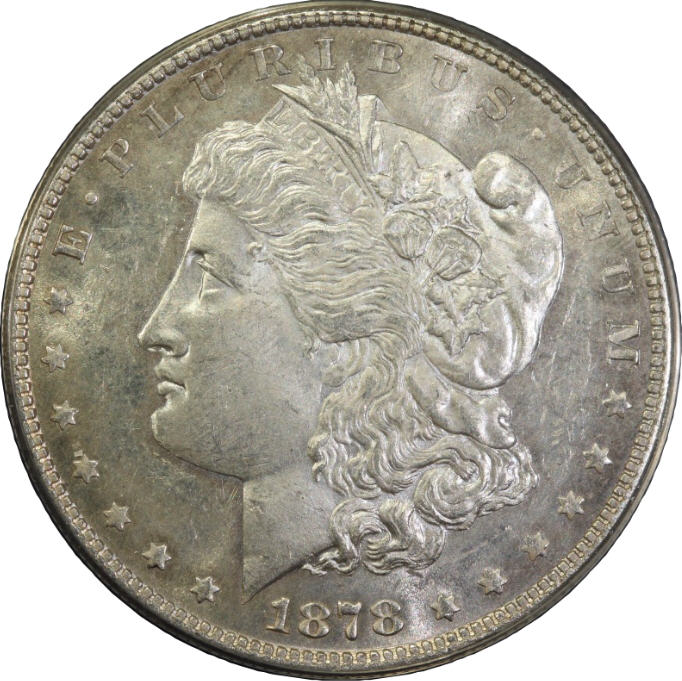
Hmm. Even if you're not straight up and down on the coin, this lens still ought to do better than what you're getting. How far is the lens from the coin? The minimum focus distance is 12", which means the end of the lens about 6" from the subject. So, you should be getting full-size images where a Morgan is close to 3000 pixels in diameter. Another thing - when shooting remotely with the 100mm Macro, I pre-focused the shot at the camera (holding the shutter button down halfway and then letting it go) before doing the actual snaps from the mouse. If you're not doing this yet, give it a shot. You'll have to do that before you start the Live View Shoot function - it locks the mirror and you then can't see through the viewfinder.
Are you familiar with processing RAW images yet? If so, convert one of the CR2's (direct, don't change anything in the conversion process yet) and compare it to the jpeg that goes with it.
|
|
Bedrock of the Community
 United States
14454 Posts |
|
|
Bedrock of the Community
United States
14454 Posts |
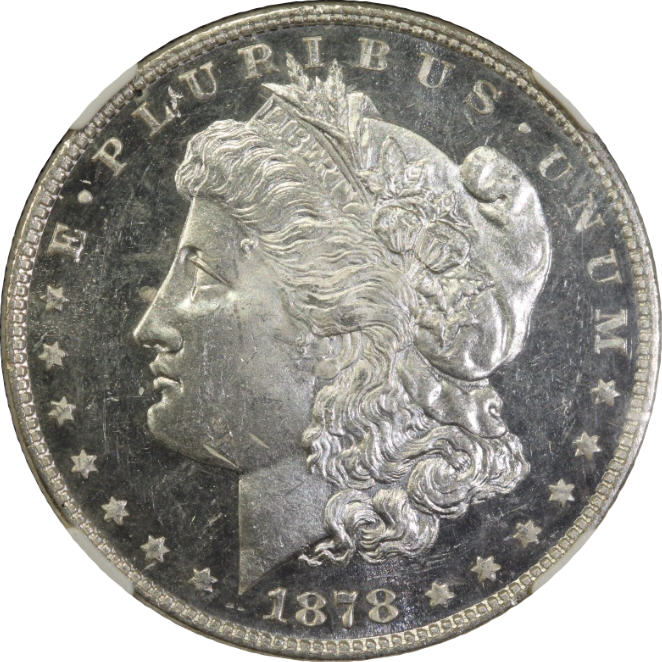
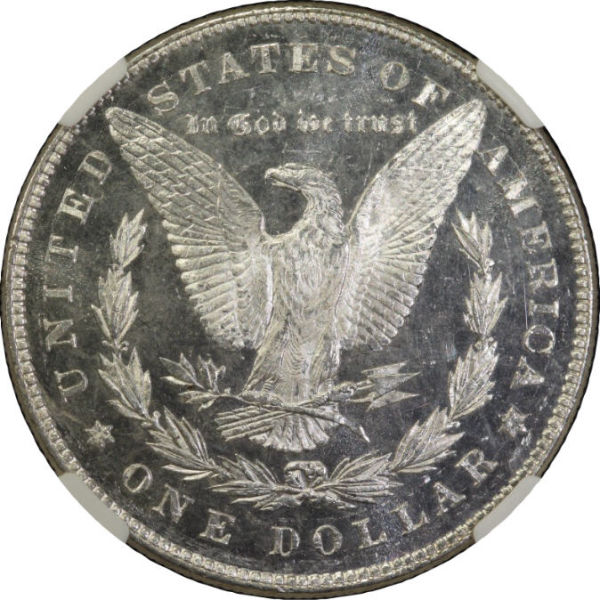
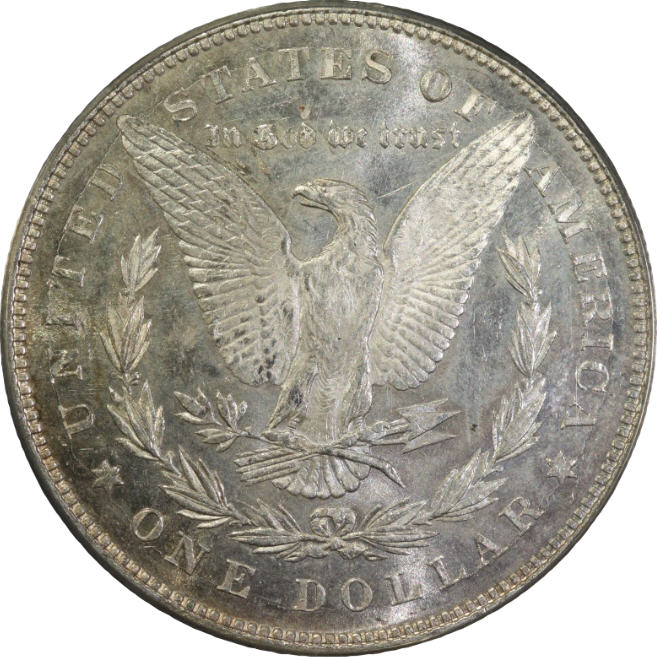
are these any better? I tried to get the lights close as well
|
|
Pillar of the Community
United States
4051 Posts |
Yeah, way better. Filters are another no-no. You want as little between the sensor and coin as possible. Does the T1i have the quiet mode? If so, and it's like the T2i, you have to turn on quiet mode to invoke the EFSC. Not sure if this is actually the case with live view (Canon does not document EFSC well) but I'm sure if your camera has the quiet mode you should be using it. For Dollar size pics it might not matter so much either way, though.
I think you got rid of at least half your focus/sharpness/? issue with removal of the extra glass!
Would you entertain two experiments to see what your system is actually capable of? Use just the obverse of your first 1878-P for these experiments.
1) Snap a shot with your existing settings and procedure
1) Turn off auto focus and use the EOS utility 100% live view feature to critically focus on Liberty's ear. Snap the shot.
2) Open your aperture to f4 using the utility and snap the shot
3) Open your aperture to f2.8 and snap the shot
I'd like to see the 4-image sequence to see how they come out.
Let's see that sequence
Contact me for photographic equipment or visit my home page at: http://macrocoins.com |
|
Pillar of the Community
United States
4051 Posts |
Quote:
....for this camera/lens, it should be set at "Standard." On my (now beloved) T2i the Standard setting has sharpening of 3, which in my view is too high, and saturation of 0, which is too low. I am using a custom setting of sharpening 2 and saturation 2 and am much happier with the results so far. Quote:
I found the 100mm to be a little sensitive to reflected light, since the outer glass is right at the edge of the lens, and tended to set lighting just a little above the bottom of the lens as a result. Sounds like it could benefit from a lens hood. Working distance for a 100mm lens on a dollar is pretty long, so the lights must be really high, which may not work best for the Jansjos. Luckily, they have a narrow pattern so you can put the light below the lens plane without shining back up at the lens long as the lights are pointed sufficiently down. For Dollars with the Jansjos, I found 150mm to be about optimum with a small amount of diffusion. YMMV...Ray |
|
Bedrock of the Community
United States
14454 Posts |
this is the sequence you have above settings the same as I have been using 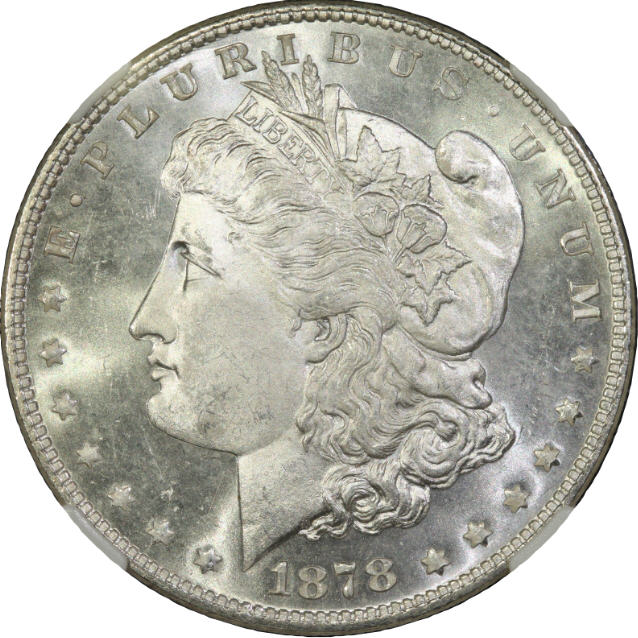 Focused 100% on ear in manual focus 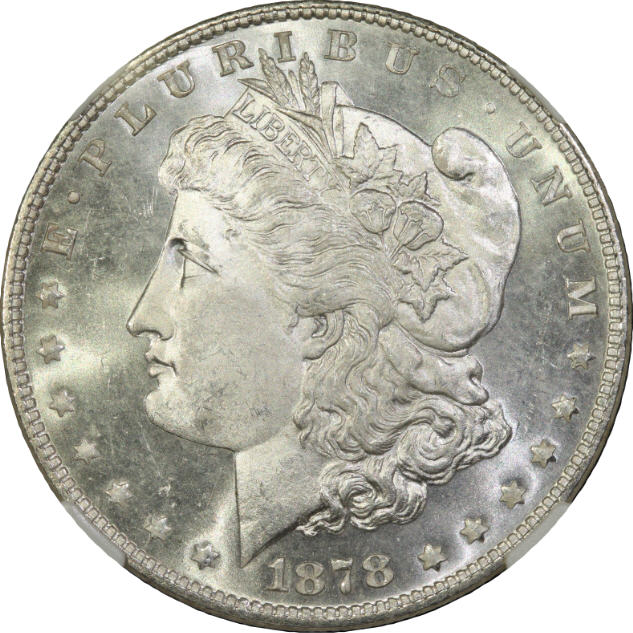 changed to F4 and had to change to 1/500 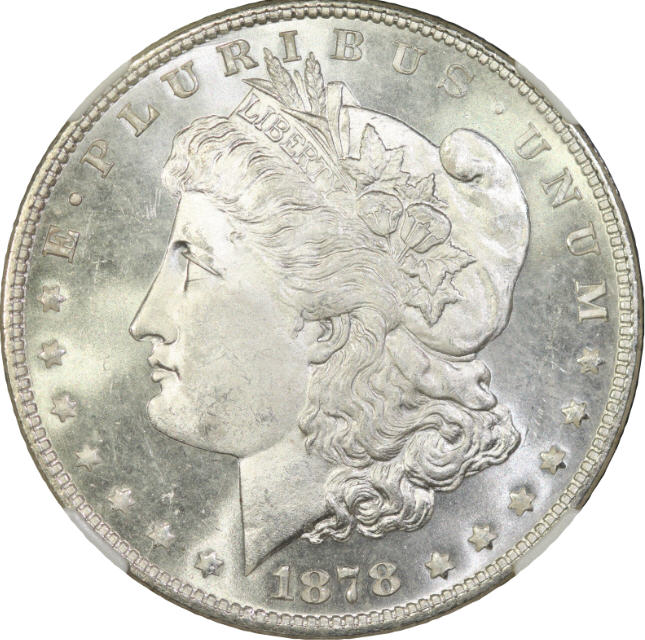 F2.4 I need to take this one again because I left it at 1/500 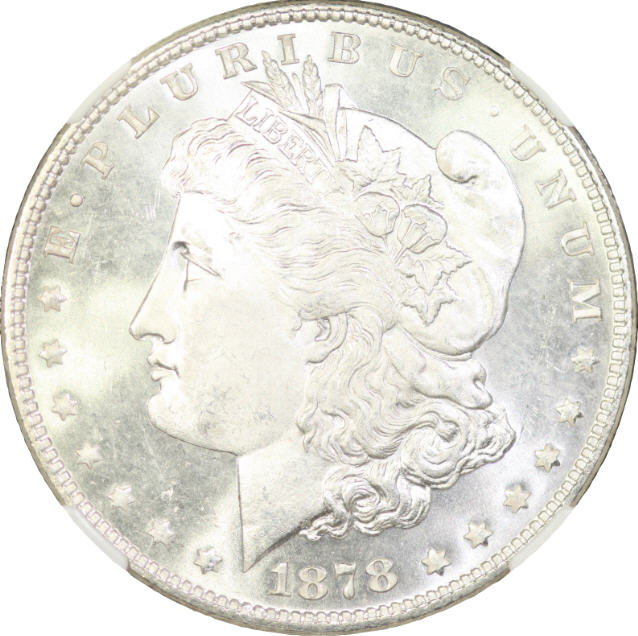 This is 2.4 1/800 and ISO100 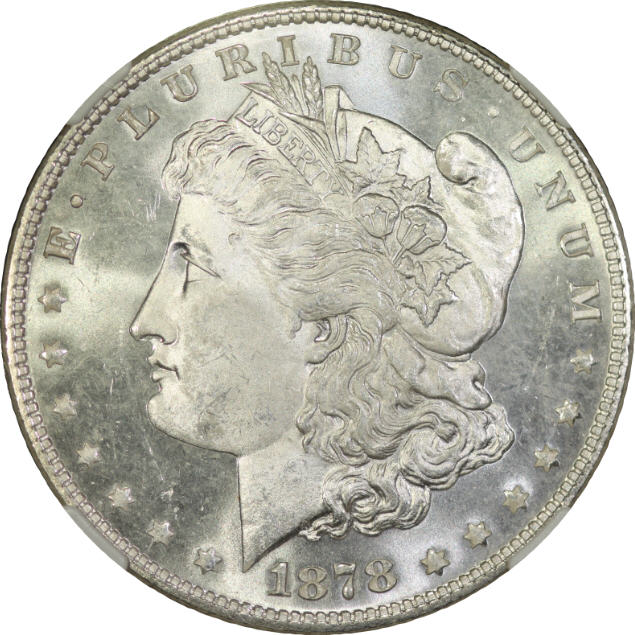 |
|
Bedrock of the Community
United States
14454 Posts |
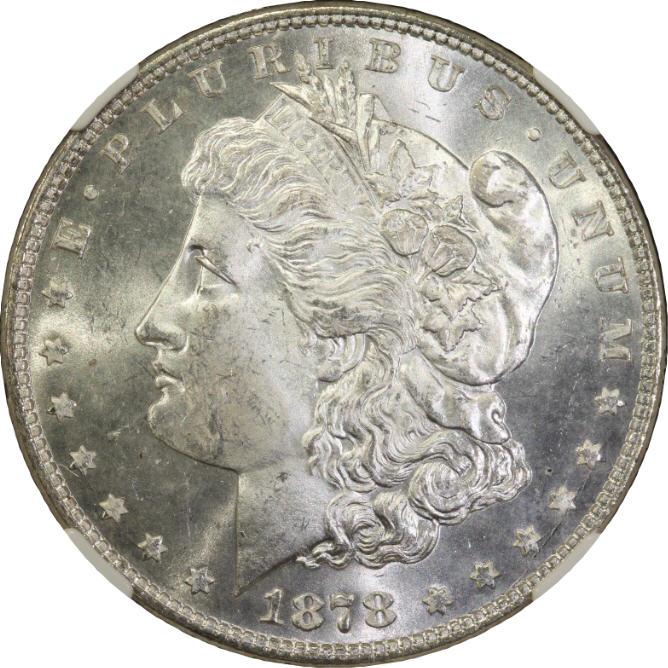
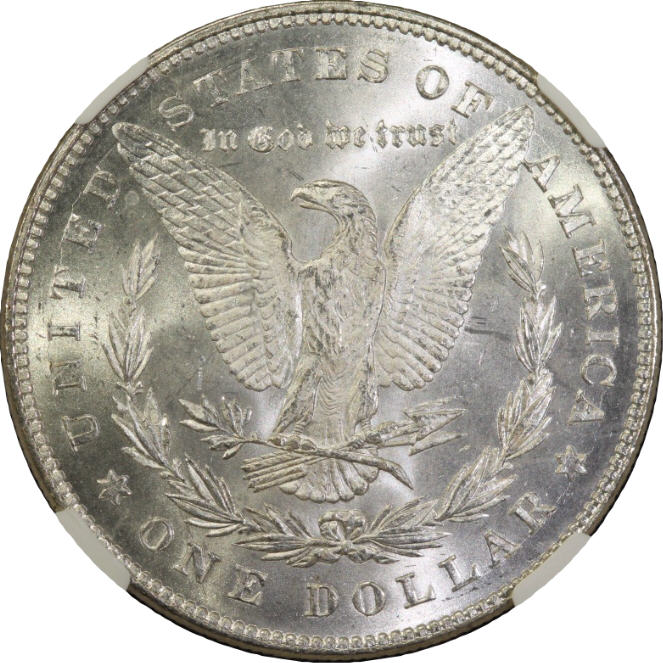
the lighting may not be 100% in the same exact place but I tried to get it close. I had already put the equipment up after taking the first shots as I can't use my computer and have all that set up in front of my desk
|
|
Moderator
United States
23522 Posts |
Ray, FYI Quiet Mode has always been standard on the Rebels, not requiring user intervention, when in Live View.
Bryan, can you email me the full-size original CR2 file from the first image in the sequence you just posted above? If it's too big for the email client, send the jpeg.
|
|
Pillar of the Community
United States
4051 Posts |
Quote:
Ray, FYI Quiet Mode has always been standard on the Rebels, not requiring user intervention, when in Live View Cool. I am still getting used to this new toy. Just verified that if I enter live view with quiet mode off, when I exit live view it has quiet mode turned on, so it looks like it automatically turns it on when entering live view mode. One less worry for me, thanks. Bryan, I'd like to see the original full resolution jpgs from the first, second, and third shots if you don't mind sending them by email...Ray Edited by rmpsrpms
02/26/2012 2:06 pm
|
|
Bedrock of the Community
United States
14454 Posts |
I am sending the jpeg because I know the raw picture is going to be to big, the jpeg may be. I have never tried to send files that big before in an email
Edit: I think it sent Dave, Ray I am trying to send all 3 in one email now, if it doesn't send I may have to send them one at a time
Edit#2: Ray I think they all sent, if you don't get them let me know
|
|
Moderator
United States
23522 Posts |
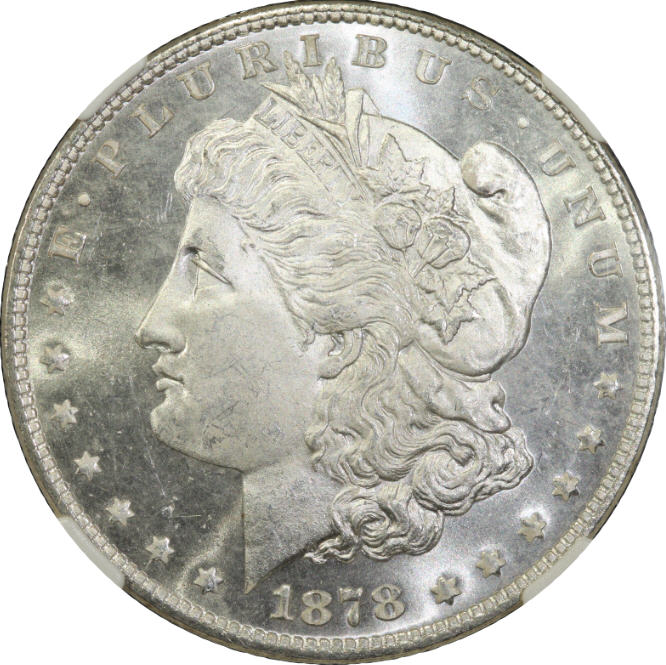
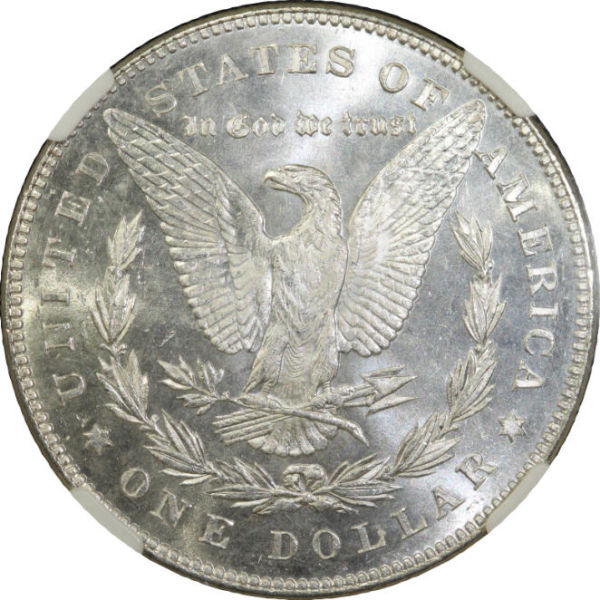
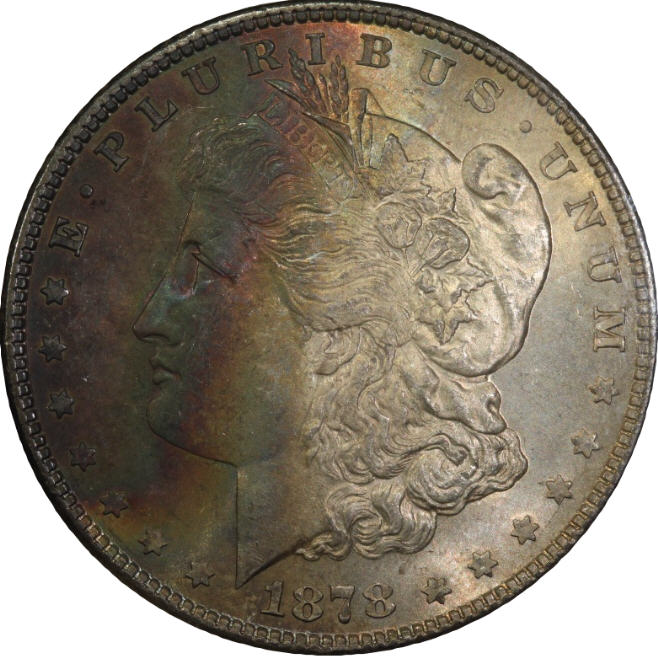
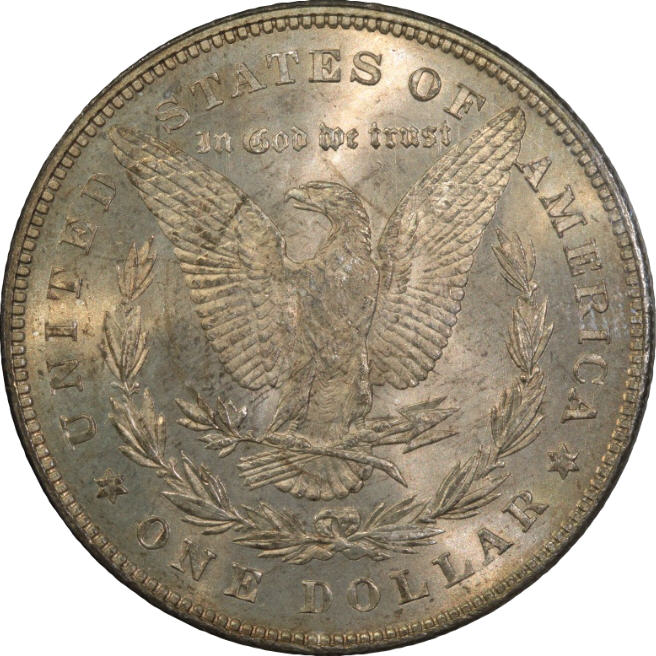
It's not the camera, it's the postprocessing. In the Gimp, I lowered Levels to 70%, and applied 10% Contrast. No sharpening; I think you're already sharpening a little much in-camera - at this level, you should be processing RAW rather than using jpegs. Forced to 25%:  100% crop:  Forced to 50% (if it displays full-size, which should be 1586x1581):  I'm seeing some of the chroma noise in your shots that I'm also getting. This never used to be a problem with a 12MP sensor and the 100mm Macro; I'm inclined to believe it's the sensor still. |
|
Bedrock of the Community
United States
14454 Posts |
I have no idea how to use Gimp to post process pictures
|
|
Pillar of the Community
United States
4051 Posts |
Bryan...did not get the pics but no worries, SuperDave has already hit on the issue and is showing you the way forward. I usually look to hardware and photographic solutions first (vibration, apertures, etc) but SuperDave nailed it as a software/post issue...Ray
|
|
Pillar of the Community
United States
4051 Posts |
Bryan...I don't use GIMP either but have had good luck with Nikon ViewNX2, which is free, or you can use the free editor that comes with the Canons. PP is just another skill you will need to learn. At least your core photos are not the issue, so now you have a new frontier to pursue.
If you want to still send me the jpgs I'll work on them with ViewNX2 and tell you what I did. I think it's free to download from Nikon site. Or you can try the Canon editor with similar adjustments. Advantage with the Canon software is you can adjust the RAW images, which have more dynamic range than the jpgs, so you have more flexibility with exposure adjustments. But you can also work with jpgs and get good results. All the images I've published from the T2i were shot native jpg...Ray
Contact me for photographic equipment or visit my home page at: http://macrocoins.com |
|
Pillar of the Community
United States
4051 Posts |
SuperDave...the luster from left side light has a different spectrum from the right side. Left side doesn't seem to have the chroma noise, but right side does. That's very weird. Any ideas?
|
| |
Replies: 63 / Views: 8,679 |








 First Page


 Posted 02/26/2012 02:50 am