Coin Community Family of Web Sites Join Thousands of Coin, Bullion, & Money Collectors
Coin, Banknote and Medal Collectors's Online Mall Royal Canadian Mint products, Canadian, Polish, American, and world coins and banknotes. Vancouvers #1 Coin and Paper Money Dealer Join Thousands of Coin, Bullion, & Money Collectors 300,000 items to help build your collection! Specializing in Modern Numismatics Royal Estate Auctions - $1 Coin Auctions


Username:
Password:
Save Password
Forgot your Password?


This page may contain links that result in small commissions to keep this free site up and running.

Welcome Guest! Registering and/or logging in will remove the anchor (bottom) ads. It's Free!

New Camera - Photo Experts Needed

To participate in the forum you must log in or register.
Author Previous TopicReplies: 19 / Views: 3,476Next Topic
Page: of 2
Valued Member
TonedMo87's Avatar
United States
132 Posts
 Posted 03/25/2012  10:23 pm  Show Profile   Bookmark this reply Add TonedMo87 to your friends list Get a Link to this Reply
On my camera I have a button push to show and edit my video settings, which show contrast, sharpness, saturation and noise reduction. Its part of my camera's operation, I'm not sure if that's on yours or not. In my playback mode, I also have the ability to display every aspect of that setting on the screen as well, which is really helpful. If you check out your advanced properties on windows it should also give you some idea of what you're using. For example: Mine will say "Hard" on both contrast and sharpness cause they're set so high.

-Dan
Valued Member
TonedMo87's Avatar
United States
132 Posts
 Posted 03/25/2012  10:31 pm  Show Profile   Bookmark this reply Add TonedMo87 to your friends list Get a Link to this Reply
Thanks Ray. I have plenty of room to move the lights, and will work on doing that shortly. I have found the lights in that X pattern to be my favorite location as well. I'll update as soon as get new shots with the lights higher up.

-Dan
Valued Member
TonedMo87's Avatar
United States
132 Posts
 Posted 03/25/2012  11:28 pm  Show Profile   Bookmark this reply Add TonedMo87 to your friends list Get a Link to this Reply
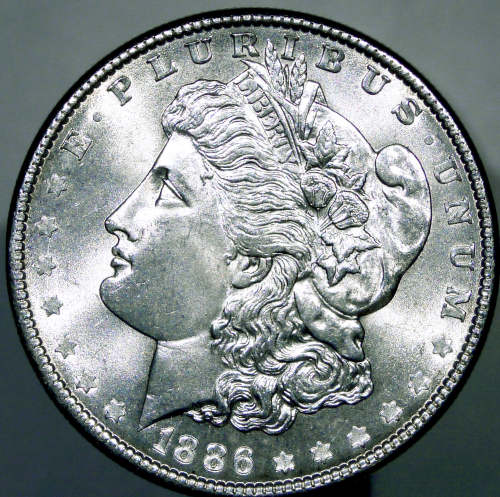
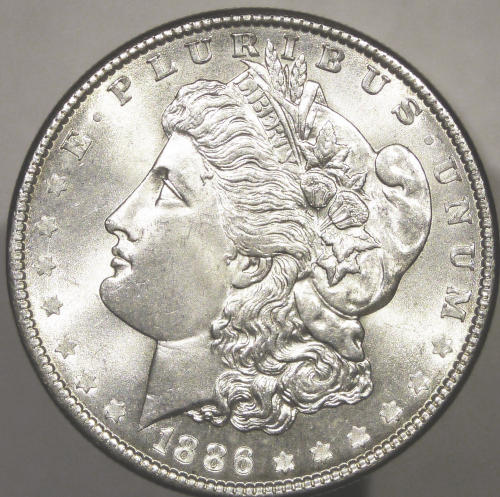
A couple shots after being processed, I'm having a little bit of difficulty getting it exact. I used lots of other peoples photos for reference, but still a learning curve itself on processing coins.

I went more towards blue on the first one, which doesn't look as natural.

New-Camera---Photo-Experts-Needed

Went more towards yellow on this one, and I like the results better. Both were un-sharpened, upped the exposure and brightness and dropped the contrast a bit.

New-Camera---Photo-Experts-Needed
Valued Member
TonedMo87's Avatar
United States
132 Posts
 Posted 03/26/2012  9:49 pm  Show Profile   Bookmark this reply Add TonedMo87 to your friends list Get a Link to this Reply
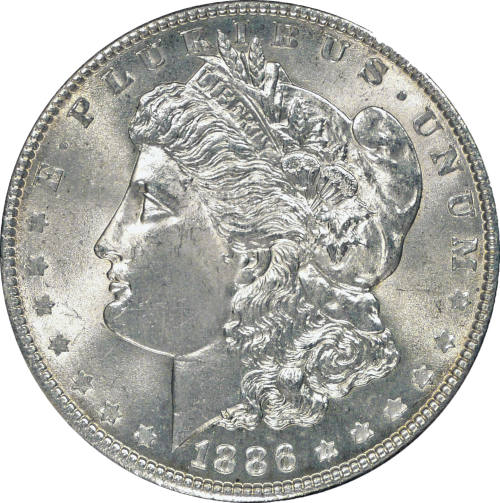
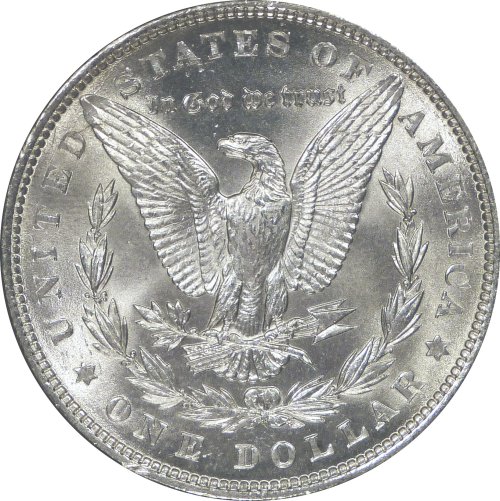
Well, the results are pretty much in. This is about roughly as good as I'm going to get, which IMHO isn't too bad considering what I have. Let me know if there's anything else I can do post processing that would be recommended.

New-Camera---Photo-Experts-Needed

New-Camera---Photo-Experts-Needed

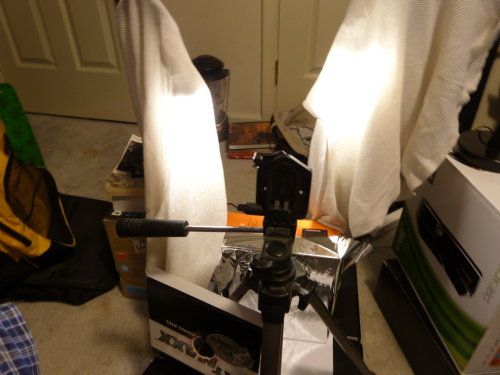
Below is a shot of my super high cost, high tech, not ghetto at all setup, with my super powered light diffusers.. ringing in a total cost of 0 dollars!

New-Camera---Photo-Experts-Needed
  Previous TopicReplies: 19 / Views: 3,476Next Topic
Page: of 2

To participate in the forum you must log in or register.


Disclaimer: While a tremendous amount of effort goes into ensuring the accuracy of the information contained in this site, Coin Community assumes no liability for errors. Copyright 2005 - 2026 Coin Community Family- all rights reserved worldwide. Use of any images or content on this website without prior written permission of Coin Community or the original lender is strictly prohibited.
Contact Us  |  Advertise Here  |  Privacy Policy / Terms of Use

Coin Community Forum © 2005 - 2026 Coin Community Forums
It took 0.19 seconds to rattle this change. Forums