| Author |
 Replies: 48 / Views: 8,894 Replies: 48 / Views: 8,894 |
|
Pillar of the Community
United States
2130 Posts |
I am just starting out with coin photography and boy do I need some help. I am using a Sony Cyber-shot DSC-H200. That is really all I have. Do I need a tripod and light? Any and all suggestions are welcome.
|
|
|
|
Moderator
 United States
14463 Posts |
Does the Cyber-shot have a macro setting? (usually icon of a plant) You need some way to get the camera out-of-hand when taking pictures. Does that have a timed shutter release or an available remote release? You will need some lighting method, either natural light from sunlight, or a lamp of some type. Here is the setup I have after a few attempts at other methods: 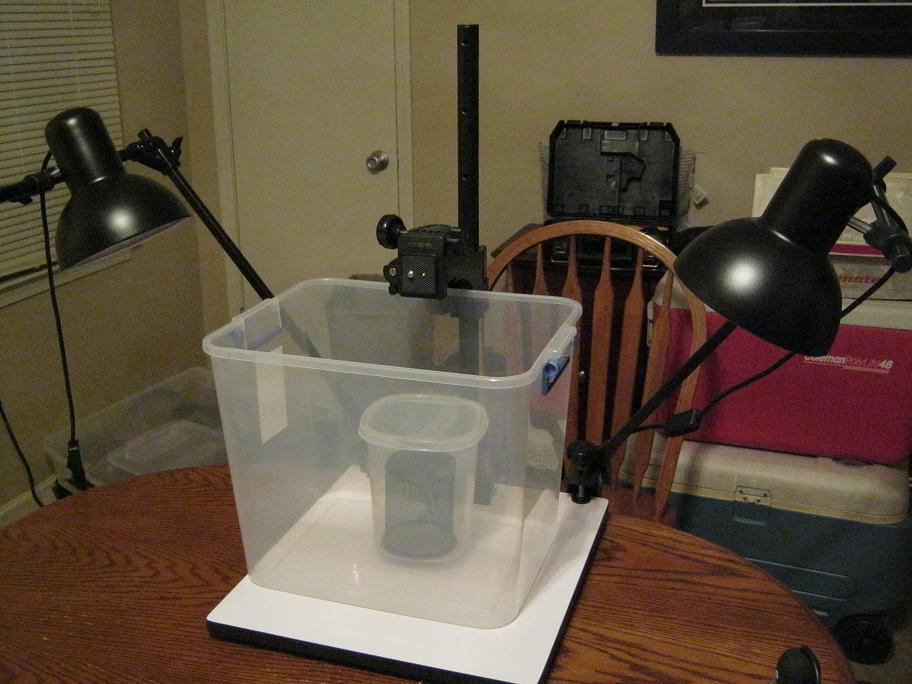 |
|
Valued Member
Canada
453 Posts |
Hi, Connor
I just did a quick Google of your camera, and I think that you should be able to get some pleasing shots with your camera. It has a macro mode. That's what you will need to use. At 20 megapixels, you will have good resolution to work with.
To take good coin pictures, you need to keep the camera still during exposure. Generally, to achieve that, you need a stable mounting, such as a tripod, and a shutter release delay, so that the image is not blurred by the motion of depressing the shutter release button. So far, I'm not seeing any reference to a shutter delay in the reviews I've been reading. Hopefully, it has a release delay.
Put some distance between the camera and your coin. If you are too close, the camera will cast a shadow on the subject. The coin may take up a small fraction of the frame, but at 20 Mp you can crop, and still have good results.
Experiment ... and have fun.
Read this forum. Tons of great info here.
... and show us some pics :)
|
|
Moderator
United States
23522 Posts |
OK, coin photography 101:
1) Coin and camera perfectly parallel. Most easily accomplished with the camera vertical above a coin laid on a flat surface; you can do this with a tripod by using the corner of a table or a board weighted at the near end, dangling over the edge. To make sure you're perfectly parallel, lay a small mirror on the surface to hold the coin, and adjust the camera so you see the lens centered in the viewfinder.
2) Portable lighting, as close to the lens and directly above the coin as you can. Some manner of gooseneck lamp - we're particular fans of the little $10 Jansjo LCD lamps available at Ikea - is recommended for their adjustability.
For the moment, whatever you have that throws light on the coin is OK, because the first task is to maximize your camera's capabilities. We can worry about lighting later.
3) Either a remote shutter actuator or a delayed shutter, so you're not touching the camera at all when the shutter trips. Almost every camera will have a 2- and 10-second delay function; 2 seconds will do you fine.
Your particular camera needs a minimum of 8" from the subject in Macro Mode. I suspect you'll want to use it zoomed all the way out; normally, zooming in has the effect of making the camera think it's closer to the subject than it is, but that 8" still applies, so as you zoom in you have to move the camera farther away to achieve focus.
Time to get the manual out. Your camera has limited manual adjustability, so we're going to have to trust it to do a lot of the thinking. But first, find the settings which force the camera to use "Center" for Autofocus, and "Spot" for metering. This forces the camera to take all of its' exposure data from the center of the image, i.e. the coin itself. It's important because we're not going to be able to make the coin completely fill the sensor.
You may need to consult the in-camera guide; I've found very darn little in the way of detailed manuals for it. Sony pretty much refers the user to the in-camera guide for complex functions.
OK, this is a start.
|
|
Pillar of the Community
 United States
2130 Posts |
Wow...thanks everybody for the help. I have been doing everything all wrong. I have some experimenting to do now. First question...Is the setup that is holding the camera in Fuzzy's picture a tripod? If not, what is the name of it? I'm trying to find out if they make something like this for my camera. Second, I am guessing from you guy's comments that I don't need any type of extra macro lenses at this time? I checked out Amazon and found a few that fit, but I guess I should master what my camera has for now. SsuperDdave...I am figuring out now that I was way to close to the actual coin in all of the previous post in the grading section. That is where the shadow was coming from. |
|
Moderator
United States
14463 Posts |
What was pictured is called a Copy Stand
|
|
Moderator
United States
23522 Posts |
Before you go all gonzo on stands, consider if a tripod is something you might get use out of aside coins. A copystand has only one use; a tripod is much more versatile. A tripod needs a little adaptation to shoot coins (as I outlined); a copystand, much less so. I used the "corner of the table" method with a cheap $25 Best Buy tripod for a long time, mounting $1200 worth of camera/lens. You couldn't tell from the pics.  |
|
Pillar of the Community
872 Posts |
Edited by Collector-Corner
01/05/2014 12:53 am
|
|
Pillar of the Community
872 Posts |
I do have a $75 Tripod called a Sunpack Ultra 7000TM Its reversible. I can put the tripod on the table, and the camera is between the legs, and lowered down to take a picture. It works great if you have hundreds of the same type of coin to shoot. Most of the times I simply shoot the coin with camera in hand, unless its for the ecommerce website.... Here's a pic of the setup. I removed the lower, inner support pieces (come off real easy) and inverted the pole, and it works great. Yep, still stable as ever. 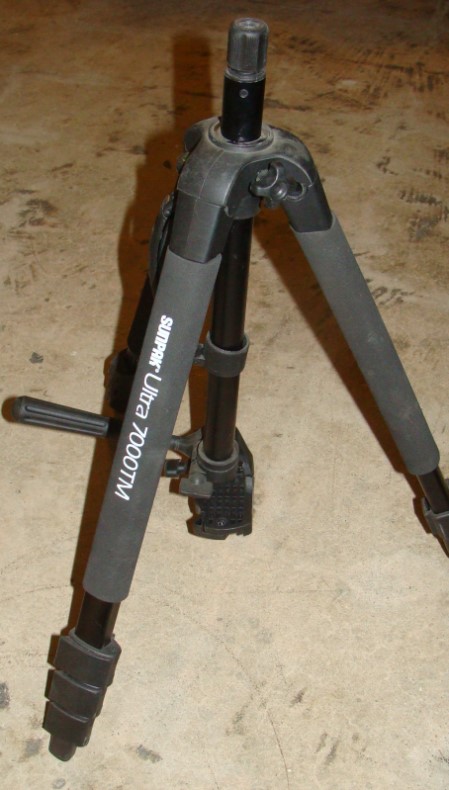 Edited by Collector-Corner
01/05/2014 01:08 am
|
|
Moderator
United States
14463 Posts |
Collector-Corner, That is a very nice job of re-purposing an existing product  |
|
Pillar of the Community
United States
2130 Posts |
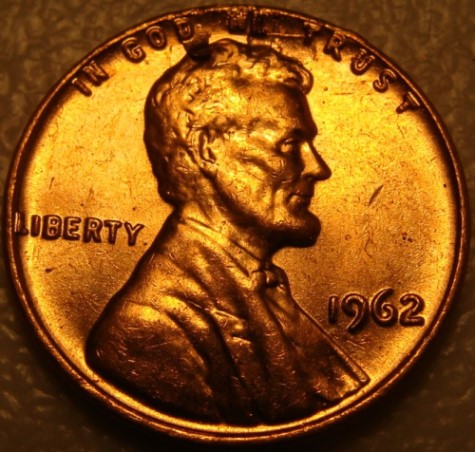
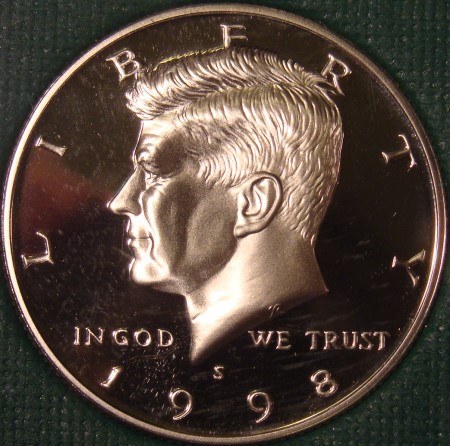
alright...is this any better at all. All I did was raise the height of my camera and made sure it was as steady as I could get it. Also, my lighting was better than what I was using yesterday in the pictures I posted in the classic grading section. I still don't think there is enough lighting but I am waiting on my lamps to arrive.   |
|
Moderator
United States
23522 Posts |
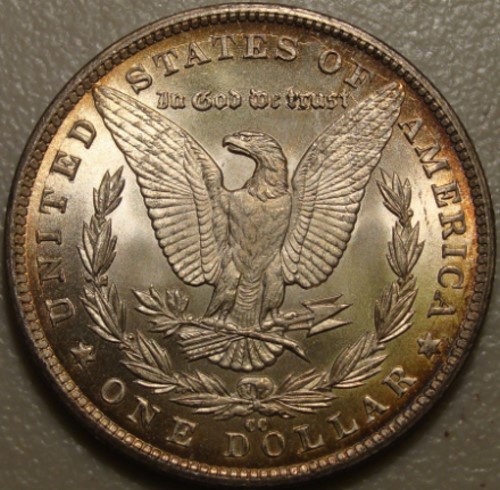
Ha! Better? Um....yeah. Those are easily-gradable images. We have two areas yet to work on, but it seems obvious that your camera is up to the job, even if it's nearly automatic. First, white balance. Differing lighting has differing "color temperature." Standard incandescent bulbs are yellowish, fluorescents have varying casts usually more "white," etc. Cameras generally have onboard correction for color temperature, but yours is not getting things perfect - I think the coin is a bit reddish in the pics by comparison to reality. Your camera has Automatic mode, presets for specific lighting and situations (daylight, cloudy), and a Custom mode where you can set the White balance yourself. I'm guessing you're working in Auto mode right now. Time to play with those presets although that setting will likely change with your new lamps. Correcting for lighting is a habit to get into. Also, switch to a single-color, monochromatic background. White, black or grey. Makes the coin stand out much better, and lessens what the camera has to think about to get the shot right. Second, postprocessing. Are the images here the whole of what the camera shot, just downsized to post, or did you do some cropping? I'm interested in just how large the coin actually is on the sensor of the camera. It's normal practice to crop as close to the coin as possible, so you have to do the least-possible downsizing to post here. Ike is of ample size for grading purposes, but I'm hoping he's even larger on the sensor, so smaller coins can be larger too. |
|
Pillar of the Community
United States
2130 Posts |
Dave...I did not do any cropping to these images. Just downsized enough to post. The images were shot in auto mode. I have not changed a thing yet.
|
|
Moderator
United States
23522 Posts |
Quote:
Dave...I did not do any cropping to these images. Just downsized enough to post. The images were shot in auto mode. I have not changed a thing yet.
That is highly encouraging. You're just about covering the sensor with a Dollar, which, with your camera, means that coin's actual size is nearly 3,000 pixels in diameter. That's what we're getting with dSLR's and dedicated lenses. It also means much smaller coins will image in gradable size. I'm impressed with this camera. |
|
Pillar of the Community
United States
2130 Posts |
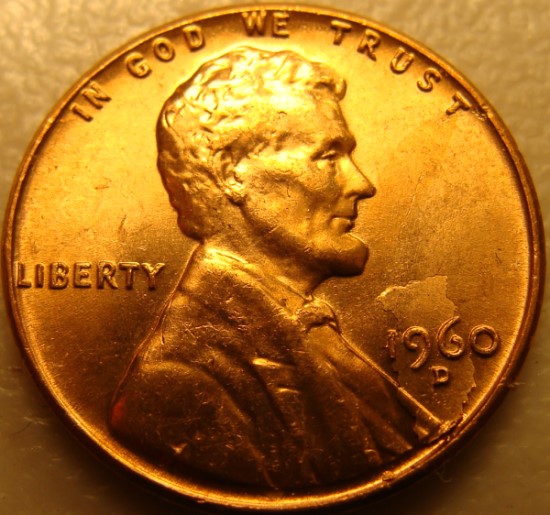
Alright...I still have not changed any settings. I wanted to try a smaller coin and a plain white background. What do you think? This was as close as I could get on the smaller Lincoln and still have a clear image.   |
|
Moderator
United States
23522 Posts |
Reverse seems slightly out of focus - you might have gotten just_a_bit too close. You're getting large-enough images to back the camera off a couple of inches and see if it affects sharpness.
|
| |
Replies: 48 / Views: 8,894 |










 Posted 01/04/2014 10:47 pm