| Author |
 Replies: 9 / Views: 2,159 Replies: 9 / Views: 2,159 |
|
|
Pillar of the Community
United States
3360 Posts |
I have been struggling with loighting and focus - trying different options. My latest results are here: https://goccf.com/t/191628#191628Currently I am doing my lighting with this: 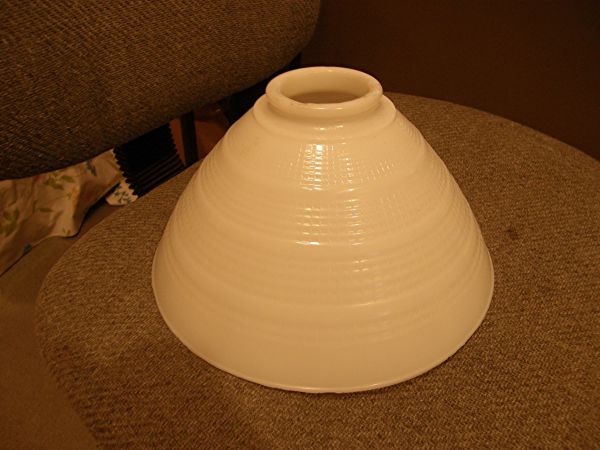 This is an opaque glass attachment to a vintage mixmaster. It was used a a bowl to catch fruit juice from squeezing an orange or other fruit. The mixmaster attachment which did the squeezing fit through the hole and the bowl caught the juice. My camera lens fits through the hole and the camera then has a steady platform. One of my focus problems was a tremor which caused my camera to shake. The light shines through the opaque glass and becomes diffused. For microscope shots, the bowl and light contraption is placed beside the coin and microscope with the light shining through the hole. So far, it is the best I have done, so I thought I would share it. Edited by Pete2226
11/30/2014 10:15 am
|
|
|
|
Pillar of the Community
 United States
4051 Posts |
Domes like this, or milk cartons, tupperware, etc are good for general illumination but often they can be "too diffuse". You want the majority of light hitting the coin from relatively high angles, so need to be careful about both where your light shines on the dome as well as internal reflections. A trick I learned while setting up light domes for higher magnification work (half pingpong balls!) was to blacken the areas that I wanted to minimize reflections from. For this large dome, I'd suggest flat black tape you can buy from photography dealers. Tape the inside up to a certain point to keep light from either diffusing or reflecting at too low an angle.
Let's see some pics!
edited to add:
You can tell the light is coming too much from the sides in your pics because the edges of the devices are highlighted.
Edited by rmpsrpms
11/30/2014 11:37 am
|
|
Pillar of the Community
2087 Posts |
Another way to improve your set up is to use a light box( various names) put it under the coin but raise the coin off it using a plastic bottle cap or something similar( as long as it is of smaller diameter than the coin) Turn the light table/panel on and place the dome you are using over it. the light will be reflected back on the coin while providing a white background> this is the panel I am talking about: http://www.ebay.co.uk/itm/7x5-Inch-...em2a3f946538Edited by austrokiwi
11/30/2014 12:05 pm
|
|
Moderator
United States
23522 Posts |
Lighting is only half the game; we can maybe also tweak your equipment settings for maximized results. What are you using for a camera?
|
|
Pillar of the Community
 United States
3360 Posts |
Quote:
Lighting is only half the game; we can maybe also tweak your equipment settings for maximized results. What are you using for a camera? My camera is Olympus SP-550UZ. |
|
Pillar of the Community
2087 Posts |
Do you know how to set the white balance? I understand it has a customisable white balance. That may solve much of your problems
|
|
Pillar of the Community
United States
3360 Posts |
I have not tried to adjust white balance. I will go see if I can figure that out. Thanks.
|
|
Pillar of the Community
United States
3360 Posts |
My White Balance allows me to go from a maximum red to a maximum blue.I have, however added some black to my globe to try to block more direct light to the sides of the devices. Here is an example before a tried adding black or adjusting white balance: 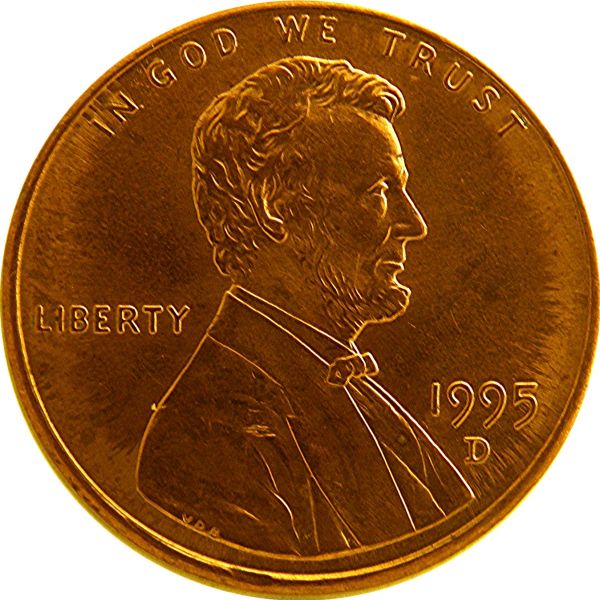 The rest have some black added to the globe and White Balance set as indicated. Here is White Balance at 0: 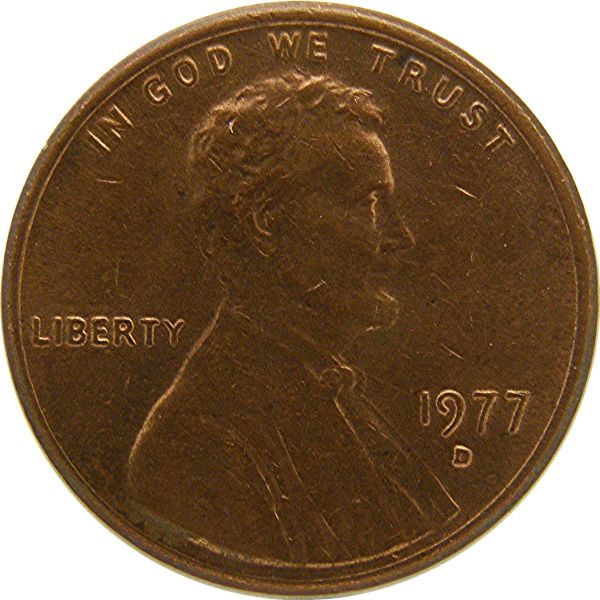 Here is White Balance set on maximum blue: 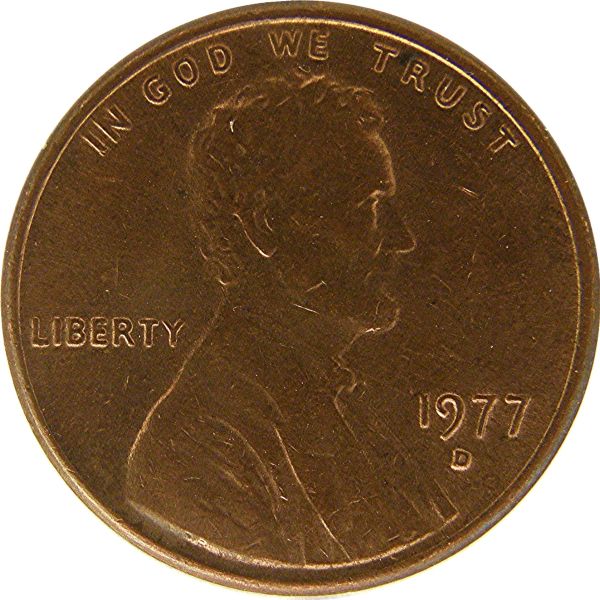 and here is White Balance set on maximum red: 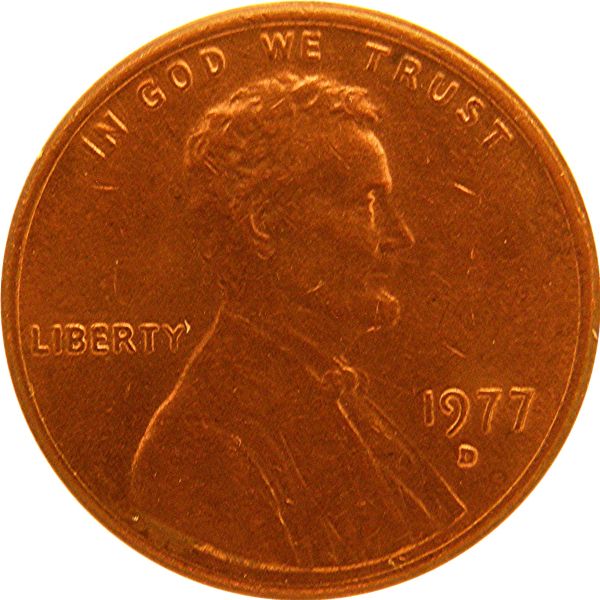 Edited by Pete2226
11/30/2014 4:38 pm
|
|
Pillar of the Community
2087 Posts |
The first picture actually looks the best to me....But What do I know: meaning You have the coin in hand and can judge better than we can as to how accurate the colour rendition is. Some models of your Camera have a one touch white balance option. If you have that option replace the coin with a white card( or paper) Set the camera and lighting up as if you were photographing the coin. Select the one touch white balance and follow the cameras on screen instructions . using that option will set you camera to the most accurate white balance for your shooting environment.
Are you hand holding the camera?
|
|
Pillar of the Community
United States
3360 Posts |
Quote:
Are you hand holding the camera? My camera rests on the opening of the globe, so it is steady. I do not find a WB button, but I will try using the white paper like you suggested. Thanks for your help. |
| |
Replies: 9 / Views: 2,159 |
|










 Posted 11/30/2014 12:01 pm


