| Author |
 Replies: 13 / Views: 2,637 Replies: 13 / Views: 2,637 |
|
|
Valued Member
United States
250 Posts |
Hi all, going to try to take some pics of some of my coins during the Christmas break when I have some time. I have a Canon T3 that's about 3 years old and plan on using the standard lens that came with it. I plan on shooting in daylight with a light box (that I've yet to make). I know there's a macro mode (button w the flower picture) but that's about all I know about this camera. Hoping there are some old threads on how I should set this camera up or if some of the experts here can advise on the best way to use this. Thanks in advance!
|
|
|
|
Moderator
 United States
23522 Posts |
You're not going to find a "macro button" on the T3i. That's up to the individual lens with this camera. I'm guessing the lens which came with it is the usual 18-55 so we'll go based on that. It's not a great lens for coins, but can do decent work. Here's your setup:
The usual about a solid camera mount, coin and lens plane parallel and delayed/remote shutter apply, of course. With this lens, at 18mm you'll need to be about 12" front of lens to coin and more like 15"+ at 55mm for it to achieve focus. I found it perfectly capable of autofocusing (removing that worry) and the examples I tried liked 55mm better than 18mm.
You want enough light so that your exposures at ISO 200 and an aperture of f/8 (set that for aperture and don't touch it again) are in the 1/100 to 1/200 range. You're setting everything manually, of course. Really lustrous stuff will want faster exposures and circulated darker copper for instance will be slower. You really need that much light to maximize the camera's capabilities even though it can make do without. If you're forced to lower ISO and faster exposures by too much light, you're risking detail blowouts.
|
|
Pillar of the Community
 United States
4616 Posts |
If you have a laptop, set everything up as SsuperDdave says AND tether your camera to the laptop with a USB cable. (You may need to install the software that came with the camera if you haven't already)
Connect the two, THEN turn on the camera and the software will autolaunch.
Select LIVE VIEW and use the controls there to preview and shoot.
Avoids your finger pressing the button and making everything vibrate ruining the shot.
I think you will love the results, although you will probably want to run out and buy the macro lens Cannon makes.
-----Burton 50+ year / Life / Emeritus ANA member (joined 12/1/1973) Life member: Numismatics International, CONECA Member: TNA, FtWCC, NETCC, EveryCountry (online) coin club Owned by three cats and a wife of 40+ years (joined 1983) Author: 3rd Edition of the Sample Slabs book, https://www.sampleslabs.info/ |
|
Moderator
United States
23522 Posts |
Well, if he's going to run it remotely he ought to install the software first.  If not for Zoom Browser I wouldn't install any of Canon's software. No need. |
|
Pillar of the Community
United States
4048 Posts |
Only thing I'd add is that you might try Aperture Priority Mode (Av) instead of full Manual. In Av mode you can fix the aperture to the f8 and ISO to 200 as SuperDave suggests, and the camera will adjust the shutter speed to give correct exposure. I suggest using "partial metering" for the exposure meter mode but "evaluative metering" works OK as well. In any of the auto exposure modes, the camera will push the brightest areas it looks at to full exposure saturation, so you can change the exposure compensation to -1/3 or -1/2 EV to keep the highlights from being over-exposed.
Contact me for photographic equipment or visit my home page at: http://macrocoins.com |
|
Valued Member
 United States
250 Posts |
Thanks for the feedback. I will try those settings out this week sometime. Attached is a pic I took last night with the camera mode selector set to macro (?--where the flower logo is), with the lens at full zoom about a foot away from the coin and under an incandescent light. I have no idea what the other settings were. The pic below was originally 4.6MB but when cropped to include just the coin it was 786k. When resized through Windows image editor it was only 39k, which reduced the resolution some. The 2nd image is resized through the CCF image optimizer which reduced the 786k image to 76k. Aside from what I mention above as well as the feedback thus far, is there a better way to do this? Thanks in advance for the help. 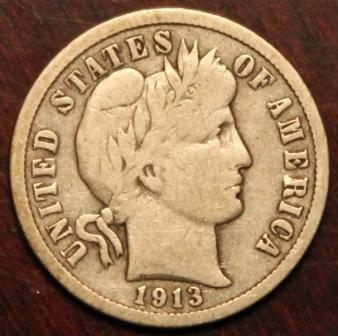 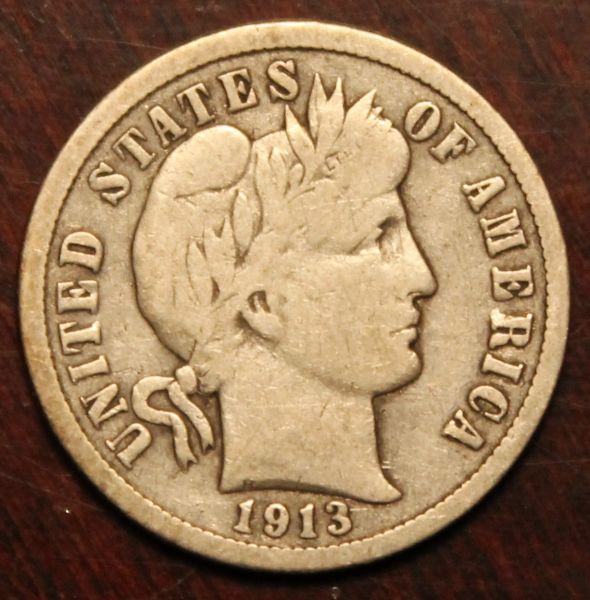 |
|
Moderator
United States
23522 Posts |
"Macro Mode" on the T3i emasculates the camera's capabilities, forcing you to accept the camera's opinion of how to shoot and negating all the advice you've been given because it makes those adjustments impossible - it turns your $600 dSLR into a cheap point and shoot. Of course, if you get good results, who really cares? Ray's suggestions, of course, are all valid. I would add Center metering as an option - both it and Partial metering force the camera to take its' exposure info from the center of the frame - the coin - whereas Evaluative uses the whole frame and leaves room for error. Ray prefers Aperture Priority; I prefer full Manual. Either works well and it's just about the personal habits you form. He's comfortable playing with Exposure Compensation and I prefer making that adjustment with the exposure setting itself. Exposure Compensation normally allows you finer control over the changes made, which is why Ray prefers it. And he's better at this than me, so keep that in mind if we ever disagree. Now, for the pic posting. First, grab yourself a free account at Photobucket. Our tutorial for posting pics from there: https://goccf.com/t/53146You'll be able to load your images full-size there and not have to downsize to post here. As big as you can make them, although if your images are sharp enough you don't need them larger than 800 pixels in diameter. |
|
Pillar of the Community
United States
4616 Posts |
Once you get past the basics and can shoot a sharp image, then comes the fun. Your eye and the camera's sensor see light in different ways. Most of the work is in making the sensor map to the image so the picture looks RIGHT to your eye, matching how you see the coin.
-----Burton 50+ year / Life / Emeritus ANA member (joined 12/1/1973) Life member: Numismatics International, CONECA Member: TNA, FtWCC, NETCC, EveryCountry (online) coin club Owned by three cats and a wife of 40+ years (joined 1983) Author: 3rd Edition of the Sample Slabs book, https://www.sampleslabs.info/ |
|
New Member
United States
26 Posts |
I have a standard Rebel T3 like the OP with the same, standard, 18-55mm lens and no macro. I didn't see the point in starting a new thread so I hope it is ok to share this one.
How can I best setup simple lighting to properly photo Morgans? Most of my dads collection is in Morgans and I'd like to get decent photos of them to share here and for insurance purposes.
|
|
Moderator
United States
23522 Posts |
All of the advice mentioned here also applies to you, and under the circumstances it's right for you to piggyback this thread. Adjustability and shape/size are more important than color for lighting. You can correct for any color light. The goal is to be able to get your lighting as close to vertical above the coin as possible. So smaller bulbs and gooseneck lamps are best. That said, there are as many solutions as there are photographers, and you have a camera which is good enough to help make up for lesser lighting. So as I mentioned in your other thread, just shoot. Start your own thread for that process, though, because you'll be posting a bunch of images. What is your skill level with graphics programs and manipulating images, and are you comfortable with setting up image hosting and linking here? |
|
New Member
United States
26 Posts |
Quote:
What is your skill level with graphics programs and manipulating images, and are you comfortable with setting up image hosting and linking here? Least of my worries, I have multiple sources to host at/link from. My first digital camera took 3.5" floppies, been editing photos and posting online ever since. Thanks, I'll start shooting soon. |
|
Moderator
United States
23522 Posts |
Oh, this is going to be easy. |
|
Valued Member
United States
250 Posts |
Thanks for all the feedback thus far. I did manage to get a small lightbox built but focus has now shifted towards building a closet system I got my wife for Christmas �. I hope to practice taking some pics in the next week or so when I have some more time.
|
|
Moderator
United States
23522 Posts |
It's the Holidays, and you're married. See you in January. |
| |
Replies: 13 / Views: 2,637 |
|










 Posted 12/21/2014 11:00 pm


