| Author |
 Replies: 22 / Views: 4,464 Replies: 22 / Views: 4,464 |
|
Valued Member
United States
168 Posts |
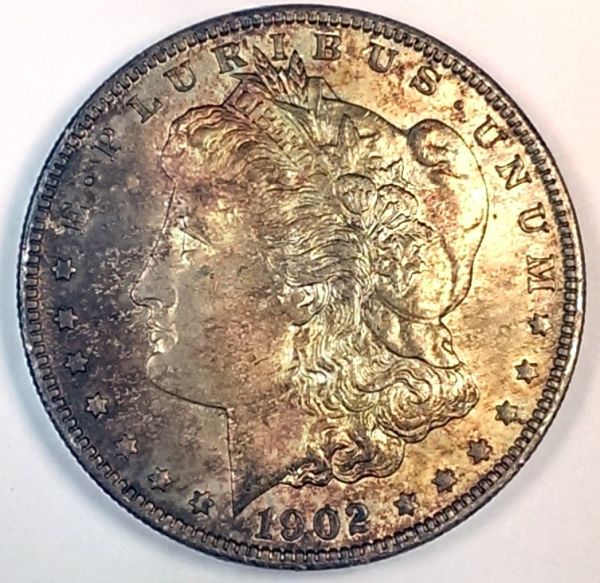
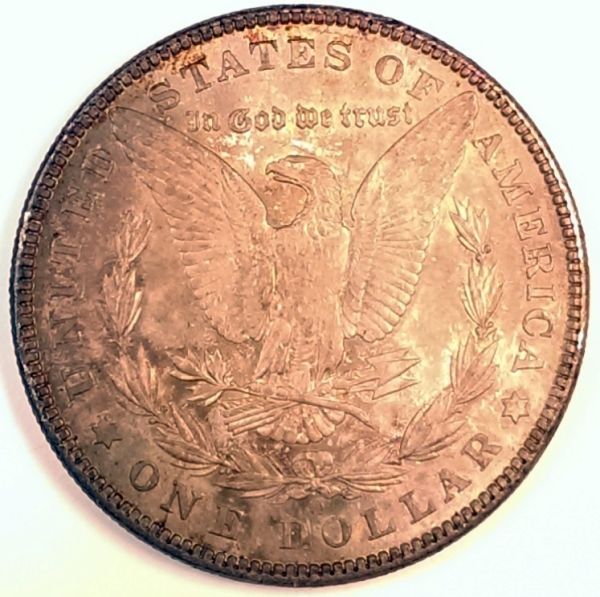
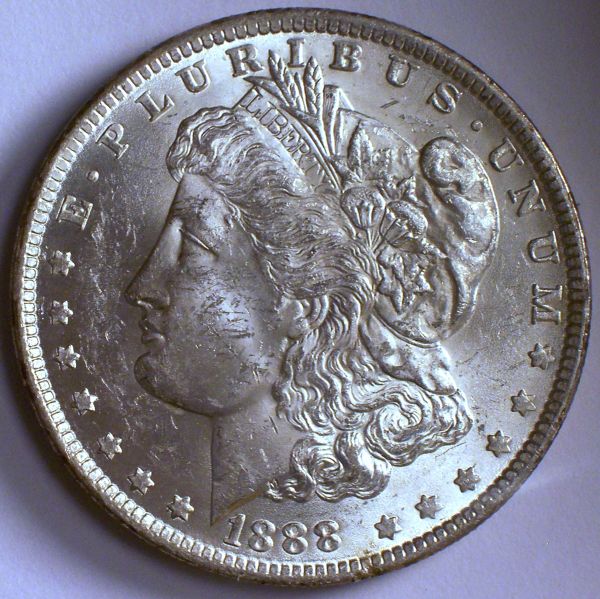
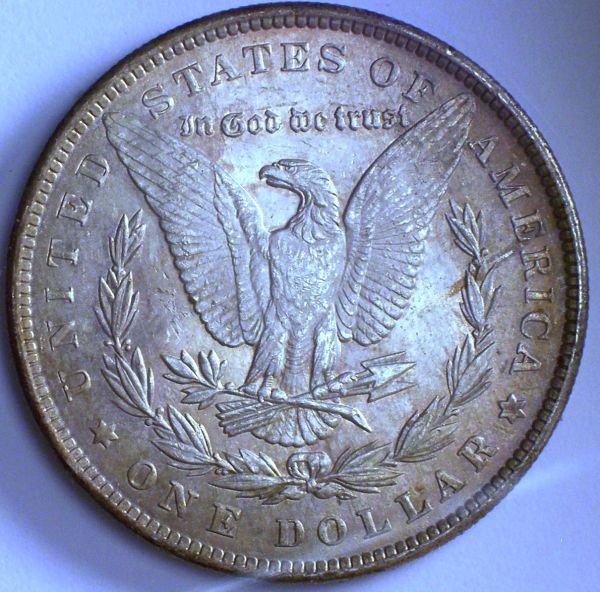
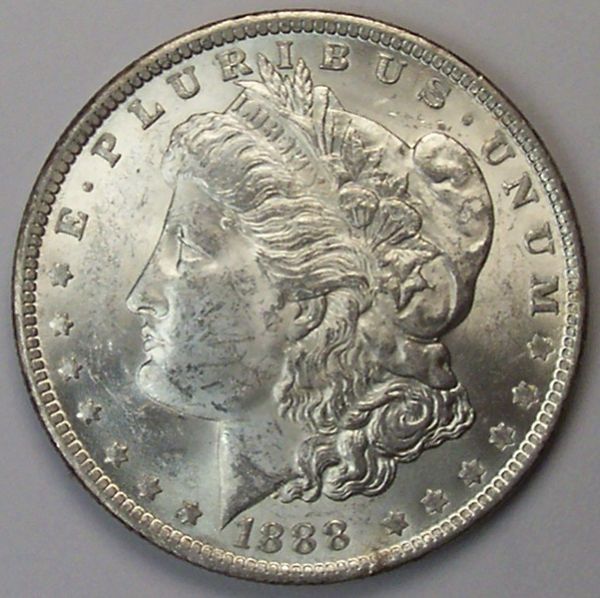
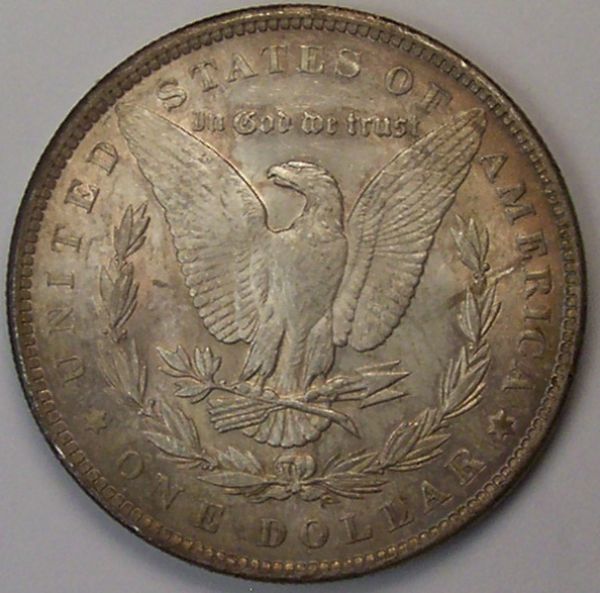
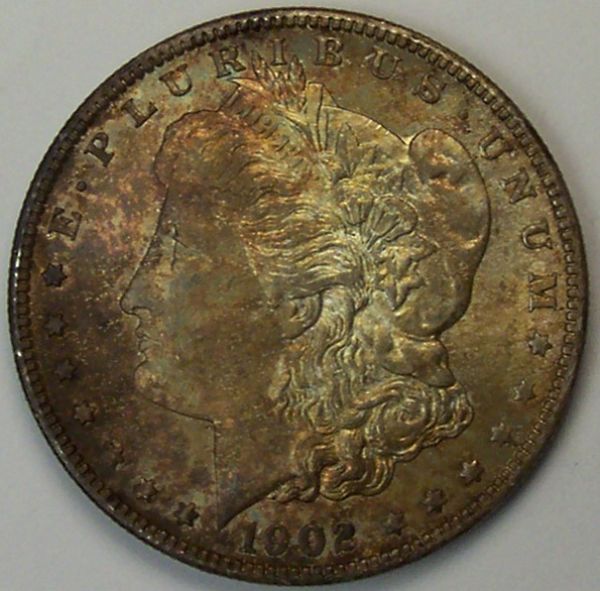
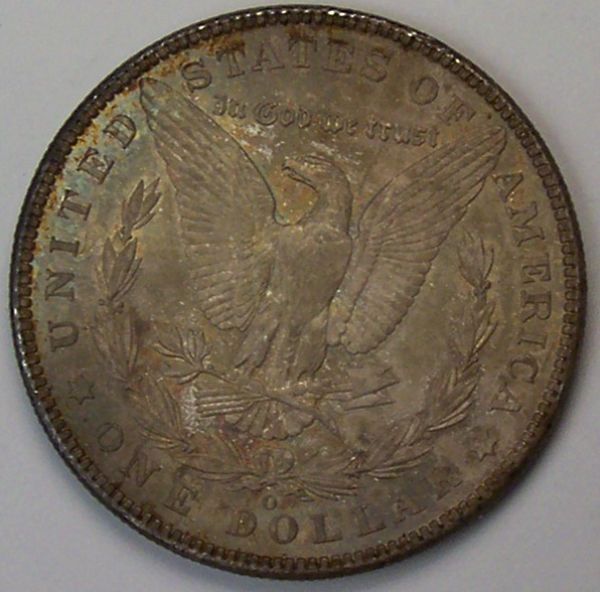
Please give me your opinions or advise on these pics. I am trying to get pics of my coins to post for grading. I know lighting is a huge factor in getting good pics. Taking everyone's advise I have my light source as close to vertical as possible. The 2 following pics are with my Kodak C330 with vertical lighting. 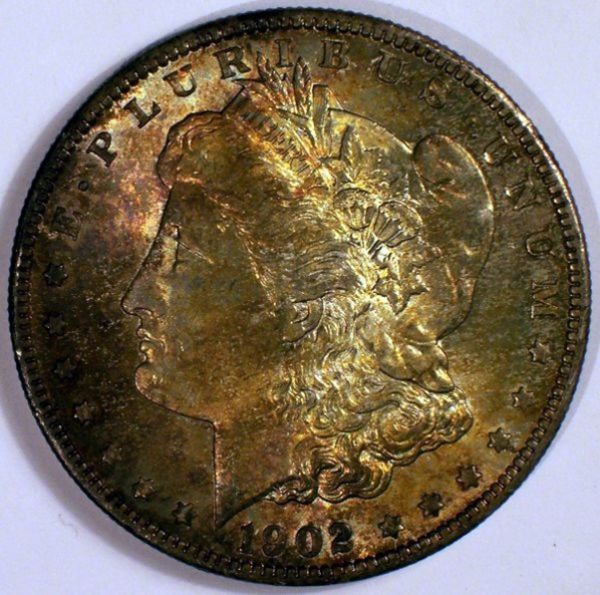 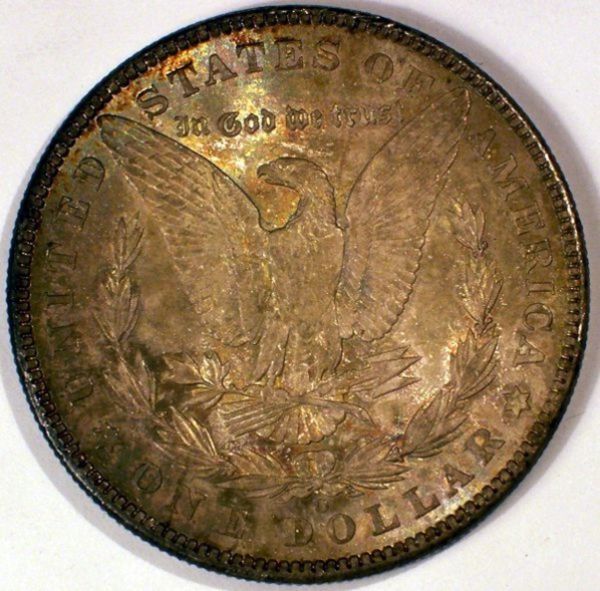 The 2 following pics are with my HTC phone with vertical diffused lighting. 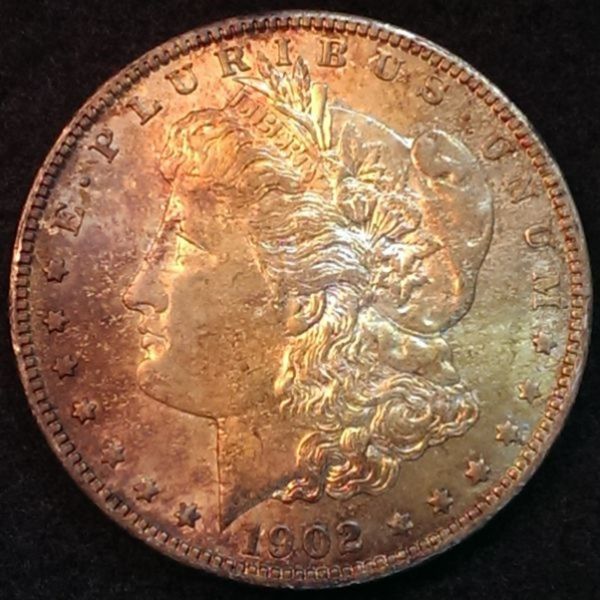 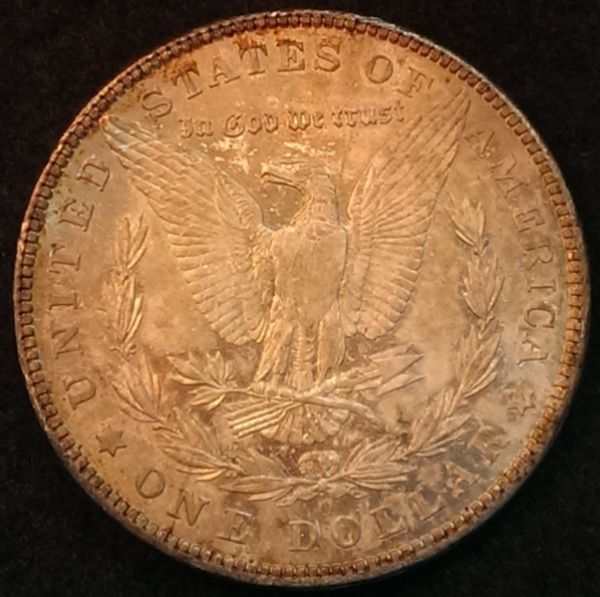 The 2 following pics are with my HTC and natural lighting. 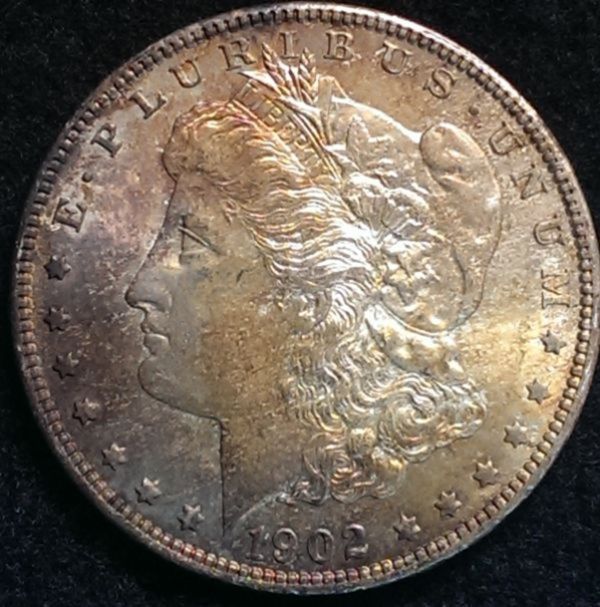 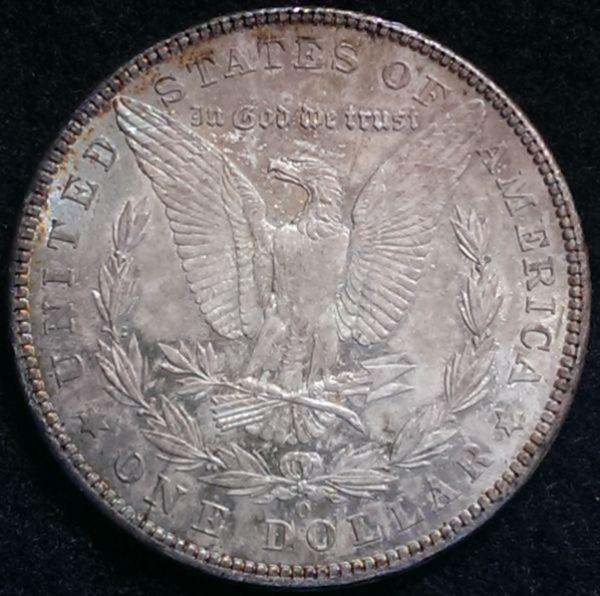 |
|
|
|
Moderator
 United States
23522 Posts |
There's a lot to work with here, and I think we can come up with something you'll like. However, today you're sharing me with bowl games, and the TV and PC are on different floors.  So some comments wait to see your images on a screen larger than my phone. You're already discovering that you're getting better details with diffused lighting and better luster depiction with direct lighting. One proposal I'll offer to help make up the difference from "expensive" imaging rigs is to offer both types of lighting in your postings. One set for luster, a second for details. That saves you a lot of work trying to get lighting just right, which is the biggest disadvantage of your equipment. On the subject of lighting - methinks you need more of it. More wattage, more lumens. Both your cameras are far happier trying to manage too much light than too little, so one specific goal is to help you bring more light to bear without washing everything out. A second lamp is called for, spaced roughly 10:00 and 2:00 to the coin. I generally don't recommend natural light for coins but you might benefit from it. I like the detail on the HTC natural images. Those are just first thoughts. More to come. |
|
Valued Member
 United States
168 Posts |
Thank You so much SsuperDdave!
I was using 2 lamps but they are only 40W incandescent. I can up them both to 75W or 100W. Or would LED lights be better?
|
|
Moderator
United States
23522 Posts |
Well, TCU has taken it upon themselves to make it a boring game, so I have time to get upstairs. White Balance - the in-camera (usually) adjustment you make to get the coin's color right - is one of the relative difficulties you'll have to contend with. Your equipment doesn't do "custom" White Balance settings so you have to work with the presets which come programmed into the cameras. This is usually not a problem, chances are the Auto setting will work fine, but the possibility exists that you'll see color weirdness with one bulb that another type won't show. This is illustrated in your first two images, which I'm guessing are on the same background. The top one is bluish but the bottom seems closer to the actual background color. Shoot against a white background for the moment, and use that to evaluate your camera's color correction. When the background is right, the coin is right. Your cameras correct well for incandescent, which is typical of most. If you're going to switch from that type, go to Compact Fluorescents in the Bright White or Daylight color range - it's been my experience that CFL's in the "incandescent" range (Warm White) are a little bit off the correct color and can freak cameras out on Auto White Balance. Your camera should correct for a Daylight CFL on the "Sunlight" or maybe the "Cloudy" setting (or equivalent) pretty nicely. 40w of light is challenging for bespoke rigs. You should at least double that; I'd be leaning towards two 60w equivalent CFL's. Other possibilities - considering for vertical lighting you want to get the lights as close to vertical as you can - might be R20 spots (incandescent design) or candelabra designs. You're going to like the lesser heat of non-incandescent designs a lot, though, because you're going to be hanging out around them to shoot. So let's throw a bunch more light at things, and call that the start. Suggestions I might offer for these images might not be necessary with more light and I think you'll find the HTC will improve greatly. These are promising results even on my larger monitor, though, and I remain confident we can make something of this. |
|
Valued Member
United States
168 Posts |
|
|
Moderator
United States
23522 Posts |
Let's stick with the Kodak for the moment. It has better possibilities, I think.
The new images from it make me think the White Balance setting is wrong for Tungsten (incandescent), like it's set to "Daylight." Photoscape won't let you make adjustments to hue & saturation but the Gimp will and it's free; might want to think about learning Gimp in the future for that but it's a rather dense learning curve.
None of these images show the "X" effect I'd expect from 2 lights at 10 and 2; it looks like a single bulb was used.
|
|
Valued Member
United States
168 Posts |
|
|
Moderator
United States
23522 Posts |
Big improvement but we've lost sharpness. Does your procedure include great care to avoid moving the camera during the shot? If the new 1888 pic had the sharpness of the last one, I'd happily grade from it.
Now we're getting into situations where differing faces require differing lighting, a known problem with Morgans. You may have to play with Exposure Compensation - probably the easiest way with your equipment - to brighten some of them.
|
|
Valued Member
United States
168 Posts |
I have the camera on a tripod and I use the timer to try to keep movement down. I kinda figured the lighting would differ big time in the 2 coins. I will play around with the EC and see what I can come up with. I have from +2 through -2 so maybe something will work.
|
|
Moderator
United States
23522 Posts |
Go +1 to start on the darker stuff.
|
|
Valued Member
United States
168 Posts |
Keeping my fingers crossed. Set the EC at +1 and kept everything else the same as before. Oh, I didn't difuse lights. Didn't do any adjustments other than cropping. Still not getting the sharpness with camera alone. 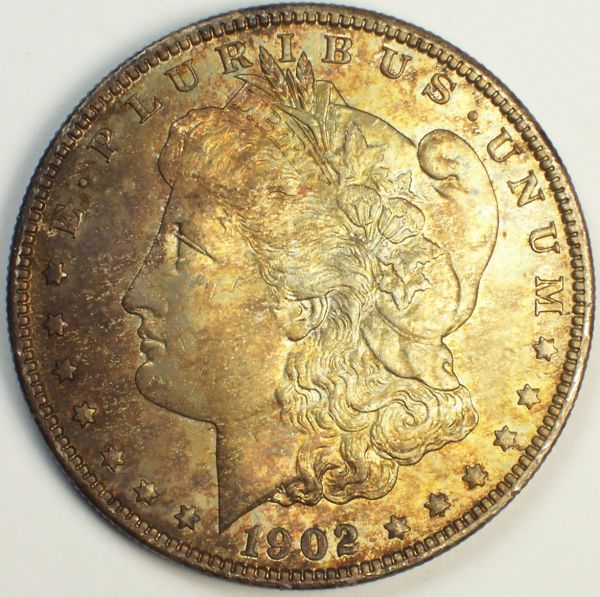 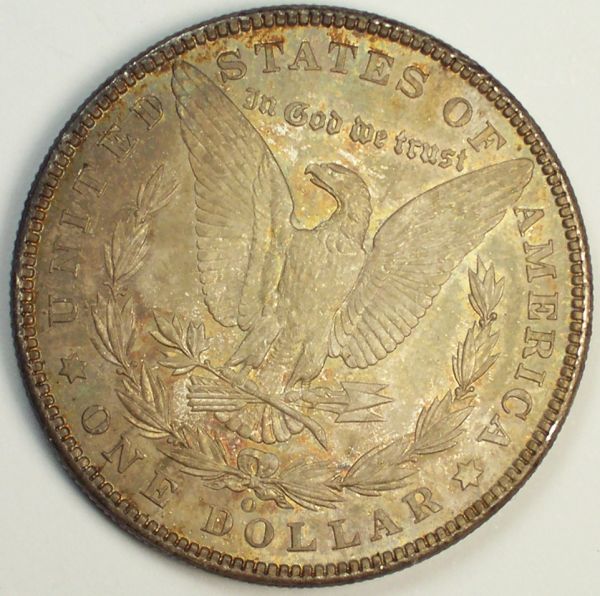 |
|
Moderator
United States
23522 Posts |
It still looks like all the light is coming from the right side, and I don't get that if you're using two bulbs. Otherwise you're steadily improving things, and there are no more big swings to take at problems, only little ones.
|
|
Valued Member
United States
168 Posts |
Could the lighting look that way due to the coin being darkly toned on the left? The first pic I posted in this thread is very close to what the coin looks like in hand colorwise.
|
|
Valued Member
United States
168 Posts |
Here is the other coin with the same setup. 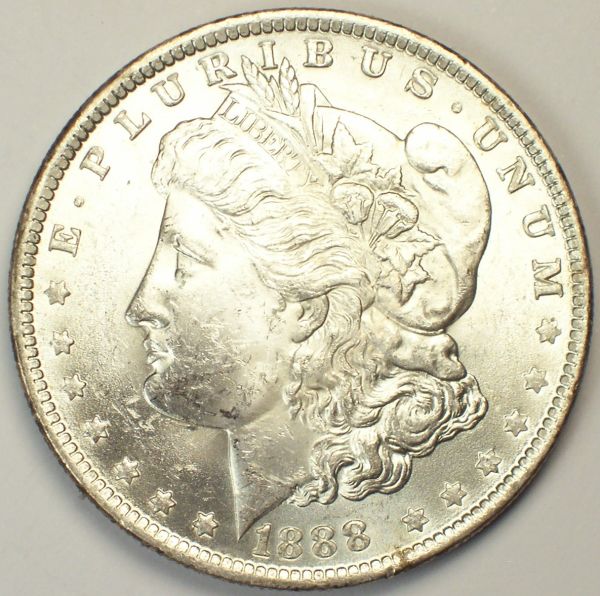 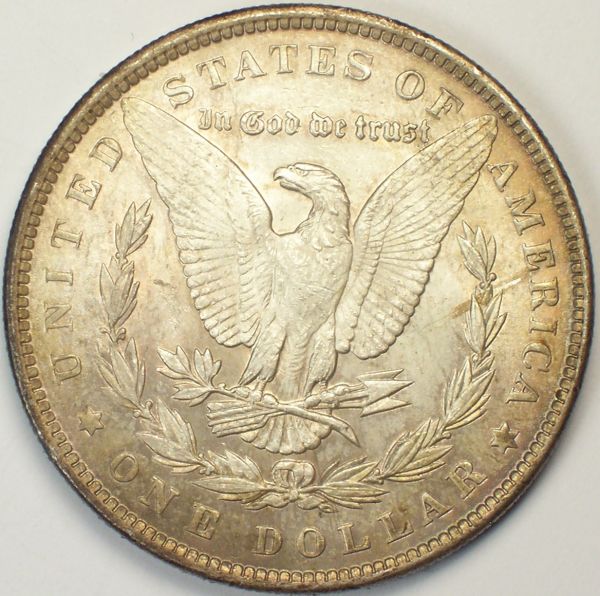 |
|
Moderator
United States
23522 Posts |
OK, I'm buying the toning as the reason; you don't see them darker on one side like that often but it explains things. Now. You're probably already seeing what will be your ongoing battles, same as we all face: the brighter areas wash out when the darker areas are bright enough. The light shining on the forehead side will always be worse because of the undetailed flat areas reflecting, and the reverse will usually be much easier. This tends to be true across lustrous issues. The solution is minor variances in placement and angle, and maybe a tiny bit of diffusion (one sheet of TP-ish). Too much diffusion, and you lose the luster. Too little and you wash out details. I sometimes recommend two sets of images for grading, especially when using this type of equipment - one to show luster and one set with diffused lighting to better show detail. Use that method as an escape outlet if you can't quite tweak the lighting as you'd like. Try them identical except reduce the Exposure Comp to +0.5; these are a bit overexposed. We'll decide which set we like better for postprocessing, which will be your final learning item. I like the sharpness, I like the contrast, the things you still see wrong won't be difficult to correct (aside the lighting), and I can't believe how far you've come in one day.  But your equipment is inexpensive and poorly suited to the task, so we need to round your skillset out with a little Gimp to keep from needing the camera for that last 5%. It's Open Source, free, and as powerful as Photoshop but you need very little of that power, just a couple of functions. Are you OK with downloading and installing it on my recommendation? |
|
Valued Member
United States
168 Posts |
I was finally able to get Gimp downloaded this morning. Definitely a lot more to Gimp than there is in Photoscape.
|
| |
Replies: 22 / Views: 4,464 |










 Posted 12/31/2014 1:06 pm