I thought I'd share this here in the software forum (mods feel feel to move if it fits better elsewhere).
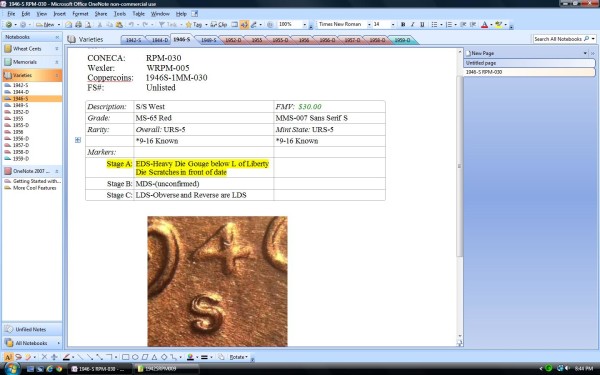
Screen shot:
Print, sheet protector, Airtite, 2x3 PVC free sealable envelope, place in binder - VOILA!
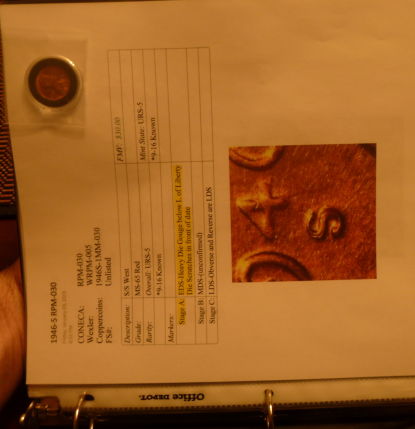
Currently cataloging my
LWC RPM collection and complete wheats by date, memorials will be last.
I'm using OneNote due to already having the program and really not wanting to spend "coin money" on a collection program. I seriously wanted to figure something out to unclutter the never ending mess and the excel spreadsheet is getting too big and plain so... my ADD and OCD came up with this.
Pros:
Folders are separated, pretty much can create whatever collection you wanted complete with photos
It's awesome to create new tabs for each date and MM add and delete as needed.
Easily clip and paste photos, excel & word docs, spreadsheets etc. or pages from the web. Basically you can cut and can paste everything. So in a nutshell = Easy to use!
Time! After creating the template, it's copy and paste to new, add description etc. About 3 minutes total per coin page. Less if they are already photo'd and 2x2'd or in airtites.
Email each page...nice to send it to myself and edit at work or just stare at a coin, could be useful in the future if I decide to sell something (doubtful).
Cons:
One note does not have page breaks (this is hugely annoying when printing!)not a big deal if kept on the PC.
Copy and Paste your picture with arrows depicting RPM's doesn't work unless you printscreen and paste to paint, word etc. *Short answer the arrows don't transfer with the photo.
Obviously a cost if you don't own the program (I think it was already installed on the laptop I bought in college.
Unknowns -
The new onenote is webbased and looks to be free. I haven't played with it yet, but I'm hoping this will transfer. If not...backing-up things.
Anyway thought I'd share maybe useful to someone.
*Disclaimer - I do not work for Microsoft, just looking for a cheap, efficient and nice way to catalog a collection.








 Posted 01/21/2015 12:40 am


