| Author |
 Replies: 20 / Views: 2,593 Replies: 20 / Views: 2,593 |
|
Pillar of the Community
United States
5964 Posts |
I've seen the similar ones, is this one different to you? 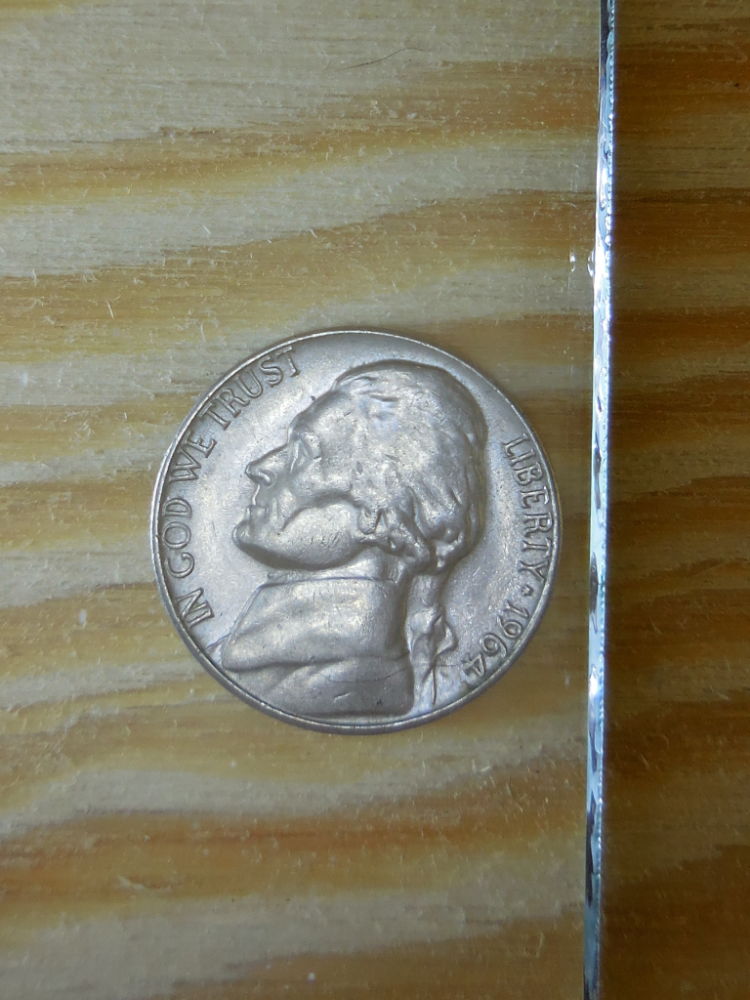 please pardon the pet hair. they are inevitable. |
|
|
|
Pillar of the Community
United States
6478 Posts |
|
|
Pillar of the Community
United States
4809 Posts |
 I have a cat who is pretty sure I was placed on this earth to give him a lap to sit on!! Any time I'm at my desk, he comes around for a nap!! Pet fur is inevitable!! I'm with Kid; what is it you want us to look at? |
|
Pillar of the Community
 United States
5964 Posts |
doubling on Jefferson's front. it is thick, look at his forehead.
|
|
Pillar of the Community
United States
4809 Posts |
Hmmm...can you get a closer shot? Not too close, but of the affected area.
|
|
Pillar of the Community
United States
5964 Posts |
I have a cat and a dog. I owe them both a living.
|
|
Pillar of the Community
United States
5964 Posts |
yes I will. I shoot them in batches, because I am so slow, but will do so in next day or so. this coin doesn't have to be "viewed on an angle" it is from the top of his head down to the bottom of his collar. seen in this photo as white. oh yeah, his left eye too.
Edited by CoinMasters
03/23/2015 10:57 pm
|
|
Rest in Peace
United States
18456 Posts |
It's possible there is very slight doubling from forehead to collar. but will let the experts call it.
|
|
Bedrock of the Community
United States
62064 Posts |
Here is another 1964 nickel: 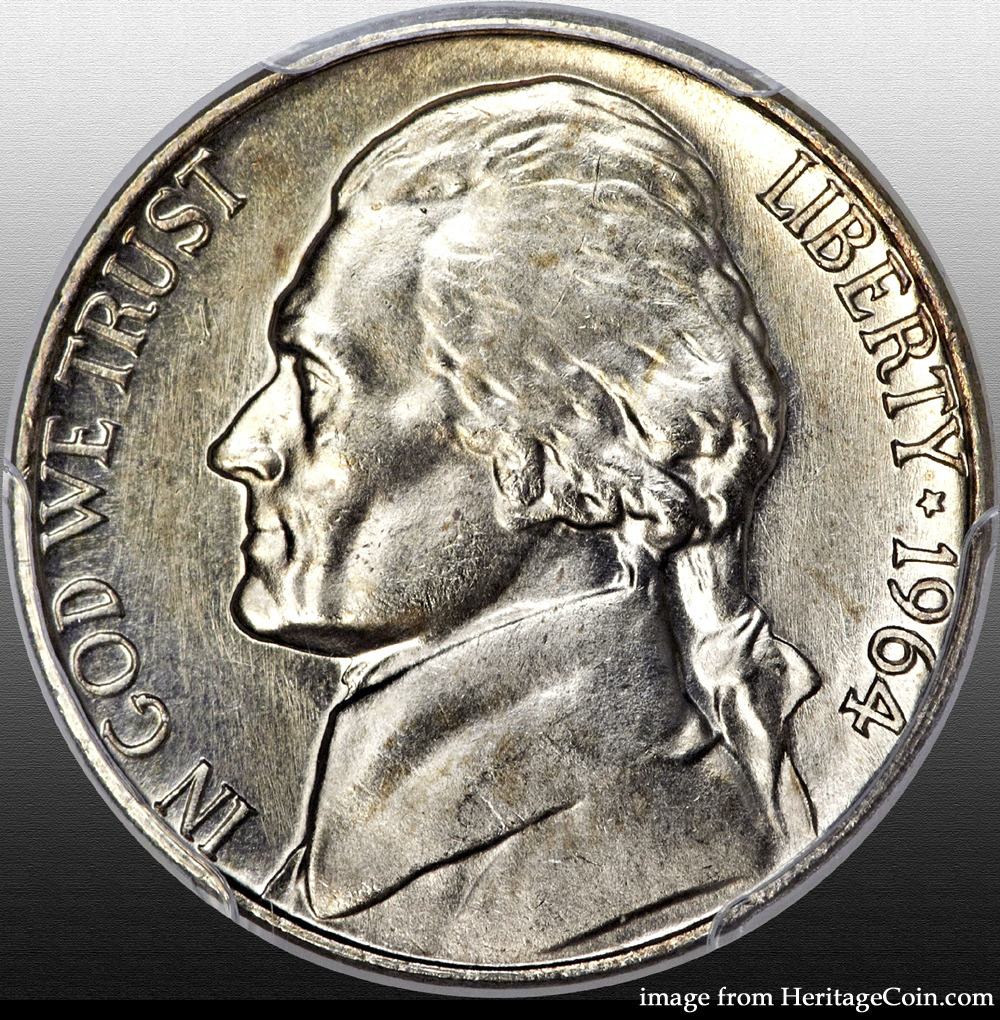 It looks normal from what I can see. Edited by coop
03/24/2015 1:02 pm
|
|
Pillar of the Community
United States
5964 Posts |
I upload all my pictures the same way. I shoot them in a light box, use the free image resizer provided here exactly the way it prompts, and post them. can I tweak the resizer so I show better detail? I have nx2 at home and when I 10x magnify it while viewing the detail is sharp. the resizer here supposedly magnifies 10x, but not sharp. is there something I can do differently?
|
|
Moderator
 United States
15941 Posts |
Quote:
is there something I can do differently? Yes indeed ... and I am not speaking to the technical aspects of coin photography. Your image would be much more successful if you considered the following ... even with your current set-up ... 1. Place the coin on a neutral colored background ... not the wood grain whatever it is currently shown upon. 2. Crop the photograph to show only the coin and the limited background (if needed). 3. Rotate the image so that up is up ... not sideways. 4. Eliminate the pet hairs instead of apologizing for them ... I know ... we all love our pets. But c'mon ... how much work is one more photo? Offered in the spirit of support and not criticism ... since you asked.  David Take a look at my other hobby ... http://www.jk-dk.art |
|
Bedrock of the Community
United States
62064 Posts |
Well editing software is something you might want to get to make you images look better: 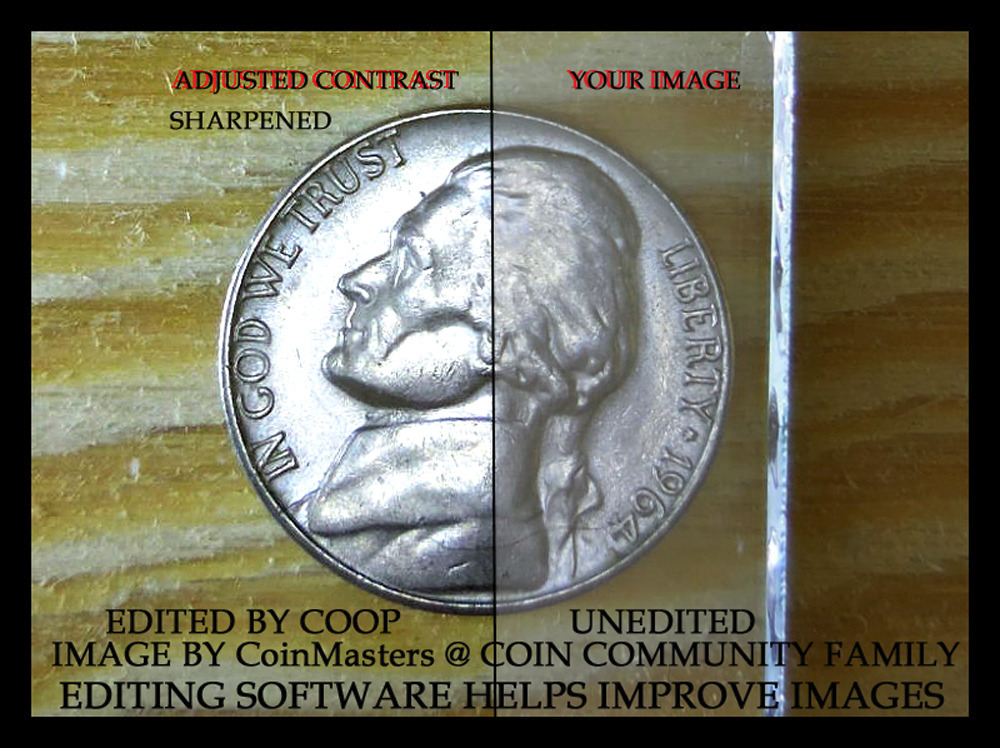 Your image with an adjustment by me. Edited by coop
03/24/2015 8:47 pm
|
|
Pillar of the Community
United States
5964 Posts |
much appreciated nickelsearcher. I will cover the box with a dark cloth. the rotator only turns at one quarter increments, I could solve that by coin placement at shooting, but isn't it advantageous to shoot sometimes with the light source facing a particular part of the coin? I cropped this picture on the free image resizer. should I have cropped it twice? does cropping affect image quality? if so, how? I didn't notice the pet hair until I posted it. I will certainly be more careful in the future; you are correct it is undesierable. I can use all the constructive criticism I can get. I think these things eliminate distractions which is definitely helpful, is there something I can do to improve image quality?
should I edit in some way at home on nx2 before I send it to the free image resizer?
|
|
Pillar of the Community
United States
5964 Posts |
I didn't see your post, coop I was writing my last post. contrast is available on my nx2. also other things like brightness and such. is there anything in particular that shows detail? I can see the detail without editing but when I send it to resizer, much is lost.
just noticed your top line coop. nx2 is editing software. I've just been using it to get the pics to the computer. I will try editing them and cropping them before I send to the resizer, maybe I won't even be prompted to go to resizer. sound viable?
Edited by CoinMasters
03/24/2015 9:31 pm
|
|
Bedrock of the Community
United States
62064 Posts |
I always edit the images first. Get the size/contrast/color/horizontal set before I finish editing. I then add the outside edge after this is done. There is so much you can do with images after you get familiar with the soft wear. Not sure what nx2 is? I use Photoshop. But present your problems in a thread and we can go from there. It would be great to help others on what to do to make their images better?
|
|
Pillar of the Community
United States
5964 Posts |
I bought a nikkon camera and I plugged it in to my computer to transfer pics, it had me download nx2- from which I can view them and all kinds of edit capabilities. what would be an ideal size? should I do them in any particular order? I also don't understand horizontal. where should I start a thread?
|
| |
Replies: 20 / Views: 2,593 |










 Posted 03/23/2015 10:45 pm


